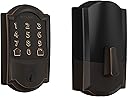
🔒 Elevate your front door game—smart, secure, and always connected.
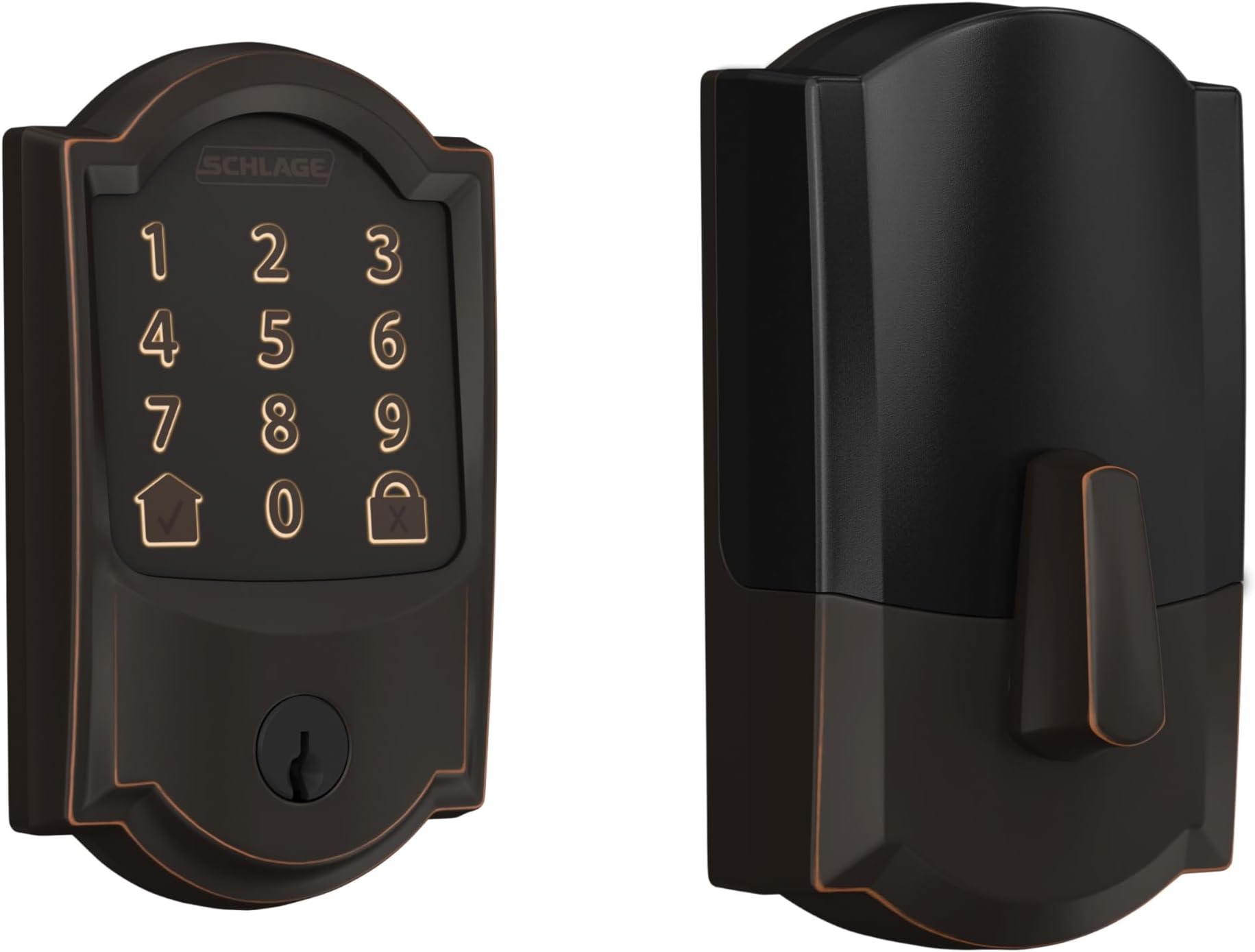
The Schlage Encode Smart WiFi Deadbolt combines advanced security with modern convenience, offering remote keyless entry, voice control compatibility, and customizable guest access codes. Featuring a durable aged bronze finish and certified BHMA top ratings, it installs easily without wiring and provides up to six months of battery life. Perfect for busy professionals and smart home enthusiasts seeking peace of mind and effortless control.


| ASIN | B07HXNBWVV |
| Best Sellers Rank | 489,101 in DIY & Tools ( See Top 100 in DIY & Tools ) 371 in Dead Bolts |
| Brand | SCHLAGE |
| Colour | Bronze |
| Connectivity Protocol | Wi-Fi |
| Control Method | Voice |
| Controller Type | Amazon Alexa |
| Customer Reviews | 4.2 4.2 out of 5 stars (3,602) |
| Global Trade Identification Number | 00043156039128 |
| Included Components | Installation Hardware, Installation Instructions |
| Item Dimensions | 23 x 76 x 127 millimetres |
| Item Type Name | Smart Wifi Deadbolt with Camelot Trim In Aged Bronze |
| Item Weight | 1.27 kg |
| Lock Type | Deadbolt |
| Manufacturer | Schlage |
| Material | Bronze |
| Model Number | BE489WBCAM716 |
| Recommended Uses For Product | Security |
| Shape | Rectangular |
| Special Features | Easy to Install, Touch |
| Style | Camelot |
| UPC | 043156039128 |
| Unit Count | 1.0 count |
J**L
I installed the Schlage Encode Smart WiFi Deadbolt on my front door and it’s been one of the best “quality of life” upgrades I’ve made. The hardware feels solid and secure (typical Schlage), and the aged bronze finish looks great and hasn’t shown fingerprints the way shinier finishes do. Setup was straightforward: the app walked me through pairing to Wi-Fi and calibrating the bolt, and I had it working within minutes. The biggest win is keyless entry—no more hiding spare keys or worrying about lockouts. The touchscreen is responsive, and I love being able to create and delete access codes from my phone. It’s perfect for guests and deliveries, and if you host on Airbnb, being able to make time-based codes is a game changer. Smart home integration has been reliable for me. I use it with Alexa/Google for lock status checks and routines, and the auto-lock feature gives me peace of mind when someone forgets to lock up. Notifications have been accurate, and I like being able to see when a specific code was used.
D**H
I installed the Schlage Encode Smart WiFi Deadbolt with Camelot Trim a few weeks ago, and I’m really impressed with how well it performs. The aged bronze finish looks beautiful and classy — it adds a touch of elegance to my front door that really stands out. Setup was straightforward thanks to the detailed instructions and the Schlage Home app. The lock connects directly to WiFi, so I didn’t need any additional hubs or gadgets, which made installation quicker and less complicated. I love being able to lock and unlock remotely, create custom access codes for guests, and get notifications when the door is used. The keypad is easy to use, with backlit buttons that are clear even at night. The lock itself feels solid and secure — no rattling or looseness at all. Battery life seems strong so far, and the app lets me know well in advance when it’s time to change them.
M**.
***Updates at bottom*** I'm leaving my original review, but will update at the bottom... I needed something that would allow me to remotely let my kids in, since keys can get lost or stolen and codes can be forgotten. But the code option is nice just in case. This has all those options! However, not all of them work. The key pad is dead upon installation. I've checked several times for what I may be missing, but nothing has resolved the issue. Is it supposed to light up? It does not. No response to anything. The physical installation wasn't too bad. Had a couple of do-overs, but things fell into place. Probably the most confusing part was getting the tiny screws through the internal part and into the plate to secure it to the door. If you have a well-lit area you can look through the hole and see the place you need to aim for. The app works... okay. The wifi is very short-ranged and weak. My router is about 10 feet away from it, if that, but on a different level. Less than 1 bar, and constantly not connecting. Took about 10 tries to get the firmware updated due to connectivity issues. I have a mesh router, but another review indicated it won't work, though I have not tried it yet. I think they have one you can buy for $70. You know... spend MORE money on an already overpriced lock. The app also has issues knowing the status of the lock. Most likely that's the connection problem causing that. Unfortunately I bought this 4 months ago, so I'm SOL. Schlage will charge you, apparently, for tech support. No clue on warranty though. I will attempt that soon. If Schlage can get me up and running without sneaky up-selling or anything, I will revise this review. But, as of now, I do not recommend this. ***Update #1*** 12/9/24 After posting this review, I did call tech support. Took over an hour to get through. During the beginning of the call, they text you a link to complete some information to submit. After an hour, I spoke with someone who sent something on to a support person, whi was supposed to email me within 48 hours. That would have been by this past Wednesday. It is now Sunday and nothing yet (it's the weekend, so I didn't expect anything past Friday, which was still 48 hours after the 48 hours), not even in my Spam folder. I will be emailing them later with the number they gave me for reference. ***Update #2*** 12/21/24 I never received a call or email from a technician, but by the end of last week, I received an email stating that a replacement lock was being sent to me with tracking numbers. It took about a week to get here (which was expected), arriving yesterday. This morning, I decided to swap out the old and replace with the new. The process is easier fir me this time since everything else was already installed. Just needed to swap the back and the front. You definitely want to test it out first to make sure the keypad is working. The cable has a little release on it to get it to disconnect, since you will need to connect it before putting the cable through the door. Load the batteries properly and insert the battery tray into the back of the lock. After a brief moment, you should see lights on the keypad and hear beeps. Disconnect and install with the instructions. I bumped it from 1 star to 4 stars currently. Once it works, it's great! Still not thrilled with the wifi range strength on it, but so far it has connected. I know the defect in the first one was probably affecting the wifi connection. Funny that I had to connect using my guest wifi connection, since that is the weakest of all. But it works. I have a mesh router that I've not used yet, so I may try that soon to see if it helps. Schlage did say it will work, but only using 2.4 ghz not 5 ghz.
B**T
My purchase of a Schlage Encode electronic front door lock and the matching FE285 handle and latch set (purchased separately) yielded several lessons in how to select such devices while avoiding most of the problems. Upon receipt of the lock, I had Lowes re-key it to match my other Schlage house locks (a free service at my Lowes). But note: have this done BEFORE you install the lock! Otherwise, a locksmith must come to your location and will charge accordingly. I have installed my lock and set it up. It will provide access to my home if I require 911 services (I live alone). My medical alert company has a temporary access code for the lock, which it will provide only to 911 responders. And If I am unable to delete that code immediately after responders access my home, that can be done remotely by family members or friends who have downloaded, installed, and set up the Schlage Home app on a compatible cell phone. That prevents responders from abusing the code to burglarize the home later. There is the added reassurance that any use of an access code can generate an immediate alarm on the Schlage Home app. I had to contact Schlage’s excellent customer service by phone to complete the installation and programming of the lock. The Schlage web site has a contact phone number, which is answered by real humans. Some important considerations: 1. This still isn’t a mature market with the ideal combination of design and functional features. It’s likely you won’t get all the aspects of appearance and function that you want in one model. And with Encode being a fairly new model, for which the rollout does not seem to have included a complete set of installation and programming instructions, you are likely to be calling Schlage’s helpful customer support staff for assistance. 2. The Encode Camelot lock does not appear to be available as a set with a matching Camelot latch set FE285. Such combinations are available with some other locks, along with discounts for ordering both sets of hardware together. 3. Encode is similar to Schlage’s other electronic locks (Sense, Touch, Connect), but don’t be misled by this similarity. The setup is deceptively similar, but the programming instructions for those other products don’t work with Encode, nor are the instructions intuitive. It’s challenging to locate programming instructions for the Encode on Schlage’s web site. On the FAQs section of the Schlage Home app, Encode doesn’t even appear as a selection option for programming instructions. 4. Encode is the only Schlage model (that I know of) that can connect to your WiFi network without the use of an external hub or WiFi adapter. That’s why I purchased it. Advantage: one less device and wireless connection to go wrong. Disadvantages: WiFi transceivers use a fair amount of power, shortening the battery life. And you can’t set up the WiFi connection unless you download and install the free Schlage Home app, or other compatible app, onto a compatible cell phone, and set up the connection using the app. 5. The instructions are insufficient. My standardized door cutouts for the latch and lock matched the enclosed template, but neither the latch nor the lock was centered within their respective holes as they should have been. I had to remove material from these holes on the sides closest to the edge of the door to make room for their installations. This, despite the Encode replacing Schlage’s similar, manual latch set and lock on the same door. The biggest omission from the Quick Start Guide: WiFi is not even mentioned, let alone explained. 6. The Schlage Home app’s user interface is minimalist―too much so, for me. 7. Encode is available only in a limited set of finishes. For example, there was not an antique brass finish to match the Schlage interior hardware in my home. I went with the Camelot version with the Aged Bronze finish, hoping for sort of a match. This was a mistake. Aged Bronze not only is much redder than the yellowish Antique Brass―it is so dark that one can’t tell from just a few feet away whether the lock is engaged or not. Like a black hole, it simply doesn’t reflect enough light to see any detail. If I were to start the selection process again, I would go with one of the modern Encode Century designs with very visible features. They will fit any decor as well as, or better than, the option I chose. 8. The Encode keypad and I still are not getting along. As with cell phone keypads, this one’s sensitivity seems to vary from one key press to the next. And when one is entering, say, the six-digit programming code (necessary for adding or deleting user codes), there is no indication of where one is in the process. If you accidentally touch a key twice in rapid succession by mistake, for example, there will be no clue that this has happened. In such situations, you’re likely to fumble for a while and finally start over (expletives deleted). You must press the exact center of a number for it to respond. Easier said than done, during a winter blast or soaking downpour, and when the keypad is somewhere around your navel’s level. I would much prefer a push-button keypad with tactile feedback whenever a key is successfully pressed, similar to a mechanical computer keyboard. Some other Schlage models have push buttons, but those models will not directly connect to a WiFi network. 9. Some electronic locks accept an access code, then require the user to turn the deadbolt manually. Encode automatically moves the deadbolt without your involvement. Slick. But there is a cost. If your door is not exactly and correctly positioned, the deadbolt will rub against the strike and will not travel the required distance for the lock to be fully engaged. This reduces security, and a deadbolt rubbing against the strike plate is likely to draw more power, further reducing battery life and possibly damaging the tiny bolt motor. In the best of all possible worlds, all doors are positioned perfectly forever. In reality, even doors that are perfectly positioned at the outset are very likely to shift and rub over time, due to expansion, contraction, and warping of materials, or shifting of the house. For that reason, I prefer mechanical operation of the deadbolt. But Schlage models with that feature do not connect to WiFi directly. So, there you have it. Look at lock options carefully and choose the compromise that works best for you.
J**N
Good lock. Great features. You have to have a smart phone for this lock to make sense. The negative feedback here would be that there is no web access to add or remove codes and lock or unlock the lock. Everything is app based so you need to have a smart device that you can easily and regularly access to use this lock for its intended purposes. With that, I want to comment about the quality of the lock. It looks great and feels like it's extremely well made. I have ordered similar products from smaller manufacturers and I have not been that happy with those locks shortly after purchase. There is a difference in buying brand name for your home/office's security. I am very happy with all components of this lock so far. Install was a breeze. There is a acannable barcode that gives you detailed step by step instructions and video for each part of the installation. No additional screws or anything needed if you are replacing an existing deadbolt. The setting things uo after install did take some time. Mainly is that the web set up that it started on makes it seem that Amazon key app is the way to go about starting everything up. It's not. However doing so registers ypur email with schlage which will later make it harder to finish setting up through the schlage app. A word of advice and to save about an hour of your time, would be to avoid all 3rd party apps and just download the schlage app and start and finish the lock set up through the app instead of Amazon key, ring, or etc. Was able to figure everything out but after multiple attempts. Again, all could have been prevented by simply doing the set up through schlage app and not Amazon key. Once the lock is set up, you can then connect it to your ring app or use with your Amazon key account without much issues. Esthetically, this is a good looking lock. Does not sacrifice the look of your door. I have this installed on a double door so I do wish that they figured out a cosmetic partner to this lock to put on the second door to keep the look uniformed. Either way, happy with this lock and it's functionality. You can open and close the door through the app or through your passcodes. Inside is a normal twist lock to open and close. I have to play with the lock functions to make sure there is an auto close feature to help prevent doors left open by mistake. I did not find thay feature just yet but you can log into the app and remotely open or close the lock that way as well. I would recommend this lock and am happy that I purchased it.
Trustpilot
1 week ago
1 month ago