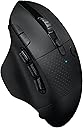
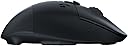
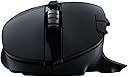
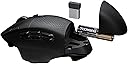
🎯 Own your edge with precision, power, and control — no wires, no limits.
The Logitech G604 LIGHTSPEED is a wireless gaming mouse engineered for professionals and gamers alike, featuring 15 programmable buttons, a cutting-edge HERO 25K sensor with up to 25,600 DPI, and dual wireless connectivity modes (Bluetooth and 1 ms LIGHTSPEED). Its remarkable battery life of up to 240 hours on a single AA battery ensures uninterrupted performance, while the dual-mode hyper-fast scroll wheel enhances navigation and gameplay efficiency. Compatible with PC and Mac, this mouse blends precision, customization, and endurance for a superior wireless experience.


| ASIN | B07W6JKL78 |
| Antenna Location | Gaming |
| Are Batteries Included? | Yes |
| Are Batteries Required | Yes |
| Battery Average Life | 240 Hours |
| Best Sellers Rank | 61,169 in PC & Video Games ( See Top 100 in PC & Video Games ) 309 in PlayStation Accessories 351 in PlayStation 2 Accessories 377 in Xbox Accessories |
| Brand | Logitech G |
| Brand Name | Logitech G |
| Button Quantity | 15 |
| Colour | Black |
| Compatible Devices | MacOS 10.12 or later, Windows 7 or later |
| Connectivity technology | Bluetooth, USB |
| Customer Reviews | 4.4 out of 5 stars 1,223 Reviews |
| Enclosure Material | Metal, Plastic |
| Global Trade Identification Number | 05099206084254 |
| Hand Orientation | Right |
| Hardware Platform | Mac, PC |
| Included Components | USB receiver |
| Item Dimensions L x W | 8L x 13W centimetres |
| Item Type Name | Gaming Mouse |
| Item Weight | 260 Grams |
| Manufacturer | Logitech |
| Manufacturer Part Number | 910-005650 |
| Model Name | G604 LIGHTSPEED Wireless Gaming Mouse |
| Model Number | 910-005649 |
| Mouse Maximum Sensitivity | 25600 Dots per Inch |
| Movement Detection | Laser |
| Movement detection technology | Laser |
| Network Connectivity Technology | Bluetooth, USB |
| Number of Batteries | 1 AA batteries required. (included) |
| Number of buttons | 15 |
| Operating System | Windows, macOS |
| Pattern | G604 |
| Power Source | Battery Powered |
| Product Features | Wireless |
| Product Warranty | 2 year manufacturer |
| Range | 10 meters |
| Special feature | Wireless |
| Style Name | East European Version |
| Theme | Video Game |
| Unit Count | 1.0 count |
E**S
True Hands on Keyboard-And-Mouse (HOKAM) Gaming Experience
Decided to upgrade to G604 from G700s (owned 3 of them). At the moment I am happy with the upgrade. First of all, technical specifications of G604: - Sensor: Logitech HERO 16, Optical, 100 – 16,000 DPI, adjustable with steps of 50 - Image processing: 12 megapixels / second. - Maximum acceleration: 40 G - Maximum speed: 400 inches / second - USB Receiver report rate: 125 - 1000 reports / second - Various battery consumption modes: Yes - Buttons: 15 programmable - Weight: 141 grams = 114 grams mouse + 27 grams battery - Left/Right button: OMRON D2FC-F-7N(G) Micro Switch. - WxHxD: 80mm x 45mm x 130mm Build Quality: My previous Logitech mice models lasted for 2 years on average. It is clear that Logitech made a mistake by using low quality hardware components for main buttons in G604, which is the core part of the mouse. I am on my 3rd G604 mouse, because buttons are developing double click issue: 2020-05-28 – 1st mouse. Developed double click issue after 2 months. 2020-07-26 – 2nd mouse. Developed double click issue after 12 months. 2021-09-24 – 3rd mouse. Let’s see how long it will last. I am still using G604 model, because its design is excellent and Logitech comply with 2-Year warranty commitment. G604, when compared with old G700s: Have 2 extra buttons, double DPI, 240% faster tracking speed. Can handle 25% times faster acceleration and weights 11 grams less. Sensor, on the bottom of the mouse, was moved backwards i.e. further from fingertips, but closer to the mouse's centre of gravity. Battery lasts 22 times longer i.e. up to 240 hours of non-stop gaming. Battery access is much easier and can be replaces with one hand. This mouse doesn’t have cable i.e. can’t charge battery inside and includes non-rechargeable AA battery. This means that you have to spend on rechargeable batteries and charger. AA Battery: - Panasonic Eneloop 1900 mAh rechargeable batteries. Fully charged battery, lasts about 36 days in USB receiver mode. I’ve used it daily for work and for gaming during weekends. I am considering switch to Duracel 2500 mAh, which would give me 32% extra time without replacement. Note: You should keep USB receiver closer to your mouse in order to reduce power usage. USB Battery Charger: - Sanyo NC-MDU01 USB charger. Very small charger, which can charge 1 or 2 USB batteries at the time. Charger gives ability to change battery in 2-3 seconds during the game. Note: I’ve tried Panasonic BQ-CC80 USB charger but it has major disadvantages, like inability to charge 1 battery at the time, charging speed is 4 times slower than Sanyo NC-MDU01. Panasonic also twice as large as Sanyo and makes extraction of a battery with one hand a little bit harder due to its design. Another compact alternative is Universal Magnetic USB Battery Charger from Olight on Amazon, but I haven’t tried it. This mouse has all what it needs to make it the best gaming mouse now: Pros: 1. Comfortable ergonomic grip with robust build quality and individually sculpted buttons. 2. Mouse has thumb rest. 3. Good button layout, allowing easy access to main buttons. 4. Grip feels rubberized and smooth. 5. 4-Way (up/down, plus 2 extra side buttons), dual-mode mouse wheel. 6. Extremely responsive (Up to 1000Hz) in wireless mode. 7. Uses a standard AA rechargeable battery. 8. All buttons are fully programmable and can be saved as profiles to on-board memory. You can create even more complex scripts when combined with "Logitech G HUB” software. 9. Ideal for MMORPGs. 10. You can connect mouse to 2nd device or PC via Bluetooth. Cons: 1. Minor: Mouse don’t have cable connection and can’t charge the battery. Good thing that it lasts much longer than G700s model. 2. Minor: No dedicated profile switch button on the bottom of the mouse (like on Razer Mamba). 3. Major: Logitech software like G-HUB and Logitech Options is prime example of incompetence i.e. buggy and irrational navigation. It is like hardware department hired people based on merit and software department is full of beginners who have no clue. Extra mouse buttons and "true gaming mouse": Proper gaming mouse, like HOTAS Joystick, allows you to keep left hand on movement keys (W,A,S,D,SHIFT,SPACE) at all times, while performing most basic FPS functions (shoot, aim down sight, throw grenade, melee attack, crouch, prone, draw side gun, ...). This requires more than 5 mouse buttons. True gaming mouse must have at least same amount of action buttons as a standard gaming controller which is 14 (A, B, C, D, LS, RS, LT, RT, LB, RB, D-PAD Up, D-PAD Right, D-PAD Down, D-PAD Left). Logitech G604, with 15 programmable buttons, comes very close to perfection. Extra buttons are exactly what makes mouse a "gaming mouse", because extra buttons give advantage over other players. Of course, higher DPI, faster pool rate, memory profiles and scripting are important features of a "true gaming mouse" too :). There is a room for improvements and new features: - Top-left side buttons could be higher and more sculpted, which would separate them better from the main Left mouse button and accident clicks of it. - 2 Extra buttons could be added on the top right side. - Analog buttons (sliders) could be added with support of pulse-duration modulation (PDM) key macro, which could turn G604 into a game controller replacement :). HOKAM: For example, I’ve used this sequence very frequently in Battlefield when trying to resurrect friendly: With my left hand: I was running ('SHIFT') forward ('W'), while strafing to left ('A') and right ('D'). At the same time, with my right hand, I selected, charged defibrillators and resurrected friendly ('G7'), dropped medical kit (SCROLL-LEFT) took out main weapon ('G8') or side arm ('G5'), zoomed ('RIGHT-MOUSE') and was shooting ('LEFT-MOUSE') at enemy in order to provide cover for resurrected soldier, then immediately crouched ('G9') or laid down ('G6') into cover myself. With G604 I can do it in a flash with ease, while constantly moving at the same time, because G604 is a real gaming mouse. Any mouse with 5 or less buttons will force you to use keyboard to perform extra actions. It means that in game character will stop moving, which makes you and easier target for the enemy. Mouse with 14 and more buttons can be called HOKAM (Hands on Keyboard-And-Mouse). DPI and muscle memory: It is important to make sure that mouse sensitivity in Windows is the same as in the Game, because it allows you to move windows cursor to a specific location or move in-game target onto the enemy without conscious effort. You must to make sure that mouse movement on the desk mirrors the movement on the screen. In Windows, to enable that: a) Open Control Panel -> Mouse -> [Pointer Options] tab and… c) Uncheck “Enhance pointer precision" in "Motion" group. DPI higher than 6400 is mostly a marketing gimmick, because many games does not support DPI higher than 3200. I prefer low sensitivity settings and use 10.8 inches swipe on the mouse pad to turn 360 degrees in the game. Sensitivity of 1600 DPI is most convenient for me: 1. Most games allow to set 360° Turn = 10.8" 2. With 80° in-game Field on View (FOV) and 1920-pixel wide monitor it allows me to shift in-game world with 1/2-pixel precision exactly. This gives two advantages in FPS games: a) Partly removes "pixel snapping" effect and results in smooth and high quality precision movement when sniping far away targets, which occupies 1-2 pixels on the screen. b) Removes the need to use medium or long-range scopes in FPS games when using high precision weapons, when aiming at far away targets, because "pixel snapping" is no longer screws precision and forces you to miss. In Windows, I have to: a) Open Control Panel -> Mouse -> [Pointer Options] tab and… b) Select a pointer speed, in "Motion" group, at marker 3 (11 markers: from 0 to 10) In game, I have to use mouse-sensitivity .com website to convert distance (10.8") and mouse DPI (1600) into in-game sensitivity value. Button mappings: Windows do not support more than five mouse buttons, so, you have to assign keyboard keys to them in order to use them in games. Mapping Option (Simple) You can assign just most popular keyboard keys (1,2,3,4,Z,C,F,Q,H,G) with "Logitech G Hub" software. Configuration in most FPS games would look and work like this: Main Buttons: G1 – M1 – Fire. G2 – M2 – Aim down sight (ADS). G3 – M3 – Alternative Fire. Thumb Buttons: G4 – 1 – Side weapon. G5 – 2 – Main weapon. G6 – Z – Stealth mode. Prone. Dodge roll if SPACE is jump. G7 – 3 – Close-quarters combat (CQC) weapon. G8 – 4 – Long-range, heavy weapon. G9 – C – Stealth mode. Crouch. Top Buttons: G10 (+) – F – Melee. G11 (-) – Q – Spot / Command Interface. G12 (<) – H – Scroll Left – Use Defensive Item (Med-Kit, Supply Box, …). G13 (>) – G – Scroll Right – Use Offensive Item (i.e. Grenade, C4, …). G14 (^) – Scroll Up – Next Weapon. G15 (v) – Scroll Down – Previous Weapon. Mapping Option (Advanced): This option allows to assign up to 3 different keyboard keys to one mouse button. Such configuration allows you to keep your Hands-on Keyboard-And-Mouse (HOKAM) at all times. First: Assign physically hidden function keys F13-F24 of keyboard, because they are usually free to map in all games: G4=F14… G9=F19… G13=F23. Second: Use "AutoHotKey" open-source app to create combos, which will make one function key to act like 3 keys, depending on how you press it (SINGLE - Single click. DOUBLE: Double click. HOLD: Click and hold for 500ms). Keyboard (Left Hand): AWSD – Move: Left, Forward, Backward, Right SHIFT – Run Mode SPACE – Jump Mouse Buttons (Right Hand): M1 – Fire. M2 – SINGLE HOLD: Aim down sight (ADS). DOUBLE HOLD: Scope. M3 – Alternative fire. Thumb Buttons: G4 – 1/5/9 – Side weapon. SINGLE: Pistol. DOUBLE: Shorty. HOLD: Select Item 1. G5 – 2/6/0 – Main weapon. SINGLE: Assault Rifle. DOUBLE: LMG. HOLD: Select Item 2. G7 – 3/7 – Close-quarters combat weapon. SINGLE: Shotgun. DOUBLE: SMG. G8 – 4/8 – Long-range, heavy weapon. SINGLE: Sniper. DOUBLE: Rocket. G9 – C/P – Stealth mode. SINGLE: Crouch. HOLD: Prone. Top Buttons: G10 (+) – F – Melee. SINGLE: Kick. DOUBLE: Kill. HOLD: Incapacitate. G11 (-) – Q – Command Interface. SINGLE: Spot. DOUBLE: Target. HOLD: Menu. G12 (<) – H – Scroll Left – Use Defence Item (Med-Kit, Supply Box). CLICK: Drop. DOUBLE: Heal. HOLD: Revive. G13 (>) – G – Scroll Right – Use Offence Item (Grenade, C4). SINGLE: Throw. HOLD: Aim. G14 (^) – Scroll Up – Next Weapon. G15 (v) – Scroll Down – Previous Weapon. "AutoHotKey" script example: - Aim with the normal sight when you "mouse-right-click and hold" or aim with sniper scope if you "double-mouse-right-click + hold". - Assign 3 different keys to G4 button: Single Click - 1, Double Click - 5, Hold - 9: ; ------------------------------------------------------------- G4s := "1", G4d := "5", G4h := "9" ; F14 ; ------------------------------------------------------------- #UseHook, On HoldTime := "T0.5" DoubleTime := "T0.2" DblClickTime := DllCall("GetDoubleClickTime", "UInt") ; ------------------------------------------------------------- ; G2 / M2 - Aim. ; SINGLE HOLD: ADS, RDS or Iron. DOUBLE HOLD: Scope. ; ------------------------------------------------------------- RButton:: MouseClick,right,,,,,D If (G2h != "") and (A_TimeSincePriorHotkey < DblClickTime) and (A_TimeSincePriorHotkey <> -1) { MouseClick,right,,,,,U ; Scope / Double Click Send {CTRL down} keywait %A_ThisHotkey% Send {CTRL up} }else{ keywait %A_ThisHotkey% MouseClick,right,,,,,U } Return ; ------------------------------------------------------------- ; G4 / F14 - Side weapons. ; SINGLE: Pistol. DOUBLE: Shorty. HOLD: Select Item 1. ; ------------------------------------------------------------- F14:: If (A_TimeSincePriorHotkey > DblClickTime) global G4 := "" keywait, %A_ThisHotkey%, %HoldTime% if (errorlevel = 1) { Send {%G4h%} ; Hold global G4 := "H" return } keywait, %A_ThisHotkey%, d, %DoubleTime% if (errorlevel = 0) { Send {%G4d%} ; Double global G4 := "D" return } if (G4 != "H") { Send {%G4s%} global G4 := "S" } return ; -------------------------------------------------------------
B**D
An improvement on the G602
The Logitech G602 was already an incredible mouse, so good I've been using it for about 4 years and only ever bought replacements of itself over time. If you've used a G602 before you'll know what to expect and how Logitech wireless mice are amazing. For those that haven't, they are almost faultless mice with long lasting batteries, zero connectivity drop, accurate precision and feels great in the hand (I have medium/above average sized hands for a male). So, how does the Logitech G604 improve over the G602? - More robust materials/build. Feels like a more solid plastic that could take a number of minor impacts without issue. - Scroll wheel is much easier to grip with its new design and allows better tilting from side to side. - There's a scroll wheel lock/unlock now that allows for uncontrolled scrolling or fixed rate scrolling. - The side buttons have seen a major improvement. On the G602 some of the side buttons felt awkward to reach or clumped together that could lead to the wrong clicks but the G604 have separated them and revamped the design. - Using only one battery for a longer charge than the G602, the G604 weighs less and just glides effortlessly across the surface. - There's a new software suite by Logitech that allows a lot of customization in an easy to use program. I couldn't come up with any disadvantages of this mouse over the G602. It really does feel like an upgrade and I'm looking forward to using it over the oncoming years. The one way I wish this mouse could be upgraded further is adding in lighting to the buttons and possibly RGB features. In its current state the mouse is very dark and I feel it almost might get lost in a dark room. It'd be nice if they added RGB as an optional feature with the ability to disable the lighting if that's not your thing. By the way, I bought the 'East European' variant of this mouse and it came in a multi-lingual packaging with English as the primary text so don't worry if you thought the East European version was inferior in some way. Great mouse all around, highly recommended. East
M**S
Comfortable, customisable mouse. The best I've owned!
I have tried A LOT of mice this year, hunting for the best one. I don't play many games but I was looking for a comfortable mouse for work with extra buttons, infinite scroll, side scroll etc, and this is the one. I did try the MX Master but found it a bit uncomfortable. It may just be me but my hand kept getting caught on the right underside of the mouse. Everything else about it was great but it wasn't for me. This mouse on the other hand is a joy to use. It has a good weight to it, has 6 fully customisable side buttons that i've already personalised for my work use, and the infinite scroll works well (tip: adjust your scroll on windows to scroll 1 line at a time for a smoother experience). I only use the infinite scroll now. The ratchet scroll is fine, but a bit on the noisy side for me to use in a quiet office. It takes a single AA battery which, while not so good for the environment, it does mean you don't have to worry about charging it, and the battery life is great! As I said I haven't tested this for gaming, so can't comment on the refresh rate, compatability etc, but this is definitely a recommended mouse for productivity.
G**T
Excellent mouse with some quality traded-off for added features compared to the G602.
I like Logitech peripherals because of their quality-to-functionality ratio. Not every product is perfect, and so we have pros and cons, but overall this mouse has been worth the money and while not fully meeting my specific expectations it does a great effort trying. I use this mouse for everyday productivity and for gaming: productivity-wise my complaints petered out with familiarisation of the new software; it has improved my gaming experience to some degree so it has been beneficial, but not as ideal as I'd wished, ultimately. For context, this G604 was an 'upgrade' from my G602 (which, despite all of the common complaints, has been going strong for years now and still is), but in reality this mouse is a sidegrade to that model. In terms of control, the sensors are in fact different (HERO in this G604 compared to the Delta Zero sensor in the G604) but the control feels the same to me on 1080p, maybe at higher resolutions this would make a bigger difference but for my cases they handle like the same mouse in terms of precision. If anything, I feel as if the skates on the G604 just aren't as good as the ones on the G602, if anything interrupts flow of movement then it's them: not in a troublesome way, but in a way relative to how its predecessor handles. Unfortunately one can no longer purchase the G602 from Logitech or suppliers as it is discontinued, so you're lucky to be able to snap one up these days, and so that makes this the next best thing. And, really, it's no worse, just not exactly so much better as you'd expect the next generation to be. These two side by side is what really highlights the difference in build quality. The 602, for starters, just looks more substantial and robust, whereas this one, the 604 looks just as plastic as it feels -- even the joins between the segments aren't perfectly flush, letting light through so you can see gaps. This also extends to how it feels to the touch, but doesn't translate to it being hollow or unsteady to hold, it's actually remarkably sturdy under the grip of a palm or claw. I don't mind that it's pretty much all plastic, makes it lighter for better movement, it could just look more sleek. The only metal part is the scroll wheel, which I find odd given the makeup of the rest of the mouse, and does add weight, but the weight is probably the point here (to aid in the infinite scroll mechanism, allowing it to be slung and proceed somewhat under its own weight). The shape and weight of the overall mouse is the same. The battery life on this model is just as brilliant. Had the single battery that came with it in since I bought it and there's still life in it yet, and that's at the highest polling rate. Upgrades on the G604 to the G602: -- Extra buttons, you can side-click the scroll wheel, equaling 2 more programmable buttons -- Unlockable scroll wheel: a switch unlocks the scroll wheel allowing for fast spinning 'infinite scrolling', hitting the switch again locks it back into 'notched' mode (not perfect, but better) -- Side buttons reshaped: the 6 side buttons all in the same place, but the panel has been slightly reshaped along with the buttons housed within it, they are now equally sized, no obstructive parts, and activation is more obvious, making them more ergonomic. -- Lightspeed+Bluetooth switching: unlike the G602, this G604 can connect via Lightspeed using the dongle and connect via Bluetooth without a need for the dongle. This allows quick switching between devices by having a computer connected through each method, and the press of a button switches modes. I wanted the scroll wheel to be better than it is. I was hoping for a stiffer notched scroll click, making it harder to repeat button presses when the wheel is in locked mode, but although it is held back, it's not held back enough to prevent that extra little bit of overspin resulting in another button press. The infinite scroll feature works perfectly and as expected, I only wish the locked mode was more locked. Downgrades on G604 to G602: -- Skates aren't as good: the G602 had what I would describe as 'pads' for skates, they flowed with the underside of the mouse and gave it a discrete lift; this mouse, the G604, has just angled chunks of plastic aligned on every side, the chassis 'envelops' them so it has lips surrounding each skate, giving it what looks like a high and unelegant lift. It doesn't move quite as perfectly as its predecessor. -- No quick switch for performance/economy modes: the G602 allowed you to flip a switch to instantly change the polling rate of the mouse, allowing to either save battery or make every movement count as you wished; they have simply removed this button/feature. You can still change the polling rate in within the software. The software: The software is GHub. This is the successor to LGS (Logitech Gaming Software) and if you're used to LGS then you will instantly hate the new GHub. In fact, even if you've never before used LGS, you will still probably instantly hate the GHub software, especially when you Google for solutions to problems and most of the content that comes up is entire rants about just how terribly awfully broken and inhumanely irritating this piece of software is to use. It's not as bad as all of that. It's as clunky to use and get to know as most hardware manufacturer's software is: none of them make very good supporting software for their products. It's really a matter of learning curve, as it's not the most intuitive app to work with, but it does work and do all that it needs to do once I've gotten used to it.
A**G
Borderline Perfect (for me)
Pros: 1. Good build quality 2. Quick switching between modes (Bluetooth to 2.4, vice versa, useful if you want to connect to two PCs) 3. Lots of programable buttons which is especially useful for games that use a lot of key-combos. 4. Sleep mode if the mouse doesn't move for a while, which is useful if you forget to switch it off. I turned off the mouse maybe 3 times? and I have been using it for a month or so and the GHub app shows that my battery is full (4/4 bars). 5. Mouse feet are of good quality, they don't scrape the mouse mat surface. 6. Being able to swap batteries is a great touch, meaning battery degradation is non-existent. 7. The back of the mouse stores the receiver and the battery, and is held by strong, but not too strong magnets. Cons(?): 1. Mouse is relatively heavy, not too much of an issue for me, it can be for others. 2. The scroll wheel is the loudest I have ever heard, but I wear headphones so it does not bother me. 3. Rest space for the pinky would be nice. 4. Albeit minor, the left and right click don't stay perfectly flush with the main body of the mouse. 5. No third connectivity option, such as a USB Type-C, so if the Bluetooth and receiver break, your will need to fix it or replace the mouse. 6. No RGB. I really don't care as it will reduce the battery life, but others may want RGB.
C**F
Top gaming mouse.
I’d definitely say this mouse is for gamers who have slightly bigger hands. Also this is a heavier mouse, some people love it, some people don’t. It’s about finding what’s best for your hands and what you can manage to move with quicker wrist or arm movements. Also picking it up when trying to move around in games like Call of Duty or Any fast paced game can be a little tricky at first if you’re not used to mouses with a little extra weight. I’ve now been playing mouse and keyboard for 1 month and abit and I’m getting on great with it and improving every day. Last thing, I wish the side buttons were a little more forward on the mouse (more to the front end of the mouse as it causes me to have to bend my thumb a little bit more than with the front two side buttons. This isn’t the biggest problem in the world as I’ve got used to it now but at first it stunted how fast I could click these. Overall, the software for this mouse is very in detailed and I love it! Soo much customisation, I’ll definitely be buying another one when it wears out but I doubt that’ll happen for a very long time! (By the way battery life is amazing so far, I heard it lasts for like 6-9 months minimum without needing new batteries lool, so that’s a great, haha. 10/10 mouse for me.
D**O
Excellent choice but will require open mindedness.
Really exactly how the reviews online say it is. I do not play moba games, but I do love assigning one row of buttons for gaming and the other row for media controls. They work incredibly well. (PUBG, Warzone, Scum) I love that there is no latency at all, being wireless since I don't feel it. And the grip is very comfortable if you're not an FPS gamer. The battery life is as advertised. 3.5 months of battery life on wifi, and much longer if you're using Bluetooth only. Now, if you're switching from a dedicated lightweight gaming mouse like I did (Zowie fk2) then there is definitely a big adjustment necessary. But put faith in the human malleability and persevere, and I was able to overcome the weight and shape hurdle in say two weeks. I still feel like going back to my gaming mouse for the light weight speed and grip but I cannot sacrifice the extra buttons I use so often such as the media keys I assigned to it, controlling everything like volume, pause, skip forward or back, all from the comfort of my couch.
P**E
An (almost) perfect switch for G602 users
Update October 2023: well, that timeframe certainly looks to be consistent based on my level of use - double click issues plus the scroll wheel's almost given up at the same time on the replacement from November 2021. Harsh, given that I've been happy with it, but the score's getting dropped to a 3 due to the lifespan - my Logitech Master 2S at work is still going strong, having outlasted this G604 replacement. Update November 2021: double click issues finally encountered at the 22 months mark, granted of particularly heavy use. Why am I leaving it as 4 stars? It's otherwise been ideal, and have now bought a replacement of the same model since it's suited my needs better than the Razer Naga Pro. As a replacement for a G602, the size and layout makes for an easy transition - the only striking differences on first use are the reduced weight (roughly 135g compared to the G602's approximate 155g, all due to the newer mouse only using a single AA battery), and the 'clicky' all-plastic scrollwheel (the G602 had a fairly smooth scroll and a slightly rubberised scrollwheel). The latter's the only thing that's proven to be a downside thus far - whilst you can switch between the 'clicky' scroll and a free-scroll, the wheel looks a bit cheap and, worse still, feels the same. Dimension comparison: G602: 83 x 139 x 44mm G604: 80 x 130 x 45mm The main difference is length, but this is largely down to the oversized right-hand button on the G602 which overhangs the rest of the design. I've attached a couple of comparison photos beside the older model. Software forces you onto the new Logitech G-Hub, although it seems to be better handled to manage multi-key shortcuts being assigned to the. All bar two of the buttons can be reassigned, sensor can be switched from 100 – 16,000 DPI. Customisation, sensitivity and comfort are the key sellers for me, and this ticks the boxes. My only concern is Logitech's susceptibility to the infamous double-click faults, previously due to use of cheap switches (a reasonably simple fix in the G602, but still something you don't want to be doing at all when spending a decent amount on a new mouse). It's very early days for mine, but given my relatively heavy-usage I'll update this review and score if this fault was to crop up, as it has on my last three 602s. Gripes with the low quality scroll-wheel aside, if you found the G602 the right shape, size and feel, it's a natural switch to the G604. If they come out with a G604A with a better scroll-wheel though, I'm going to be first to swap. nb. I picked up the 'Eastern European Packaging' version listed on Amazon - the only difference between it and the West European version seemingly being that the warning label on the single Duracell battery has the 'not for resale' warning printed in a different language. Box and included leaflets all include English variants of any text. At the time of writing, for a difference of ~£32 (I paid £53, compared to the £85 being asked for the other version), which one to go for is a no brainer unless you desperately need next-day delivery (mine took three, shipping to the UK from Germany).
O**R
Souris parfaite
Souris parfaite pour mon usage gaming et bureautique. Avec 6 boutons sous le pouce qui permettent de configurer plusieurs raccourcis, ce qui est très pratique en jeu, mais aussi en bureautique. Molette débrayable, indispensable quand y a gouté. La molette peut être inclinée gauche/droite pour navigation horizontale (Excel par exemple), système que je trouve plus pratique que la molette sous le pouce de ma MX Master. Peut être connectée sur 2 PC (1 avec le dongle, l'autre en Bluetooth), et on peut basculer en un clic avec le bouton sur le dessus de la souris. Egalement plus pratique que la MX Master qui doit être retournée pour accèder au bouton sur le dessous. Je recommande cette G604 pour un usage bureautique et gaming.
F**F
I use this mouse for a long time and I am happy with it
The batteries last a pretty decent time, even if you use cheap ones from Action (Dutch Dollar Stores). It works with its own wireless dongle and via Bluetooth. I have tried it with MacOS and Windows. No issues either. Decent design. Ergonomy could be better for small hands but I can't expect them to design a device for small hands and multiple buttons, I guess. I like the macro abilities, but be warned you might have to edit some files manually depending on what you want to do. Still worth it. Helps me a LOT on my daily routine!
S**F
Poor quality switches.
It was great while it worked but started double clicking a mere 3 months after purchase. Really disappointed with Logitech.
O**Z
Genial ratón, por encima de la media
Una pasada!! Llevo años usando un pequeño raton logitech con el que estoy encantado, el G304. A día de hoy de hecho sigo usandolo para navegar ya que me parece de lo más comodo que puedes encontrar solo pecando en tener muy pocas opciones de personalización Por esto me decidí a comprar este G604 y no puedo estar más contento. Tiene una ergonomía diferente ya que es un ratón de un buen tamaño, a mi novia no le gusta ya que ella tiene las manos muy pequeñas y dice que no le es cómodo, pero para unas manos estandar es perfecto Las opciones de personalización son bestiales. Ahora mismo lo uso con los dos perfiles que puedes configurar facilmente, uno de los perfiles para el juego que me tenga enganchado en ese momento, y el otro perfil lo tengo configurado para tareas de ofimatica como cerrar ventana copy paste abrir nuevos documentos etc... La duración de la batería es bestial. Desde que lo compré hace ya muchos meses aun no le he cambiado la batería El sensor es una maravilla En conclusión, merece la pena aun a pesar del precio
M**L
Perfetto per me
Premetto che l'ho preso per lavoro (anche se, ad ora, qualche volta ci gioco anche), utilizzo moltissimo software CAD, Excell ed ide di programmazione. Ero alla ricerca di un mouse che fosse altamente personalizzabile sia in termini di tasti sia in termini di software e che al contempo fosse ergonomico, ero indeciso tra due modelli della stessa casa il g502 ed il g903 quando ho scoperto questo mouse che ha tutte le funzioni dei suoi fratelli ma con più tasti. Dunque in sintesi vediamo i PRO ed i CONTRO. PRO: 1) Moltissimi tasti personalizzabili 2) Quasi raddoppio dei tasti personalizzabili grazie al software Logitech (ogni tanto fa cilecca con il programma sul quale ci troviamo e non è il massimo ma fa il suo lavoro) 3) Ergonomico come i mouse da gaming di fascia più alta 4) Possibilità di essere utilizzato in due diversi dispositivi con un solo click 5) Ha le pile e non le batterie, per me è un grandissimo vantaggio perché, a quanto dice la casa, durano fino a 240h ma a differenza della batteria interna, non si usura, quando esaurisce la si butta ed ecco altre 240h, inoltre consente di ripartire subito mentre altri modelli non consentono l'utilizzazione durante la ricarica. Considerate che a quasi 2 mesi dall'acquisto non ho ancora cambiato la batteria e ne faccio un uso intenso (circa 40h settimana) 6) Sensore da gaming (25k) che permette un'estrema personalizzazione dei DPI 7) Qualità dei materiali ottima CONTRO: 1) Non rivela la percentuale di scarica della batteria, proverò con quelle ricaricabili e magari aggiornerò il post 2) L'estetica è peggiore di altri modelli di fascia alta (per me fattore non rilevante) 3) Non ha RGB, diciamo che a livello estetico per me non ha rilevanza però nel g502 (che possiedo cablato) fa molto comodo per sapere in quale configurazione siamo (es. Su un browser posso volere 2 diverse configurazioni, una nella quale con la rotella faccio lo scroll e l'altra che uso solo durante i film in cui regolo il volume). 4) Non ha pesi aggiuntivi (non troppo utili se usato sempre in scrivania) Secondo me è un validissimo prodotto e lo consiglio, almeno per lavoro, per quanto riguarda il gaming non essendo accanito non mi sento di dare consigli..
Trustpilot
5 days ago
3 days ago