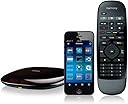
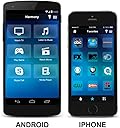
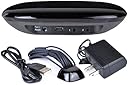
We have purchased four of these refurbished Harmony Hubs and I am a huge fan. We use three of the hubs in our home and we gave one (including set up) to a loved one with MS who needed to be able to control her TV and components through Alexa voice commands. In all four cases the hubs are controlled through the enabled Harmony skill in the Alexa app in all cases these refurbished hubs are meeting our every expectation. There have been no issues with any of these hubs in terms of quality, missing parts or instructions, etc. Logitech support has been wonderful to work with us whenever we encountered an issue in setup that we could not figure out on our own. They really have just been terrific and I can't say enough nice things about these Logitech reps - so patient and friendly every time we have called. In our home I mentioned we have three hubs set up and we did this by setting up two hubs connected to the Amazon account we use for our ordering (it is in the Mrs. name) and the third hub is set up in the Misters (Mr.) account. The living room hub is set up with the primary Harmony skill and our master bedroom uses the secondary Harmony skill as found in the Alexa app. This secondary hub set up requires the added step of having to say, "Alexa, ask Harmony to turn on TV..." as opposed to the primary skill which is simply, "Alexa, turn on TV...". Of course this is necessary to differentiate the two hubs. In our sunroom we set up a hub connected to the Mr. account so it uses the same commands as our living room hub that is associated with the Mrs. account. Both accounts are connected in Amazon family sharing and we can easily switch between the two by saying, "Alexa, switch accounts". The only downside we have discovered in this scenario is that we cannot play our Amazon Music subscription through the hub connected to the Mr. account. We don't want to pay more for the Amazon Music family plan, nor do we need it, but this would probably solve this problem. The Amazon Music account only plays on the account where we purchased it and that is the Mrs. account. We did contact Amazon customer service and explained that the only reason we are even using our secondary Amazon account is so we can use our third Harmony hub with Alexa but rules are rules and it isn't that big a deal. We have an "Everywhere Group" of the Echo devices in our home for playing music throughout the home but the Echo device in our sunroom is in the Mr. account as it needs to be to control the Mr. Harmony connected hub. Hence, it can't be a part of our Amazon Music everywhere group. This is probably very confusing -- sorry. The four hubs we have purchased have been set up to control the following devices: Amazon Firestick Bose Wave II System with CD Changer DirecTV receiver (3) Emerson VCR/DVD Combo Kinivo HDMI Switch Polaroid TV Roku Streaming Stick (2) Sceptre TV Samsung Blu-ray Sharp TV Vizio TV Xbox One We can change channels, change activities and change volume all through voice commands to Alexa via the enabled Harmony Skills. These include: Alexa, turn on/off TV Alexa, turn on/off Roku Alexa, turn on/off Xbox Alexa, turn on/off Netflix Alexa, turn on/off Hulu Alexa, turn on/off HBO Alexa, turn on/off Starz Alexa, turn on/off Fox Alexa, turn on/off CBS Alexa, turn on/off ESPN Alexa, turn on/off SEC Alexa, turn on/off Prime This is just a sampling of things we do through Alexa as a result of these wonderful Harmony hubs and enabled skills. Now here is a list of the set up devices that were most problematic in our Harmony hubs and that required we called customer service: 1. We have an old Emerson brand combo DVD/VHS player and it was tricky getting the device itself to switch between the two functions. There is a toggle button on the device for this purpose but we long ago lost the original remote so we couldn't teach/program the skill. This was resolved with help from customer support. 2. The hub we gave as a gift has an older Sceptre TV in its configuration and the user does not have cable or satellite and instead receives over the air TV signals via a connected antenna. This required channel inputs that were complicated to do with the OEM remote. Channel numbers, for example, such as 29.4 or 51.2 had to be utilized and connected to easy names like "NBC" or "CBS". They all work now - wonderfully I might add, but this set up took more time and was a bit complicated. 3. We discovered that in setting up the Roku streaming sticks we needed to be sure to deselect some of the channels they load by default, such as CBS. Not doing so precludes the ability to set up, "Alexa, turn to CBS" as a named command for our regular CBS station as viewed through our DirecTV receiver. This is because it is already a named channel in Roku. Deselecting this in Roku fixed the issue (after rerunning the activity). 4. When we started off on this adventure we were using Amazon Firesticks but we switched to Roku because Roku has channels that allow for commands through Alexa such as "Alexa, turn on Netflix". With a Firestick it starts at a central home screen and doesn't support the channels so the remote had to be used regardless. I am guessing Amazon does this so you'll have to see their content splash screens before moving on? Roku lets us go directly to the service we wish to view. Plus, if I want to search for a certain show I worry that Amazon will pull it up by default and if it isn't free with Prime might somehow be purchased on rented. I appreciate it probably takes more steps than this to confirm a purchase, but I prefer to no have to eve think about it unless I specifically ask for Prime. 5. There is a button on our DirecTV remotes that is needed for searching and the button (it's a dash) on our Harmony remotes that is a dash didn't provide the same function. This required help from Logitech Customer service as our attempts to program the button ourselves failed. In fact, the customer service rep had trouble with this too and eventually had to use codes from a DirecTV box that don't match the model numbers on our boxes (but it now works and that's what matters). 6. The Bose Wave II CD changer system has a component attached that hold more CD's than the radio portion itself and this was tricky to get both units to power on together and switch to their correct inputs. I honestly don't think I could have done this without Logitech help as it required several steps. They got it figured out though! Bottom line is we love our Harmony Hubs and we haven't had any issues purchasing refurbished units. The Harmony app is easy to use and switches between our three hubs easily, The interface with Alexa is working wonderfully and it is so nice not to have to reach for different remotes and instead change channels and activities through voice commands.