Desertcart purchases this item on your behalf and handles shipping, customs, and support to Mexico.
๐พ Unlock your digital universe with speed and space!
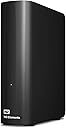
The Western Digital 14TB Elements Desktop External Hard Drive offers massive storage capacity with fast USB 3.0 connectivity, designed for effortless plug-and-play use on Windows PCs. Its durable aluminum build ensures long-lasting reliability, making it the go-to choice for professionals needing dependable, high-capacity external storage.


| ASIN | B07YD3G568 |
| Additional Features | High-capacity add-on storage |
| Best Sellers Rank | #5 in External Hard Drives |
| Brand | Western Digital |
| Built-In Media | WD Elements hard drive USB cable AC adapter Quick Install Guide |
| Cache Memory Installed Size | 14 |
| Color | Black |
| Compatible Devices | Desktop, Laptop |
| Connectivity Technology | USB |
| Customer Reviews | 4.6 out of 5 stars 128,049 Reviews |
| Data Transfer Rate | 5 gigabits_per_second |
| Digital Storage Capacity | 14 TB |
| Enclosure Material | Plastic |
| Form Factor | 3.5-inch |
| Global Trade Identification Number | 00718037873022 |
| Hard Disk Description | Mechanical Hard Disk |
| Hard Disk Form Factor | 3.5 inches |
| Hard Disk Interface | USB 2.0/3.0 |
| Hard Disk Rotational Speed | 1 |
| Hard-Drive Size | 4 TB |
| Hardware Connectivity | USB |
| Hardware Platform | Mac, PC |
| Installation Type | Not Specified |
| Item Dimensions L x W x Thickness | 9"L x 8"W x 3.5"Th |
| Item Type Name | HDD |
| Item Weight | 2.7 pounds |
| Manufacturer | Western Digital Technologies, Inc. |
| Media Speed | 5 gigabits_per_second |
| Mfr Part Number | WDBWLG0140HBK-NESN |
| Model Name | Elements Desktop |
| Model Number | WDBWLG0140HBK-NESN |
| Number of Items | 1 |
| Read Speed | 113.5 megabytes_per_second |
| Special Feature | High-capacity add-on storage |
| Specific Uses For Product | Personal |
| UPC | 718037873022 |
| Warranty Description | 2-year manufacturer's limited warranty |
C**D
A Tale of 2 drives (WD 20TB Elements Desktop & WD 2TB Elements Portable)
June 22, 2026 (UPDATES): I paid $279.99 for the 20TB drive on May 7, 2025 (on sale from $304.00). This drive is $814.99 as of today. It's been in daily use all this time and it's still as quiet and reliable as it was on day one. (It only makes a soft whirring noise when it wakes up). The 2TB drive that arrived with signs of prior use with the 'ding' chipped out of its side has been running fairly well with daily use, though sometimes when I turn on my mac it takes a minute or two before the drive shows up. (Even the 20TB drive appears right away on this mac, so I don't view that as a good sign in terms of longevity). Anyway, I copied a ton of my videos to the 2TB drive and even the largest media files play without a hitch (so far). (This is the end of my June 2026 update). ---------------------------------------------------------------------------------------------------- Well, I have to edit this review to include a NEW western digital drive I recently ordered (because amazon doesn't let you leave separate reviews for different drives made by the same company. My reviews here are for VERY different products and we should be allowed to review them separately, but... ยฏ\_(ใ)_/ยฏ ------------------------------------------------------------ REVIEW for the "WD Elements Portable External Hard Drive for Windows, USB 3.2 Gen 1/USB 3.0 for PC & Mac, WDBU6Y0020BBK-WESN": Anyway, the TWO terabyte WD drive I bought on January 1, 2026 for $79.99 had obvious signs of use. There was a small but noticeable 'ding' on the right side of the drive, and the CrystalDiskInfo utility software showed that the drive had been used for 3 hours. That's far more than any drive that's fresh & straight from the factory will have accrued for simple testing. I kept this drive because I needed it immediately, but I'm not happy about it having been USED and the 'ding' chipped off on the side that shows it had been dropped. Even so, it's performing wonderfully (so far) on a new Mac & an old Windows computer, but time will tell the true tale. ------------------------------------------------------------ REVIEW for the "WD 20TB Elements Desktop External Hard Drive, USB 3.0 drive, WDBWLG0200HBK-NESN" I ordered the WD 20TB Elements Desktop External Hard Drive in early May 2025, wiped it and re-formatted it as NTFS for Windows, and then transferred a ton of backups to it. (A little note: 20 TB drives have an *actual* capacity of 18.19 TB). This WD drive is reliable, sturdy, and a winner by every metric. It's a very quiet drive (I only ever hear a very soft & short 'brrr' when it's waking up, but then it falls silent and remains quiet for the rest of the time that it's active). My drive is on all day, yet I never hear any sounds while it's working. I actually forget that it's on until I need to search it for something! Even with my ancient PC, this WD drive had smooth transfers of up to 180 MB/sec. When that PC died and I connected the WD drive to a new mac laptop, the transfer speed was even faster. This drive has been in use every single day for almost 8 months and it's still just as quick and quiet as the first day I used it. Of course, if you format any drive as NTFS like I did, and then you use that drive with a Mac, you can only copy files FROM the drive while it's connected to the mac device, and you can't can't copy files TO the drive. I thought I'd only use this with my old windows comp and didn't forsee its overdue demise so I used the NTFS format... but since I can access those files, it's no biggie. I'm about to order another WD drive and I'll format it as ExFat so that it'll have full read & write abilities on both mac & windows. This is a great drive and if you're a dual-OS user like me, just format your drive accordingly. It's nice to be able to have the best of both worlds. :)
A**R
Sturdy and reliable external hard drive! What youโd expect when you buy one of these.
I needed at least 20 TB quickly, reliably, and of course, very easy to use. I find these drives compatible with pretty much everything, very easy to connect and these are very portable. Itโs very quiet, I forget that itโs on. Itโs not heavy and itโs very easy to store. Comparable to Seagate and others at the size and price point. Iโve always been very happy with Western Digital, Iโve come to rely on it. If youโre looking for a staggering amount of storage space that only takes a second to set up, this external hard drive is a great choice. Even better when itโs on sale!
G**S
Western Digital 22TB Elements Desktop External Hard Drive Review
If youโre in search of reliable and expansive external storage solutions, look no further than the Western Digital 18TB Elements Desktop External Hard Drive. With its impressive capacity and dependable performance, this external hard drive is a game-changer for content creators, graphic designers, and video editors alike. I recently purchased the 18TB variant of this external hard drive, and I must say, Iโm thoroughly impressed. Prior to making this investment, I had experienced the unfortunate demise of a competitorโs 12TB drive. Thankfully, I was able to retrieve all my data, but it was a stark reminder of the importance of choosing a reliable brand. Western Digital has proven itself to be just that โ reliable. Unlike my previous experience with another brand that exhibited concerning cracking sounds, this Western Digital drive operates quietly and smoothly, a testament to its solid engineering and durability. Whatโs particularly appealing about Western Digitalโs lineup is the wide range of capacities available, ranging from 4TB all the way up to a whopping 22TB. As a content creator with demanding storage needs, having access to such expansive capacities is essential for backing up my work and ensuring I never run out of space. Speaking of which, as a content creator, graphic designer, and video editor, storage space vanishes in the blink of an eye. Thatโs why having a high-capacity external hard drive like the Western Digital 18TB Elements Desktop External Hard Drive is an absolute necessity. It not only provides ample space for storing large media files and project backups but also offers peace of mind knowing that my valuable work is securely backed up. In fact, Iโm so impressed with this external hard drive that Iโm already considering upgrading to the 22TB model in the near future. After all, when it comes to safeguarding my creative assets, thereโs no such thing as too much storage. In conclusion, if youโre a content creator, graphic designer, or video editor in need of reliable and spacious external storage, I highly recommend Western Digitalโs Elements Desktop External Hard Drives. Trust me, itโll make your life a whole lot easier and your workflow much more efficient.
S**E
Reliable, quiet, and perfect for backups
Iโve been using this 14TB WD Elements drive primarily for backups and long-term storage, and itโs been excellent. The setup was as simple as plugging it in, and it was recognized immediately. The large capacity is more than enough for photos, videos, documents, and other large files, making it a great choice if youโre running out of space on your computer.
D**T
5 TB of Space so You Can Stop Deleting Thingsโฆ Eventually
So you wanted storage. Lots of it. You wanted to keep every photo, every movie you said youโd watch โlater,โ and every game youโll probably uninstall in two weeks anyway. Enter this WD Elements 5 TB drive โ your digital hoarding companion. What it offers: Five terabytes. Yep, 5 TB. Thatโs enough to fill with backup after backup of backups. Reviewers report it hits around 100โ135 MB/s for large sequential transfers. GadgetsGenes +3 Happy TechFam +3 Review Finder +3 Plugโandโplay simplicity: Just USB it, and youโre off (on a MicroโB connector, because apparently USBโC is still optional). Happy TechFam +1 Great value: At one point the 5 TB version dropped to ~$89, making it one of the more affordable โmassive storageโ options. Tom's Hardware Lightweight and portable enough to toss in your bag. Reviewers like the portability. GadgetsGenes +1 What you donโt get (and what youโll be forced to accept with a sigh): Itโs still a mechanical hard drive. That means spinning parts, slower speeds especially when dealing with lots of small files, and vulnerability to drops. Reviewers measured write speeds around 80โ100 MB/s or less in some tests. Techwatch.de +2 Review Finder +2 No fancy extras: No hardware encryption, no bundled highโend fileโmanagement software, no USBโC (in the standard model). If you were hoping for premium features, youโll feel that absence. GadgetsGenes +1 Mixed reliability feedback. Some users swear it works flawlessly; others report failures within a couple of years, especially if handled roughly. ProductReview.com.au +2 Reddit +2 My summary in plain English (with a side of sarcasm): If youโre looking for a โputโitโinโaโdrawer and never think about itโ backup device, this is a great pick. It gives you lots of space for not lots of money. If, however, youโre planning on using it for missionโcritical data (like 10 years of family archives), expecting SSDโspeeds, or youโre planning to travel with it and subject it to being tossed in a backpack with your laptop and coffee tumbler โ well, maybe temper the expectations. Donโt rely on it as the only copy of anything. Final verdict: Buy it if you need capacity and want a simple solution. Treat it with respect (i.e., donโt drop it, plug it into a USBโ3 port, remember: backup your backup). Expect it to get the job done, but donโt expect miracles.
S**I
So Worth it
This is my second purchase of this Western Digital 5TB external hard drive and man am I impressed. First of all the size is so compact that you can fit it in your pocket 2) The speed is amazing giving me 90-110 mps on file transfers which makes backup a breeze 3) It has not been getting hot and pretty quiet. Only downsize is that the price of these drives have been going up, but after having purchased a similar Seagate drive at a lower cost that was giving me 18 mps and running extremely hot, this drive is so worth it. I'd rather pay extra to get what serves my purpose. I hope everyone else has a similar experience with these drives. Love it so far!!
I**A
It works great. Enjoy a huge amount of storage for a reasonable amount of money.
TL;dr โ it works great. Treat it with respect, be prepared to toss the cable it comes with (because they fail) and enjoy a huge amount of storage for a reasonable amount of money. Youโve probably read a ton of reviews on external drives and have arrived here. Iโve been in the tech biz over 44 years and was there when 128Kbyte 8โ floppy disks were considered advanced. Iโve used a LOT of different drives. Letโs put this drive into perspective: it is NOT a โportable driveโ, itโs an external drive that you can choose to move from place to place. AS WITH ALL SUCH DRIVES, it contains precision moving parts; if you drop it, it will likely break. If you move it around when itโs operating, it probably wonโt like it. If you drop your laptop, it will likely break. If you want an external drive that you can really move around, get an SSD. I purchased one of these drives for cloud-storage and archival purposes. Simply put, I needed somewhere to dump large data collections for essentially read-only access as well as having a buffer area for cloud storage synchronization purposes (lots of r/w access to the drive). It worked so well I purchased another and might even get a 3rd. Cloud storage is great for frequently accessed data, but for your video collection, your vast music collection or the 130GB of pictures your spouse took last month, you might want off-line storage. This is a great choice. Is it fast? Slower than an SSD but faster than many external hard drives out there. If you want speed, use the local SSD in your device or get an external SSD drive. If you donโt want that expense, this is still a great drive. In operation the drive is whisper quiet and runs slightly warm. You may have read about the โclick of deathโ, well, yeah, it happened to me too. It wonโt run on an overloaded unpowered USB hub (click, click due to lack of power). The cable it comes with is frankly troublesome and honestly you should invest in a replacement. Yup, click, click, click because the cable failed (fortunately I had another to hand, doesnโt everyone?). All that will happen with other drives too, so itโs nothing unusual. My system: Win10 Pro and Win10 Home on Lenovo, Surface Books and Surface Pro; works out of the box just fine. For those complaining that the drive doesnโt work with some backup software; thatโs not the drives fault. For those complaining about the speed for gaming purposes, thatโs not the drivesโ fault either, you should have purchased an SSD. Yes, it will work with Onedrive; just create a junction from your Onedrive folder to the required folder in the external drive. mklink /J srcFolder destFolder Since you have a large capacity drive for large data sets, robocopy (part of Windows) will be your friend as well as mklink to create junctions from your main drive to connection points in external drives filesystems. What happens if the drive goes down? As with any other drive, you might have lost your data. The solution is to (gasp) purchase two drives and sync one with the other. Proโs: 5TB of storage for <$100. Quiet, fast and gets the job done. Itโs a disk drive, itโs not there to be exciting. Conโs: I didnโt like the cable; invest $6 on a better one. As with ALL DRIVES, you need to treat it nicely.
K**S
Good drive! You'll buy it.
First order of business: I ordered this drive (WD Elements 5tb) and received it in about 18 hours. I checked the shipping label, and it is their proprietary delivery service. USPS, take note. The box it came in was pretty regular, no fancy presentation. Which is fine. I don't like paying for felt lining. It has one port on the back, and comes with a USB cable. I plugged it into my laptop and checked it out. Drive capacity actually reads 4.54 Tb. Which isn't unusual for larger volumes. It came formatted as NTFS. Which is great, because FAT32 has a file size limit of 4gb. Next test: I plugged it into a 3.0 Anker USB Data Hub. The drive revved up, then started clicking. I recognized those clicks as motor failures from a power drop, so the USB hub is not going to do it. This beast of a portable drive needs a main-line. It can be used in USB 3.0 or 2.0 But I highly encourage 3 for faster speeds. Especially with a volume this size (You are buying it for a reason, right?) Next test: A phone mount. Similar to a Samsung Dex setup, the device I used is a Baseus USB C mount. It connects my Note10+ phone to HDMI, and...for this test...a USB 3.0 port. I wasn't sure if it would work, because the hub charges the phone, and would have to "lend" some power to the 3.0 port to power the drive. It worked. I plugged it in, and my exFAT/NTFS app fired right up. It recognized the drive, mounted it, and was ready to go. For the technical folks out there, this was by powering the phone dock with a samsung travel adapter that came with my phone. It has a variable output, but can pack a whopping 11v-2.25a (24 watts) at its highest. This 24 watts was enough to fast charge my phone, AND have the drive running. Final test: Directly into the note10+. I used a USB C - USB A adapter that came with my phone and connected them together. It worked. My phone was powering the darn thing. So there we have it. This little pocket sized drive (seriously, my wallet is larger) can be plugged into 3.0, 2.0 or directly into my phone. It came formatted NTFS, just the way I prefer. Description: I purchased a black one. As I said, it is wallet-sized. It has one port for the cable, and a small status light. The light appears to stay a solid color for both standby and active. A power failure results in a blinking status light. When the drive is spinning, you can feel a humming purr, barely audible. The casing is plastic, but solid and sleek looking. It has four non-slip dots on the bottom. Pros: Huge storage for the price, powered through USB only, NTFS formatted, small. Cons: None discovered yet. Recommended Uses: This would be a perfect drive for home network storage, office/school/home work. It would also be ideal for gaming consoles even as modern as the XBox One X. Or a handy volume for torrents. Or a handy volume for backing up a system or family photos. Possible Uses: It runs on 3.0. While Pro Gamers might chuckle at the idea, it could be used as a Steam Library. Initial load times might be slower than a built in solid state drive, sure. But so what? This is 5Tb. Portable. For under 120. It could also be used for beginner-level production. Again, it is slower than a dedicated solid state drive, of course. But for a new youtuber, or designer, or developer...this can store a lot of content.
L**Z
Excelente producto
Gran capacidad y calidad 100% recomendado
Y**O
4.5
ู ู ุชุงุฒุฉ ููู ุจุทุฆูู
E**R
Great equipment
Functions super!
F**Y
Good
Works well
M**N
Works great.
Items arrived per schedule and works. This 20TB unit is 7200rpm class product.
Trustpilot
1 month ago
2 weeks ago