Buy anything from 5,000+ international stores. One checkout price. No surprise fees. Join 2M+ shoppers on Desertcart.
Desertcart purchases this item on your behalf and handles shipping, customs, and support to Mexico.
๐ Unlock speed and security with every swapโbecause downtime is so last decade.
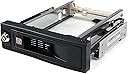
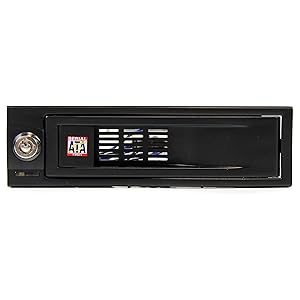
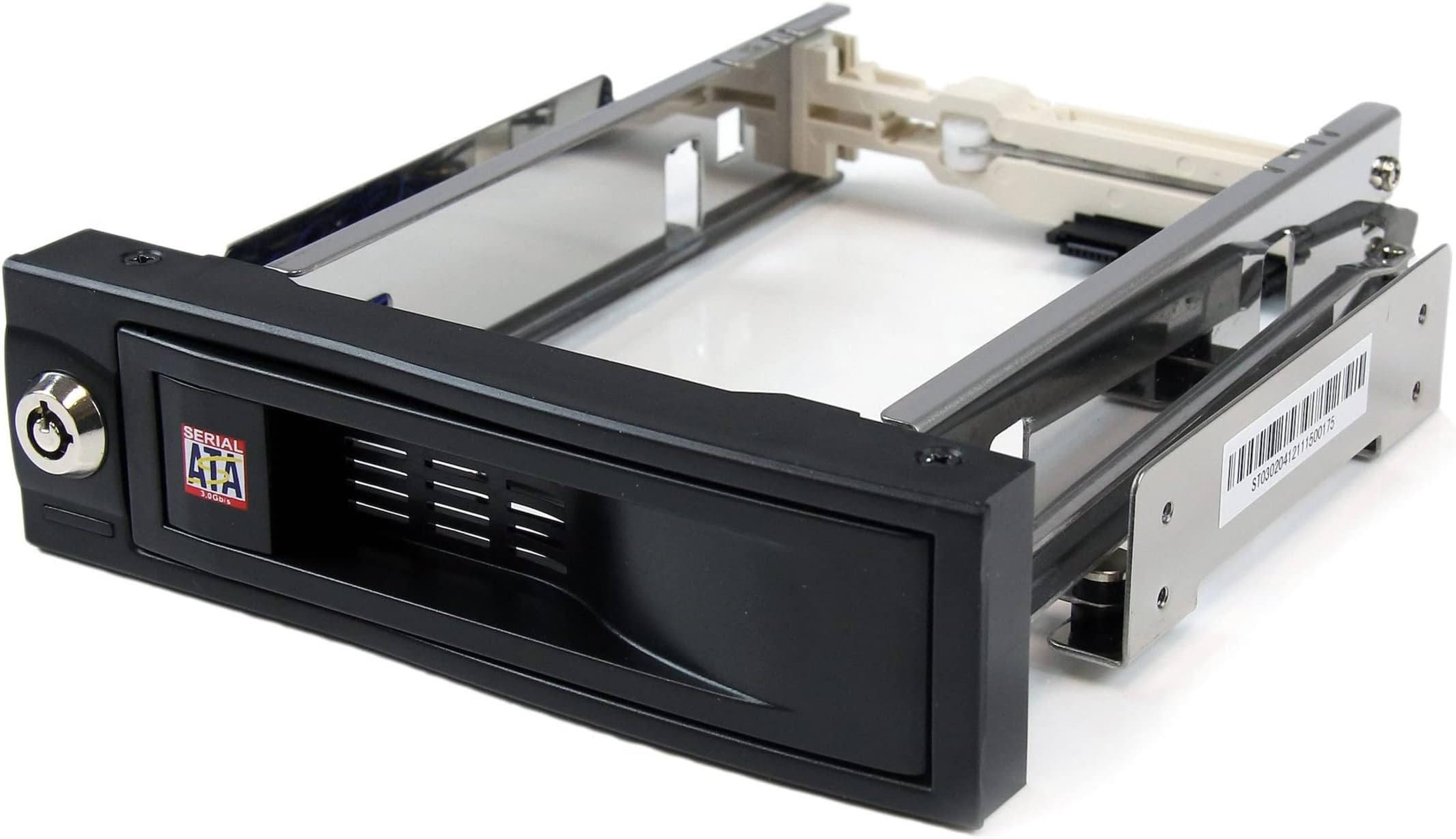
The StarTech.com 5.25in Trayless Hot Swap Mobile Rack is a premium internal SATA enclosure designed for 3.5" hard drives. Featuring a trayless design, it enables quick, tool-free drive swaps while its lockable bay and rubber shock absorbers ensure security and durability. With support for SATA III speeds up to 6 Gbps and a robust 50,000+ insertion rating, this aluminum enclosure is built for professionals demanding fast, reliable, and secure storage solutions.


| ASIN | B000KS8S9W |
| Best Sellers Rank | #214 in Internal Hard Drives #3,608 in Computer Internal Components |
| Brand | StarTech.com |
| Built-In Media | 5.25" Tray-Less SATA Hot-Swap Hard Drive Bay |
| Color | Black |
| Compatible Devices | PC |
| Connectivity Technology | SATA |
| Customer Reviews | 4.4 out of 5 stars 1,291 Reviews |
| Data Transfer Rate | 6000 Megabytes Per Second |
| Enclosure Material | Aluminum |
| Global Trade Identification Number | 00065030821360 |
| Hard Disk Form Factor | 3.5 Inches |
| Hardware Interface | SATA 6.0 Gb/s |
| Hardware Platform | PC |
| Item Dimensions L x W x H | 7.2"L x 5.9"W x 1.7"H |
| Item Type Name | Drive Bay Adapter |
| Item Weight | 0.26 Kilograms |
| Manufacturer | StarTech.com |
| Material | Aluminum |
| Mfr Part Number | HSB100SATBK |
| Model Number | HSB100SATBK |
| Product Dimensions | 7.2"L x 5.9"W x 1.7"H |
| Supported Devices Quantity | 1 |
| UPC | 065030821360 |
| Unit Count | 1.0 Count |
| Warranty Description | 2 Years |
T**E
Affordable and it works!
It's a little flimsy but it works. I needed to be able to switch drives so I could use different operating systems. It worked great for that purpose.
M**R
Bought to replace Seaocloud slide bays
Seaocloud had intermittent connections causing numerous CRC errors. The Startech use a different material which is tougher and less apt to break when inserting the SATA Data or Power Cables.
R**Y
Perfect solution to cloning!
First of all, you have to understand that there is great value to being able to simply slide a spare drive into your machine, clone, and then remove it. Advantage 1 is that a backup doesn't do you much good if its in your machine, and the whole machine gets fried by an electrical surge. Second, cloning often takes 1/2 the time of making a "disk image". But in modern operating systems, you can't really have identically cloned drives in the machine simultaneously (barring raid controllers of course), so for cloning OSs like XP, you need to be able to remove the drive after the clone is created anyway. Before Serial ATA drives, it was pretty easy to get a tray type 'slide in' solution for a backup IDE drive, though you still had to go through the extra step of installing the drive into the removable drawer. When the serial ATAs came around, there wasn't anything like that for a while. There seem to be a few now, but what I like about this one is you don't have to 'install" the drive in a separate drawer like enclosure. Rather, you can just open the tray (installed in your desktop), slide in the Serial ATA drive, and close the door. What could be easier? (of course, all disk swapping should still be done with the machine powered down). The physical construction seems a bit flimsy, but it certainly is adequate to the task, and seems to work flawlessly every time. As others have commented, the drive comes with an activity LED that terminates in a connector, and is fairly useless unless your motherboard has a pair of pins specifically to support an external activity LED. So that was a feature that wasn't really thought out. But other than that, its a great solution to making the process of making backups, and then moving them to a safe location.
L**E
Works like a charm!
While I've only had this product installed for a couple of weeks, I will start off by saying that it works precisely as intended. I did expect the build quality to be a little better than how it actually is, even factoring in its meager price. But from a price-to-performance standpoint, this product is a relative steal. HDD insertion and extraction is simple and smooth. When an 3.5 drive is inserted and the bay door is fully closed, the door access can be key locked to avoid accidental removal during use or removal by curious hands (especially little ones!). I purchased this unit after trying (and failing) multiple times to create a Linux Mint / Windows 7 dual-boot system. Even with SecureBoot inactive, the Linux GRUB boot loader refused to load Windows even though it recognized and listed it in the boot menu. As such, I reverted to my original idea of a hardware-based physical OS swap method over a less reliable logical/software-based method. And I must say that using an old-school 'game cartridge' style drive swap methodology is far superior (from a reliability standpoint) to a logical bootloader method. At least this way if the boot sector of either drive has some issue, it won't take both OS's with it so I always have a backup OS. Brilliant! I would definitely recommend this product to the budget-minded DIY PC user.
J**K
Convenient
I have been using this rack in Windows 7 with 1TB Western Digital drives. This device actually works better than I expected. You don't have to use much force to open and close the door so swapping drives is effortless. The drive slides very smoothly in and out of the rack. It appears a bit flimsy out of the case due to the rubber mounts, but is solid once installed. There's a drive activity light, but the only reason to use this is if your case lacked its own--and even then it would show activity on any drive connected to the mainboard and defeat the purpose. I can see how this might present a problem for some people that might want to safely remove the drive in the rack while having activity on other drives. This isn't an issue for me personally so I did not take off any stars, but this is definitely something to consider before purchasing. I'm not sure if other racks offer a better solution, but I would imagine that might add additional cost to the unit. My only complaint is one of aesthetics and is very minor. The transparent label you see on the right is easily removed, but the silkscreened image on the left is permanent. I would have liked a clean faceplate. I would definitely recommend this product.
T**R
Much better than expected
This trayless hot swap adapter has a very nice fit and finish to it. I immediately noticed that the frame is sturdy and the hard disk itself is vibration isolated from the chassis. Install was a breeze, and it works. I will certainly be buying more of these. High quality product! Pros - - Basically all of it - The plastic parts feel good and not cheap - The metal frame and latch are sturdy - Vibration isolation - Data/power connector makes a good connection Cons - - I really can't find any.
V**A
Not exactly "hot" swappable.
The item itself is fine. Installed easily enough. Came with all the screws, and two keys for the front. If a drive is in there when you boot, it'll read it. If you slap one in there while your computer is on and in Windows 10, it won't see it. Even went into Disk Management and nope, and having Device Manager look for changes didn't show anything. Not entirely a deal breaker, since I don't need to be swapping drives out constantly and rebooting isn't too much of a hassle (and I have a couple of USB SATA docks for that if need be), but I was kind of hoping that this would be more plug-and-play. The website has no drivers and claims it doesn't need them as it's OS dependent. Maybe it's a Win 10 issue, but my rig is too old for 11 (which I don't want anyway) so for now I've got an extra bay that's a bit more convenient to swap drives out of than the internal bays. The fit with the front plate is a bit weird; there's a bit of a gap since it's not as tall as the slot has clearance for. Also not a deal breaker for me since I don't have the front of my pc facing me anyway so I don't have to look at it all the time. I know folks whose OCD wouldn't allow them to install this in their machines though, so I figured I'd mention it.
L**K
Worked like a charm
Was converting an old PC into a FreeNAS box, and wanted a better solution to storing a spare drive in the system instead of simply having it hanging out in the open inside the PC case. Purchased this Orico hard drive mounting bracket (B01LZWX6PD) along with a StarTech hot swap 3.5 HDD rack (HSB100SATBK). Mounted the hot swap rack into the system, inserted a SSD into the mount, and put the whole thing into the PC without any issues. I thought at first I might run into a snag, seeing that the mounting bracket was ever so slightly shorter than an โnormalโ hard drive, but those worries quickly evaporated. Installation went pretty smooth, and the PC had no issues recognizing the Kingston SSD I inserted into the mounting bracket. I also like the fact that should the need arise, I can simply swap out the drive without needing to crack open the case. I would have no issues repurchasing this setup should the need arise. While not entirely necessary, it was worth spending the extra couple bucks for this solution.
Trustpilot
1 month ago
1 month ago