🎶 Elevate your audio game — don’t just listen, experience every detail!
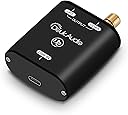
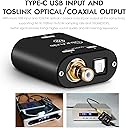
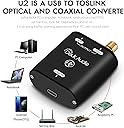
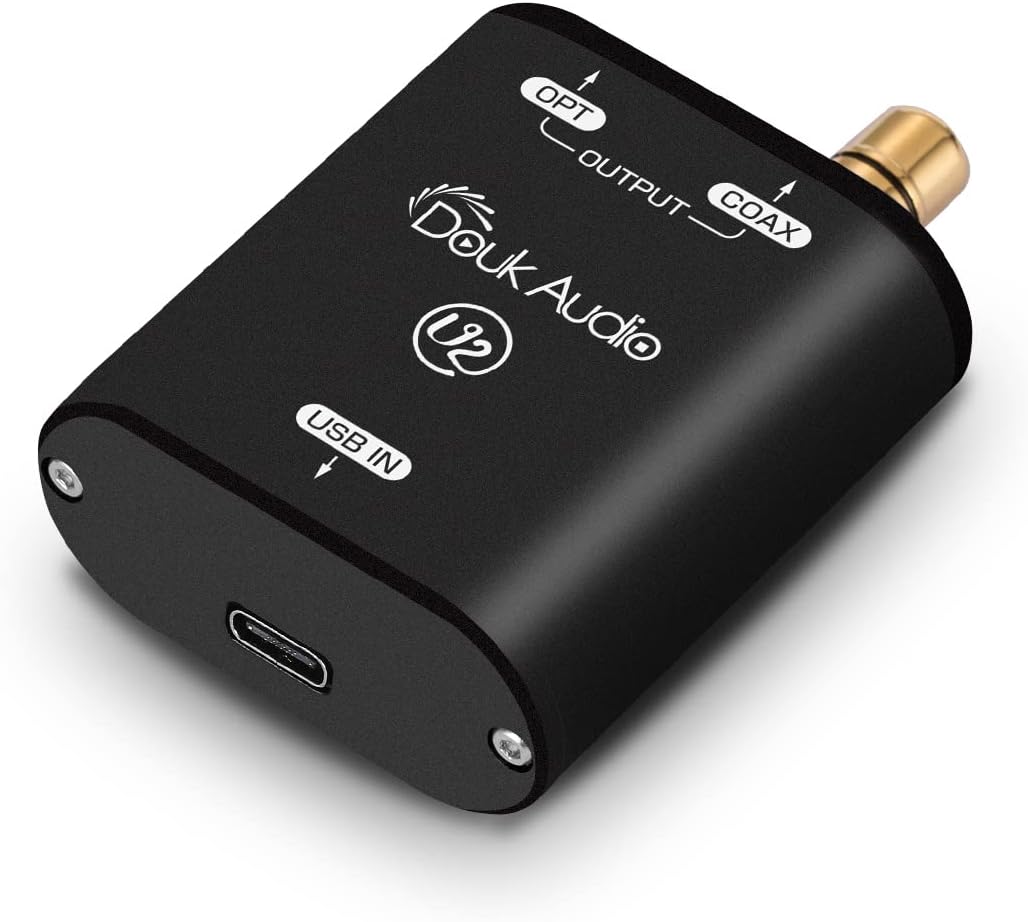
The Douk Audio U2 XMOS XU208 is a cutting-edge USB to Toslink/coaxial digital audio converter featuring USB Type-C input, dual simultaneous outputs, and support for high-resolution PCM and DSD64 formats. Powered by a robust 1000MIPS XMOS chip, it delivers stable, noise-free digital audio conversion in a compact, stylish aluminum case—perfect for audiophiles seeking flawless sound from PCs, Android devices, and more.


| ASIN | B085XPRSGM |
| Best Sellers Rank | #211,811 in Electronics ( See Top 100 in Electronics ) #322 in Digital-Analog Converters |
| Brand | Douk Audio |
| Brand Name | Douk Audio |
| Customer Reviews | 3.9 out of 5 stars 299 Reviews |
| Interface | Coaxial, USB |
| Interface Type | Coaxial, USB |
| Item Dimensions L x W | 2.05"L x 1.77"W |
| Manufacturer | Douk Audio |
| Material Type | aluminum, gold |
| Model | JMQ230H_NEW |
| Mounting Type | Coaxial,Plug Mount |
| Number of Channels | 1 |
| Number of Pins | 26 |
| Part Number | JMQ230H_NEW |
| Product Dimensions | 2.05"L x 1.77"W |
B**N
An absolute tool of necessity in certain situations - rendered excellent audio results on my end!
Every once in a while one comes across USB audio problems between various components such as DAC's and your PC, that for the life of you, cannot be remedied. These problems can range the gamut from things like a DAC not being recognized by your PC, or USB line noise that that you just cannot get rid of. I know, I've been there! As a user/audiophile and audio reviewer (mostly with desktop, near-field scenarios), I've encountered many issues regarding USB connections, and they either weren't easy to remedy, or were just not fixable. In many of those instances, you begin to wonder about "other connections, other than USB." In my case, my PC didn't have an optical output connection, so I didn't have many options available. After scouring various websites for information, I ran into this unique Douk USB to Toslink/Digital Coax converter on Amazon, and I figured, why not give that a try. The issue I was having is that one of my DAC's had a high-pitched constant RF type of noise (that none of my other equipment experienced) that just wouldn't go away and definitely interfered with my music listening experiences. And since my PC didn't have any type of optical outputs, I was left with having to connect via USB. After trying countless supposed remedies (that have worked in the past), I almost gave up. However, when I connected the Douk converter, connecting the USB end to my desktop PC, and then running a optical Toslink cable (or Digital Coax cable) to my FX-Audio DAC X6 Mk II, the issues disappeared completely - pure silence! But more so, there were no losses in audio quality. In fact, to my ears, I found the music a bit more dynamic. Now do keep in mind that if you are using a DAC (in my case here), when connecting the Douk USB to Toslink converter to your PC's USB connection, the PC will show the device not as a DAC, but rather, it will show up as the Douk unit and the max it can go up to is 24 Bit 192 kHz. So keep that in mind - and nothing is lost audio quality-wise (at least from what I could determine). The results were far better than I could have even imagined (along with the pure silence). Also, keep in mind that this Douk unit also has a digital coax output. In fact, you can have both a Toslink and Digital Coax cable attached - with both outputs streaming music simultaneously (I love that). If ever there was a device that could fix certain unique USB issues, this Douk converter is the fix. Now granted, it is essential that the device you wish to connect to the Douk must have an optical Toslink input (or a Digital Coax input), otherwise, you'd be wasting your money here. Some DAC units only have USB inputs, and you're left with few options on those. But most have at least a Toslink connection also - and some also have Digital Coax inputs on top of everything else. All in all, for what it does, the subsequent fixes it employs, and more so - you lose nothing audio-wise - I cannot help but assign it 5 full stars with no reservations. Plus the price is very, very reasonable. As with any review, these are based on my experiences. Your mileage may vary... Highly recommended...
S**S
Android OTG to minidsp
Using this to convert Android USB audio to spdif digital to feed a Minidsp CDSP8x12 in a car audio environment. Tidal MQA streaming plays from Android (and iOS, I believe) without any other drivers, jailbreaking or odd USB settings. This unit can be powered through your Android device, though I modified a USB-A to micro-USB cable so that it can be powered by a 12-volt to 5-volt power converter. Just takes some basic soldering skill to reroute the power (red) from your Android device to an alternate 5-volt power source and tap into the ground (black) while still allowing the two USB signal conductors (green & white) to pass unaffected from the Android device to the Douk converter. Doing so can only help preserve battery life and capacity to your Android device battery. This setup sends a clean, unaltered digital signal to the Minidsp. There is a significant improvement in clarity and dynamics vs. the line level inputs and an easily noticable improvement over the bluetooth connection that uses the toslink input of the Minidsp. It also allows you to test the spdif digital input of the minidsp using REW and a Windows laptop. Very impressed with the new options this device has provided in my setup. 192kHz FLAC files are supported for the best available CD-quality output from just about any regular ole Android. Construction is great, metal housing, Tiffany-style RCA connector for the spdif output, compact size. Wish some sort of mounting option were available for unique installation needs. I did not need any drivers for use with Android OTG, though the driver instructions are a bit confusing. Drivers come on a "sketchy-looking" CD-R that looks as if it was borrowed from your uncle's cousin who also has every season of every show ever recorded from 1971-2008. He only stopped recording because he believes the government is watching him and are as focused on ending his reign as copywrite violator for old MASH episodes as they are fighting global terrorism. But we love him anyway, he's family after all, and nobody makes apple pie moonshine as good as he. Upate: Over 3 years of daily use in an autosound environment and this Douk converter has been solid and fault-free. It continues to sound great and just flat out works. I wish a more installation friendly form factor could be developed for future iterations, such as some sort of mounting tabs on the case and perhaps a dedicated 12v power input option to simplify autosound implementation. A great solution for various digital audio coverting and connectivity needs.
J**A
Driver issues with Windows 11
The hardware is good - the vendor seems like using new interfaces like USB-C - but completely ignores the driver-side of things. The device functions with Windows 11 - but generates "unknown device" errors. Driver downloads that are out there are unsigned, experimental - or require third-party account registration to download - and honestly - my security-engineering side tells me this smells like a way to get malicious software into people's machines. If you buy this - and it works without drivers - leave it that way - you're more secure. Otherwise return it and demand the vendor completes the product. It would be worthy of 5-stars if drivers were done right - working SIGNED windows drivers are needed. In it's current for I do not recommend.
M**T
no more Digi hat for me...
This little dongle is such a huge upgrade from the Hifiberry Digi+ on rPi under volumio/moode and mpd players in general. I was convinced the digi hat would have been a superior solution to USB, with its direct i2s signal path, but the reality is quite different, its actually a bit crude. Issues I had included: nasty audio glitches between tracks when stopping or changing sample rate, spdif turning off when mpd is stopped causing DAC relays to click, 1-2 second lag in hearing changes when using software volume control under mpd, which is required as it has no hardware volume control. The little U2 X208 USB dongle doesnt suffer from any of these issues and is overall a so much more refined solution in practice. The fact that it supports hardware volume control may be its best feature. Now there is no lag at all when making volume changes with my big USB knob on Moode. The volume curve implemented in the X208 is nicer than the software volume of mpd. Its a much finer control at lower settings, getting more aggressive after 50%. Also, the X208 keeps the spdif signal going constantly even when mpd is stopped, so the DACs say locked and no relay clicking. No glitches whatsoever when pausing or switching sample rates. I haven't tested anything other than 24/32bit and 96kHz, and no DSD. Im not golden-eared enough to notice a sound quality difference between the two. U2 sounds great, but so did the digi hat. U2 wins in smoothing out the usability issues, which adds up to a big deal and a win. Possibly the best $39 I have spent on my system, next to the rPi4.
J**E
May not work OOB with Windows 11
I purchased this and it arrived today. My computer runs Windows 11 64 bit. The device was not recognized by my computer. I plugged it in using the supplied USB-to-USB C cable. Nothing happened. The disc supplied with the driver on it was not readable by my computer - it kept having difficulty with the installer. I went to the Google Drive folder mentioned in the instruction manual which was supposed to have the driver but it responded with “404 not found.” I went to the XMOS website itself and downloaded a demo driver which has temporarily solved the issue. The device works, for now. I need a permanent driver for Windows 11 to get real functionality out of this product. So watch out for this! EDIT: I emailed the Douk/Nobsound address listed in their contact info and they responded in a few hours with a Google Drive link to the correct driver. Everything works properly now and I’m pleased with it. Leaving the four-star rating in place because, while they were updating the USB-C port, they should have made sure they were updating their documentation too.
N**N
Great sound but poor quality control
Out of the box, the USB port felt a bit loose but the connection worked. Sound quality is excellent and Windows software volume control is working (unlike many audiophile-grade converters/DACs that try to avoid loss of bit depth). About 6 months after purchase, I would experience an occasional issue where the sound would not always work after Windows finished booting. Unplugging and re-plugging fixed the issue, annoying at this price point but workable. Today when I unplugged the device and tried to plug back in, I noticed the USB-C connector had broken off. (This likely is what was causing the intermittent connection issue from the start.) So less than a year and it's broken.
R**E
Super - a true audiophile quality component.
The sound quality of this box is really excellent. I'm using it to feed 24/192 PCM audio from a Windows tablet computer to a Benchmark DAC1, using a glass optical cable. That particular DAC is very sensitive to the quality of its input. I was using a SMAKN CM6631 audio interface, but I thought too much of the activity in the computer could be heard through it - particularly the beginning of each song was brighter and more forward than the rest because the player is using the computer a lot during that time. So I decided to try this box, and that problem is gone. The sound is uniformly good now. I thought the imaging was a little smaller though, so I tried some of the changes that had made the Smakn box sound better - a shorter USB cable, and external power supply. I originally set up the Douk box using the USB OTG cable that came with the computer, and the longish USB cable that comes with the Douk. The OTG cable has an input for external power to avoid draining the tablet battery to run USB devices. Using that improved the sound, but only a little. Disconnecting the computer power (with the OTG cable, both power supplies are really connected) and using a short cable finished the job. Unfortunately the Douk designers didn't allow for external power for their box. The Smakn box has a separate power input jack and a switch to choose external power or USB power, which made it really easy. For this box, I had to wire my own USB plug. What I made is a USB "cable" that's about an inch and a half long, with a micro USB male plug on each end, and a power wire coming out the side. The computer side is wired for OTG (pin 4 connected to pin 5), and no power (pin 1 not connected). The Douk box side has the power (pin 1 +) and ground (pin 5 minus) connected to the external power wire. The rest are connected normally. Using this "cable" and an external linear power supply makes the sound really great for me. The images are normal size now, and depth and clarity are as good as I've ever heard. I do wish the designers had made this easier by putting a power jack in the device, though. If you try this, I really recommend using a linear supply. Most power supplies these days are the switching type, and make a lot of electrical noise. Linear supplies use a transformer instead, and make less noise. I'm using a C-TON PW2-5 (5V 300ma linear, $16 at Digi-Key). It sounds VERY good. If your DAC has better jitter immunity than mine this may not make any difference, but it doesn't cost much to try it. Even if you don't try the external power, it will probably be worthwhile to place this device right at the computer's USB jack and use a standard adapter (with whatever connectors you need) to replace the cable. USB cables cause jitter on the signal, and pick up electrical noise too, so less is better, and none (just a short adapter) is the best.
J**E
Surprisingly good via coaxial output
Needed to plug two computers into Chord Mojo. Surprised at how good this sounds via Mojo coaxial input. I made a coax cable using RG316 mini coax to connect to the Mojo 3.5mm coax input. Toslink is OK too - I used a decent glass (not plastic) fibre toslink cable and it was OK for casual listening - a bit soft and cuddly, but nothing offensive. Be aware that ASIO interface is the only one that worked reliably for me across a range of player software and Roon endpoints. DoP works fine for DSD etc. Cannot comment on Mac, as I don't own one. Resolution is not state of the art by modern standards, but I have happily used up to 192khz and dsd 64 without problems (I don't have any content that goes beyond these resolution so cannot comment on that). Works seamlessly with my Raspberry Pi 4, too. The micros-USB Port is a bit fiddly with some cables. Also, I have a problem when I switch from Pi input (via USB) to PC Input (via Douk and coax) where the PC thnks it has the driver loaded but no sound is coming from the mojo. Unlugging the USB cable from the Douk and replugging fixes this. It might be a Mojo issue, and my use case is pretty unusual. Over all, pretty good sound and value. UPDATE August 2022 - I have discovered an issue with this converter that has caused me to reduce my rating to three stars. By accident I discovered that , with no music playing, and the volume on my desktop amplifier set to maximum, there is quite a lot of digital chatter in the signal. The chatter is there whether the separate DAC is switched on or not, suggesting that the problem may be on the earth line. The source of the problem appears to be the USB Bus on the PCIa am using, but the Douk is not providing any filtering at all on the coaxial output so this goes straight to the amplifier. I switched over to a different digital to digital converter which does not allow this digital hash through on the coaxial port. Doing this provided a significant improvement in sound quality as well. Obviously this does not have any impact on the Toslink connection, as there is no electrical connection. But the toslink connections does not sound as good as the coaxial. So I would say this is not an audiophile device, but perhaps a useful utility. YMMV.
F**E
Cumpriu as expectativas.
Além do benefício de duplicar o sinal digital USB em duas saídas simultâneas Coaxial e Toslink, percebi benefícios sonoros, talvez pelo equipamento também servir como um filtro de eventuais interferências. Estou usando USB IN - Toslink OUT. Percebi o som mais limpo, mais detalhado e ao mesmo tempo mais encorpado. Utilizei tanto com o notebook (windows 10) quanto com o Nvidia Shield e obtive excelentes resultados. Vale o preço pedido.
.**生
コストパフォーマンス
「導入目的」 もともとデジタルアンプDOUK AUDIO M100を使用していたため、同一メーカのDDCを探して本品を見つけた。 主たる目的はSPDIF接続によりデジタルアンプとPCのアースループを遮断するためにの目的で購入。 「視聴環境」 PC→ハブ:Lemorele TC94:USB C ハブ → DDC(本器)Douk Audio USBコンバーター XMOS XU208 パソコンはビットパーフェクトで送り出し。 USBハブにはHDMI経由で2台のモニターを接続している。 入力USBケーブル フェライトビーズで高周波ノイズを除去。 PD60Wケーブルで+5V電源を安定に送る。 ハブはパッシブ状態(PD給電なし:PCからの電源供給のみ)で使用。 アンプ:DOUK AUDIO M100 電源強化:+20V/5Aアダプター / FX-AUDIO- Petit Susie / FX-AUDIO- Petit Tank スピーカー:BOSE 121 WestBorough:ビンテージ物(^▽^) ニアフィールド視聴環境 「結果」 音声無音状態 → DOUK AUDIO M10ボリューム最大(50)で雑音は確認できず。 なお、BOSE121は比較的低能率スピーカーであり、低域は70Hz位が再生限界、高域は小生65歳ということもあり言及できない。 通常視聴状況(アンプボリューム 15:10時位置) 定位: ボーカル・ベース・バスドラム センターに定位している。なお、ボーカルは手前側に出てきている。 ハイハット・ギターカッティングなどは相対的にレコーディングエンジニアが想定している位置でなっていると思う。 音圧感: ニアフィールド視聴においては、十分駆動できている。変なうるささ・ざわつきは感じない。 「総評」 全体的な評価とはなるが、DDCとしてのコストパフォーマンスがよい。 問題があるとすれば、本品ではないがDOUK AUDIO M100のSIPDF端子ロック機構に不具合が生じ、DOUK AUDIO のsupportメールに修理依頼をしたが無しのつぶてである。
V**O
Does exactly what it is supposed to!
I toss this between a mac and a PC. For the mac this solves the problem of having an optical sound setup and a newer mac that doesn't have optical out. On the PC side this allows the speakers to play some in game sounds (engines, hydralics etc of a flight sim) and route speech (Air traffic control) through a headset. Saves having to unplug the headset from the PC's sound card. Nice and compactm, I can stuff it in the rear door of my Phanteks NV7 case, or velcro it under the table near where the macbook lives (I mostly use my mac in clamshell mode) And yes, it's USB -C
J**K
Works well with Mac OS and sounds fantastic with the optical output on a pair of Edifier speakers.
Was looking for an optical audio output for my MacBook Pro that didn’t come with this. Works well with Mac OS (without any software installation) and sounds fantastic with the optical output on a pair of Edifier speakers. The coaxial output didn’t sound as good as the optical option.
T**R
Finally, great sound out of the Windows computer
I have my computer linked to Marantz receiver via digital output for many years. However never before I was able to get good sound out of it. If you did not know Windows Sound Mixer is making the sound bad no matter what you do. In attempts to improve the sound I changed speakers, got USB high end sound card, etc. Recently I came across the concept of DSD audio where the data from file is streaming directly to the digital output bypassing any of Windows "improvements" and resampling. The Douk Audio USB Converter XMOS XU208 is a great device and now I have true CD sound (I compared with Dennon CD component ). It came nicely packaged with CD of drivers. Yes, you would need to have a way to hook up the CD/DVD drive to your computer to install the drivers. The only drawback is that all of the instructions of setting up the foobar2000 player are in Chinese. I spent several days to set everything up. The deceiving issue is if you do not install the drivers from the CD the device would still work as regular sound card but the sound would be affected by Windows. So after I used Google to translate the provided document finally I was able to install everything including ASIO and defining everything in foobar2000 player. Once done I've got great sound out of the device, trust me, it is really great. The drawback of the ASIO is that you loose any other sounds of the windows through this device. But it does not prevent you from still having your "normal" sounds from the laptop speaker and great music from the XMOS over digital link. I have 2 inputs into my receiver and switching between them if I want to listen to the music or participate in Zoom call for example. Also I found that there are several FLAC radio streams and foobar2000 is able to play them without problems. Even Youtube music sounds way better. Still not perfect as all other sounds blocked I really like this device and regret that I did not get it earlier before I replaced my speakers. Now even the old speakers sound great and not muffed as before.
Trustpilot
3 weeks ago
2 months ago