๐ Elevate your mobile workspace with power and precision in one sleek device!
The Microsoft Surface Pro 3 combines a powerful 4th Gen Intel Core i7 processor with a high-resolution 12-inch touchscreen and 8GB RAM, delivering a versatile hybrid tablet-laptop experience. With 256GB SSD storage and Surface Pen support, itโs designed for professionals who demand portability without sacrificing performance. Includes Windows 8.1 Pro with a free upgrade to Windows 10, making it a future-proof choice for creative and managerial millennials on the go.
| ASIN | B00KHQWRZS |
| Age Range Description | Adult |
| Aspect Ratio | 16:9 |
| Battery Average Life | 9 Hours |
| Battery Cell Type | Lithium Ion |
| Battery Power | 9 Hours |
| Best Sellers Rank | #738,895 in Electronics ( See Top 100 in Electronics ) #6,918 in Computer Tablets |
| Brand | Microsoft |
| Built-In Media | Webcam |
| CPU Model Number | Core i7-4650U |
| CPU Model Speed Maximum | 3.3 GHz |
| Camera Description | Front, Rear, video |
| Color | Silver |
| Compatible Devices | Surface Pen, Keyboard with webcam, Laptop |
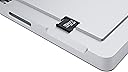
| Compatible Flash Memory Type | microSD |
| Configuration | Intel Core i7, 256 GB |
| Connectivity Technology | Bluetooth, USB, Wi-Fi |
| Customer Reviews | 4.2 out of 5 stars 288 Reviews |
| Display Refresh Rate in Hertz | 120 |
| Display Resolution Maximum | 1920x1080 Pixels |
| Display Type | LED |
| Flash Memory Supported Size Maximum | 256 GB |
| Front Photo Sensor Resolution | 5 MP |
| Generation | 4th Generation |
| Global Trade Identification Number | 00885370809299 |
| Graphics Coprocessor | Intel HD Graphics |
| Graphics Description | Integrated |
| Hard-Drive Size | 256 GB |
| Hardware Interface | Mini-DisplayPort, USB |
| Headphones Jack | Headset jack (compatibility not specified) |
| Human-Interface Input | Keyboard, Touchscreen |
| Item Weight | 0.9 Kilograms |
| Manufacturer | Microsoft |
| Memory Slots Available | 1 |
| Memory Storage Capacity | 256 GB |
| Mfr Part Number | 5D2-00001 |
| Model Name | Microsoft Surface |
| Model Number | 5D2-00001 |
| Model Year | 2014 |
| Native Resolution | 2160x1440 |
| Operating System | Windows 8.1 Pro |
| Operating System Family | Windows |
| Other Special Features of the Product | Stylus Included, Portable |
| Photo Sensor Resolution | 11 MP |
| Processor Brand | Intel |
| Processor Description | Intel core i7 |
| Processor Speed | 3.3 GHz |
| RAM Memory Installed | 8 GB |
| Screen Size | 12 Inches |
| Sensor Type | ['Ambient Light Sensor', 'Accelerometer', 'Gyroscope'] |
| Set Name | Microsoft Surface Pro 3 Essentials Set (3 Piece) |
| Size | 12 inches |
| Specific Uses For Product | personal |
| Style Name | Windows 8.1 |
| Supported Audio Format | MP3, WMA, AAC, FLAC |
| Total Usb Ports | 1 |
| UPC | 885370809299 |
| Unit Count | 1.0 Count |
| Video Capture Resolution | FHD 1080p |
| Video Processor | Intel |
| Warranty Type | Limited |
| Wireless Compability | 802.11b, 802.11g, 802.11n |
| Wireless Technology | Bluetooth, Wi-Fi |
M**W
Excellent Product, needs some adjustments
I was on the fence for a long time about purchasing the SP3. I wanted a suitable replacement for my 5 pound laptop, but not sacrifice the power or utility that it provided, plus I wanted to have the option of using it as a digital drawing pad like I do with my Wacom Cintiq. I finally made the purchase and very happy I did so. Essentially, I combined two pieces of hardware, I lightened my load by 8 lbs, removed the need for a nest of power and adapter cables, freed up several square inches of space in my bag, and extended my battery life by several hours all with one purchase. I don't feel like "that guy" that takes several minutes to unpack an entire work station anymore, since all that is required is the removal of the SP3 from my bag and I can go straight to work. And, it works just as efficiently as slapping the keyboard closed and stashing it into my bag before walking out the door. There is so much fuss removed simply by owning a SP3. Simple conveniences aside, it performs beautifully. I'm a graphic designer, so I spend a good amount of time in photoshop, but I'm also a hobbyist illustrator that likes to paint or create conceptual work. So removing the keyboard, I can quickly get to painting while using the RadiualMenu extension, which allows me to program my own commands and activate them just like as if I were on my Wacom. Photoshop has an experimental mode that allows for the UI to scale up and use on the SP3's high resolution screen. Both of these features are musts to have if you're an illustrating and thinking about using the SP3. Same could be said for Unity and Blender, as I use these two programs frequently, but I tend to keep the keyboard connected since they are so hotkey heavy. A quick word to the digital artist using the SP3, it will take getting used to, it did for me. I'm a traditional artist and it took me some time to make the leap to the Cintiq. Then it was another leap to the SP3 since Wacom is passive tech and the SP3 uses N-trig tech, which is active. If you're a quick sketch artist you may not notice it as much, but it you're slow and methodical with your penmanship, the SP3 may frustrate you a bit since it may waggle your straight lines if you hover in one spot too long. Don't be discouraged! Find a floor model some place and doodle to your heart's content to get a feel for it. Microsoft also has a incorporated an ability to set the pen pressure curve, which is helpful. I'm just waiting for them to give us the option to swap out the function of pressing the button on the back of the pen to something other than OneNote. Any heavy rendering drains the battery pretty quickly and you'll get a couple hours of use before you'll need to plug it in. Netflixing could give you about 3 to 4 hours. For light browsing, or gaming, you can get several more hours on top of that. Once you know the machines limitations you really don't feel inconvenienced since the power brick is the only thing in addition to the SP3 you might be carrying around with you. You may notice while using the SP3 that it may sit a little precariously on your lap with the kickstand since there are only the two points of contact. I purchased a "MoKo Microsoft Surface Pro 3 Case - Ultra Slim Lightweight Shell" along with my SP3 primarily because it utilizes the SP3's very versatile kick stand, but it also creates more surface area for the hardware to rest on your lap with the addition of the cover flap. It's more comfortable this way, and being able to adjust it so freely is very nice as, depending on your eye level or where a light source is coming from, you can adjust it to your comfort. The shell provides excellent protection, however I question the slot made for the stylus as a blocking a heat port. It's easy enough to pop that top cover off, but I'd recommend drilling holes into the Moko Shell to provide adequate venting. Otherwise it fits the SP3 perfectly and gives you a little extra confidence that you won't break it while handling it, or while resting it on your lap. I mentioned prior that I had a keyboard, and I'm not sure how you can have the SP3 without one, unless you strictly only want a tablet. If that's the case, I think you may need to reconsider your needs versus what you'll actually use. SP3 is a very powerful, well balanced machine that provides a lot of options and utility to tasks that you might only consider capable on a traditional PC or Laptop. Because of the versatility, it gives you more options as to what you can accomplish while on the move, which for me is a blessing since I am hardly home enough to do the work I need to do. If you're looking for something light and fun to while away your free time, I'd consider another tablet since the Window Store is not yet up to snuff with the likes of the Android or Apple stores in regard to quality apps. The SP3 can run full-fledged programs and you should already have some in mind when purchasing an SP3 to justify the cost. The complaints I have had are mainly software related, like Netflix freezing the unit for some reason during playback or occasionally the touch screen doesn't want to register some of my touches. These are things I'm still trying to iron out. Simply getting used to the SP3 in general will require patience to anyone new to that analog. It requires some adaptation and maybe sacrifices depending on how you look at it. If you're used to one way of working, you'll most definitely need to alter your work flow to accommodate for the size of the keyboard for instance. Either get a different full keyboard, or make your movements more streamlined. Need a mouse, get a mouse! Things like that. The SP3 is not perfect and it may require some 3rd party extensions, like the RadialMenu for any artist, or f.lux, so that the super bright screen doesn't burn out your retinas in the dead of night. And not really a complaint for me, but it may be for some, running multiple process will kick on the fan and it can get quite toasty in the upper most corner. Even with my I7 version. Figured it was worth mentioning since it might be a deal breaker for some. Overall however, I think Microsoft has gotten this product to an excellent point of versatility, and has combined the advantages (and disadvantages) of a laptop/tablet hybrid to an acceptable level where you're not sacrificing anything. I'm satisfied and carry mine around with me everywhere.
A**E
Microsoft hit it out of the park with this one.....
I will leave it to the tech gurus to do a detailed analysis of this computer. My review will be from the point of view of an advanced computer layman . This is also in part going to be a review of microsoft. Since purchasing this about three months ago I have had countless people tell me that they've been thinking about buying one and wanting to know if I like it. I am guessing this means that their TV ad campaign is a success. The commercials certainly make this look as fun as all those Mac products we windows folks have drooled over. This computer IS fun. It is fun and it is powerful. It is uber portable and in many ways it IS the desktop replacement it is purported to be. I have some quibbles with it -- like most notably why a computer that claims to be a desktop replacement doesn't come with a keyboard. Utterly ridiculous. If they called it an ipad replacement then it would make sense. So far I've loaded photoshop CC and lightroom along with some plugins for both. Also loaded Office 2010 version. I am not gifted with the pen yet but I can't wait to get better at it because I have seen some outstanding work done in photoshop using the pen. I am an advance photoshop user and would love to bring my photo retouching to the next level using the pen. One of the features I most like about this surface is that you can easily switch back and forth between using the keyboard (if you purchased it) and using the touch screen. Both have their strengths and weaknesses within the surface environment. The touch screen is snappy and responsive and accurate. Lets talk about the kickstand.... I understand that previous incarnations of the surface did not have such a fully adjustable kickstand? This thing is perfect and makes the surface quite usable in just about any situation. I don't know how the kickstand will hold up over time, but for now it is quite tight and sturdy. It doesn't "creep" at all. Not even a little bit. The screen is a thing of beauty. I bought this laptop because I am a photographer and I needed something to work with when away from my big computer. Photos look gorgeous on this. Similar to how gorgeous they look on ipads. Crisp, glossy, well saturated. You'll drool. And if you aren't a good photographer, no worries.... this thing will make your photos look like master works. I haven't watched a video yet but as soon as I do I will amend my review. My guess is that I will be blown away. Now I want to say a word about microsoft's surface support. A couple of months after I purchased my surface I got a blue screen. The message was a dire one. Essentially there was no fixing the problem, rather I would just have to format the computer to factory defaults. I called microsoft and was prepared for frustration. To my surprise, their customer support folks could not have been any more patient and helpful. They explained how I could get the computer back up and running. It took hours and hours and hours and hours but the tenacious folks at customer support kept calling me back to see how things were coming along. When I finally got it restored to factory defaults I explained to them that although it was working, I no longer trusted it and I suspected that a bad hard drive had been the culprit. I told them I wanted a new surface. They completely understood and told me to call amazon to get a replacement. They gave me a case number so that Amazon wouldn't have to be stuck. Honestly I have rarely had such good tech support. The person I spoke with even called me back the next day to see how everything had gone with getting a replacement. Quite remarkable. Microsoft gets a fair amount of bad press so I wanted to relate my experience in case any of you are thinking of purchasing but are afraid to get involved with microsoft. What I would like to see in future incarnations of the surface would be a couple more USB 3 ports. One port just seems a bit limiting. And, of course, I'd like to see an included keyboard. And something other than windows 8 which I just find a bit maddening to deal with (this is my first foray into the window 8 world.... my desktop is win 7 as it the other laptop). I will definitely update this review if there are any more incidents either positive or negative. For now, even with the few quibbles, this is without a doubt (at least to my mind) Microsoft's finest accomplishment. BOTTOM LINE: a tad pricey but oh what a wonderful machine
A**O
It's okay. Some nice features, but some very bad flaws.
On the positive side: 1. small / portable 2. decent performance 3. I upgraded to Windows 10 Pro, which is okay However, after 2 years of this as my main computer, here are the negatives: 1. The keyboard leaves a lot to be desired (and the new keyboard as well) - my big problems i. No dedicated Home/End/PgUp/PgDn keys. Fn+Caps really slows you down. I know the new Surface 4 keyboard corrects some things with the key spacing, but I think they didn't go far enough in improvements. Namely, the fact that the Function keys are shared with the Home/End/PgUp/PgDn keys. In this day of smart phones and tablets, where not as many people are savvy to touch typing (most useful class I had in High School!), maybe the designers felt they didn't need to waste space to mimic the classic IBM PC keyboard (Windows, US layout). However, I've been using computers for a long time and there's nothing - NOTHING - equal to the speed you get with that keyboard and an optical mouse. As is, you have to press Fn+Caps to switch between the top row of keys being function keys, and being the Home/End/PgUp/PgDn. Which is a real pain because anyone who is handy with the awesome standard Windows keyboard shortcuts likely regulary uses F2 to rename (or to quickly copy a filename to the clipboard for example), F5 to search, F1 for help, etc., and Home/End/PgUp/PgDn, all in the same flow. To have to look down at your keyboard to press Fn+Caps really breaks up that flow and slows you down. For touch typists, to not have the home/end/pgup/pgdn in the expected place on the keyboard really slows you down. The designers probably felt they had to compromise the keyboard to make room for the touchpad, but if you look at the keyboard itself, there is room on the top, left, right and bottom that could be given to adding a few more dedicated keys - even if they are narrow or small. I would gladly trade the space given to the touchpad and around the borders of the keyboard to get the dedicated keys... I would probably not even mind a wider tablet, or smaller keys, to get the familiar layout, because the functionality saves me so much time. ii. No rigid hinge between keyboard & computer that holds the screen up and lets you use the computer as a true "laptop". I know you can't have everything, but this REALLY limits the usefulness of this computer. iii. Plastic under the touchpad is kind of flimsy, and results in uneven or inaccurate tracking. But I prefer a mouse anyway. Which leads to the other major MS Surface flaw... 2. Only one USB port - I still don't know what I was thinking when I agreed to buy a computer with a single USB port, but I will not make that mistake again! It SO limits the usefulness of this computer. To begin with, I like my desktop PC's full keyboard and wired optical mouse. If your keyboard has a couple of USB ports in it, you can plug in the keyboard and mouse to the computer. Even if you use a bluetooth keyboard, you only have a port for a single thumb drive or USB drive out of the box. I have not one but several hard drives, and often need to connect two at a time, in addition to my keyboard, mouse and thumb drive, so I am going to just have to buy a powered USB 3 hub, and use that instead. But as hard drives get bigger, USB 3.0 is not enough, which leads to another flaw... 3. No high speed expansion ports like an ExpressCard slot mean that this can't ever be upgraded to USB 3.1 and beyond. 4. Slightly too big to really work as a tablet - I still have my iPad 2 after 6 years, and the form factor for that is perfect. The MS Surface Pro 3 is a little too long/wide to really be comfortable using as a tablet while laying in your back in bed. While on the subject of tablets... 5. Tablet mode is not so great - I was excited to have a tablet that would be running full Windows and let me overcome all the frustrating limitations that limit the iPad so much. Unfortunately, the tablet mode's interface just isn't as friendly / usable as the iPad. The Windows "metro" style interface is a confusing attempt at copying Apple. I don't know what the answer is, but the old school Windows "WIMP" interface is a lot more intuitive for a full computer. 6. I haven't figured out how to really make great use of the pen. I just want to be able to use the tablet as a simple replacement for a paper pad, but it just seems like the apps around this are too complicated and the pen isn't intuitive enough (like being able to turn it around to use the other end as an eraser). I use Microsoft OneNote, but mainly with a keyboard. This one may be my fault for not really taking the time to learn to use the apps, but I just wish they had a simple built-in pen & paper notebook that you could use out of the box without any learning curve. 7. You can't just turn it off and on instantly like with the iPad. Can you? It seems like the Surface Pro has the standard Windows "Sleep", "Hibernate", and "Shut down" options. Even Sleep mode doesn't wake up the computer instantly like with an iPad. And you can turn the iPad off, and not use it for days and days, and it still keeps its charge when you turn it back on. Come on, Microsoft! On the subject of power... 8. Turns off and on when you don't want it to - I've had a lot of headaches trying to stop the computer from turning back on inside my bag after I hibernated it, just because the keyboard opened slightly (and the reverse, where the computer hibernates when you close the keyboard). I followed Microsoft's instructions on turning off the "turn on/off computer when keyboard is opened", and it STILL does this when I don't want it to from time to time. Ay yay yay! 9. No full-size SD card slot. MicroSD is better than nothing, but come on. And it's in a hard to reach place. 10. Horribly low resale value - out of curiosity, I went to the Microsoft Trade-in site, to find out that the most they will give me for my Surface Pro 3 is $110. $110!!! I paid over $1300 for this computer not two years ago, with 256GB SSD, 8GB RAM and 4th gen core i7 processor! I know that with a car, driving it off the lot reduces the price, but $110 is ridiculous... You'd be hard pressed to find an old i3 laptop on craigslist for $110, much less a maxed out Surface Pro 3. I am shocked and offended. In sum, the Surface Pro 3 is a nice try at a full Windows tablet, but there are some major flaws that limit its usefulness and expandability. Maybe I need something closer to a full laptop, but I think Microsoft could have a device that perfectly fills the gap between laptop and tablet if they made the changes I outlined above.
D**N
Don't buy the Surface Pro 3 as a tablet. Buy it as a laptop.
It shouldn't be repeated too often to prospective buyers... This product isn't intended to be a great tablet or to compete with an iPad. It's intended to be a great laptop to compete with the MacBook Air or similar laptops. The two things you'll be extremely disappointed with if you purchase the Surface Pro 3 instead of an iPad are: 1- The Surface Pro's camera is junk compared to any Apple tablet, iPhone or even an iPod. The Surface Pro's front camera is perfectly adequate for Skype... but neither front or rear camera can focus. It's difficult to understand why MS didn't include decent cameras on this expensive machine when other less expensive devices have. You will NOT be able to take a photo of a document and expect to read the text. For example, you'll not be able to process checks with your bank with either camera. Even photographing a blackboard to read text will be problematic unless the text is big and bold. 2- As opposed to getting around an iPad, using your finger to get around a Surface can be difficult. Navigation with your finger is possible within the small number of official MS Apps, but as soon as you enter into most other applications on the wonderful high-resolution screen, even Internet Explorer an other web browsers, the interface becomes so small and detailed that you'll have difficultly pointing and clicking. The included stylus helps to some degree, but a mouse is much more useful. The Surface Pro 3, Windows 8.1 and major Windows software will indeed play together nicely, but the interface is not nearly as uniform as what Apple imposes on apps that runs on the iPad. Don't get me wrong... I like the Surface Pro 3. I just want to point out a couple things that aren't often talked about on review sites. This is NOT a good tablet. Expect to purchase a keyboard, a mouse, and possibly a USB hub to extend the inexplicable single USB socket.
C**.
high resolution display that's great for watching movies on planes
Developer here with the i7/256GB version, writing from the perspective of using the the SP3 for 3 months now to replace my desktop, laptop, and tablet. I travel frequently but also do a lot of work from the office. The SP3 allows me to significantly lighten my bag as it is fully capable of replacing both my tablet and my laptop, but it also is powerful enough that there's really no need for a separate desktop (assuming your compile times are at or below the minute range and you're not gaming with it). As a tablet for a developer that only uses very common apps (i.e. all of your app needs are covered by the more limited Microsoft App Store), this simply can't be beat (though it is a little pricey if you're only using this as a tablet). It has a big, high resolution display that's great for watching movies on planes, reading the news in the coffee shop, or surfing the web while you're sitting on the couch, but most of all, if you need to pull up your IDE to do some code reviews or some minor tinkering, there's simply nothing else like it. Then stylus is also great for taking notes and doing some drawing when there isn't a whiteboard available. As a laptop for a developer that doesn't intend to use this for gaming, it's very capable. They keyboard and track pad aren't as good as a MacBook Pro, but performance wise for a developer, it's comparable. If I only needed a laptop, this may not be my first choice, but since it allows me to lighten my bag by only carrying one device, it's a trade off I'm more than willing to make. As a desktop for a developer that doesn't intend to use this for gaming, it's also very capable. I have it in a SP3 dock, connected to two QHD (2560x1440) monitors (connected via daisy chain DisplayPort), and it drives them without any problems. It runs my IDEs, PhotoShop, and other memory/processor intensive software without any problems. The SP3 is just as fast as similarly specced laptops and desktops up to the point that the thermal throttling kicks in. For most developers, this isn't a problem - we have solutions that take about 6 minutes for a full rebuild and test case run, and the throttling never kicks in. Run that full rebuild a few times in a row, though, and it will - your performance will drop to that of the i3 SP3. Cons: * If you're only looking at this as a tablet, it's expensive. But if you can use it to replace your tablet, laptop, and/or desktop, even when you include the price of the dock, you can save quite a bit of money. * If you're coming from an iPad, the app selection is definitely more limited, but it's improving and already meets my needs * The keyboard/track pad leave room for improvement * Thermal throttling prevent its use as a real gaming machine (so I'm told - I don't game) and would cause me to not recommend it if you're working on projects with lengthy build times (10+ minutes) My use case is probably somewhat niche, but this fits my needs perfectly, which is why I give it 5 stars.
Y**E
Revised: Wi-Fi problem not a Surface problem.
EDIT: I'm raising this to five stars. Long story short, the WiFi problems were not the fault of the tablet. It is a fantastic piece, and I recommend it highly. There are a couple of things you should know: DO buy the keyboard; you'll need it if you ever need to do a USB/CD rescue disk bootup. DO upgrade your router (if you haven't already) to a dual-band 11AC router. The Surface doesn't work as well with 11N single-band (2.4) routers. So you will have a few extra costs, but they are worth it. Original review: I wanted to give this 5 stars, but am tempted to give it one star. I'm giving it 3, because so much of it is good, but the bad part is so bad as to make this piece almost useless. If I weren't buying it for my wife, who is just learning on it as her first computer, I would return it. Fortunately, I have better real PCs. Main problem: the WiFi. Much noted on many forums and on the reviews here on Amazon. I mean, really bad WiFi. I don't have a/c, I'm still on n, but just the same -- our Windows phones register 24 Mpbs on the upload meter. My Y500 laptop, on a hard-wired connection, registers 52 Mbps. Router is a Netgear WNR2000v4. (It just had a firmware upgrade, but that did not help.) With the SP3, WiFi speed varies depending on whether the unit is on battery or plugged in, which by itself creates a problem. How many people are always going to have the unit plugged in? The download speed varies between 0.19 Mbps (yes, that's a number zero before the decimal point), to 5.49 Mbps. On battery, the speed is always below 1 . Mbps. This is really unacceptable. I would send it back if I hadn't bought it for my wife, who is not going to be streaming video and is unlikely to be a power user. We can do that on the Gaming PC if we need to. But come on! $1500 for a portable machine that depends on WiFi, and has the worst WiFi performance of anything on the market? I tried installing my Netgear WiFi dongle, but it won't work on Windows 8. There is also a converter available, so you can hook an ethernet cable to the USB port, but then the rig is no longer portable. This really stinks. I'm only giving it 3 stars because it is the only true Windows hybrid out there, and the only one I can use in Desktop mode for maintenance, and my wife can use like her phone, in swipe-screen mode. The forums are replete with posts about the WiFi problem. Microsoft has issued multiple hardware and firmware updates (most recently today), but still to no effect. They should recall the machines and replace the lousy Marvell chips that they are using for WiFi. I'm attaching a photo of the string of speed tests I've done over the last couple of days. Higher speeds are on AC power. Lower speeds are on battery.
C**T
Product is great but hardware support for broken product is horrible!
Let me start by saying that I love my Surface Pro 3. In fact, this is my fourth Surface Pro. I purchased the original then upgraded to the SP2, then purchase two SP3's for my small business. The reason I am giving the product only one star is because I am working my way through some of the worst product support of any company that I have ever worked with. I am simply attempting to get a replacement for my Microsoft Docking Station using Microsoft's technical support. I called them 10 days ago to process a warranty replacement. Five days ago I received an email from someone with only a first name of Jean who said that she apologized but would need to put in a new order. I emailed her back and gave her a phone number to call but no one called. I called the tech support number that she included in her email and they stated that they can't find the order. They transferred me to consumer tech support who said that they found the ticket but couldn't find the replacement order. 38 minutes later the consumer tech person stated that he needs to transfer me back to Katrina in the commercial customer service department. When he transferred me he accidentally hung up on me. Katrina did call back and began to ask me all of the same questions as I answered ten days ago. She then stated that the order would take five to seven business days. I demanded to talk to a supervisor and she actually asked me why. Although I didn't swear, I did lose it at that point and proceeded to tell her that the reason I wanted to speak with a supervisor is because I felt that Microsoft made the mistake in the first place and that I at least deserve to get expedited processing/delivery. She promised to have a supervisor call me. She then sent me an email asking for all of my contact information and delivery information that I already gave in the first support request. Horrible customer service!! I have been a Microsoft Partner for 16 years working in I.T. I have always used Dell equipment in the past and should have known that I can't expect good hardware service from a company that sells primarily software. Very disappointed.
J**.
Should have bought this sooner!
So happy I got this! I went back and forth with surface pro 3 or 4 and just couldn't see the real difference in value. I picked this up on the warehouse deals for cheap, i7 and 8gb ram and 256 SSD. Some scuffing on the back but otherwise clean. The display is very crisp, I ordered the surface pro 4 stylus and worked perfect, love the different tips. My main concern was I really wanted something that I could write on and feel natural like my samsung note. This works great! I went with an aftermarket type cover by moko because it was half the price and had back lite keys which is nice in a dark room. Will do a separate review on it but it works great other than I don't like the feel of course track pads that make the tips of your fingers sensitive after using a lot. I'm actually blown away by how perfect the size is, very portable, thin and light, battery life is great under normal usage and charges fast. Oh, the charge cord is magnetic and can plug in both directions so the cord runs the way you want. It does not have a micro USB charge port which was slightly disappointing, but I see there are car chargers fairly cheap that will work just fine for me since I travel a lot. The description said it was windows 8 but actually shipped with windows 10 installed already which was a surprise. Final Thought, I first thought the kick stand only had 2 positions extended or closed which was annoying, then I found you just pull it out a little further and it rotates almost 170 degrees for having just slightly tilted towards you on a flat surface. The cameras are great, streams video and audio great. I have scan tool software and lab scope software that performs better on this than my laptop!
Trustpilot
2 weeks ago
1 month ago