Buy anything from 5,000+ international stores. One checkout price. No surprise fees. Join 2M+ shoppers on Desertcart.
Desertcart purchases this item on your behalf and handles shipping, customs, and support to Mexico.
🔥 Transform your DIY wardrobe with pro-level heat transfers!
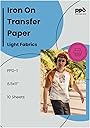
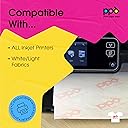
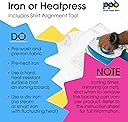
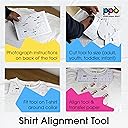
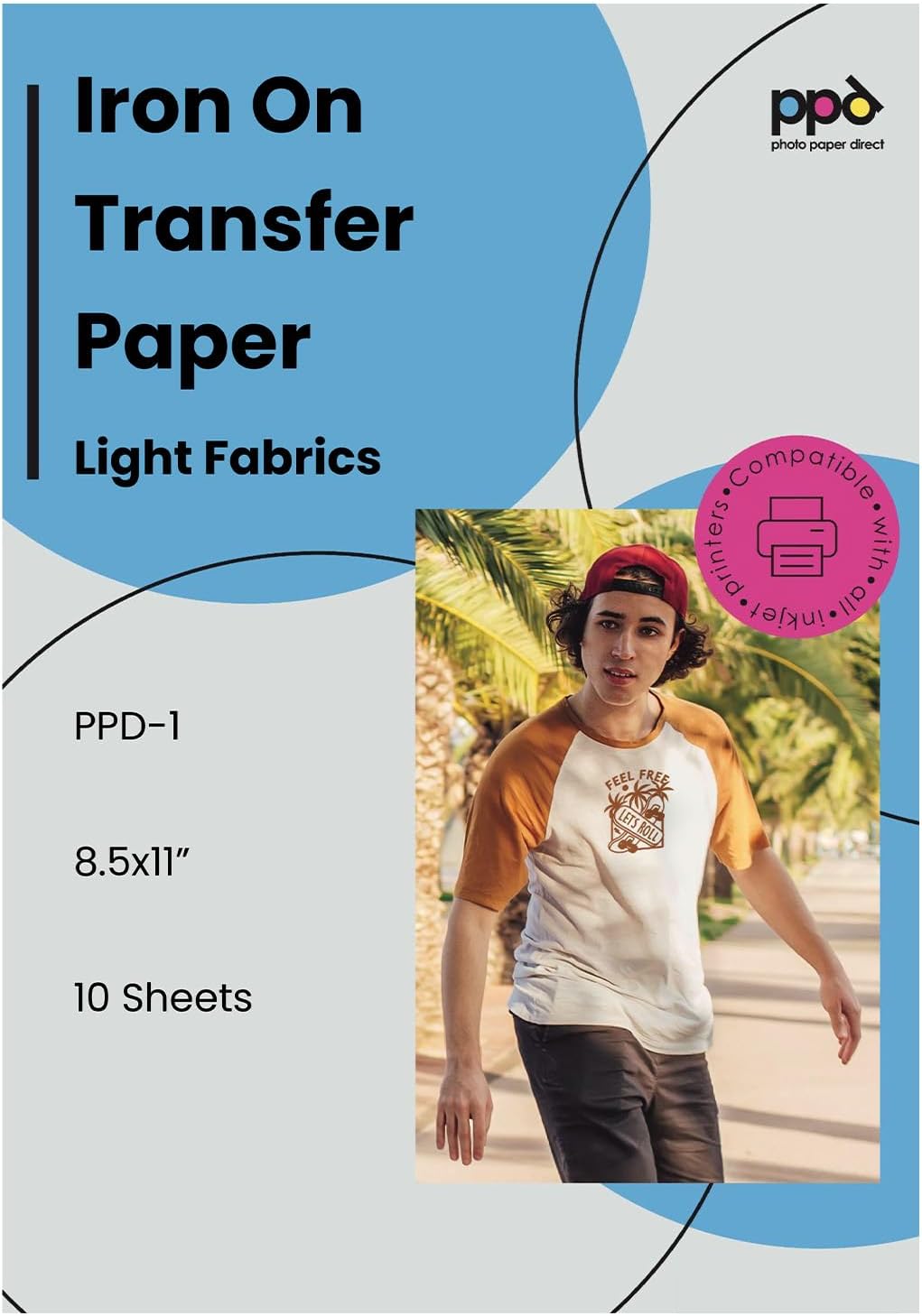
PPD’s 10-sheet pack of 8.5x11” inkjet iron-on heat transfer paper delivers professional-quality, vibrant, and durable fabric transfers optimized for white and light cotton fabrics. Compatible with all standard inkjet printers and popular cutting machines, it includes beginner-friendly instructions and tools to ensure precise, long-lasting results perfect for personalized apparel, gifts, and creative projects.


| ASIN | B004BF6BZI |
| Best Sellers Rank | #1,359 in Arts, Crafts & Sewing ( See Top 100 in Arts, Crafts & Sewing ) #7 in Sewing Heat Transfer Paper |
| Brand | PPD |
| Brand Name | PPD |
| Brightness | 80 Lumen |
| Color | Light (10 Sheets) |
| Customer Reviews | 4.3 out of 5 stars 29,979 Reviews |
| Item Dimensions L x W | 11"L x 8.5"W |
| Item Weight | 0.14 Kilograms |
| Manufacturer | Photo Paper Direct |
| Material Features | Biodegradable |
| Paper Finish | Glossy |
| Paper Size | 8.5 x 11 Inches |
| Paper Weight | 20 |
| Sheet Count | 10 |
| Sheet Size | 8.5 x 11 Inches |
| Unit Count | 10.0 Count |
N**N
PPD Inkjet PREMIUM Iron-On White and Light Color T Shirt Transfers Paper (LTR 8.5x11”)
As someone who enjoys customizing my clothing with unique designs, I recently tried the PPD Inkjet PREMIUM Iron-On White and Light Color T Shirt Transfers Paper. Here's a comprehensive review based on my experience: Quality of Print: The PPD Inkjet Premium Iron-On Transfers Paper lives up to its promise of delivering high-quality prints. The colors appear vibrant, and the details of the design are well-reproduced on the transfer paper. The white and light colors come out vividly, creating a professional-looking finish on the fabric. Ease of Use: One of the standout features of this transfer paper is its ease of use. The printing process is straightforward, and the instructions provided by PPD are clear and easy to follow. The paper feeds smoothly through most inkjet printers, and the prints transfer seamlessly onto the fabric during the ironing process. Compatibility: I found that the PPD Iron-On Transfers Paper works well with various inkjet printers, ensuring compatibility for a wide range of users. The sheets are standard letter size (8.5x11 inches), making them suitable for most printers commonly found in households or offices. Durability on Fabric: After several washes, the transferred designs on the fabric remain intact and vibrant. The colors don't fade quickly, and the prints exhibit good durability.
E**S
good buy
paper size was perfect for my printer , it made the colors vibrant and transfer performance good
C**N
Good for white/very light fabric, but not red
The designs print beautifully ... with an Epson SureColor P400 (professional quality artisan printer). Make sure to MIRROR the design before printing or during page setup. It was printed using a CMYK profile through the regular Windows 10 drivers (File Explorer--right click--print). There is NO white that will print in the design, meaning that if you expect white to show up in the design somewhere--it will need to be the shirt color itself. If you have white in the design, and you print on a yellow shirt, it will show as yellow. Using a heat press, the recommended settings worked perfectly. 13 seconds and 375 F worked fine, and "fixing" for 3 seconds at 375 F was perfect. Great results. Also did one design with a regular 1800W iron, and it came out great--except that I ironed one of the flimsy edges a bit too coarsely and it has some small wrinkles. But the design looked great on light yellow fabric. We didn't realize that red (bright red) wasn't considered "light fabric." It would be helpful to have some kind of color guide that shows a range of colors that work best. Shown is the red shirt printed with the light paper. Similar to the design you see at the left. All colors turned either black or some sort of gray. Not recommended for red. We used this company's dark transfer paper for that, and it worked great. See my other review for a picture of that. Good product, will buy again.
D**D
Worked well. Easy to use.
It worked very well. Transferred our club logo onto a shirt.
B**0
First time using product...
Used this product for my first time on a dark shirt. I also bought a pack for light shirts. Both products worked great. The dark is a pain to peel of and as long as you follow the directions. You should have no problem. The picture I attached may look light and that is because I have my rooms lights on. But the picture cane out sharp. I haven't washed it yet. It does look like it will hold up well until like 40-50 washes. Remember this is not sublimation. If you are going to cry about it peeling or cracking then this method may not be for you. Huge difference between the 2 methods. You get what you pay for. But I will update as soon as I wash the shirt and let everyone know how it held up. Other than that. The color looks good on both light and dark shirts. I haven't attached the white shirt because it had some sentimental and personl. But it did come out perfect. My customer loved it. The price for the sheets are not bad either. This is a good start off paper til you are able to find more or better paper. So far I love the product and the feel of the sheets when pressed on the shirt is not noticeable when you wear it. It's not like wearing a bullet proof vest...lol. I use a heat press so it came out perfect but when using the sheet for dark colors on a heat press. Make sure you line up the design before turning on the heat press. I did it reverse and the sheet started sticking immediately. Rookie mistake...lol. Again, for the price it's not bad and the quality is really good. The picture is a perfect example. I will be buying more to have in my stock.
A**E
Doesn't work on polyester
Updated review: so a couple tips since mine didn't come with instructions 1. Use a cotton shirt 2. Preheat your iron for about 5 mins and put it on close to it's highest setting (for me that was 5) mine goes all the way to 7 but I was scared of melting my shirt again. 3. Push hard on your iron out your whole body weight into it 4. Put cardboard between your shirt so it doesn't iron to the back 5. Use parchment paper if you don't have the 'silicone paper' (which mine didn't come with) overall it still works not that great though perhaps I need more practice but I noticed some lines where my transfer didn't fully iron onto the shirt. Melted through my shirt, didn't adhere until shirt melted, shirt was polyester so maybe that had something to do with it but now I can't get a refund for the shirt to get a new one 😡😡 very disappointed in this product it didn't come with instructions at all so I used the ones here on Amazon.
S**1
Works beautifully
I wanted to make a special gift for my granddaughter for HP's birthday so I tried this PPD Inkjet premium transfer paper based on reviews. I have zero experience with iron ons. The photo attached is my practice run on an old tee. I printed the image (purchased from Etsy) on my Epson xp-440 (nothing fancy) and cut it out and followed the directions included in the transfer paper exactly. Basically, laid another tee on my counter, laid the shirt for image down on top, heated my Cricut mini-press (love it...separate review) on high, ironed the spot where the image will go for 20 secs, put the image down and pressed the heck out of it for 3 mins with circular motions all over making sure to get all edges. Once it was done, I carefully peeled the backing off while it was still hot and then put the included fixing paper (I think it might be parchment but I'm not sure) on top and pressed for an additional 30 seconds. The attached image is a flat cotton tee and the image almost looks like it was printed directly on the fabric. The project is a ribbed onesie and I was nervous about the image sticking to the ribbing but It worked! Now, since it will be worn by a baby, it won't stretch the ribs so not a problem but for most applications, I would say use flat fabric like cotton or cotton/poly blend. Good luck and do practice tests to avoid giving yourself a headache.
S**U
Not What you’re looking for
I run a T-shirt and gift business, so I have worked with a lot of different image application methods and media. I decided to give this one a try because I needed a personal T-shirt done in a pinch. I printed the image off (this was easy and image printed clear) and followed the directions to iron the image onto my shirt. This part was not very easy because the transfer was very finicky and heat sensitive. Even though I had the iron setting correct, the image was having a hard time adhering to the shirt. When I pressed a little bit longer, the image melted onto the shirt and stuck to the transfer paper, creating a huge mess. The transfer paper was sticking/melting to the shirt. I had to throw away my first shirt and attempt a second one. After my second shirt, the application went a little bit better (not perfect), because I was extra vigilant about the temperature and pressure of the application. I was not happy with the stiffness of the image on my shirt, but because my event was coming up, I went ahead and wore the shirt. Now let’s fast forward to first wash. Again, I followed the directions of washing the shirt inside out, and I paid careful attention to the temperature in which the shirt was being washed. My photos show the shirt when it was immediately removed out of the washing machine, not ever dried. The image is peeling off of the shirt, has tears all the way through it and is shiny and wrinkled. The image lost its sharpness. The shirt is damaged beyond the point that I could ever wear it again. I will not purchase this product again and would never use it on a product that I would be making for someone else. Finished quality is very poor.
C**T
Ik weet nog niet wat ik er van vinden moet, NU WEL
Het klinkt allemaal veel belovend, maar de resultaten die ik tot nu toe behaal zijn niet wat ik had verwacht. Ik heb de nodige vellen verbruikt, misschien heb ik niet alles correct gelezen en heb ik dingen over het hoofd gezien. Nu snap ik dat je niet alles voor alle machines kunt benoemen maar ook in het demo filmpje wat je tegenkomt lijkt het beter dan mijn resultaten. Ik miste voor de light versie “NIET GESCHIKT VOOR CRICUT” maar na enig puzzelen heb ik de settings aangepast (cricut maker 3) en heb ik de pressure aangepast naar 127 wat voor zowel de light als de dark prima werkt. Ook de multicut heb ik op OFF staan. De eerste resultaten waren gewoon verschrikkelijk met snijden en had hier wel wat meer informatie over kunnen worden gegeven, althans duidelijker. Het is simpel om even een filmpje te maken en bij het product of op je website onder faq te plaatsen. Veel mensen zouden hier wat aan kunnen hebben. Ik heb speciale test bestanden gemaakt waar mee je goede testen kunt doen om te kijken hoe het materiaal zicht houd na meerdere wasbeurten. Dit betreft letters, kleuren, vlakken met scherpe hoeken en rondingen en circels. Het bedrukken is tor nu toe ook niet om blij van te worden, verbrand, scheurt, niet een goede hechting. Maar nogmaals, net gestart met de ppd-4 en ppd-1 maar zijn helaas mijn vellen op en zal ik nieuwe moeten bestellen om verder te testen. Dit is mijn eerste indruk van totaal 15 vellen ppd-4 en ppd-1. Ik hoop dat ik er betere resultaten mee ga behalen want zoals het nu is voor mij niet werkbaar. Mocht ik betere resultaten behalen dan zal ik dit zeker als toevoeging op mijn review plaatsen. UPDATE Inmiddels wat dagen verder en een nieuwe zending mogen ontvangen. Resultaten zijn nu goed!
S**M
I loved the product and reordered for more.
The results were vibrant and professional.
K**E
Fácil de usar
Me encantó el producto, lo recomiendo.
X**R
Perfecto si lo usas bien
Este producto no es la primera vez que lo compro lo he utilizado en otras ocasiones comprado también de la misma manera lo recomiendo 100% pero os doy una recomendación a la hora de utilizarlo, en lo que es en la plancha solo poner el calor sobre el y quitar solo cuando esté el papel fresco de nuevo a temperatura ambiente, ya que si lo retiramos estando el folio caliente retiramos también la pintura adherida sobre la superficie del textil. en general en cualquier tipo de textil blanco o similar destaca muchísimo la imagen. precaución también ya que el producto a la hora de lo que es la tela si es cualquier tipo de material o tela elástica no se puede utilizar ya que se cuartea de inmediato al ponerse el jersey o al tirar del tejido. A la hora de la impresión sobre el folio se queda muy buena calidad y lo absorbe muy bien. tinta tóner perfecto. totalmente compatible. Recordar también a la hora de la impresión poner modo espejo para así poderlo transferir en la misma orientación que la foto original
A**R
Works well
Good product
Trustpilot
3 weeks ago
1 month ago