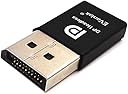
🖥️ Ghost your display, not your power—plug in, power up, and dominate remotely!
The EVanlak DisplayPort Headless Ghost Display Emulator is a compact dummy plug that tricks your PC into thinking a monitor is connected, enabling full GPU utilization for remote access and rendering. Supporting up to 4K resolution at 17Hz and 2560x1600 at 60Hz, it requires no drivers or power supply, making it a hassle-free solution for headless setups across Windows, macOS, and Linux.
| ASIN | B07YLP1GG4 |
| Are Batteries Included | No |
| Best Sellers Rank | 8,137 in Computers & Accessories ( See Top 100 in Computers & Accessories ) 286 in Adapters |
| Brand | EVanlak |
| Colour | 1080P-1P |
| Customer Reviews | 4.2 4.2 out of 5 stars (451) |
| Date First Available | 1 Oct. 2019 |
| Guaranteed software updates until | unknown |
| Item Weight | 10 g |
| Item model number | 899666 |
| Manufacturer | EVanlak |
| Product Dimensions | 8.64 x 4.32 x 1.27 cm; 10 g |
| Resolution | 3840 x 2160 |
| Series | DisplayPort Headless Ghost Display Emulator |
A**X
Does exactly what it needs to
Does exactly what it was purchased for, makes the machine believe it has a display when it doesn't, allowing for remote usage - we use it for gaming through moonlight - no issues at all.
A**R
It works
Works as intended. Bought this to emulate a display so I could remote in via VNC to my server PC.
R**B
Great for a laptop with lid closed when anydesk or similar is used to remote control
keeps a video image present when the main screen is off for remote control use using anydesk or similar
A**H
Perfect ghost display
This ghost display is great as its simple to use its a plug and olay solution. This is being used to simulate a display so i can vnc into a unattended pc that is on 24/7 where i am running a libe stream. Great value for money and great savings.
Y**I
Crap
It is 4k but at 17hz which should be in the title, not in small text
G**M
Works great for Unraid
Works great in my unraid server for transcoding
S**T
Worked a treat
I got this device to allow me to access a remote HP Elitedesk G3 remotely, if you PC is headless (not connected to monitor or KVM) then the Intel AMT does not allow connections to display the Remote Desktop, this cheap device fools the AMT software that a monitor is connected. Excellent, worked as it should.
W**O
Works brilliantly for a headless PC!
I wanted to game stream from my PC to my Steam Deck as the computer room can get toasty when playing demanding games. However, a lot of games have reduced performance when a monitor isn't connected, meaning you need to waste power and possibly risk burning in your display by leaving your monitor on. Thanks to this dongle, I have a spoofed 1080p/60 display (which can go up to 4K), meaning I can turn off my monitor while I game stream. It also works the same way for remote desktop applications. Setup is as easy as plugging it in, I tried some software solutions in the past but none were as simple or effective as using a physical dongle. If you have any reason at all to want a virtual display, I highly recommend this product!
R**.
The states refresh rate at max resolution is false it tops out at 17fps
ゆ**う
UbuntuをインストールしたPCで使用しています。問題なくRDP運用できています。
T**H
The description claims it does 3840x2160@60Hz. It will only do 17Hz which is useless. The specification on the packaging states it is 17Hz only.
R**R
I wanted a simple solution to run headless. Not especially versed in Linux, and was especially afraid to disable monitor output with ssh commands. I tried another DP dummy plug that looked like it was probably from the same factory - that one was not recognized by the carrier board on the developer kit. Plugged this one in and it works right away (NoMachine on JetPack6.2). Sigh of relief.
P**.
L'intitulé du produit précise "Fit Headless-3840x2160@60H New 3RD", or j'ai reçu un "dummy plug headless" dont le nom affiché par le système est "DP1080P60" (cf. screenshots). Il peut effectivement passer en 3840x2160... mais en 17Hz! Même en RDP ça reste plus fluide! On peut certes forcer des résolutions personnalisées via le panneau de configuration d'nVidia (je ne sais pas comment c'est côté AMD), mais là encore c'est décevant... Il y a des saccades toutes les secondes, que ce soit via Parsec ou MoonLight, avec un écran physique en plus ou pas, sur deux serveurs différents, deux clients différents, et même dans la supposée résolution native (1080p60). Ah et vous pouvez complètement oublier le son: il est vu comme un adaptateur DVI (cf. quatrième screenshot), or la norme DVI ne transporte pas le son. Du coup votre CG ne propose pas d'y balancer l'audio, et donc MoonLight and Co. ne peuvent pas rediriger le son du système vers le moteur d'encodage de la CG. En résumé, le son n'est pas streamable. Quand je vois la quantité de votes positifs et la note malgré tout plutôt correct de ce produit, je me dis que j'aurais probablement dû prendre la version HDMI comme le font sûrement les trois quarts des gens... En attendant, j'ai mis 8.88€ à la poubelle.
Trustpilot
2 weeks ago
2 weeks ago