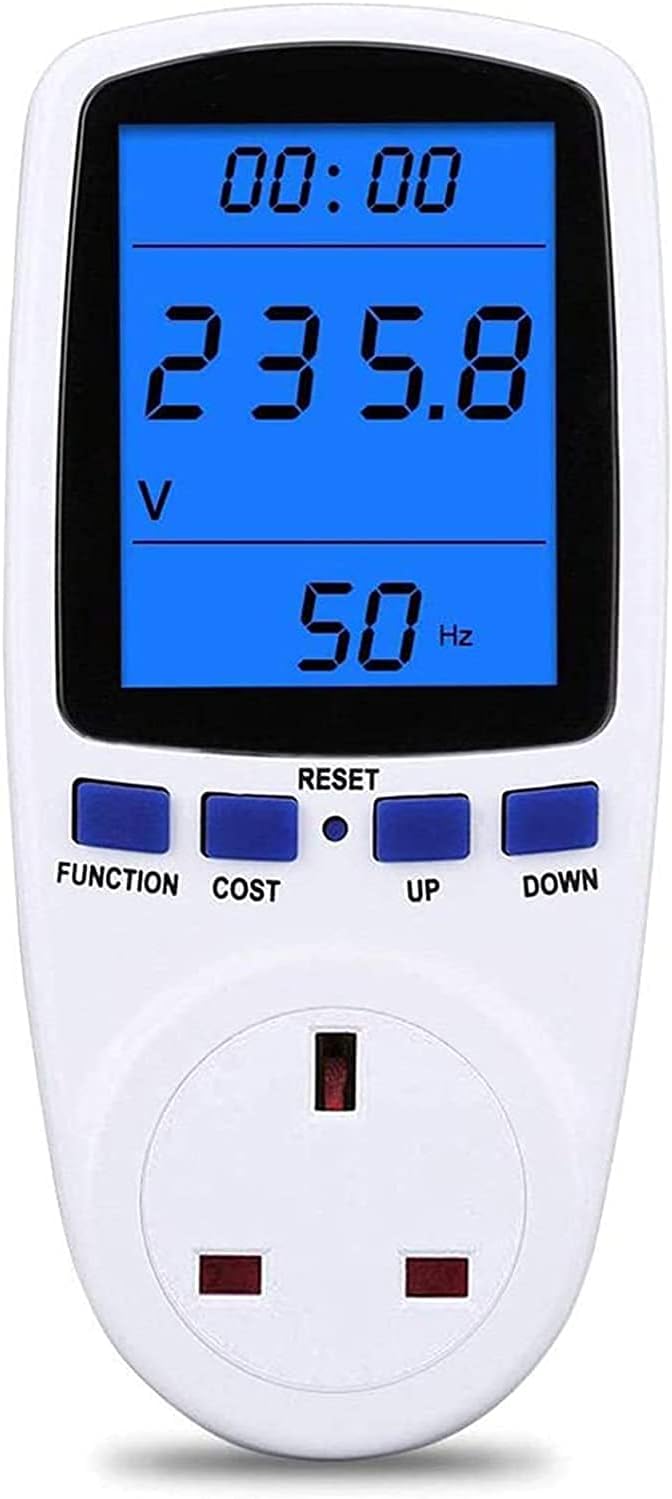



Power Meter
Product ID: 214635691
Details
- BrandMECHEER
- Colourblack
- Item dimensions L x W x H7 x 7 x 16
- Power sourceCorded
- StyleModern
⚡Measures voltage, current & power
💡Backlit LCD with 180° viewing angle
📊Tracks kWh & cost with tariff input
Buy anything from 5,000+ international stores. One checkout price. No surprise fees. Join 2M+ shoppers on Desertcart.
Desertcart purchases this item on your behalf and handles shipping, customs, and support to Mexico.
🔌 Power up your savings with smart energy insights!
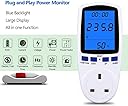
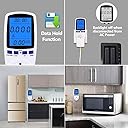
The MECHEER Power Meter Plug is a versatile energy monitor designed for UK homes, offering real-time tracking of voltage, current, power, frequency, and cumulative energy consumption (kWh). Featuring a large backlit LCD with a 180° viewing angle, it ensures easy readability in any lighting. The device includes an overload alarm for safety, automatic data storage to prevent loss during outages, and customizable backlight settings. Ideal for managing appliance energy use and reducing electricity bills, it supports cost calculation by allowing tariff input and comes with a 2-year warranty.


| ASIN | B085S7Q1T4 |
| Best Sellers Rank | 24,933 in DIY & Tools ( See Top 100 in DIY & Tools ) 6 in Power Monitors |
| Brand | MECHEER |
| Colour | black |
| Compatible Devices | Any device that can be plugged into a standard 3-pin UK socket |
| Customer Reviews | 4.3 out of 5 stars 2,523 Reviews |
| Included Components | 1x Power Meter 1x User Manual 1x Reset Tool |
| Item Dimensions | 7 x 7 x 16 centimetres |
| Item dimensions L x W x H | 7 x 7 x 16 centimetres |
| Manufacturer | MECHEER |
| Manufacturer Part Number | JK-PM01-UK |
| Maximum Operating Voltage | 250 Volts |
| Measurement Type | Electrical |
| Min. Operating voltage | 230 Volts (AC) |
| Minimum Operating Voltage | 230 Volts (AC) |
| Model Number | JK-PM01-UK |
| Power Source | Corded Electric |
| Power source | Corded Electric |
| Specification Met | EN 61010-1, UKCA |
| Style | Modern |
| Style Name | Modern |
| UPC | 743829258749 |
| Unit Count | 1.0 count |
G**E
Plug-in power meter. Tracks watts, kWh, cost. Backlit, safe, easy to use
This plug-in monitor is built for tracking individual appliance usage—ideal for spotting energy hogs like heaters, kettles, or gaming setups. You plug it into the wall, then plug your device into the monitor. It shows real-time power draw, total energy used (kWh), and even cost estimates if you input your tariff. The LCD backlight makes it easy to read in low light, and the 180° screen tilt helps visibility from different angles. It stores usage data even after unplugging, which is handy for multi-day tracking. The overload alert kicks in if a device exceeds safe limits—solid for safety. ✅ Pros Accurate readings—tracks watts, amps, volts, and kWh Backlit display—easy to read in dim areas Cost tracking—input your tariff for £ estimates Memory retention—keeps data after unplugging Overload warning—adds safety for high-draw gear 2-pack value—monitor multiple devices at once ⚠️ Cons No app or smart features—manual tracking only Not suitable for hardwired appliances—plug-in only Limited to 13A devices—not for heavy-duty site gear No export function—can’t log data externally Slight learning curve—requires setup for cost tracking 🧍♂️ Personal Verdict Used this to monitor a heater and fridge—gave clear readings, helped spot energy spikes, and confirmed which gear was draining the most. For under £20, it’s a proper tool for cutting waste and keeping tabs on power-hungry kit.
P**S
Honest review not written by AI
This has worked exactly as expected with no issues. It’s easy to plug in, simple to read, and gives clear, useful information straight away. The display is bright and easy to see from different angles, which helps more than I expected. I’ve been using it to keep an eye on power usage and it’s done exactly that. No fuss, no problems and I'm happy with it.
S**K
Easy to use, doing a good job and keenly priced
I have only had the meter for a week or so. We bought it to replace a much older unit (different model and manufacturer) that had mysteriously become very inaccurate. Everything so far has been quite pleasingly simple. The massive advantage over the old device is that this meter will integrate the power reading over a period of time to give total energy consumed in kWh. The old meter would only give current power consumption. If the equipment under test has fluctuating demand (e.g. anything with a temperature controlled heater or pump), it is very difficult to get a good idea of energy usage without this feature. I have compared the voltage reading against an accurate digital voltmeter and get agreement with 0.5%. I cannot be sure the current range is as accurate, because I could only compare it with a current clamp working at the lower end of its range, but the readings were consistent so I have no reason to doubt the plug-in meter. I do find it strange that nowhere on the unit is there any mention of the manufacturer or model number, although there is a label giving the electrical specifications. The instructions are very brief, as mentioned elsewhere, but then they'll get lost anyway! It is obvious how to operate (except I have not used the cost function. I am perfectly capable of multiplying the kWh buy the charge rate using a calculator). The most important point to remember ( I will probably write it on the unit) is that you can clear the readings and restart the timer by holding don the "FUNCTION" and "UP" buttons for a few seconds. For us it is really useful that we can clear the readings without having to interrupt power to the equipment for which we were measuring the power consumption. I have not had any need to press the "RESET" button yet. The price was very keen and it's doing a really good job for us so far. I have no reason not to give it 5 stars
G**E
I can read it from a wide angle range. Very helpful tool.
1. It showed me that the TAPO P110 smart plugs I use to shut everything off (eg all the computer gear at night) are not super accurate. EG, Testing a fridge over 24 days, TAPO 23.7kw. The Blue beast, 24.7Kw (TAPO 1.06 Kw out) TAPO plugs use only a few watts and are Wi-Fi linked to an APP on my mobile phone. The APP has just been updated and seems to be more accurate now, and you can add your Kw/£ unit. However there have been some changes to how it displays readings which are taking some getting used to. 2. BLUE You CAN reset the values, by pressing FUNC and UP together for a few seconds. Rather than fiddling with the 'reset' tiny button. Partway through test now, so cannot double check, but I think it keeps price, clears rest. If not, adding price again is no big thing. 3. Bit of a pain that you have to press FUNC to get it to light up, which shifts it to the next page, then you have to cycle through the pages again to get to 'Using NOW' which includes, top, 'run time' (which is the amount of time the item has been using more than 2 watts, ie actual working hours total.) Using Watts 'now', middle, and at bottom, COST 'up to NOW'. You learn fast this page, is right after the page with HI written at the bottom. 4. I can read the screen, sat on top of the counter, even when it is in 'dark' mode with the backlight off. So I stopped having to cycle through all to get the backlight on. 5. Right now, I am testing two fridge/freezers at the same time. A on a TAPO, B on BLUE. Fridge A is old, old, and built into a kitchen as an undercounter fridge freezer, H86,W54,D60. Ave 0.9 Kw a day. My first set of tests on fridge A alone was with a TAPO AND the BLUE. Running the 2 fridge comparison A has just a TAPO (updated APP) on, and the BLUE is on the B, other fridge. Part of the reason A is using so much, apart from being old and inefficient, is that it is jammed in there with no ventilation. It is in effect, heating itself, in a box then having to cool itself back down. The pump peaks at 100w on start up, down to 71w just before it shuts off and it cycles for an hour at a time. Then has a rest, while it soaks in all the boxed in heat, for a bit over an hour... Then off we go again. 24 hour test, runtime 11 hours. Temp varies between 7.4c and 2,6c during this insanity. NOW, I only know about the runtime and pump peak specifics because the TAPO smart plug (Updated APP) gave me that info as a graph (past 24 hours, Power). I had to work out runtime from APP, (APP not clear on this, whereas Blue is specific). BLUE will tell you it peaks(HI)at something like 1560W, because it is so sensitive and for a split second that is the load watts to get the pump to start, but it doesn't really help in this situation. But BLUE will give you a very accurate runtime, from start, to NOW. Not, each day and when, which the APP will. So the best way to use the BLUE is run an appliance for an hour, or, a day (24hours, eg 3pm to 3pm). Or you can just plug something in and see what it uses and take your shoes and socks off and do some maths. 6. Fridge B, Running on just BLUE, this fridge (16 year old, Whirlpool, class A before the codes changed) I dug out of storage. Stood on the kitchen in free air. Uses ave 0.35 Kw a day. Peaks (I had to watch for this when I heard it turn on) 69w and tails to 51w just before it shuts off. Runtime (accurate from BLUE), 6 hours a day. Temp max 5.8c, Min 3.9c. SO the question becomes, (and if you read this far, thank you) is the Blue Beast worth having? ABSOLUTELY! You can very quickly find out what an item, or set of on the same 4way, appliance uses, right at that moment or over a period of time. And for a fridge, or washing machine < 60'C, 2h40m, 1.44Kw, 48p at 33p/unit> (as long as you can get to the plug and plug it in) you can gather enough data to decide to rip out an old built in fridge and put the 16 year old one in instead.... and save £80 a year.
J**O
Great little item and great value
Measures the power consumption accurately for whatever is plugged in. Unlike what some reviewers have said, when unplugging it, the cumulative readings (cost and kWh) ARE retained. I like the fact that you can turn off the display if you do not want it to stay on for the 10 minutes, 1 hour, 2 hour settings that you select. It seems very accurate. Measuring as small a power draw as 0.5W is a good feature. Many other plugs do not measure so low. The user interface and 'button press' logic are sensible and not complicated at all. Although I reset the overload setting to 2900W as it says you should do this, it is not needed. The plug works and displays at least 4000W (I have my kettle and toaster in the same plug that used in this product). Have now bought a second one. And now a third for my freezer. Addendum: The display is unreadable (black) unless the backlight is turned on. This was not an issue for me as I can turn it on when I need to read it. And if you need to see it without pressing a button then there is a 24 hour on backlight option. But the instructions and website picture are misleading on this function. Addendum 2: There is one (maybe more than one) item available in a double pack which look identical and are cheaper. BUT they are not the same. I ordered a pair but returned them. Differences spotted are: You cannot adjust the maximum power amount from 3680kW. Display stays on for 15 seconds and you cannot adjust this time, nor turn the display off before the 15 seconds expires. Resetting requires pushing the reset button, but no reset tool is provided. The reset also resets the cost per unit, wheresas the item being reviewed only reses the cost and power to date and the high/low power settings. The buttons are spongey and pressing them does not always work. But if price is key then this cheaper alternative is not too much of a downgrade.
T**H
Inaccurate readings?
It's cheap, and perhaps you get 'watt' you pay for. I've been using it on various devices to measure demand so I can calculate off-grid power requirements. Coffer machine , rated at 700w - shows as 804 watts. Small air fryer - rated at 800w - measured at 900 watts Line voltage - 248v. I believe that it's inaccurate, however it's giving me comparable information and I can accept 10% tolerance given the low cost of the device - fine perhaps for home use but if accuracy is important then look elsewhere.
M**R
First impressions
Packed in eco-materials. Instructions clear and in good English. Easy to operate, even for an Oldie like me. Easy to read with a bright backlight, even when you've lost your reading glasses. Just 3 bits of information displayed on any one screen, and there are 7 screens you cycle through using one of the buttons. So you are only shown the information you need in order to do the job you are currently doing, without distractions. Doesn't need batteries. BUT Comes with an overload warning set at 3680Watts. This sets off a flashing alert on the display but does not cut off the supply. The instructions ask you to reduce this safety threshold to 2900Watts. Easy enough to do, but I wonder why it came with a deliberately too high setting then? My kettle is rated at 3000Watts, so should I not run it through this gadget? (I have tried it of course, and all seemed well!) I noticed another reviewer complained that the electricity unit price setting was lost each time you unplugged it. Mine did the same thing first time, but has kept that setting in memory fine since. Overall very pleased with this gadget, and it's a good price too. No idea about the long-term yet, but I'll report back.
C**T
One of the best in its class
Although there are many of these identical looking power meters, they are not all the same in operation. A check on YouTube will show that the internals of these are much the same, featuring 2 integrated circuits (ICs). One does the volts, amps and power measurements, and a second is a microcontroller, that also includes the user interface button behaviour via software (firmware). It is the user interface firmware, which is customised by the maker, and can results in major differences , resulting in some being better than others. Unlike some others, the user interface on this one is fairly logical, and consequently easy to remember. I had originally brought another similar looking type, which I had to send back because it had no working backlight. But found its user interface was totally different, and not very well thought out. In its set up procedure it even included setting a real time clock, which you don’t need. You actually just need duration, which this meter provides, together with the 7 display modes, which are simply cycled though by just pressing the Function key. Another very important aspect of this meter maker is the attention to safety. Whilst most of the others show and use a metal reset tool, that looks a bit like a paper clip, this maker supplies a plastic reset tool, shaped for the job. Being plastic is very important, because behind that recessed reset button is live mains potential. There is no isolation transformer, and its not a good idea to use a metal tool, especially as rubber buttons tend to loosen up after a while,and can have gaps. BTW always enter cost per kWh in pence. It will stay in pence, with the decimal point moving as the cost increases.
M**L
Meter works well, but build quality not great.
Meter appears to work well, but the build quality isn't great. Removing the thin clear film from the display seemed to almost pull the display out of the casing.
Trustpilot
1 day ago
1 month ago