We remain fully operational. Our teams are working around the clock to ensure your deliveries continue safely.

DOWNLOAD THE APP


Customer Services
Copyright © 2025 Desertcart Holdings Limited
DOWNLOAD THE APP
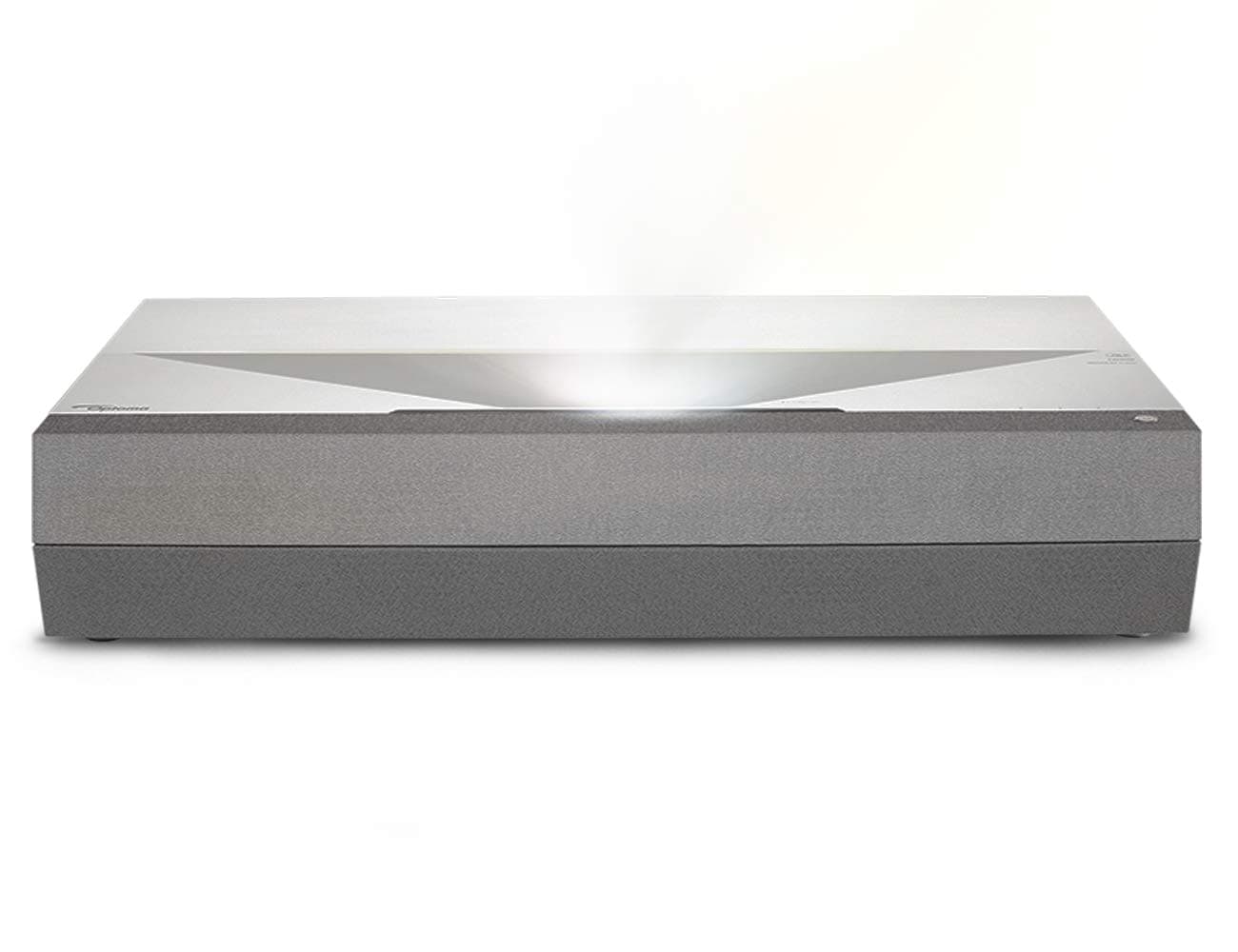
🎬 Elevate your living room to a cinematic sanctuary with the CinemaX P2—where stunning 4K meets smart, immersive sound.
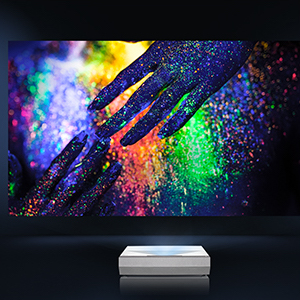
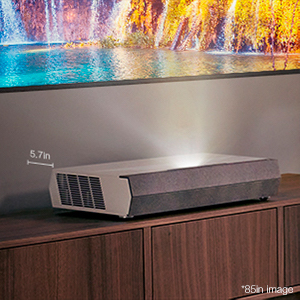
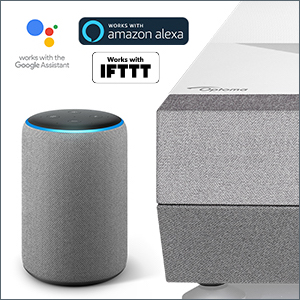
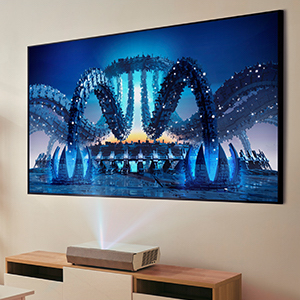
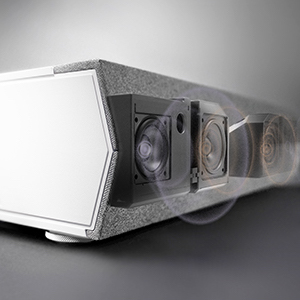
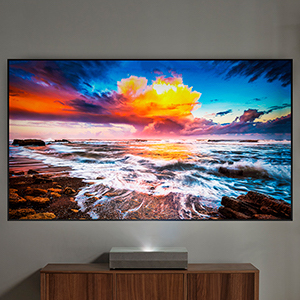
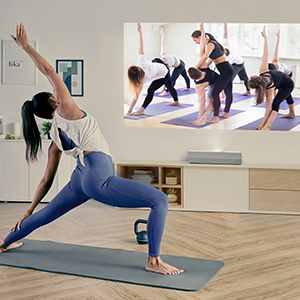
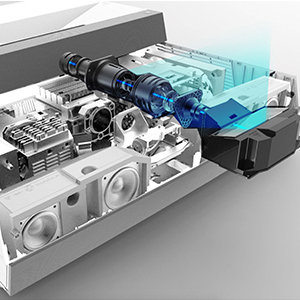
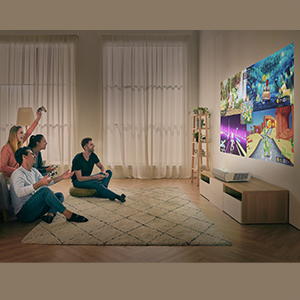
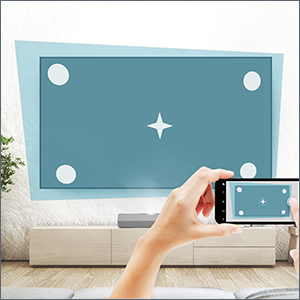
The Optoma CinemaX P2 is a premium ultra-short throw 4K UHD laser projector designed for home theaters, delivering 3,000 lumens brightness and HDR10 for vibrant, high-contrast images up to 120 inches. It features a 6-segment RGBRGB color wheel for rich cinematic colors, a built-in 40W Dolby Digital soundbar for immersive audio, and smart home compatibility with Alexa, Google Assistant, and IFTTT. The projector offers easy setup via the SmartFIT app with auto focus and geometry correction, making it a sleek, space-saving centerpiece for modern living rooms. Backed by a 2-year warranty and a 30,000-hour laser lifespan, it’s engineered for long-lasting, premium entertainment.







| ASIN | B08FBNDGBK |
| Additional Features | Alexa and Google compatible, Laser TV, Short Throw, SmartFit, Speakers, True 4K UHD, Ultra Short Throw |
| Antenna Location | Entertainment, Gaming, Home Cinema, Smartphone |
| Best Sellers Rank | #3,727 in Video Projectors |
| Brand | Optoma |
| Brightness | 3000 Lumen |
| Built-In Media | CinemaX P2 projector, distance cards, quick start user manual, Bluetooth smart home remote with Airmouse (rechargeable), power cable |
| Color | White |
| Compatible Devices | Gaming Console, Laptop, Smartphone, Television |
| Connectivity Technology | HDMI , USB |
| Contrast Ratio | 2,000,000:1 (Dynamic Black enabled) |
| Control Method | Voice |
| Controller Type | amazon_alexa, vera |
| Customer Reviews | 3.5 out of 5 stars 397 Reviews |
| Display Resolution Maximum | 4096 x 2160 |
| Display Type | Laser |
| Display resolution | 3840 x 2160 |
| Form Factor | Stationary |
| Hardware Connectivity | USB |
| Item Dimensions L x W x H | 22.1"L x 15"W x 5.1"H |
| Item Type Name | VIDEO_DEVICE |
| Item Weight | 24 Pounds |
| Lamp Wattage | 125 Watts |
| Light Source Operating Life | 30000 Hours |
| Manufacturer | Optoma |
| Maximum Image Size | 120 Inches |
| Maximum Throw Distance | 16.5 Feet |
| Minimum Image Size | 85 Inches |
| Minimum Throw Distance | 8 Feet |
| Model Name | CinemaX P2 |
| Model Number | CINEMAXP2 |
| Mounting Type | Ceiling Mount, Tabletop Mount |
| Native Resolution | 3840 x 2160 |
| Picture Quality Enhancement Technology | PureMotion |
| Recommended Uses For Product | Entertainment, Gaming, Home Cinema, Smartphone |
| Special Feature | Alexa and Google compatible, Laser TV, Short Throw, SmartFit, Speakers, True 4K UHD, Ultra Short Throw Special Feature Alexa and Google compatible, Laser TV, Short Throw, SmartFit, Speakers, True 4K UHD, Ultra Short Throw See more |
| UPC | 796435813710 |
| Unit Count | 1.0 Count |
| Vertical Keystone Correction | 17.5 Inches |
| Video Encoding | HEVC (H.265) |
| Voltage | 240 Volts |
| Warranty Description | 2 Year parts and labor limited warranty on the projector with first year express advance replacement, 5-year or 12,000 hour light source warranty (whichever comes first) |
| Wattage | 360 watts |
C**O
Great Picture quality and customer service
Got this last year after a lot of research and focus on the negative reviews, so had some idea of pros and cons and limitations going in. Getting the picture to fit on the screen was a challenge, had to buy furniture that was only 12" from surface to floor. The grid with the corner handles is your friend for fine adjustments. Picture quality is very good, brightness and black levels are really good (I have a Samsung HDTV and this projector beats that all the way on black levels, not quite OLED TV level black colors but still really good). The interface and app support are klunky but manageable. I use a Roku for streaming so all my remote use is on the Roku, I only use the device remote to turn it on. If you don't get 4K quality check your connection speed (if it's not fast enough you can't even choose the HDR modes - they are grayed out). I use the browser in the app section to check download speeds. Sound quality from the built in speakers is also very good. They missed some design cues - the legend/symbols over the LED lights on the device are impossible to make out. But after all of that, it was really delivering great picture quality and sound for an immersive experience. Then I downloaded a firmware upgrade and it said applying update and went dark - I had no idea what was going on except one of the LEDs was red. Left it overnight, and tried to restart the following morning and it would not restart. Called customer service and received a bin file (with same upgrade) that I put on a thumb drive and plugged it in to the projector. It still wouldn't work, the LEDs came on and flashed and then went to steady red. Sent it to them and they said the equivalent of the motherboard was not working. So I am getting a new projector now. Kevin Mackie was excellent, courteous and professional in handling my request from start to finish. Can't say enough good things about him. I will update this review once I get the new one and get to enjoy it for a bit longer. 6/19 - Update I have had the new replacement for a while now, really happy with this purchase. The picture is stunning in my set up dark walls, no/very low natural light. I have a purchased a custom made cover as well, you will need that if your projector sits out in the open (costs about $30). 5 stars from me
N**J
What a waste of money!!
This product was purchased after a lot of research considering the cost of such high end projectors. Boy, I cannot believe my research was so poor that I relied on sites that glorified this absolutely atrocious garbage of a product. Too bad that they discontinued this product because they knew what they made otherwise the trashing would be more wide scale. The product was purchased in December 2021 and was sparsely used. The 1st year was mostly flawless viewing but had some UX challenges. The early part 2nd quarter of the 2nd year is when the problems started, things like talking long time to start, auto-restart, system crash, sudden changes in color on screen being the most prominent ones. 10 days before the warranty expired, they system completely broke down. Calling and emailing Optoma support was not by any means a walk in the park. They made it sound like they are doing me a favor in supporting the device despite still being under warranty. After the pity-repair, I got my device delivered back to me and sees to work well for a grand total of 10-days. Same problems from before started to resurface, while the support team would hesitate to say what was wrong to begin with. All-in-all this product is by far the worst tech device I’ve ever invested in. I’ll never buy a Optoma product ever. Poor product and poor support is such an understatement!!!!
W**.
Best projector I've owned optoma p2 = Grand slam
WOW 👏 😮 👏 😮 👏 😮 👏 😮 PICTURE QUALITY IS OUTSTANDING COLORS 10 BIT HDR It was pretty hard to set up, but once I got to the geometric settings and was able to manually configure it, I was good to go. Go to menu arrow over to geometric section and you will figure it out. Gaming good for almost anything like racing, fighting games, Rpgs, adventure games. Fps shooters though, if you got a TV or monitor use that for online pvp but it can be done on this, its a little sluggish nut keep in mind I play on a 120hz gsync monitor for shooters in online pvp. But the gaming experience is pretty good. GREAT BLACK LEVELS, and I have a lg c9 oled so yes this projector has good blacks and I know the difference. My preferred settings for movies Set your streaming device to 4k 30 hz (only way to get 10 bit color) Display mode cinema Color temp cool Dynamic black 1 Color level 10 If your debating optoma p2 vs vava Go with the optoma if you got the extra 500$ Better for gaming Better color wheel Better picture quality Best projector i have owned period.
J**S
First impressions
First off I did a ton of research and I was about to pull the trigger on the new Samsung UST.. the cheaper one. I have had a few Samsung TVs and have always been happy. I've never heard of Optoma (I know they are a huge company in the projector business but nevertheless I didn't know of them or had experience). What pushed me to the Optoma? Several reviews about the picture quality. That was ultimately going to be the most important feature for me. When I look for reviews on products that I am going to possibly buy I look for: Reviews that aren't paid for, Reviews from experienced reviewers, avoid fan boys/girls that love certain brands, and reviews that are critical. I also look for consistent comments from different reviews. All of this led me to the following about the Optoma - Great picture, bright, great blacks, low lag for gaming (well, for projectors), sucky interface for apps and extras, good/easy set up. Most of these were true - except for the lag. It was horrible and if this is the best of the projectors, then we are not gaming on projectors... or should not. Long story short - I love the picture (I use an Elite Aeon ALR 120" screen), the blacks are great (again for a projector), great detail, always impresses, and I CAN'T use my xbox.. which makes me sad because it looks great. No apps, or if there are, they are worthless as is the user interface.. very glitchy. (I use an Amazon fire stick which give me everything plus Apple TV and Xfinity channels). This projector could use a couple more fully functional HDMI ports as my Sonos ARC uses up one of the HDMI inputs. As a side... I use Sonos ARC + Sub + Sonos 3s for surround backs for sound. Sounds great! I didn't rate the sound for obvious reasons - I didn't use and haven't heard it. Four stars for the lack of real apps and low HDMI inputs. The rest is 5 stars. I recommend it.
D**D
Amazing with the right screen
UPDATE: with my CLR screen from elite screens this thing is totally changed. I was skeptical so spending another 1500 on a screen but it made all the difference. Light or dark I love watching it. I often actually prefer watching at night with a lamp on which amazes me. In short with the right screen 5 stars, without 3 stars. I wasn't sure what to expect for my first UST projector, but the p2 so far has been a good experience overall. I'm pretty picky with image quality and was on the fence for weeks about a 77 OLED vs the projector. I'm using a matte white screen with 1.2 gain atm until my CLR screen arrives so I'm holding off on final judgement. In the dark room environment I'm generally pleased with it and there are definitely scenes where it's stunning and HDR comes to life. Shows like Emily in Paris really highlight it's stong output and HDR. In daylight or low lighting it's pretty much a non starter with my white screen. Just not though light to create enough contrast. However, I'm just not quite sold on its black level performance. Maybe due to my white screen, but when I'm seeing scenes with a pretty flat contrast variance, like in doors with lights, it can take on a muddy washed out look. Surprisingly in very dark mostly black scenes I tend to be less bothered. No gaming yet so will defer judgement on lag. The software that comes with it is a joke so get a fire stick and don't bother complaining. The speaker is actually quite impressive and has been a real delighter, though don't plan to use it long term. Better than any LCD TV I had. Overall I'll defer final call until my Aeon Starbright 120 inch screen arrives. From everything I researched it's pretty much required to get the right contrast levels. I'm a little nervous as to what it may do to the brightness though with a 0.6 gain. For the record I did try a CineGray screen as well with not not much luck. It did improve contrast over white but ended up feeling too dark. Lastly in terms space configuration, be sure to have about 32 inches of tv stand depth. I have it running on the floor atm. Considering the screen is projected 12 inches above the projector for a 120 inch screen, your rather limited on console height unless you want your screen very high on the wall. Couple that with center channel placement and you definitely have some critical problem solving at hand. Will update and add video once the CLR arrives.
E**.
Stay away from the P1 P2 and Pro
UPDATE 1/2022: Exactly A year after purchase the projector finally crapped out. Projector was stuck on the boot screen is boot screen and would not power on. I sent it in and although it was repaired quicklyDocumentation included with the repaired projector stated that I only had a 90 day warranty going forward. So so halfway through a 2 year warranty the projector needs repairs needs repairs and they charge you to ship it and then reduce the warranty you originally paid for. This might be some of the worst customer service from any consumer electronics company I've ever run into. ORIGINAL: have never purchased an optoma projector before and I likely wont ever again. Since the original launch of the P1 this line has had problems. With the release of the P2 all the color wheel issues were supposed to be solved and maybe they were however they didnt fix the EDID and HDMI handshake issues even to this day. This is all well documented on AVS forums people have had warranty swaps with shipping at their own cost and none of these issues have been resolved for anyone. We keep being told the FW update will fix but on the most recently released pro these issues are still a problem. So three different SKUs with issues from the original release in 2019 HAVE NOT BEEN FIXED. This thing sometimes even has problems resizing an image IN ITS OWN OS with no devices attached. Id be surprised if there isnt a class action against Optoma since im out of the return window and Optoma is alseep at the wheel Im likely going have to hope Amex takes the time to see the ineptitude of the this company and its release of these UST projectors to give me my money back. I will be switching to either the HiSense or the Epson LS500 which is now cheaper than any of the variants of the CinemaX.
N**Y
Terrible Quality
First the good: The picture was beautiful, and the projector was a breeze to set up. The bad: Both my wife and I noticed a strange rainbow effect that would appear surrounding bright objects in high contrast situations. After doing research online it seems this is supposed to be a super rare sensitivity (only 5-10% of the population), so it seems suspicious statistically speaking that it was very obvious to both my wife and I. If you turn on closed captioning then you see the rainbows almost 100% of the time as your eyes switch from the text to the images., Since I am hard of hearing this made watching shows extremely distracting. I tried tweaking settings like crazy to fix it, but nothing I did made a difference. After a couple of days of tweaking settings I noticed another problem. Sometimes when I would switch the display mode to anything other than Cinema I would see a weird flickering on any white object on the screen. This was beyond distracting, and it just looked horrible. Turning the device off and back on didn't seem to fix it. I had to do a factory reset. I contacted Optoma at this point to relay the problems, and that night I noticed a new issue. A vertical line split the screen right down the middle, and one half of the screen showed up slightly lighter than the other half. At this point I decided that enough was enough, and there was no getting around the fact that I had purchased a lemon, so I sent it back. I should mention that when I first turned on the projector it said that it had 40 light source hours already even though I have never used it. I don't know whether they snuck a refurbished unit on me, and just claimed it was new, or if that meant that Optoma had tested it for 40 hours. If it was the former then I don't appreciate the sneaky salesmanship. If it was the later then they need to hire new testers because the product quality was severely lacking. My advice is to avoid this projector like the plague. I'm only giving it two starts instead of one because without the numerous problems the picture was beautiful.
B**.
Good image quality, but know what you're getting into here
I am coming from a BenQ HT2050, which is a $700 1080p lamp projector with moderate brightness. I also use a tab-tensioned, motorized screen that is NOT ambient light rejecting, but works great with the BenQ in lower ambient light. I also work in Film/TV so my eye is pretty picky and well trained. First, the big elephant in the room that I think will impact your buying choice more than any opinions about image quality, brightness etc, is the flaw that caused me to send this projector back to Amazon - because these laser-based UST projectors are firing from directly below, they will DRAMATICALLY accentuate every single flaw in your screen (or wall). As mentioned above I have a $600 tab-tensioned screen. It's not the best screen on the market, but it is quite taut and the image is completely distortion-free when using a standard front-firing projector. With the CinemaX P2, the image looked wildly distorted and wavy on the outermost 6-10" of the left and right sides of my screen. This projector also managed to pull out strange fold lines across the width of the screen and other flaws that you literally cannot see with the naked eye unless you have the upward-cast lighting highlighting those details. Needless to say this is not a flaw with this particular projector, but rather a major concern for UST projectors in general - unless you have an absolutely PERFECT screen, ideally a flat, permanent, wall mounted, tensioned screen, the experience will suffer greatly. Roll-up screens and projecting on walls that aren't perfectly smooth AND even are probably a complete non-starter for USTs. You have been warned! As for my impressions of the projector overall: - the improvement in brightness/contrast vs my HT2050 was merely okay, especially considering it is rated at 3,000 lumens vs the 2200 of the BenQ. - The improvement to perceived image quality going to 4k was not anywhere near as dramatic as I had hoped. When watching demo videos via Blu Ray designed to showcase the beauty of 4k, the image quality was maybe 20% better than what my HT2050 could offer despite being 1080p. I'm not sure why this is, perhaps it is because the CinemaX P2 uses pixel-shifting and therefore is NOT "true" 4k despite claims to the contrary that persist. - Focusing to get the middle of the screen perfectly sharp leaves the upper corners a little blurry, probably a result of the physics of trying to project a square image onto a wall from directly below. - This projector is really big. It will stick out several feet from the wall and must be at least a foot below the bottom of your screen in order to get a 100" or larger image. You can either try to place the projector the exact correct distance, which is tough, or you can use its built-in software to adjust the image alignment on the screen, but this adjustment will go away if you try to use the projector's game mode to improve latency. - As mentioned above this projector is really big, and a major part of that (and no doubt a few hundred dollars of the price) is consumed by the front speakers. I think the vast majority of people spending $3k on a projector have a sound system in place, making this a total waste of resources all around. This would be much less of a concern if the built-in speaker could be used as the center channel in your surround system. Overall, I felt that these minor improvements were not worth paying 4X the price for, especially once I realized that I would absolutely HAVE to spend another few grand on a better screen just to get back to the same viewing experience I was currently getting with a $700 projector. If you have (or are willing to buy) a light rejecting screen you will almost certainly get better performance, but that will add another several thousand dollars on top of the already high price of this projector.
Trustpilot
2 months ago
1 week ago