
DOWNLOAD THE APP


Customer Services
Copyright © 2025 Desertcart Holdings Limited
DOWNLOAD THE APP


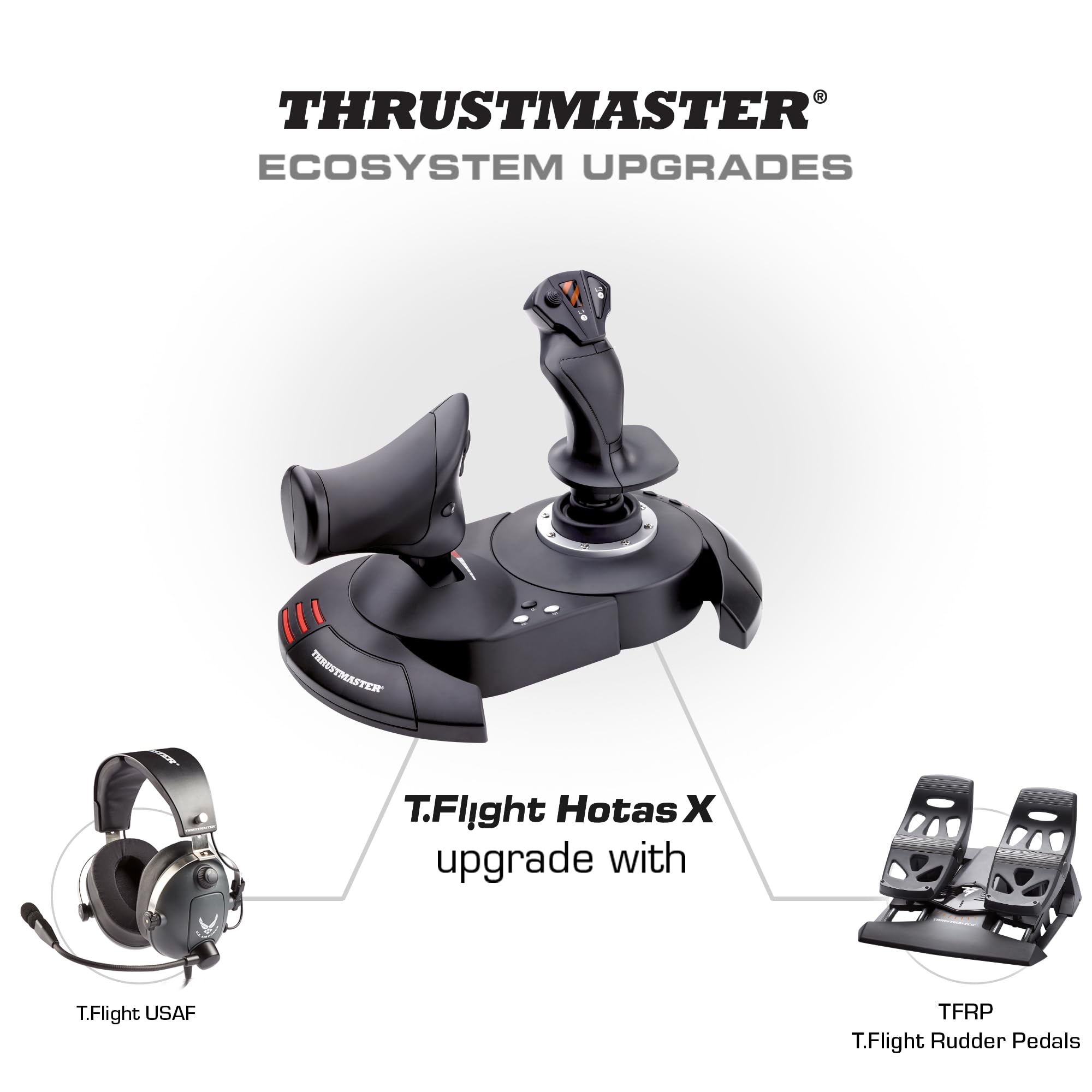
🕹️ Elevate your flight game—command the skies with precision and style!
The Thrustmaster T-Flight Hotas X is a versatile, PC-compatible joystick and throttle combo featuring 12 programmable buttons, 5 axes, and a detachable, ergonomically designed throttle. With adjustable resistance, internal memory for saved configurations, and exclusive instant mapping buttons, it offers a professional-grade flight control experience at an accessible price point. Perfect for flight and space simulation enthusiasts seeking precision, comfort, and quick setup.




| ASIN | B001CXYMFS |
| Best Sellers Rank | #567 in Video Games ( See Top 100 in Video Games ) #2 in PC Game Flight Controls |
| Customer Reviews | 4.4 4.4 out of 5 stars (8,216) |
| Date First Available | October 8, 2008 |
| Department | COMPUTER-EQUIPMENT -> COMPUTER ACCESSORIES |
| Is Discontinued By Manufacturer | No |
| Item Weight | 4.77 pounds |
| Item model number | 2960703 |
| Language | English, French |
| Manufacturer | Thrustmaster VG |
| Product Dimensions | 10.39 x 9.53 x 10.43 inches; 4.77 Pounds |
| Rated | Everyone |
| Release date | January 5, 2025 |
| Type of item | Video Game |
S**D
A great price positioned joystick/throttle combo that won't break the bank
I have looked at Thrustmaster sticks over the years with envy, to me they represented an elite level in joysticks. While I really like flight and spaceflight simulations, I could never quite warrant spending the big bucks on Thrustmaster or Saitek joysticks. Logitech and others had reasonably priced sticks for my level of gaming. For the past several years I have been on consoles so joysticks were not a big option. Recently I stepped back into PC gaming and I purchased one of the "Elite" space combat games. Even in the video for the game, the character used a stick combo that was very similar to a Thrustmaster setup...clever subliminal marketing? Maybe so because after trying somewhat unsuccessfully to fly on just a keyboard and mouse, I was looking for a stick I thought about going with one of the Logitech sticks, like what I had before, then I saw this setup. Where it would be asy to close in on or surpass 400.00 US on Thrustmaster sticks, here was both for a very very reasonable price. Was it discontinued? An inferior model or refurb? Nope, it is just a specific model that Thrustmaster produced to solicit a niche of bargain PC gamers and PS3 gamers(Yes! The stick works on PS3!!! I find out AFTER I have moved on to the PS4( I have yet to see if it works on PS4, but even if it does there are not many games that call for a stick like this)) The T-Flight is a great stick for the price-point. It is not going to be the same quality as the 200.00 individual components, but that is not to say this is not a quality device...Au Contraire... This is a great bang for the buck. The unit arrives together in the box but not connected. You have the option of screwing the throttle and the stick together via installed screws in the base. There also is an allen wrench included in the base, complete with its own snap in nook. This is good because the screw heads are of a star type. That being said, you should put them together to see if you are comfortable with them being that close together. Maybe you have space limitations...who knows. I tried it and personally felt it was a little close together for me and how I was using it, so I opted to separate the stick and throttle. The cord that connects them is about 3 feet long and will wrap up in the base of the throttle if you choose to connect them. True to good quality sticks like Thrustmaster, there are many buttons and they are programmable. Additionally there is an tensioning adjustment under the flight stick, but it didn't make a great bit of difference to me. All in all the joystick has a good feel to it and responds well. With one exception which I have seen in several reviews, I will add in mine as well. The throttle has a middle or neutral spot if you will and I guess in lieu of making a spring based solution, they mad moving out of this spot a little hard. It's almost like it sticks, you definitely will feel it and it can affect what you are trying to do, especially thrusting forward. I believe in time, with a good amount of usage, the stick should wear sufficiently to be more smooth but for now it is almost certainly a hindrance. For many it can be lived with, others it could be the straw that breaks the camels back in deciding on this stick. If you can put your hands on one before buying, I think that would help you formulate a better decision. A joystick or gamepad can be 10$ and feel perfectly right for you or a 200.00 professional model and still not quite cut it. It really comes down to how it feels to you. In the end, I think this is a fantastic stick, especially for the price. It has many features, very programmable and feels really good with the exception of the throttle mid point. For me, I can overlook it given how I use the stick and the frequency.
M**N
Good quality for price
Thoroughly love this joystick. Works perfectly for the games I play, Star Wars Squadrons and the X-Wing Series games.
M**A
Great budget Flight stick and Throttle
I ordered this to replace my Logitech flight stick. I wanted a throttle that could separate from the flight stick. The product is as it says and works very well. I use this for FSX-Steam Edition, X-Plane, and Prepar3d V3. Setup is easy even without the drivers as Windows 7 and up will install it automatically. The drivers help fine tune the device, but Windows does a perfectly good job installing without them. Setup in both FSX and Prepar3d are easy enough, with X-Plane requiring a bit more time and patience. Trust me X-Plane is a very good sim and a bit more control customization that comes with a bit of a learning curve, but not one that is too difficult to work with if you just take your time. The flight controls have a knob on the bottom of the flight stick that can help adjust for tension of the stick itself. Play around with it until you get the feel you prefer. I like my flight stick to be in the middle. Too loose and flight controls can be twitchy if you are not careful to control your stick movements with slow, simple and small movements. A bit of tension helps the stick snap back to center quickly. The throttle section does separate from the flight stick, and this is great for mounting to a flight stand with just enough cable length to place them in a good distance for flight controls but not enough cable length to be too far apart. It works out to be about shoulder to shoulder in distance so be aware of this when wanting to separate them. Button layout works well with great FSX and Prepar3D standard button configurations out the box. Again be ready to spend a bit of time configuring the controls in X-Plane, especially the axis controls. X-Plane reverses some and they need to be configured and changed. I highly recommend using the rocker slider found on the backside of the throttle as the rudder if you are not using rudder pedals. It works great and has far better control that the twist of the flight stick. I use a lot of mods for my flight sims and this works great with FSCabin Crew button control for Aerosoft Airbus payware, as the buttons can be mapped to non-standard stick buttons on the base for easier button control and response to first officer checklist calls and flows. All in all it is a great flight stick without breaking your bank. It is not a higher end Yoke or Fighter Stick, but it will get the job done and done well. Word of warning, the flight stick once separated from the throttle section can feel a bit light and can move around on you if your heavy on the flight stick. Remember, slow, small, and controlled movements win the day, but if you grab the stick and pull with a bit of force, expect the stick to potentially move on your desk. I found a simple set of larger rubber feet from Home Depot help keep my flight stick on the desk and not move during use.
F**A
Una gran compra de este joystick. Yo lo utilizo para Microsoft Flight Simulator y Xplane 12, ambos en PC, y la verdad es que me ha sorprendido la facilidad de configuración que tiene. El tacto, a la hora de volar, es muy bueno, se puede ajustar la sensibilidad a tu gusto. Otro punto a favor es el poder separar ambos joysticks ya que te facilita el poner en medio el teclado para poder manejar mejor. Recomiendo la compra ya que es uno de lo mas baratos pero muy buena calidad.
M**Y
I love it. Smooth faultless operation, comfortable to handle, strong construction and most importantly works exceptionally well. I use it primarily with Flight Sim X Gold edition on Windows 10. Tip for those having problems using FS X on Windows 10 with registration problems is: To over-come the registration problem run FS X in "Administration" mode and registration confirmation is obtained.
M**N
Çok iyi
M**E
super a utiliser
C**O
Justo lo que quería es de calidad y la marca Thrustmaster siempre cumple sobretodo por el precio
Trustpilot
1 month ago
1 week ago