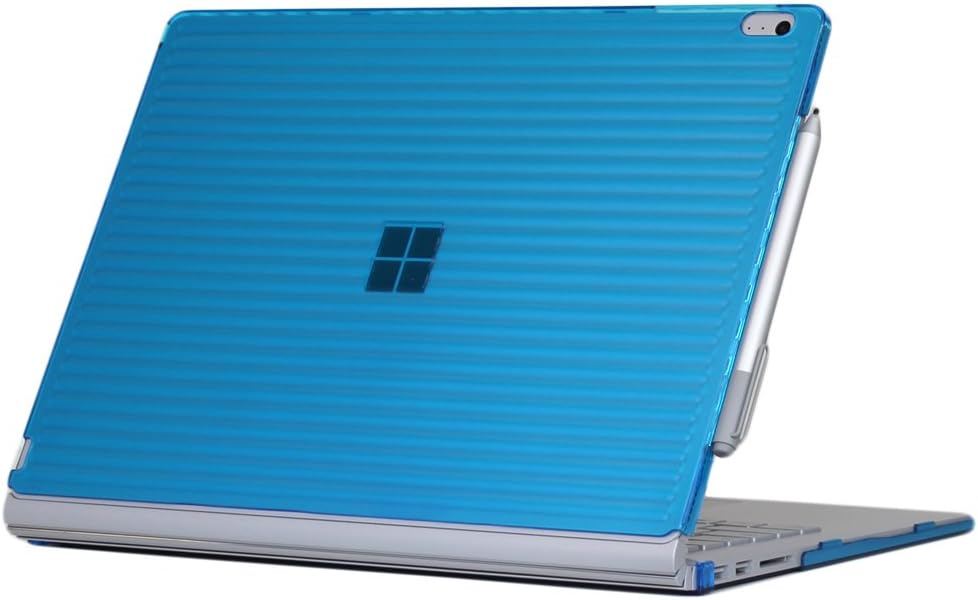
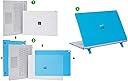
Edit - Dropping this from 4 stars to 1 - Multiple separate people have now said iPearl is making a new version of this case with holes in the upper lid for the venting around the clipboard. Clearly they realized pretty quickly it's a design flaw, but tough luck for us early adopters, huh? Not a super cool business move, iPearl. Full disclosure - I still haven't seen any difference in the cooling performance since I put this case on. However, I still also haven't put my Surface Book through anything more strenuous than web surfing while I listen to Google Music. The fans on the Surface Book generally only fire up under heavy load anyways, if that ever happens I'm sure this case would cause serious cooling problems. The magnesium casing of the Surface Book seems prone to dents, dings, and scratches, so I was looking for a case basically on Day 1. The problem has been that pretty much all of the protective coverings I could find were skins. I was looking for something a bit more substantial to protect my Surface Book as a I travel with it daily for work, but hard cases were hard to find. Eventually, iPearl came out with this one, so I figured I'd give it a try. I've had great success with iPearl's Macbook hard cases, and this one seems very similarly constructed. It's a top plate that goes on the back of the clipboard, and a bottom plate that goes on the bottom of the keyboard dock. The two plates are designed to protect the clipboard/base both when the two are connected, and when separated. No sharp bits or cracks when it arrived, it's a pretty good looking and well made hard case.. All of the cutouts are well-placed, none of the sensors get covered up. It has a very snug, secure-feeling fit. The one thing it does NOT protect (as you can probably see in the pics) is the Reflex hinge, it stays uncovered at all times. This does mean it wouldn't offer any real protection if you were to drop your Surface Book and it landed hinge-down. Any hard case is going to detract a little bit from the good looks of whatever you put it on, that's just the price you pay for extra attention. However, I do feel like this case does look better than the other (limited) options for Surface Book hard shell cases. There's a few issues I did have with it: - The AC adapter wasn't able to full insert into the Surface Book when I first put the case on. There's a small clip where the bottom half of the case snaps into place at the right rear corner of the keyboard dock, and that clip was in the way. I was able to bend it out of the way so the AC adapter can plug in, but I had to put enough pressure on the clip to bend it that I was really worried about breaking it. - The case blocks 90% of the air vents that go around the whole perimeter of the clipboard. I haven't seen temps going up because of this, but I don't tend to push the laptop all that hard in general use, either. People who worry about blocked vents will not like this case. Some venting areas are uncovered, and it could be that the vents can still exhaust air just fine even while covered up, but this is something to be aware of. - The plastic material is a tiny bit slick. It doesn't feel like it's going to squirt out of your hands at any time when you pick up your laptop when it's attached, but make sure to keep a good grip on it when carrying your Surface Book in this case - The Microsoft logo on the back is more or less completely obscured by the case. I know it doesn't light up like the Apple logo does on the back of a Macbook, but they could have at least made the plastic over the logo a little more translucent. This might not bother some people (or it might even be a plus for some who worry about their expensive laptop standing out) but I'd have much preferred a hard case where the company logo can still be seen easily.