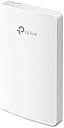
📶 Elevate your workspace WiFi—powerful, sleek, and effortlessly smart!
The TP-Link EAP235-Wall is a professional-grade AC1200 dual-band wireless access point designed for seamless wall mounting. It delivers combined WiFi speeds up to 1167 Mbps with MU-MIMO technology, supports Power over Ethernet for easy installation, and integrates with Omada SDN for centralized cloud management. Its slim profile fits standard junction boxes, making it ideal for offices, hotels, and modern homes seeking reliable, secure, and scalable WiFi coverage.


| ASIN | B08MWYZ1Z8 |
| Are Batteries Included | No |
| Best Sellers Rank | 8,260 in Computers & Accessories ( See Top 100 in Computers & Accessories ) 16 in Wireless Access Points |
| Brand | TP-Link |
| Colour | Black |
| Customer Reviews | 4.1 4.1 out of 5 stars (816) |
| Date First Available | 6 Nov. 2020 |
| Guaranteed software updates until | unknown |
| Item Weight | 320 g |
| Item model number | EAP235-Wall |
| Manufacturer | TP-Link |
| Operating System | RouterOS |
| Product Dimensions | 14.3 x 8.6 x 1.97 cm; 320 g |
| Series | EAP235-Wall |
| Voltage | 48 Volts (DC) |
| Wireless Type | 802.11ac |
M**M
Easy, Fast, Discrete
I bought a large house ten years ago for a full gutting and renovation - which, as my wife regularly reminds me I'm still doing.... As part of that renovation I put in loads of Cat6 thankfully with a view to having access in all rooms. Of course WiFi has come a long way since then and most devices need it including my mobile phone which uses the internet to connect when at home due to poor local coverage. But... I introduced a problem. When I re-plastered my house I dry lined the walls using foil backed plasterboard and thus without thinking created a wonderful Faraday Cage, especially when combined with the numerous steel beams I used. WiFi cover was rubbish and became worse when I moved to BT Infinity high speed broadband as all the WiFi routers seemed to have lower ability to punch through my house. So, I moved to a BT Mesh system which, improved things but was still not ideal. I also fundamentally prefer the idea of a wired system for reliability. And then I came across the TP Link Omada system. Happy days. It is of course designed for work places, shops and offices and I did wonder if it would be some over complicated thing that needed an IT Administrator to set up. Nope. Easy as an easy thing. First off, I will say that I bought this along with a few other items. A TP Link POE 8 port switch, an outdoor AP and an indoor ceiling mounted unit as well as the controller module which, isn't necessary but does make things easier. So, assuming you have set up the controller first (not needed but better) and downloaded the app which, is needed then it's easy peasy. Using Cat5 or 6 plug into your POE switch and then use the Omada app to search for the unit. Once found give it a name and off it goes. Thing is that as part of the Omada system using the controller module you set up your own SSID and password and then as you add AP's they all work on the same system. That means you can cover your entire property including your garden with one login and because it's wired you don't have the weak repeater signal problems and lower speed that comes with a mesh system. The actual TP link device here is the same physical dimensions as a white plastic single gang plug and it fits into a standard deep pattress box. If you have the really shallow back boxes then they may need changing and the wall recess deepening to take the deep box. I made sure all my back boxes were the deepest available just in case. Overall, this is a superb bit of kit and part of a fantastic system.
M**R
Great little item, but requires power over Ethernet to work.
Great little device giving me WiFi to a garden room. One thing to note that could’ve been explained better, the unit needs power for it to work, and the power comes down the Ethernet cable that’s plugged in to the back of the unit. Some routers have Power Over Ethernet integrated in them, however most common isp routers do not support this, so a POE device is needed to power the tp link. They’re quite inexpensive, but another thing needed regardless. Set up is very straightforward once the POE device is attached. One other thing of note, in the item description it says a AAAA battery required, which is not correct.
S**R
Good AP but could be improved
Easily adopted into my existing setup of 2 other EAPs to give better coverage in the cellar. Really helps to manage the 3 APs together, instead of having to duplicate the settings across the devices. Dropped one star as the wall-mounted AP needs a deep box to mount it on the wall. Don't know why they couldn't have made the cable go in vertically, which would have made it all a bit slimmer. Doesn't really matter for my application but had to buy a 47mm deep box rather than use the 32mm one I had spare.
N**R
Brilliant unobtrusive access point.
Likes…slimline fitting on standard wall box. Looks good with no wires or power supplies Easy to connect up to ethernet cable - need to have the cable in the wall of course and with a connector rather than bare wires. Transfers full speed from my virgin hub > 200mbps Dislikes = could not connect via web browser “server not found”, but using iphone app method it worked no problem. Instructions could be clearer to point out that you need to change the SSD (network name and associated password) to same as your existing wifi. Notes: remember this needs power from the ethernet connection, so make sure you feed it from a PoE device. I bought a small 5 channel PoE+ switch that i daisy chained with existing switch. ( i need about 15 ethernet port to supply all the bits and bobs in my house!). Perhaps the daisy chaining was reason i could not set up from the browser. Anyway phone app worked just fine. Took about fifteen minutes. Definitely recommend and will buy again for another part of my house.
D**S
Great way of introducing wireless access points without losing a CAT port.
I have now bought a couple of these units as to replace dual CAT5/6 faceplate sockets in my house. The intention is ultimately to switch off the ISP provided wifi router thingy and install a "proper" router, and PoE switch. For the moment however I bought a couple of cheap power injectors and installed the injectors back at the switch end of the circuit. With the EAP provided controller software (which is free) you can manage all EAP APs simultaneously, but you can also manage the units through their inbuilt web interface. Anyway - I've set them all to the same Network Name (SSID) and now have solid coverage across the house for wireless. If you are so minded, you can configure guest networks, time of day access and device restrictions and so forth. To date I have not had any issues with these units, nor have I had to call for support. I especially like that the units have a passthrough LAN port on them too - so I haven't really lost a port either. Wireless performance wise - I'm getting pretty solid performance from the units, limited more by the connected devices. Build quality of the units is good, the button is back it and you can press the button to turn the wireless element on or off (configurable from the web interface or controller software). If you have a prewired CAT5/6 sockets/ cables to which you'd like to add relatively cheap wireless access point functionality, then these are perfect. Be warned, once you start I suspect that you'll start replacing other bits of your network to get best use of it! For me it's the start of another fun project! On that note - if you have a non wireless router that you'd recommend I'd be pleased to hear about it ! For the record - I paid for these units myself, my opinions my own etc.
A**I
Best product as described
A**7
Ho acquistato questo AP - estremamente semplice, solo 2.4GHz N300, senza supporto 802.11R fast roaming e tante altre amenità, come AP da mettere vicino al locale tecnico della casa. Nonostante il prezzo, si integra perfettamente nell'ecosistema omada (ho tre EAP610 sparsi tra casa e giardino) e fa perfettamente il suo lavoro. Ho svariati dispositivi sempre connessi alcuni dei quali fondamentali (PDC), e dal monitoraggio l'ultima disconnessione è 20 giorni fa... quando l'ho riavviato. Unica cosa da considerare, essendo un prodotto in-wall, va montato su scatola e l'alimentazione è solo PoE.
W**M
This is a very basic, entry-level access point. While it’s easy to set up using the TP-Link app and is lightweight, performance is limited. Despite a 250Mbps fibre connection, it only delivered speeds below 50Mbps. For better speed and future-proofing, it’s worth investing in a WiFi 6 or WiFi 7, dual-band access point. This unit may suit simple needs, but it’s not ideal for fast or demanding wireless use.
J**8
Je laisse de coté le commentaire pour installation dans un hôtel ou restaurant ou autre réservé à des pros car là il faut avoir de bonnes connaissances en réseau et un vrai besoin. Pour le particulier cet appareil peut être installé comme un hotspot WIFI en quelques clics et sans AUCUN logiciel à installer: - Brancher sur câble ethernet POE - trouver l'adresse IP qu'à pris le module avec votre scanner de réseau préféré ou télécharger l'outil TPLINK Omada Discovery Utility - Ouvrir une page web sur l'IP du module => Et là vous avez tout ce qu'il faut pour configurer votre hotspot (SSID, password réseau, gateway, subnetmask, ...) Un super produit qui peut être utilisé basiquement (hotspot WIFI) ou utilisé par des pros et le tout, à un prix modique. Chapeau bas TPLINK !
D**Y
48 volt POE adaptörü almanız gerekli. ben tplink olanını aldım. son derece kolay şekilde web arabiriminden şifre belirliyorsunuz ve kablo ile gelen internet bağlantısını wifi haline getiriyor. bir adet network kablonuzun olması lazım ama içinden çıkmadı. 1 dolarlık kablo da dahil olabilirmiş. epey iyi menzili var. hararetle tavsiye ederim. çok kaliteli bir ürün.
Trustpilot
2 weeks ago
2 weeks ago