


🚗 Unlock the Future of Vehicle Diagnostics!
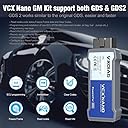
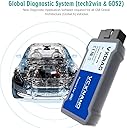
The VXDIAG VCX Nano Diagnostic Programming System is a versatile PC-to-vehicle interface designed for GM and Opel vehicles. It supports multiple software applications, allowing users to minimize investment in brand-specific diagnostic tools. With compatibility for SAE-J2534 standards and a wide range of vehicle protocols, this device ensures quick access to essential vehicle data for maintenance and management. The product comes with comprehensive support options, including online technical assistance and a user manual for a seamless experience.





| ASIN | B08K2SXY79 |
| Brand | VXDIAG |
| Brand Name | VXDIAG |
| Customer Reviews | 3.7 out of 5 stars 572 Reviews |
| Manufacturer | VXDIAG |
| Manufacturer Part Number | GM / OPEL |
| Model Number | GM / OPEL |
| Operating System | Windows |
| Power Source | Corded Electric |
| UPC | 889327020133 889327045303 |
A**W
It works well, but expect to do a little software juggling for success.
2008 Hummer, needed to replace BCM. Dealer wanted $170 to program and 1/2 hour $82.50 to install. In the 08 H2 replacement of the BCM takes 45 seconds at most. It (unlike many vehicles) has no need to remove any panels or screws. It’s literally beside the steering column and requires the release of 6 plugs that only go back in one foolproof way. The latest acdelco SDS for one vin is 45.00 for 24 months of access. I used a win11 laptop with all the latest updates. Signed up at acdelco and purchased an SDS one vin subscription. Used edge explorer and “view vin” which installed the SDs and tech 2 win ( more about tech2win later). After install, logging into acdelcosds opens the SDS program. Do not run as administrator- it ( for whatever reason ) won’t load. Prior to accessing acdelco, I downloaded the VXmanager online and installed. The SDs installed, it immediately recognized the vxdiag and the vehicle after 2 reboots. ( turn off antivirus to install ) and don’t pick ( install as administrator) Recommendation : make sure vehicle battery is fully charged and attach a battery charger or power supply ( I used a NOCO 7 amp power supply - charger. I replaced the BCM and the flash downloaded and pushed to the vehicle, now the “problem” after a flash, you need to add the “supplemental restraint system” encoder into the new BCM via tech2win. However the version of tech2win that’s installed via SDS automatically isn’t activated with your SDS subscription. Not a problem. Open vxmanager and install tech2win ( an older version ). go through the menus and find suplemental restraint key and sync the key. This will turn off the airbag light and you’re done. Or you can stay in tech2win and “activate” all your vehicle function switches and relays and check that everything works - for fun or testing “intermittent problems”. You can clear other DTCs and alter customizable settings like “when do my auto headlights turn on - at what dusk darkness” and manipulate other settings like Now, when you reopen SDS via acdelco login, it’s going to re-install the latest tech2win, but that’s not a problem. Most modules do not need tech2win after programming the module. Some do, some don’t. But after the SDS flash, complete instructions are then posted below the flash screen outlining any necessary additional setup up procedures needed. Since tech2win only covers up to 2010 vehicles when GM GDS took over, using an old version of tech2win isn’t an issue, vxmanager must be running when you open tech2win. I’ve had this vehicle since it rolled o off the assembly line in mar 2008. we only use it to tow a color matched enclosed trailer. I know every nut bolt and screw on this vehicle, so I’m sure I’ll need the VxDiag again. 10 years ago the last time I needed a module, I had friends with tech2 devices and access to programming needs. Now I have to rely on myself ( repair shops never do neat, clean workmanship anymore ) and it’s just a hassle to take anything you care about to a garage for even the simplest tasks anymore. Yup, I’m old, meticulous and don’t mind spending a day detailing, maintaining or repairing. Reprogramming modules is one of those “grey” areas of DIY repair. The money of having it done elsewhere isn’t the issue, the problems is - the hassle of taking it somewhere vice the satisfaction of doing it yourself in less time than it would take to drive to - from a shop - with equal or better results and the assurance that your vehicle has the same fasteners back in it that it had prior ( always a sore spot with me - lost / left out fasteners.) After the BCM install, I @went into all the modules and ensured they had the latest updates and options matched my preferences. I didn’t use the USB enclosed with the VxDiag, downloaded vxmanager direct, which facilitates the tech2win download.
H**S
False Advertising and Major Issues - Avoid This "MDI2 Emulator"
Let me be absolutely clear: The device "works", sort of... The seller's claim that it "emulates" an MDI2 is simply false. The device is fundamentally incompatible with newer vehicles; the MDI2 .dll doesn't work, and the provided software doesn't even recognize it as an MDI2 when plugged to newer vehicles(2019+), resulting in no access to crucial vehicle modules(BCM, Serial Data Gateway Module, Video processing, etc). The provided software is a major hurdle. The installation process is a nightmare, primarily because it's bundled with viruses, forcing users to disable their antivirus protection – a significant security risk. To avoid infecting my main system, I had to install it on a virtual machine. Even then, the cracked nature of the software means it's constantly being flagged and removed by Windows Defender upon every restart, requiring a complete reinstallation each time I want to use it. This makes the software incredibly inconvenient. Beyond basic code reading and clearing, the software is useless. Even with a genuine GM software license, this interface fails to function correctly on newer vehicles. This strongly indicates a fundamental flaw in the hardware or its ability to properly emulate the MDI2, not just an issue with the provided cracked software. While it might have some limited functionality with older vehicles that have simpler communication systems, it's clearly inadequate for modern vehicle diagnostics. I would never trust this device to work on someone else's vehicle, and I strongly advise against buying it. Save your money and invest in a proper scanner. This product isn't worth its price; I wouldn't pay more than $15-$20 for it. This was, without a doubt, my worst purchase ever.
T**N
Program Your Own Modules for the Price of a Dealer Hour of Labor!
I bought a used 2008 Chevy Silverado 1500 that ended up having a bad RCDLR (receiver) that controls the key FOB door locks and the TPMS (Tire Pressure System), which caused me to have the TPMS light on the dash and no working Key FOB. The dealer at first told me they couldn't read the Body Control Module (BCM) or the RCDLR and that they would have to do diagnostics to figure out the problem, before they could determine the cause and replacement. All of that would of equaled hours of labor costs and $$$$. Searched around online and found this company selling these OBD2 programming modules for fractions of the cost of a dealer programming system and definitely cheaper than the hours of labor from the dealer. When I got it, it took a couple hours to figure out how to install the program correctly and learn the functions of the Tech2WIN program that comes with it. You have to follow the directions exactly on the VCXDIAG website on how to install the software and firmware. A tip is to use the CD of programs it comes with to install everything, rather than going to the website and getting the updated programs. I found that if you use the updated VX Manager program from the website, you will have a problem with TECH2WIN finding the VCXDiag NANO module to use. I installed this on a Windows 7 32Bit laptop that I have for just vehicle programming and diagnostics for all my vehicles. I have read that it works with Windows 10 64Bit, but I cannot speak on this. Once I got it working I could use the TECH2WIN program to read all the modules on my truck, even the BCM that the dealer could not read. I realized the RCDLR was bad and bought a new one, but it needed to be reprogrammed to the BCM. You cannot use the TECH2WIN software to reprogram, you have to go to AC Delco’s website and buy a 2 year programming subscription for one vehicle (VIN) for $40. There are YouTube videos that show you briefly how to program a module with their software. Make sure you use windows explorer and have the latest Java installed on your computer, as this is what the AC Delco SPS software uses to reprogram. You have to open the VX Manager software for your VCXDiag NANO and go under the diagnostics tab and install the “PASSTHRU” software/driver to use the AC Delco SPS programing software. This will allow you to see the VCXDiag NANO in the AC Delco SPS drop down list of programming modules labeled “VCX J2354” (or something labeled like that). When using and opening the AC Delco SPS software it will ask you to update the GM MDI software. I would advise against doing this, as when I did, I could not see the VCXDiag NANO module (i.e. VCXJ2354) and had to roll back the GM MDI software. When you go to reprogram a module you have to know the Software and Hardware information of the module to select the correct module configuration for programming. You can use TECH2WIN to read this information from the module before you attempt to reprogram it. Ensure you have the correct module version numbers selected before you reprogram or you will get an error in AC Delco SPS when programming. I made this mistake at first, but you just quit the program and cycle the key on and off in the ignition, and hypothetically no damage is done (at least in my case). All in all, the VCXDiag NANO, TECH2WIN, and AC Delco SPS software worked for me and reprogrammed the RCDLR to my BCM, which fixed the TPMS and Key FOB to work again. Note that my vehicle uses the TECH2WIN software for communication to my truck, and newer GM vehicles may use the GSDS programming software. I did not used the GSDS program/software, so I cannot speak on how to use it or install it properly, but it did come with the VCXDiag NANO on the CD. NOTE: You will have to be a little computer savvy to get these various programs and VCXDiag Nano to work correctly. So if you are not, either do your homework ahead of time (i.e. Forums, YouTube, Websites), or do not attempt it and find someone else how can, or pay dealer pricing. In my opinion, this is a good product that does what it says it can, and more than worth the money and time to complete diagnostics or programming yourself; rather than going to the dealer and pay out the rear.
D**.
Don't have high expectations.
The first one arrived as a used item without the software, just the OBD adapter loose in the box and the USB cord hastily shoved in there. Item was returned and repurchased as Amazon said that was the only thing I could do. The second one arrived while I was away on business and is a new in box item, however the software DVD is completely blank and ready to be burned. I'm somewhat at a loss as how to proceed at this point. It would be awesome if this product can do what it claims, however 98% of this product is the software, which seems to be elusive in my case. Maybe I should keep buying and returning them until they get the hint? I wonder how many times you can do that. Regardless, if you don't get the advertised product (software) you did not get what you purchased. **UPDATE** May 03, 2018 I completed the return and ordered this a second time, hoping to receive everything on the second attempt. My order arrived (new), however, the software disc was blank. I initiated another return citing the blank software disc, and was contacted by the seller who provided a link to the software. Unfortunately, I cannot download the 5GB via my 2MB DSL service, so the seller shipped a software disc to me. Once the software was received, I installed everything and figured out how to use it. First, the Tech2Win must operate as a virtual machine on your computer, so it doesn't matter if you have a 64bit OS (as I do). There are no instructions for this, so this is how I completed the install: - Install the VM software - Install the VX software (the VX software is for the diagnostic connector that connects to the car, and takes the place of GM's MDI) - Use the Tech2 Win auto-install - Install the GM MDI Manager - **Before** you open Tech2 Win, you must first open and run the VX Manger software and connect the vehicle connector to the USB, so the VX manager recognizes it (if you do not do this FIRST, the Tech2 program will not be able to locate the interface, and will display "no communication". - Open Tech2 Win application directly, it will automatically open via through a virtual machine on your computer passively, there is nothing you need to do with the VM software. - Once the Tech2 splash screen appears, press enter. You will be prompted to select which MDI the Tech2 software is supposed to recognize (this is why you must run the VX manager first, otherwise there will be no MDI selection present to select). - Connect to the vehicle and begin polling data I believe many of the respondents who state this did not work simply couldn't figure out the necessary path. You must install everything, not just parts. The Tech2 looks for the VM software to open, so if you don't install the VM hardware (thinking it's not necessary), it may not function. Also, the VX OBD2 interface and VX manager software must be installed and running before you open the Tech2 application, otherwise the Tech2 won't see an MDI interface (the VX spoofs an MDI serial) for communication. Once I figured out the necessary path for operation, I am able to use this just as a GM supplied Tech2. You are still limited to model years 1992 - 2013 just as with a Tech2, so don't think you're going to use it on a 2014 - 2018 vehicle as they are not supported by the Tech2 anyhow. I've been able to get into my 1996 K1500, 2004 CTS-V, 2005 Uplander (programmed the key fobs), and 2013 Cruze with ease. This is the Tech2 software, so you can execute anything a Tech2 can (save for programming a PCM, you need a separate service for that). All in all, it's a great price for the capabilities you get without the need for a separate hand held device. I used the same laptop which I use all of my performance tuning. I would be hesitant to use this product on a device with personal information, but that's just me. I'm overall giving 4 stars bc there are no instructions, there is no location to download the software if you wished to (although the seller did provide a one time download address). But, it does work as described!
E**R
At least old school diyers can work on their own cars without making holes on pockets.
There are mixed opinions about this interface. Well, I think it is a great device and a must have nowadays. I bought the wired version because I rather have a dependable communication and I want to have the wireless available for research or updates and so on. I understand the WiFi version might work the same way, but is just personal preference. Note: Any problems with the included software please contact you seller. They might provide a download link for a replacement or an updated version. First GDS2 works with the included software as a virtual machine with VMWare running in a decent hardware, no low end Pentiums or Celeron, please Core2Duos and up, Minimum 4GB Ram, etc.. Second and thanks for the seller assistance, Tech2Win works ONLY in a physical system with Windows Xp or Windows 7 x86 (32Bit) installation. It does not work any other way. It DOES NOT WORK in a x64 (64Bit) environment. Did I say only 32Bit? As of 10/01/2020 I have upgraded the device firmware, uninstalled all the software and downloaded an updated version of GDS and Tech2Win from VCDIAG. This new versions do work on 64Bit platform and it also works on Windows 10. So there is no need for Windows 7 anymore. Now, VXDIAG recommends to turn of the anti-virus software in order to complete the setup. I am not a fanatic of turning of the protection of the computer to use a software, but that is why I have a dedicated machine for this purpose. So far I still got both GDS and Tech2Win communicating with my vehicles without any issues. Depending of the OBD2 Interface system of your GM this device will provide at least the advanced reset, relearn, data display performed on the dealership or basic DTC error codes. I did not purchased with the purpose of programing, but it is possible with a GM Service Subscription. I tested the interface in a 2010 Chevrolet Passenger (Tech2Win) and 2015 Chevrolet Truck (GDS2) Thanks AUGOCOM...
T**.
Corrupt installation CD
Installation CD may be corrupt. The one sent with the product was old and did not load properly. Had to remove all corrupt files, search for current software and build an installation file. Recommend to ask for a current installation CD or be ready to search and download installation files needed. Product seems to work good so far.
C**1
Simply just works, mostly got this for SPS programming GM modules
I a running Windows 10 64 bit. For GM USB, was a tech for years, no wifi for me you might drop signal and boot load your if you are programming & you will need a SPS subscription 1 VIN is reasonable price & allows for 24 months programing from acdelcotds dot com/ subscriptions Download VXmanger, install (got the lastest version from their website allscanner dot com) Update firmware on device (as of writing this 1.5xxx) from VXmanger left side "Automotive" options install PASSTHRU a & GM GDS2/T2W drivers (verify the OBD scanner interface can see battery voltage) you will see a voltage reading in bottom right corner of VXmanager. all good close VXmanager. GM SPS Module programing. go to acdelcotds dot com setup an account. purchase subscription. load through and install all necessary Java updates, (might have to turn off windows defender and firewalls, and few reboots) SPS also needs some other updates (you will always be asked to run something from Java) You will be asked to install current GDS2 software and driver 7, install reboot and reload to your acdelco account (PITA with the email codes) Tech 2 stuff is on the CD in the box, load it and run Tech 2, the drivers from before will allow you to connect and look at HVAC, BCM, any and all modules available for fault codes within the Tech2's limits. enjoy, its a great product for the price bar none, another great tool in my tool box. Eventually you will make it to SPS select year, make, model and start self learning how to program... its fairly easy to understand but I was a previous tech and it seems like typical dealership software to me.
M**T
Two Words..... Stay Away
This thing has brought me nothing but frustrations and I never did get it working. I had much difficulty getting VX Manager installed and even to connect to the VCX Nano device. Between licenses being expired and the VX Manager always saying offline the software is just a janky mess. Many tabs within VX Manager were blocked from accessing anything by security on my eero router. At one point I bypassed that, which I highly recommend not to do!) and downloaded a newer version of VX Manager. Installing this set off Windows security telling me threats have been found along with one error message after another. Luckily, I was running this mess in a VM so hopefully nothing got out. Based on my experience with this device I would actually be afraid to hook it up to my vehicle. Who knows what crazy crap could happen! If you do decide to give this thing a try, be aware that you will be in for it when it comes to the software and setting it up. Save the money for another option!
A**.
Is everything it says it is
Hard to install at first no instructions and you have to contact the company for the patch links to install gds2 ** ALL FIREWALL and ANTIVIRUS must be off or it will not work *** this took me about 10 hours to successfully setup but now it is working flawlessly highly recommended
S**M
Not Worth the Trouble.
I wanted to save a few $ and figured it’d be handy to have this tool around. I’d like to consider myself pretty tech savvy, and this product is an absolute nightmare to try and install. Part of the installation process requires you to disable any and all anti virus software to properly install. If you’re OK with Chinese malware being installed to your personal PC, I guess this is the product for you! After that’s all said and done the operation of this device is confusing and not user friendly. Wouldn’t recommend to a friend. Probably wouldn’t even recommend to someone who isn’t a friend, it’s just that crappy.
J**Y
Well it works, but my god the software!
I own a 2014 Chevy Volt Plug-In Hybrid and have had a serious problem with it refusing to charge because my battery coolant sensor is dead and it randomly starts thinking the coolant is empty (it's full to the max). There are no mechanics that work on Hybrid's electrical systems in my town and I will have to take it to the big city ASAP. But I need to be able to charge as this vehicle is actually extremely inefficient in gas only mode with no regen braking as normally any excess fuel that is burned that does not propel the car forward (or backwards) is used to charge the battery. If it doesn't charge that fuel is just burnt as waste. This device was able to clear my false error codes and get me up and running again. The software does in fact work with Windows 10 and although it is detected a a virus, it is not it's just a false positive. You can add exclusions in Windows Security Center for each piece of software to prevent Windows from cleaning it up the second you're done with it. There isn't enough room here for me to leave installation instructions, but you can find everything you need online with 5 minutes of googling. But my god, the software is terrible. As a college-educated programmer, I am astonished that GM released this software as a finished product. The UI is over-complicated, slow and has a mix of Chinese and broken English. This device requires about 6 different pieces of software to work and all the versions of each need to be compatible with one another. It's actually shocking that this thing actually does work!
A**.
It works - Programing /setup isn't that hard as some suggest
I used this to program a FSCM (fuel system control Module). This is done using the Techline connect software that come from GM and is legit GM software. You do not need to install the Hacked software for this. You only need to install the VM manager to update the VX nano and to make sure the driver is running for pass-through. I created a windows 10 Pro installation for this to keep my personal data safe. That took me the same amount of time as installing the software. I had to mess around learning about Techline connect and ended up uninstalling provided VCdiag software to install GM legit software. Techline connect does this automatically and will uninstall VX Diag software anyways, but I wanted it clean. For diagnostics I cloned the Windows 10 Pro install and put the VX diag sofware on its own install. Its as easy as just turning off your firewall and following the online instructions for turning off Disable Driver Signature Enforcement. I am able to use the VX Diag software to trouble shoot and be sure the issues was just the new Module not coming with it's software. It was talking to ECU ect and they tested with no issues. I was concerned as the microprocessor that had aluminum corrosion short it out has the trace lines going to the pins that go out on the connector and I was concerned about contagion of the short to other modules. I am glad GM allowed this to work for a fee of 59.00 CND for a licenses for module programing. For me the tow truck trip would have been way to expensive and the truck would have been garbage. I also used hotspot off my cell phone to run the internet for the GM pass through. My truck was stuck on the side of the road at a friends house for a month thanks to GM's really dumb system. I'm not sure why they would design the stuff to require programming at installation. For FSCM, I wonder if the doorman one works without programing. It kind of looked like it. Hope this helps someone.
A**R
Not easy but pretty slick
If you're decently savvy this thing is worth every cent . The tech2win must be run on the native o.s. in your machine then run gds and tis2000 in a 32 bit VMware win 7 . Works perfect. I've also got the ford ids version with Ford and Mazda on seperate vm's. The Ford one his like a cash printer. Paid for itself on a single client call for a pats reset and all keys lost recovery. Works like a million bucks. Follow the directions, keep updating the firmware till it shows current and these work great. Full dealership juice for a hundred bucks , unbeatable. But again if you're not tech savvy this may be hard to make work. Will also allow the purchase of a license and give you full online programming capabilities as well The ids version also works great w forscan as a full on j2534 adapter . Worth the cash all day.
Trustpilot
2 weeks ago
1 month ago