

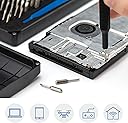

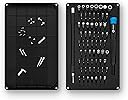


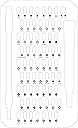
iFixit Wera Mako Driver 64 Pieces Kit
Product ID: 252331793
Details
- BrandiFixit
- Finish typePainted
- Item length10 Centimeters
- MaterialChrome Steel
- Number of pieces64
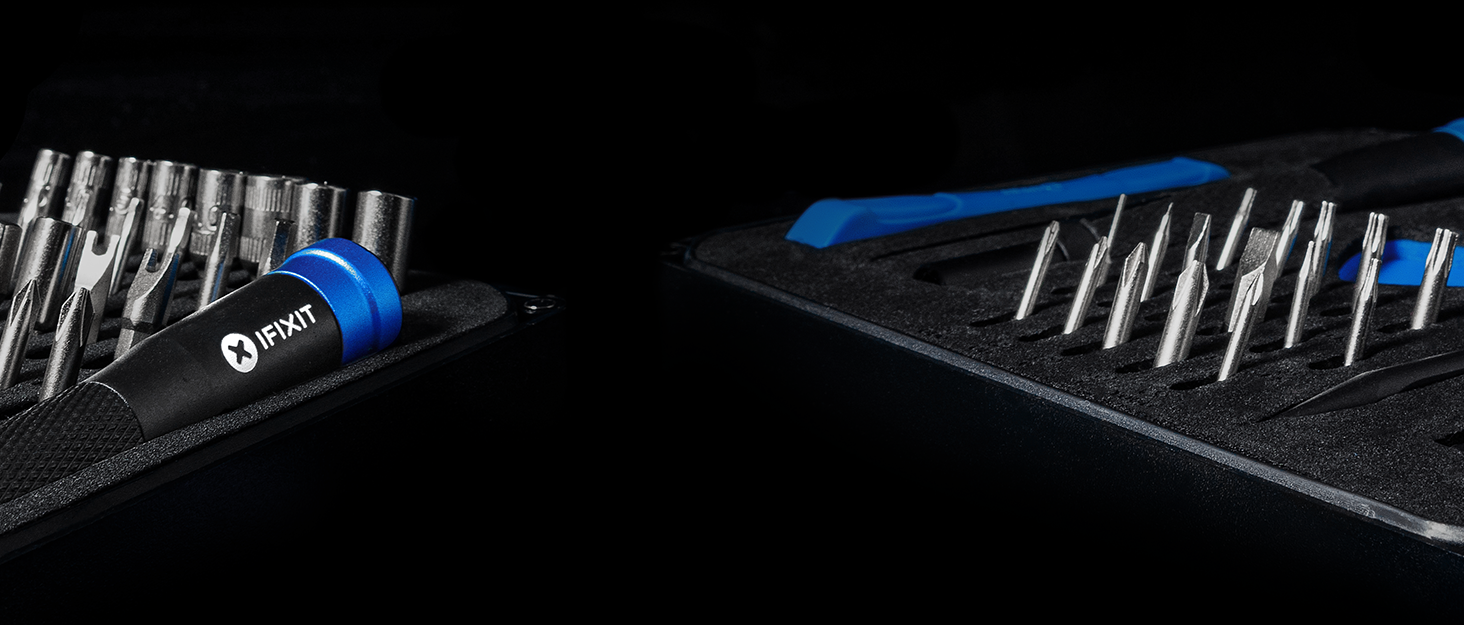
🔧compact 10cm aluminum handle
🧰64 precision bits
🧲magnetic tip for secure grip
Desertcart purchases this item on your behalf and handles shipping, customs, and support to Mexico.
🛠️ Fix like a pro, carry with pride – the ultimate tech repair sidekick!
The iFixit Wera Mako Driver 64 Pieces Kit is a premium, compact electronics repair set featuring 64 precision bits, a magnetic quick-release system, and a durable aluminum handle designed for professional-grade performance and comfort. Ideal for both standard and exotic repairs, it’s trusted by thousands of tech enthusiasts and professionals alike.
| ASIN | B0189YWOIO |
| Best Sellers Rank | #16,285 in Tools & Home Improvement ( See Top 100 in Tools & Home Improvement ) #58 in Power Screwdriver Bit Sets |
| Bit Compatibilities | bit holder, drill, hand tool |
| Bit Set Composition | Bit Set |
| Bit Tip Configuration | Magnetic Tip |
| Brand | iFixit |
| Brand Name | iFixit |
| Customer Reviews | 4.8 out of 5 stars 20,817 Reviews |
| Drive Bit Application | electronics |
| Drive Bit Shank Style | quick release |
| Drive End Style | Magnetic Tip |
| Drive System | Phillips, Spanner, Square, Torx |
| Drive system | Phillips, Spanner, Square, Torx |
| Finish Types | Painted |
| Finish type | Painted |
| Global Trade Identification Number | 00856235006016, 00856235006283 |
| Included Components | 1 x Wera Ifixit Mako Driver 64 Pieces Kit |
| Item Length | 10 Centimeters |
| Item Type Name | Driver |
| Item Weight | 390 Grams |
| Item length | 10 Centimeters |
| Manufacturer | iFixit |
| Manufacturer Part Number | IF145-299-4 |
| Manufacturer Warranty Description | Standard Warranty |
| Material | Chrome Vanadium Steel |
| Material Type | Chrome Vanadium Steel |
| Model Number | IF145-299-4 |
| Number of Items | 1 |
| Number of Packs | 1 |
| Number of Pieces | 64 |
| Number of pieces | 64 |
| Set Name | iFixit 64 Piece Drill Bit Kit |
| UPC | 856235006283 856235006016 799559594329 |
| Unit Count | 64 Piece |
P**P
Some outstanding piece of equipment
Certainly not cheap, but great quality
J**H
Apple service tool kit
Ifixit...Its an amazing tool for apple devices.
F**D
Excellent kit for electronics and small repairs
This is one of those tool kits that ends up being useful for far more than you expect. The bit selection is excellent and covers all kinds of small electronics, computers, game systems, and other precision repairs. The driver feels comfortable and well made, and the bits fit securely without feeling cheap or loose. I also like how organized the case keeps everything. Definitely worth having around if you work on electronics or do your own repairs.
K**I
La référence absolue pour le démontage et la réparation de précision
Ce kit iFixit Mako est un chef-d'œuvre pour quiconque aime réparer, démonter ou entretenir ses appareils électroniques (smartphones, PC, consoles, lunettes). Les 64 embouts couvrent absolument tous les besoins, même les vis de sécurité les plus rares et spécifiques (Pentalobe, Torx Security, Tri-point...). L'acier des embouts est d'une qualité exceptionnelle (6150 CR-V), ils ne s'émoussent pas et ne foirent pas les têtes de vis. Le manche en aluminium anodisé est hyper ergonomique avec son capuchon pivotant ultra-fluide pour travailler au millimètre. L'arbre d'extension flexible inclus est un vrai bonheur pour atteindre les recoins impossibles. C'est un investissement pour la vie, indispensable dans chaque foyer !
F**F
Great quality
Has (probably) everything you will need, great quality
T**E
Acheté pour Nintendo 3DS XL
Qualité de produit excellente, beaucoup d'embouts et de plus aimanté 👍🏻
W**N
Mac mini 2018 RAM Upgrade
I purchased this toolkit to upgrade the RAM in my 2018 Core i5 Mac mini. The unit was getting incredibly hot when updating the photo library (40,000+ images), and after OS-X Catalina update and the plethora of issues I suffered it just got worse and worse. RAM usage was showing at 5.5Gb so I thought there was plenty of RAM left for general tasks, but now the unit was 12 months old and effectively out of warranty period I decided to upgrade the RAM as I couldn't do any harm. On Apple's website it states this is a service centre only task on the latest machines, if you have any sense of logic, mechanical sympathy, and patience trust me, it's not a difficult job as there are plenty of online guides. I got my toolkit out from my old MacMini that I'd bought from iFixit and low and behold the first 6 bolts I encounter have security heads which aren't in my old kit. I found a bespoke MacMini RAM upgrade toolkit on Amazon for about £16, but it only has 3 tools in it. This comprehensive kit at £29 makes much more sense as it's got your bases covered for so much more. One day later it arrived, and I'm pleased to report it's really decent quality. So I stripped the Mac down in about 10 minutes which wasn't hard. Put the screws/bolts in a labelled box to help with reassembly, the hardest part is getting the logic board out which required a bit of a shove, but there are no more than 12 or so screws/bolts to remove to get to the RAM. Ensure when seating the RAM you push it until you hear a positive clicking sound and it will go no further. It seats at 45 degrees on the board so don't try and push it beyond this. Re-assembly wasn't hard, the hardest part was re-seating the wifi antenna cable & accompanying screw. I used the plastic Uspudger from my old Mac mini kit, but any thin plastic pry bar with a flat end would do. Ever since completing the upgrade even with minimal tasks my Mac mini has been using 7-10Gb of RAM so there is clearly RAM throttling going on when using 8Gb as it was using 5Gb for the same tasks previously. The highest use I've seen to date is 12Gb with quite a few apps open (Photo/Music/Safari/Mail). If you do a lot of video editing in 4K I strongly recommend considering 32Gb upgrade (2x16 as there are only 2 slots), or you ca choose to max out at 64Gb (32x2). Overall the upgrade has been very beneficial, but the toolkit made it an absolute breeze. The bits are solid, don't round off, and if they are anything like the old kit which I've had since 2011 it will be a great investment that I've already used on for other jobs on an Acer desktop and an Alienware Laptop. I only ended up using 3 of the attachments in the Mac mini TR6 / T5 / T10, but I strongly recommend you search for the plastic spudger kit (you can get 2 for £1.50) to go with it as it makes the electrical connectors far easier to remove.
Trustpilot
1 week ago
2 weeks ago