Desertcart purchases this item on your behalf and handles shipping, customs, and support to Mexico.
🚀 Upgrade your storage game—speed, style, and simplicity in one sleek package!
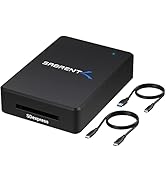
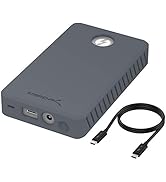
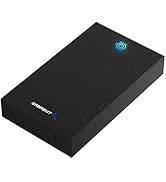
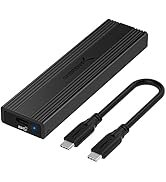
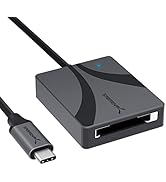
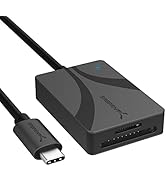
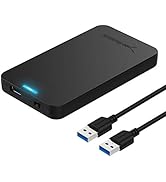
The Sabrent USB 3.2 Type-C Tool-Free Enclosure (EC-SNVE) offers ultra-fast 10Gbps data transfer speeds with USB 3.2, supports both M.2 NVMe and SATA SSDs in multiple sizes, and features a durable, ultra-slim aluminum design. Its 100% tool-free installation and plug-and-play functionality make it perfect for professionals needing quick, reliable, and portable storage solutions without the fuss.


| ASIN | B08RVC6F9Y |
| Best Sellers Rank | #2 in Enclosures |
| Brand | SABRENT |
| Built-In Media | 8" Type-C to Type-C cable., Instruction manual., USB Tool-free Enclosure. |
| Color | BLACK |
| Compatible Devices | Laptop |
| Connectivity Technology | SATA, USB |
| Customer Reviews | 4.6 out of 5 stars 16,499 Reviews |
| Data Transfer Rate | 10000 Megabytes Per Second |
| Enclosure Material | Metal |
| Global Trade Identification Number | 00840025251694 |
| Hardware Interface | USB |
| Hardware Platform | Mac |
| Item Dimensions L x W x H | 4.59"L x 1.24"W x 0.5"H |
| Item Type Name | Enclosures |
| Item Weight | 113 Grams |
| Manufacturer | SABRENT |
| Material | Metal |
| Memory Storage Capacity | 1000 MB |
| Mfr Part Number | EC-SNVE |
| Model Number | EC-SNVE |
| Product Dimensions | 4.59"L x 1.24"W x 0.5"H |
| Supported Devices Quantity | 1 |
| UPC | 840025251694 |
| Unit Count | 1.0 Count |
| Warranty Description | 1 Year Limited |
J**E
Clever, useful item. Quality built. Reliable
I use this a lot and it never fails me. It’s clearly quality made, and has lasted me a long time how. On SOME systems it doesn’t want to respect safe removal completely (select to remove the drive, it does seem to flush all write activity, but doesn’t always trigger the go-ahead to remove). I can live with that. It’s fast (when connected to a high-speed USB connection), such as a Thunderbolt 3 port. Also fully backwards compatible to slower USB type C and type A ports. I have two of these so far and both have been entirely dependable. I’ve used them to quickly back up entire Windows systems as the fastest external speeds the computer will support. The other I have a plethora of software, whatever I might need.
A**R
Keeps my 4TB NVMe drive cool and works great with my Mac mini
So far, this device has been working great. I’m using it with a 4TB NVMe drive connected to my Mac mini, and it has done an excellent job keeping the drive nice and cool during use. The build feels solid, the connection has been reliable, and performance has been exactly what I needed.I especially appreciate that it helps manage heat well, since NVMe drives can get pretty warm depending on the workload. For my setup, it has been a simple and effective solution. Overall, I’m very happy with it and would definitely recommend it to anyone looking for a reliable way to use an NVMe drive with a Mac mini. The product is extremely durable was easy to install it was a simple plug and Play. The cable length is a little bit short but it works just fine.
M**L
Amazing SABRENT USB C NVMe Enclosure!
I am genuinely impressed with this SSD enclosure. The first thing that stood out to me was the sleek aluminum cover design; it not only looks premium, but it also gives me confidence that it dissipates heat really well during use. Most importantly, it solved exactly the problem I needed it to solve. It read my SSD drive like a charm. No hassle, no issues; just quick and reliable performance right away. The build quality is excellent. It feels incredibly solid, almost tank-like, and the full aluminum construction makes it feel durable and well-made. It’s also very intuitive to use. I didn’t even need to look at the instruction manual. I especially liked the lever mechanism, instead of dealing with tiny screws to secure the drive, the lever locks it in place perfectly, which makes setup much easier and more convenient. As for value, absolutely worth it. Honestly, the enclosure itself feels so well made that it’s worth keeping even if the SSD inside ends up being corrupt or unusable. Highly recommended!!!
H**T
Fits, protects, worth it!
I had an SSD drive from a laptop that met its end. Enclosure is great! Card went right in, it’s got a lock to keep it in place, and functions perfectly. I didn’t lose any files in the process.
D**E
Great Prduct-Slightly Confusing Official Product Video from Sabrent
I bought this Sabrent branded enclosure because I planned to upgrade my daughter's HP Pavilion "Gaming" PC model 790-0010. I also bought this HP PC from Amazon circa June 2018. The stock loadout of this HP PC had a 1TB WD Blue SATA HDD. Not too long into the life cycle of this HP PC, I bought a WD Blue M.2 SATA 512 GB SSD and installed it into the HP PC's vacant M.2 socket and migrated the WD Blue 1TB HDD "boot" drive to the M.2 SATA SSD and turned the WD Blue 1TB HDD into a data drive. This gave a nice performance boost to this HP PC. Fast forward October 2023 and my daughter is telling me how the 512GB SSD is always full. My daughter who is not overly PC savvy didn't even realize that the 1TB HDD was still there for data storage of things like pics, videos and things of that nature. Still, she managed to fill her 512GB M.2 SSD with Steam and Blizzard games and needed more space. I purchased a 2TB Crucial P3 drive during Amazon's "Prime Day in October 2023" event. Per Crucial's website this NVME drive would work in the HP PC even though it was NVME and not M.2 SATA. I used Clonezilla Live via bootable USB thumb stick to clone the M.2 SATA SSD to the M.2 NVME Crucial drive. So let's talk about the Sabrent enclosure. I selected this because it supports BOTH M.2 SATA and M.2 NVME drives. Other products that I saw supported one or the other but not both. I also have other Sabrent products such as usb to SATA/IDE cables for connecting drives via USB. The handful of Sabrent products appear to be of good quality. They may cost a few bucks more but I like the piece of mind of having a quality product. The enclosure is easy to open up and install a M.2 drive into. Here is my minor quibble and why I removed one star from a perfect 5 from my rating. And this is more on me an not Sabrent. So the product page on Amazon has pictures of the product and has a product video that is officially from Sabrent with a guy named Mike in it. The guy says his name is Mike so I assume that's his name. Mike is happily demoing and showing off the enclosure. It's a great video and I am glad to have watched it. That said, it falsely put me under an impression about the product's use that was not true. To be clear though, the false impression that I was under is clearly documented in the included enclosure product manual. Had I consulted the enclosure manual first, I would have had no confusion. Still, Mike's charisma and charm were intoxicating and I was instantly captivated and trusting of anything Mike was telling me about this enclosure. During the video, Mike claimed that this enclosure supports multiple size M.2 drives. To accomodate this , the video indicates how easy it is to move the "locking pin/nub" to the appropriate locking hole in the enclosure so you can accommodate those shorter M.2 drives. Fantastic! This is great! So the video gave me the impression that regardless of the size of the M.2 drive you are working with, you will have to install a locking pin/nub into the correct locking hole to hold your drive in place so as to close the enclosure. This is not the case. I gather that most M.2 drives are of the 2280 size and the enclosure has permanently installed a turning locking pin at the front of the enclosure that will lock a 2280 sized drive in place. The included locking pin/nub for a shorter drive is in the packaging but not needed nor installed by default in the enclosure. The vide with Mike in it gave me the impression that the locking pin/nub had to be manually removed and reinserted each time a drive was put into the enclosure. That is not the case. Again, the manual calls this out clearly. But I didn't look at the manual because Mike told me everything I needed to know. When it became clear that the turning locking pin/numb in the enclosure is not removeable and then when I consulted the manual, it all made sense. So the confusion is clearly on my end. I should have looked at the manual first. That aside, this is a great product. If you need to clone an M.2 drive to another M.2 drive, you need this in your PC toolbox. I wish the enclosed USB C to USB C cable was a tad longer but not a big deal. I would happily buy more of these and use them as glorified thumb sticks for discarded M.2 drives I have from other upgrades. Great product. Thanks again, Mike! I still trust and believe in you.
C**D
Should have gotten this sooner
tl;dr ... LEARN FROM MY MISTAKE ... If you're upgrading a laptop's M2 OS drive to a better M2 drive, just pop the $ to get an M2 drive enclosure to replicate the drive in one step. You never know when you'll get that one prima donna laptop that's being a pain not booting from external USB drives, or a cloning software that won't make the cloned drive bootable unless you're cloning right from the active OS drive that's currently running. Reason I went for this Sabrent Enclosure: * not made in china * no screws * aluminum housing (helps dissipate heat) ~~~ The long version Upgrading wife's laptop. It has a tiny 125GB M2 SSD as it's only drive. Got a 1TB replacement. I did not have an M2 enclosure then, otherwise would have been simple matter of plugging that in, replicating OS M2 drive to new M2 drive.. and then I'd have everything I needed to tear apart laptop ONE TIME, install everything and BE DONE. Nope. I had a 2.5" external enclosure. So, I decided to clone to that. During cloning process, since I was cloning the active OS drive, the cloning software recognized that and said "hey, you're replicating a bootable drive, do you want to make it EFI or MBR?" Um... I don't know. I picked EFI. Not sure if that made a difference (modern laptops use UEFI, and even the BIOS on her laptop is just a very cut-down UEFI ASCII that has option to use Legacy Mode (BIOS) if needed). So, this shouldn't have made a difference. So, I tear her laptop apart. This is an HP laptop that some engineer from h*** decided to put all upgradeable parts on the UNDERSIDE of the mobo and NO external plastic panel to remove for easy access. So, I had to REMOVE THE MOBO from the laptop to upgrade RAM, WLAN, Repaste the CPU, AND install the new 1TB M2 drive. The 125GB drive that came out was M+B keyed SSD. New that went in was M keyed SSD only. Shouldn't make a difference. Get lappy back together. Try to boot from external USB drive (the 2.5" I put the replication on) and it kept going into Windows Recovery acting like the drive was corrupt. I have no clue why. Go into UEFI, look at settings, it should be able to boot from external. But, her laptop was being super dramatic about it. Test the 2.5" on other computers.. they boot to external just fine, right into her old Windows Desktop. So, wife's laptop is the problem. I try messing around with various options for a day, like recloning the 2.5" drive to another 2.5" drive and trying to force it to be MBR instead of UEFI this time. But, the cloning software was not making the new cloned drive bootable for some reason. Now.. when I first thought of upgrading wife's laptop, I watched vids that showed you could just get an M2 enclosure and make drive replication easy. I decided NOT to spend $30 on that, and instead WASTED 2 days of my life messing around instead. Finally got sick of it all. Ordered M2 enclosure. Was guarding wife's 125GB M2 drive with my life, b/c if that thing got damaged or screwed up I (and, more importantly, my wife) would be upset. Sabrent M2 shows up. Tear apart wife's laptop to replace the 1TB blank M2 w her 125GB M2 again. Loosely put it all back together. Boot. Windows comes up. Sigh of relief. Get the 1TB M2 into the M2 enclosure. Plug in. Clone the 125GB drive. Cloning software finally gives me option of "hey, you're cloning a working OS drive.. we'll make the clone bootable!" THANK YOU! Clone it. Try booting laptop from external M2 Enclosure to test... LAPTOP WON'T BOOT FROM IT! Like, what's the deal, dude?! Decide to just "leap of faith" tear down laptop, put cloned 1TB in, put back together.. boot... Windows boots up fine. I don't know who at HP a) designed such an awful hardware piece-together and b) designed such an awful UEFI it won't boot from external, but they have earned my ire. But, again, stupid me for not just getting an M2 enclosure and doing it the easy way to begin with. 2 days of my life is more than worth $30. Plus, M2 drives are the new norm. So, this M2 enclosure will get more use in the future. And, if my wife needs an new external drive, I can just buy a 1TB M2 to slap in it and give her a glorified USB stick. Win-win-win Anyways.. lesson learned. Don't be cheap. Just get the M2 enclosure, save your time, save your sanity.
T**S
Easy to use lightweight enclosure
My very first time making my own external SSD went smoothly thanks to this enclosure. I wanted to run a Linux distribution without actually dual-booting. The instructions are short and diagram-based. Really, the only part that's not obvious is the need to adjust a rubber pin if you have a short drive (like my 2230 NVME). But that's easy once you look at the picture. Opening and closing the case is quick and painless, and you don't need any tools at all. The case itself is small and light. I've taken it with me in a backpack with no trouble. It's made entirely of aluminum, and it does a great job of transferring heat. There's a convenient little light that shows when the drive is active. The USB-C cable that comes with it can be used for transferring from another device if need be, so you're getting a bonus cable when you buy this if you don't need it plugged in all the time. I'm really glad I got this enclosure over the other ones I was considering. I think the design perks make it stand out, and I'd absolutely recommend it.
J**S
This is a decent little nvme m.2 external enclosure with fast speeds
I have bought this to replace a dying nvme m.2 PCIe card. I have a samsung 980 pro 1TB m.2 ssd in the enclosure. The enclosure works quite well and pretty fast. Granted i'm handicapping my nvme m.2 ssd, however it's still fast enough to use for gaming and what not. Just make sure to peel the protection off of the thermal pad in the enclosure so you won't be cooking your nvme m.2 ssd.
E**R
منتج سيء وبائع سيء
طلبت المنتج كما في الاعلان وتم ارسال منتج بديل بدون علامة تجارية وقمت بارجاعه
S**N
The perfect NVMe housing
The perfect NVMe SSD housing. It's compact, strong, feels great and looks great. It's fast enough to edit off (though you will need a fan to cool it down). The inside has a thermal pad that wicks heat from the SSD to the outside aluminum heat sink-like body. 10/10 would recommend for using an M.2 SSD externally or if you just need an M.2 SSD reader.
B**N
Clé USB bootable avec Ventoy
Boitier de bonne qualitée et débit bien suppérieurà une clé USB. Multi-boot avec Ventoy devient un vrai plaisirs.
A**R
Fast Delivery, Cheap, Good Performance
Arrived in less than a week even after ordering from a different country. Package was sealed and had everything as described. Put in an nvme drive from my old pc so I don't have to fidged around with the motherboard on my new rig (I'm clumsy). Works like a charm!
A**O
The Perfect Portable Storage Solution: SABRENT USB 3.2 10Gbps Type C Enclosure
I recently purchased the SABRENT USB 3.2 10Gbps Type C Tool Free Enclosure as a way to keep my additional NVMe as a compact and fast storage device, and I couldn't be happier with my purchase. The tool-free design made it incredibly easy to set up and the transfer speeds are incredibly fast thanks to the USB 3.2 10Gbps technology. The compact size also makes it incredibly portable, perfect for taking my additional storage with me on the go. I highly recommend this product to anyone in need of a high-quality and reliable external storage solution. Thank you SABRENT for creating such a fantastic product!
Trustpilot
2 months ago
1 week ago