


👓 Protect your eyes, elevate your productivity — see the difference, feel the difference!
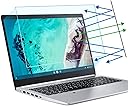
The FORITO 2-Pack 14 Inch Screen Protector is engineered for 14” laptops with a 16:9 aspect ratio, combining blue light blocking, anti-glare matte finish, and UV400 protection to reduce eye strain and improve sleep quality. With 95% transparency, it maintains screen clarity and brightness while shielding your eyes from harmful HEV blue light and radiation. Its bubble-free installation and lifetime replacement warranty make it a must-have for professionals seeking comfort and clarity in every work session.


| Asin | B07HFZ83T4 |
| Best Sellers Rank | #3,587 in Computers (See Top 100 in Computers) #21 in Anti-Glare & Privacy Filters |
| Brand Name | F FORITO |
| Clarity | 95 |
| Color | 14" 16:9-Blue Light Filter |
| Compatible Devices | Laptop |
| Compatible Phone Models | samsung |
| Customer Package Type | Standard Packaging |
| Customer Reviews | 4.3 4.3 out of 5 stars (1,007) 4.3 out of 5 stars |
| Finish Type | Matte |
| Item Dimensions L X W | 31L x 17.5W centimeters |
| Item Hardness | 9H |
| Manufacturer | F FORITO |
| Material | Mixed s |
| Model Name | JSJDSSBBGAI1103-17 |
| Model Number | JSJDSSBBGAI1103-17 |
| Number Of Items | 2 |
| Part Number | JSJDSSBBGAI1103-17 |
| Screen Size | 14 Inches |
| Screen Surface Description | Matte |
| Special Features | Blue Light Blocking, Anti Glare |
| Unit Count | 2 Count |
| Water Resistance Level | Waterproof |
User
Blue
I didnt realize the color is dark blue, threw it away, if you like your screen color full blue go for it.
User
A winning glare screen
First of all, I love the packaging that the product comes in. It was once my job to design packaging for products. I am very impressed with the overall appearance and functionality of each element to this assembly.The instructions were very clear. I must also say the outside graphic was easier to understand for a visual person, than the interior package. Just a little note here: it comes with two glare screens! I suspect one is a back up in case you need one or mess up on the first one? Not sure but, I only had the one laptop, so here we go- After studying the step-by-step instructions I proceeded. The cleaning cloth, the little dust patch and the fiber screen cloth and screen squeegee are wonderful quality for what I got. @The initial application if you follow it and you do it step-by-step it’s not unlike doing contact paper if you’ve ever worked with that before. The difference of course is this is a thicker grade of plastic if you will and you want to make sure you get the right side on the monitor screen, because that’s what sticks to the screen and will stay in place. Once you squeegee the whole thing down and get all the air bubbles out, it should fit beautifully within your screen parameters, given you’ve got the right size. Mine was a 14 inch HP screen. A very generic laptop and it just went down beautifully, almost by magic. It actually makes my laptop look better than it is.I was impressed by the matte finish and silky texture of the overall screen protector. Nothing pisses me off more than having glare come back at me when I’m working; not to mention it’s hard on the back of your eyes after a period of time. It is a relief to have this sight saver. If you have a touch screen weird textures might be uncomfortable after awhile. The silky texture is nice.As a writer I find it very important that you protect your eyes. The overall Amazon review is really good on this product, something the vendor Carries on to their packaging #1 chosen glare screen. For the cost and a few minutes of time it takes to put it on there I give this an A+ plus- very pleased very very please. Especially since I first tried to purchase a glare screen from three different office supply stores, including a major brand electronics store. They didn’t have anything like this. Thank God for Amazon.
User
GREAT PRODUCT but had to apply it my way!
I bought this product for my Toshiba laptop, 14 inch, and it fits perfectly. At first, there was not enough information to know what to do! I didn’t know whether the thin part or the heavy piece was what you were here to the screen! How would I know? The numbers on the tabs wanted to, were so small I almost didn’t find them. But after I did, it was a different story.The instructions on the back of the package as well as the slip included in the package are insufficient! They tell you to start at one end, leaving one covering on and I’ve off, and go slowly. That didn’t work for me!This is what I did: 1. I cleaned my screen within an inch of its life. (Simply wiping it with that little cloth is not going to render it ready for the filter). After cleaning the screen thoroughly, THEN I wiped it with the cloth they provided for about five minutes going first horizontally, vertically, then in circles and back-and-forth until I felt no resistance anywhere on the screen. 2. Then, I ended up taking BOTH thin coverings off the thick piece. My hands were clean, of course, and my screen was pristine. It did not work for me taking from one narrow side all the way across to the other side. The filter is cut so precisely that you MUST have it precisely right when you begin to press it down! I finally applied it from the top to the bottom by holding my laptop sideways in my lap. Once I got it perfectly aligned, the rest was easy. 3. Holding the laptop in such a way that I could any bubbles as they appeared, I was able to use the little card to press the filter down. If I saw a bubble, I raised the filter slightly impressing with the card. The result was that I had practically no bubbles whatsoever in the filter when I got to the bottom if My screen. I then went back with the stiff card for pressing out bubbles and went across the screen several times up-and-down and back-and-forth as necessary. I made certain to press completely to the edges of the screen. The result was that I had zero bubbles left!Once I figured out all that was not clear in the instructions and did it my own way — by removing both film coverings — it only took about five minutes to finally get it down, applied properly, and looking great!I then tested it by opening up various pages on my computer with different color background different color print, and the like, and I could see a great improvement. I believe this filter is exactly what I need, since I work so many hours on the computer. As of this time, I recommend this product highly!
User
Buena calidad
Calidad buena
User
Bad instructions, excellent product
2022: no issues, still going strong, has prints of the keyboard after closing all over. Great product.2021: revising to 5 stars - the screen work fine and stays on like glued. No peeling. It gets keyboard imprinted somewhat due to increased thickness, I guess, but it is an excellent screen protector.This is a good product (probably, time will tell), but the instructions were extremely hard to follow. The stickers need to be bigger or better labeled, like - "THIS SIDE TO THE SCREEN" and ("OUTWARD" or "TO THE USER"). With current instructions, even after reading them twice, I was still not sure how to install the screen correctly, so I fumbled with it for good 20 minutes. The stickers just weren't labeled the same as in the instruction sheet!I certainly didn't have fun installing it, and even had to watch youtube video. What saved me that I used my clean room in the house (doubles as bathroom with tile), so there was no lint flying in the air, after I peeled off the wrong side.The screen was applied to 14" Flex 6, and there was not a single millimeter to spare on the sides! It is really, REALLY tight fit.Let's see, what else... The Amazon picture for the product features "Grare reducer", but hey.May be a good product, bu the installation was aggravating. The touchscreen worked, there were no bubbles, and no reduction in brightness.
User
I love it!
First of all, you're bound to get dust specks. I have one speck on my screen that I don't mind and I have a bent corner from readjusting the screen protector. Aligning it is really all up to skill. They provide you with everything you need to be able to do it right. Honestly, I love the way this protector feels. It's soft, smooth, and doesn't stick to my sweaty hands. The anti-glare works really well, but I'm not sure about the Anti-blue light. I also use a pen with my laptop and have not noticed any damage to the protector or the pen. And I haven't noticed a difference in the touch screen latency or accuracy!
Trustpilot
2 months ago
1 month ago