We remain fully operational. Our teams are working around the clock to ensure your deliveries continue safely.

DOWNLOAD THE APP


Customer Services
Copyright © 2025 Desertcart Holdings Limited
DOWNLOAD THE APP

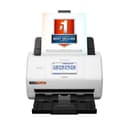
🚀 Scan Smarter, Work Faster, Stay Ahead!
The Epson RapidReceipt RR-600W is a wireless desktop color scanner designed for busy professionals who demand speed and accuracy. Featuring AI-driven ScanSmart AI PRO software, it converts receipts and documents into organized, editable digital data compatible with major financial apps. With a 100-page automatic feeder, 35 ppm duplex scanning, and a user-friendly 4.3" touchscreen, it streamlines document management while supporting both PC and Mac environments.


| ASIN | B08P3ZXTP7 |
| Best Sellers Rank | #18,520 in Office Products ( See Top 100 in Office Products ) #17 in Document Scanners |
| Brand | Epson |
| Color Depth | 24 bpp |
| Connection Type | Wi-Fi |
| Connectivity Technology | Wi-Fi |
| Customer Reviews | 4.3 out of 5 stars 651 Reviews |
| Item Dimensions D x W x H | 14.25"D x 10.25"W x 12.38"H |
| Item Type Name | Receipt Scanner |
| Item Weight | 8.2 Pounds |
| Light Source Type | LED |
| Manufacturer | Epson |
| Media Type | USB |
| Minimum System Requirements | Windows, macOS |
| Model Name | RapidReceipt RR-600W |
| Optical Sensor Technology | CIS |
| Paper Size | Letter |
| Product Dimensions | 14.25"D x 10.25"W x 12.38"H |
| Resolution | 600 dpi |
| Scanner Type | Document, Receipt |
| Standard Sheet Capacity | 100 |
| UPC | 010343953512 |
| Unit Count | 1.0 Count |
| Warranty Description | 1-year limited warranty in the U.S. and Canada |
| Wattage | 13 watts |
F**E
Glad I Bought This!
Best document scanner I’ve ever tried. Quick, convenient, and easy to use. The software works with my MacBook just fine. I had a ton of receipts and other documents that needed to be filed and categorized and this made the process so much easier. The price is a little steep, but it’s worth it.Highly recommend.
V**O
Great! Organizer
I really love my Epson RR-600W scanner! It's been a huge time-saver for organizing receipts and documents. The wireless scanning feature lets me send scans directly to my phone or laptop, which is super convenient. The automatic document feeder handles stacks of receipts quickly without jams, and the scan quality is consistently sharp and clear. The bundled software is particularly impressive - it accurately extracts key information from receipts and can even categorize expenses automatically. I've found it saves about 80% of the time I used to spend manually entering expense data. Small footprint on my desk, reliable performance, and great scan quality make this an excellent choice for anyone needing to digitize receipts and documents efficiently. One of my best home office purchases this year. CopyRetry
K**N
The perfect companion for getting involved in digital document archiving.
I bought the RR-600W to replace the duplex scanner on a big color laser printer. This meant I needed a compact scanner that could do: - auto document feed - 2-sided scanning - presets - network file transfer This model checks all of the boxes. The device is quite small yet creates very good quality scans. The interface is user-friendly and pretty straightforward. I set up a preset for 1-sided scanning and another for 2-sided scanning to a local SMB share that is attached to my Paperless-ngx document manager. This is so easy to use! I was able to teach my family to use it, now they can digitize their documents too. It has the ability to add more pages when the loaded pages have been scanned which is really useful, and helps to group different documents into one final scanned doc. I'm very impressed with the features and speed of this little guy and would readily recommend it.
A**0
Just download Epson ScanSmart Software and Ignore the 3rd Party Program - Avoid the Headache
The product arrived and was generally straight forward in setting up however there is a lot to unpack here. They include a card to install a software program called Power PDF. The website link on the paper takes you to Epson's website to then go to a 3rd party website to download the software (Which we get one unlock license code for). Ironically, the third party turned off the download link! Then I talked with the 3rd party customer service who told me since I didn't buy it through them they won't help or support it. Ultimately, I got them to give me the download link but the license activation code does not work and I copy paste it from my phone scanner so no bad entry. In the end, you do not need the Power PDF software, LOL!!!! Just download the Epson ScanSmart software package from Epson. That is all you need. It does everything and works with the machine. So do yourself a favor, save yourself the aggravation, and ignore the Power PDF software flyer. You don't need it to make this machine work. I like on the scanner how you load the document, hit scan, and it brings up the software on my PC with the scans ready to be viewed/edited/saved. Really slick and fast scanning. Love it! Epson - stop partnering with people who don't care and stop putting that flyer in the box to waste peoples time. You would have gotten 5 stars if I wasn't sent on a snipe hunt.
C**Y
Lifesaver for documentation of receipts and important information
So easy to use! Fast, fast scanning with many options to store your documents. We love it. Quality Epson product!
G**H
Doesn't function
The product arrived with no installation software and unclear instructions on how to assemble or activate the product other than to download software from a designated website. Once successfully assembled, an attempt was made to download the software. Cryptic and minimalist instructions on the website apparently resulted in a partial download, and the following message: "Unable to find necessary files. Make sure the following software is installed: - epsonscan2-epson event manager if the software is not installed, reinstall it again." Repeated installations resulted in the same message. Neither the user guide for the product nor the online help functions provided any meaningful content. An attempt was then made to contact customer support. After-hours support was not available. Verbal support was available only from 7:00 a.m. to 4:00 p.m. notwithstanding the fact the product had been delivered after 4:00 p.m. An attempt was then made to request support by email. Email support required the completion of a lengthy form which, after numerous repeated completions including the required captcha, resulted in the email request being consistently rejected. The next morning at approximately 10:30 a.m. an attempt was made to initiate telephone support. After the customary "all representatives are busy" message, a requested call back number for the customer was provided. At 1:30 p.m. a call back from a Epson representative was made. The caller was, typically, located in the Philippines. The connection was, typically, poor; the purported Epson representative was, typically, poorly versed in English. After answering a lengthy series of questions and being provided an opportunity to explain the problems with the Epson product, the Philippines representative indicated she was unable to provide assistance. She then transferred the call to a second party who was versed in English but, after several requested reinstallations of the software, was also unable to make the product functional. The second representative stated providing functionality would require the intervention of yet a third representative. The third representative was not available and a customer call back number was again required. Thereafter, from approximately 1:37 p.m. to 4:50 p.m., in constant contact with Epson Representatives, repeated attempts to make the product function wholly, or even significantly partially, failed even when an alternative computer was employed. At 4:50 p.m. the conversation was abruptly terminated and an attempt to re-establish connection was summarily rejected by the Epson number previously provided. Further customer attempts to download the requisite Epson software required repeated download attempts and excessively long sequential download times. Once the downloads were presumably completed, a subsequent lengthy update download was required. After all the apparent downloads were completed, an attempt was made to utilize the product by inputting numerous business cards. That input appeared to be successful notwithstanding great difficulty in establishing and identifying a file in which the downloads were/could be saved. Once the business card file was established and presumably saved, attempts to view the contents of the file were totally unsuccessful. The file appeared to contain no records whatsoever. When opened the file folder appeared completely empty with no files whatsoever to be read
R**G
No Computer Necessary! I push scans directly to NAS while stand alone.
I had this setup within 30 minutes, scanning documents to QNAP NAS with SMB share. It took a while( another 30 minutes ) to setup config for optimal performance for what I wanted, including custom icons. It does not scan like shown on TV for multi-page documents, I have to put a multi-page document in face down, upside down. Wifi works as if connected to PC. Scan2 works alongside the older Scan software, the drivers do not interfere. Epson Smart Panel from Android works too, scanned directly to phone first attempt. Scan quality is good, I did notice some tilted scans, I think was due to the exit tray pages blocking current scanning page. There are some Epson prompts that go away in 3 seconds, which works, just not the firmware one. Currently, I would buy this RR600W document scanner again just for the large display, stand alone features, scan directly to SMB Share. There is also Cloud and USB Stick destinations, I have not tested all the other features for receipts and OCR which is an advertised sweet point. This scans so fast I would not want my old, one of a kind, photos to go through it without protection; use a table scanner.
A**T
Great scanner
Using a printer for scanning in a business setting just doesn't cut it. I bought this scanner to try out for my business. This is one of my favorite purchases for my business. You can scan dozens of pages at at time and then the Epson app opens for you to choose where to save your documents. This review asked about the tech support. I haven't had any issues, hence I haven't had to use tech support. I had bought a Raven scanner to use at home because of the cost of the Epson and I don't use it as much at home. That being said.. Raven went out of business within 6 month of my purchase. Don't buy Raven. I have now purchased 3 additional Epson scanners (same model) for my business. I highly recommend if you do a lot of scanning. The images are clear and in the end, it's worth the investment.
Trustpilot
1 month ago
4 days ago