We remain fully operational. Our teams are working around the clock to ensure your deliveries continue safely.

DOWNLOAD THE APP


Copyright © 2025 Desertcart Holdings Limited
DOWNLOAD THE APP





Buy anything from 5,000+ international stores. One checkout price. No surprise fees. Join 2M+ shoppers on Desertcart.
Desertcart purchases this item on your behalf and handles shipping, customs, and support to Mexico.
🚀 Elevate your home network—fast, flawless, and future-ready!
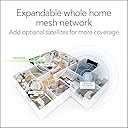
The Netgear Orbi RBK352 is a dual-band WiFi 6 mesh system designed to blanket your home with fast, reliable internet coverage up to 3,000 sq.ft. Supporting over 30 devices at speeds up to 1.8 Gbps, it features 7 Gigabit Ethernet ports and seamless compatibility with all major internet providers, making it the ultimate upgrade for modern connected lifestyles.


| ASIN | B08FT6NWZ8 |
| Antenna Location | Gaming, Home |
| Best Sellers Rank | #233,529 in Electronics ( See Top 100 in Electronics ) #189 in Routers (Computers & Accessories) |
| Box Contents | • One (1) Orbi Router (RBR350) • One (1) Orbi Satellite (RBS350) • One (1) 2m Ethernet cable • Two (2) 12V/1.5A power adapters • Quick start guide |
| Brand | Netgear |
| Brand Name | Netgear |
| Colour | White |
| Compatible Devices | Laptop, Personal Computer, Smart Television, Smartphone, Tablet |
| Connectivity Technology | Ethernet, Wi-Fi |
| Control Method | App |
| Customer Reviews | 4.0 out of 5 stars 2,206 Reviews |
| Data Transfer Rate | 1.8 Gigabits Per Second |
| Frequency | 5 GHz |
| Frequency Band Class | Dual-Band |
| Global Trade Identification Number | 00606449149951, 10606449151814 |
| Importer Contact Information | Kaira Distribution Pvt Ltd. Unit No.305, 3rd floor, Luciya City Centre, No 6/2, OTC Road, Bangalore – 560002 |
| Is Modem Compatible | Yes |
| Item Dimensions L x W x H | 14.5L x 17.8W x 6.1H Centimeters |
| Item Type Name | Mesh System |
| Item Weight Unit of Measure | 1.2 Kilograms |
| Manufacturer | Netgear Technologies, Netgear Technologies India PVT LTD. 21 Paharpur Business Centre, Nehru Place, New Delhi - 110019 |
| Manufacturer Contact Information | Netgear Technologies India PVT LTD. 21 Paharpur Business Centre, Nehru Place, New Delhi - 110019 |
| Manufacturer Part Number | RBK352-100EUS |
| Maximum Upstream Data Transfer Rate | 1800 Megabits Per Second |
| Model Name | RBK352-100EUS |
| Model Number | RBK352-100EUS |
| Number of Ports | 5 |
| Other Special Features of the Product | Access Point Mode |
| Packer Contact Information | Netgear Technologies India PVT LTD. 21 Paharpur Business Centre, Nehru Place, New Delhi - 110019 |
| Special Feature | Access Point Mode |
| UPC | 606449149951 606449151817 |
| Unit Count | 2 Count |
| Voltage | 12 Volts |
| Warranty Description | 3 year manufacturer |
| Wireless Communication Standard | 802.11a, 802.11ac, 802.11ax, 802.11b, 802.11g |
| Wireless Compability | 802.11a, 802.11ac, 802.11ax, 802.11b, 802.11g |
U**N
Very Good Wifi System
The unit can replace the WIFI Extenders and repeaters easily and more efficiently. The price I paid is marginally higher than all the extenders and repeater I have. The installation easy and can be put into operation within an hour. This removes the need for a WIFI unit after the modem. The modem can be directly connected the main unit and the satellites can be installed at places where the signal strength is bad. The added advantage is all the units operate in the same name and gives a seamless connectivity across the main unit and its satellites. For a small house one main unit and one satellite will be enough. The signals are strong and connections are fast. The added quality is that this is not a made in china product. So far these units are working fine.
P**R
Value for money
Very good. Improves signal compared to Broadband Provider. Full house coverage in 2 satellite units. Using for 2+ years.
N**R
But it if you have extra disposable income and want a future proof wifi setup
Installing it is a bit complex because the app sometimes behave randomly. Once setup is done, it works like a breeze. Make sure you buy 12v router backup power supply which gives you uninterrupted internet when power cut happens. You need one for each endpoint. I got it because I already have 14 wifi devices (laptops, phones, tv, xbox, watch, tablets) connecting to my previous router. This was causing speed drop and internet fluctuations. Pros: 1. Great wifi coverage. Covers my 1800sq ft 3 bhk completely with zero blind spot, even in balconies and outside the main door. 2. Future proof. With wifi 6 and option to add satellites later, you dont to buy any other router as long as this works fine. When moving to a bigger house, simply buy an extra satellite. 3. Single wifi name for entire house. No separate 5ghz and 2.4ghz wifi or a separate extender wifi name. You get one wifi that works across the house. Devices connect automatically to 2.4/5ghz based on their compatibility. You can be on a video call and can roam across the entire house, your phone will automatically connect to the nearest satellite without breaking connection. 4. Works great with IoT devices like vaccuum robot, alexa etc especially if you move them around the house. 5. Same speed across the whole house. No drop in wifi signal based on your connectivity. Using this with Act Internet in Bangalore. Cons: 1. Expensive. Spending 18k on a wifi system for home doesn’t make sense. You can probably get the same thing with 2 cheap routers if you can live with separate wifi names. 2. Extra satellites are costly if you buy them later.
P**H
The WORST router ever! Connectivity issues; Need cleaner web UI and software improvements
The initial setup process takes a lot of time as you first need to configure the router first and then wait for it to sync that config to the satellites. It should have been a seamless process and everything should have just worked out of the box which was not the case. I prefer web UI for all configs and dont prefer the mobile app. While the mobile UI feels modern, the web UI has an outdated look and feel. Its difficult to navigate and i found myself navigating back and forth several times trying to configure settings.I had a lot of IoT devices and it took a lot of time setting up static ips for these via the web UI. The lights on the devices are only on during configuration, sync, or when there are any errors. They are really beautiful to look at. Unfortunately , you dont have an option to keep it on permanently. After the initial setup was complete, which took a loong time, it worked mostly well. On my second floor, with my previous router ( which was a TPLink 2 device mesh), there was a drop in speed. This one offered far greater speed and offered better range. Only issue with connectivity was that my IoT devices (smart plugs, bulbs) occacionally dropped out and it was showing up as unavailable on the respective apps. They use 2.4GHz so maybe there is some issue with this band of wifi. Update 1: After 1 month of usage - The IoT connectivity problem is still there. Devices automatically drop off the network and may not reconnect utill I manually reboot those devices which is causing quite an impact on some of the automations that I have configured. Also, the Ui feels slow, boot is also slow. For 20k, its not worth it. If software update could be provided to fix it, it would be great. Update 2: For some reason, I was getting amber light on both the satellites for the last few days. On checking, this light is when the connection to the router fails. I removed the satellite configuration from the router settings and attempted to add them again but it failed. I spent 5hrs trying to get the satellites up and running and it failed. I tried resetting both satellites but that also did not solve the issue. They kept blinking white for a loong time and would eventually show amber light. It never went into sync success light which is blue. Never buy this router. You sont know when it will fail. I thought my pervious TPLink software was bad. Compared to this, it is wayy better. I regret not going for tp link mesh. Update 3: After a full day of constant resetting and retrying, the issue was fixed. The amber light was incorrectly shown. If you wait for around 15 more mins, the satellite would again blink in white colour and eventually go to the blue light. So, the issue is not with configuration, but its due to the extreme slowness when initializing the satellites, which reiterates my first impression: bad software Update 4: So its been around 1.5 years since I have purchased this and I would never recommend this product. During this period, I had to reset and reconfigure the router at-least 4 or 5 times, and it takes up an entire day to do it each time. Also, WiFi devices frequently go offline until you manually power cycle those devices. Sometimes, even that does not work, even after a router restart. Also, the satellites still face random disconnection, and I am currently using only one satellite as the second one simply refuses to connect. The only way to fix this is to again reset the router, which I cannot go through again. Netgear will never see this review, but if someone sees it, please - Please don't manufacture such half cooked products. It is really frustrating that you pay a large amount of money to see it not perform.
S**R
Go for it !!
I decided to buy this as I recently moved to a 3BHK flat and my old Google WiFi router (which served me so well all these years) was just not good enough to cover the entire space even though the router was centrally placed. For future proofing I wanted to invest in WiFi 6 (802.11ax) and ORBI was always my favourite due to its rave reviews by almost all the reviewers worldwide. But the price of higher bandwidth mesh routers (RBK850, RBK750) was a major deterrent as I felt that I would never use such high internet speeds in India. Thankfully ORBI came up with ax1800 with affordable price tag which serves the need of people like us who don’t expect to use speeds north of 1gbps in the near future. We don’t need ax4200 or ax6000 for the speeds we get in India though I miss the extra band they have for wireless backhaul which this router lacks. Again this is not a major deterrent considering I use Airtel 300mbps connection which leaves enough bandwidth for backhaul in the 5ghz band. I recently bought an iPhone 12 and a Mac mini m1 and other family members also use multiple WiFi 6 enabled devices which makes this router upgrade worth the effort and money. WiFi 6 is a major upgrade over WiFi 5 and the Internet stability in terms of bandwidth allocation and wall penetration is excellent. Since these WiFi standards upgrade are so infrequent(WiFi 5 was released in 2014) that it would be wise to invest in a new router early to maximise the potential benefit. Installation of the router and satellite was pretty straight forward. I am getting a speed of 120 mbps in my study room which is farthest from the main router with multiple brick walls between the router and my mac mini. I was getting 4-5 mbps earlier with google WiFi which resulted in multiple dropped calls on WebEx, zoom and work from home sessions disruptions. Also since we use WiFi calling for even normal mobile calls, I would often walk in the WiFi dead zones while talking which would result in call drops as well. This was extremely frustrating considering I was paying for 300mbps. Now it’s all fine with seamless coverage and acceptable internet speeds at spots which otherwise came under dead zones. Finally the most important thing is the price you are paying for your stuff. I always keep a thumb rule of comparing the price at which the product is being offered in US vs India. I would rather buy a Philips fidelio soundbar than go for Bose soundbars because both are in the same segment in US but here in India Bose is 3x expensive which makes no sense as effectively you are not paying for the product but import services and customs. I believe US is the benchmark market where all the products are listed at their fair price and I would go for the products which are closest to their fair price in India assuming similar performance and ratings. ORBI is fantastically (maybe because it’s made in Thailand) priced in India, even though it looks expensive. It’s US retail tag is at par (if not more) with the Indian price tag which is certainly not the case with other WiFi 6 mesh routers present in the market currently. I bought a pair of ORBI stand on Amazon for Rs 1900. Since RBK350 is a new model, it’s not listed on supported routers for the stand but rest assured that it will fit properly. Router comes with a satellite and two power adapters with US and Europe Dongles for plugging it in.
P**R
Best wifi 6 for 3500 sqft
I was using iball mesh router 3 units..but lacked speed and frequent connection drop..but this nighthawk mk62 i got fot 12k and it works excellent speed is also top notch wifi6 is best i have 100mbps connection covers my whole house of 2 storeys arround 4000sqft...initial setup was fizzy but once you get use to it .it is very easy just request your internet service provider to reset mac id from there end and also my cctv works fine via lan cable with 568B crimped rj45....best product for now, using since 2 week lets see how long it works and only issue is the built in antivirus is just trail versions after paying this amount it should be free . Otherwise the product is great . Main benifit of wifi 6 is speed and power saving of wifi6 mobile and laptops, also i have installed small router ups for rhis as a backup in power failure and to avoid power surge damage And this is not a paid reveiw....
T**N
Very Good Product, but read on....
This is my first experience with mesh routers & so it took a little time for things to settle in. Understand that this is a dual band system only difference being that both the 2.4 GHz & 5 GHz frequencies share the same SSID. Also the system randomly tries to "push" either frequency to your devices. Now devices that needs a dedicated 2.4GHz frequency (do not have the higher frequency radio) will not be able to join. So for a few systems you might have to keep the radio of your parent router ON. Again now if both the parent router & the Orbi system main router are placed in b CB lose proximity (which will be the case inevitably if you use the supplied CAT5 cable-its only a metre long) there will be severe interference & blind spots. Either you have to turn off the wifi of your parent router or if you cannot/do not want to do that, you have to place the Orbi mesh main router as far as possible from your parent router. I brought a 50ft CAT6 cable from Amazon to separate the two. Now my system is stable. Also in case both Orbi & Parent router 2.4 GHz frequencies are on, change the channel of either one from Auto to anything else. Speed is absolutely awesome. Installation of the satellite/s is automatic & haste free. Aesthetically very pleasing. Coverage at my 1800 sq.ft. house is awesome. Overall good buy, but basic networking knowledge is required for best performance!
A**Y
A dependable (and powerful) router
Mesh router system. Does what they advertise. The range is good... I'm getting even coverage in all corners and balconies of my house. Giving 4 stars because it's on the expensive side. 5 star if one can get it about 15% - 20% cheaper.
Trustpilot
1 week ago
2 months ago