🎯 Stick with the best: precision, permanence, and professional polish in every label!
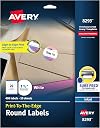
Avery Matte White Round Labels (1.5" diameter, 400 count) feature patented Sure Feed® Technology for jam-free printing and a permanent adhesive that sticks reliably to nearly any surface. Designed for inkjet printers, these versatile matte white labels are perfect for professional branding, mailing, and organizational projects, supported by free customizable templates at Avery.com.


| ASIN | B0006HV36C |
| Best Sellers Rank | #3,824 in Office Products ( See Top 100 in Office Products ) #28 in Laser & Inkjet Printer Labels |
| Brand | Avery |
| Color | White |
| Customer Reviews | 4.8 4.8 out of 5 stars (4,947) |
| Date First Available | June 22, 2007 |
| Ink Color | White |
| Is Discontinued By Manufacturer | No |
| Item Weight | 9 ounces |
| Item model number | 8293 |
| Manufacturer | Avery |
| Manufacturer Part Number | 8293 |
| Material Type | Blend |
| Number of Drawers | 2 |
| Number of Items | 400 |
| Product Dimensions | 12.09 x 9.44 x 0.22 inches |
| Shape | Round |
| Size | 1 1/2" diameter |
R**N
Great product
We use these to print our logo and put them on our egg cartons. Super easy to use especially with the Avery website and they look great when printed. We’ve never had any problems after hundreds printed and they stick super well to the cartons.
C**Y
Good Product and Price
Work as they should and good price
D**R
Super Duper Excellent!
Super duper excellent product! Durable, great quality, strong adhesive, does not smear and is super waterproof. I purposely labeled a jar, filled with sugar scrub, left it in the shower and the label never warped, neither did the ink disintegrate.
Q**K
Excellent Quality and Easy to Use!
The Avery Matte White Round Labels are excellent! They are easy to peel and stick, and the Sure Feed Technology ensures they feed smoothly through the printer without any issues. The adhesive is strong and permanent, and the matte finish gives them a professional look. I’ve used them for a variety of labeling projects, and they work perfectly every time. Highly recommend these labels for anyone looking for reliable, high-quality labels!
S**S
Perfect for Personalizing Wedding Details!
These Avery labels are exactly the size I needed to make fun late-night passes for my wedding. They’re easy to print on, stick well, and give such a polished, personal touch to little details. They made the passes look professional and cute, and I couldn’t be happier with how they turned out!
T**Y
These labels are great and would get a 5-star review if it weren't ...
These labels are great and would get a 5-star review if it weren't for the TONS of time, ink and paper wasted on the included template. I downloaded the design software as suggested by Avery. Easy to obtain from their website and very easy to design what you want on the label. Avery suggests printing a trial on their template. This is where things went wrong. I spent HOURS trying to get the labels to line up with the template. Thankfully I finally realized just leaving the template in the scanning bed of my multi-function printer and making a copy and telling my computer to print from the other paper tray (it's times like this I love, love, LOVE my HP Officejet 8600 Premium with not one but TWO paper trays!) so I didn't have to keep manually feeding the original through the auto-feeder. Anyway, on to the template complaints... Seriously, I kid you not when I say I spent hours on these labels trying to figure out why I could NOT get them to print centered. I dug around on the internet trying to find ways to align my printer thinking it was the problem and found nothing. I printed templates every way I could think of thinking perhaps the alignment was somehow off when those were copying/printing but no, they were just fine. I literally broke this down and eliminated every possible variable in the equation before finally deciding to just risk it and print out a sheet of the actual labels. Guess what! Yes, they printed. Centered and all! What's wrong here? The template provided by Avery is JUNK! Just make sure you perfectly center your design in the software! I recommend printing just label #1 through 1 so you're not wasting a bunch of ink if for some reason you have a disaster. If the first one is good, cross your fingers and go for it on an entire sheet! I sure wish I had read all of the other reviews saying the same thing about the template before wasting half of a day trying to figure out what I was doing wrong. It wasn't me!!
M**Y
VG Quality for printing
Very Good Quality
B**S
Template prints out nice but not perfect
Had to slightly reduce the diameter of the artwork to accommodate printing with the template. Not much, but labels were minutely off-center. Labels printed out nicely, but not perfectly centered.
A**Y
This is the first time I haven’t encountered printing issues with Avery. The setup was easy, instructions were clear and the quality is great! I’ll definitely be using these again in the future.
J**Z
Mi esposa buscaba hacer unos regalos y adornarlos de manera diferente y estas etiquetas de verdad son una maravilla, baje el template y rapido le puse las letras y todo genial. Utilice una impresora de HP de tinta y no se chorrearon ni se mancharon. Si quieres algo diferente sin dudar escoge Avery
J**Y
I like the online software where you can design labels and print! Nice touch from Avery.
A**R
Etiquetas perfectas para decorar tu mesa de dulces o para etiquetar la tapa de tus frascos, gran calidad aunque el precio es un poco más elevado que el promedio, sin embargo obtienes una cantidad razonable de etiquetas
C**A
Easy to use, and the software for making stickers is super easy to use.
Trustpilot
1 month ago
2 months ago