Buy anything from 5,000+ international stores. One checkout price. No surprise fees. Join 2M+ shoppers on Desertcart.
Desertcart purchases this item on your behalf and handles shipping, customs, and support to Mexico.
🚀 Unlock new realities—where your next adventure is just a headset away!
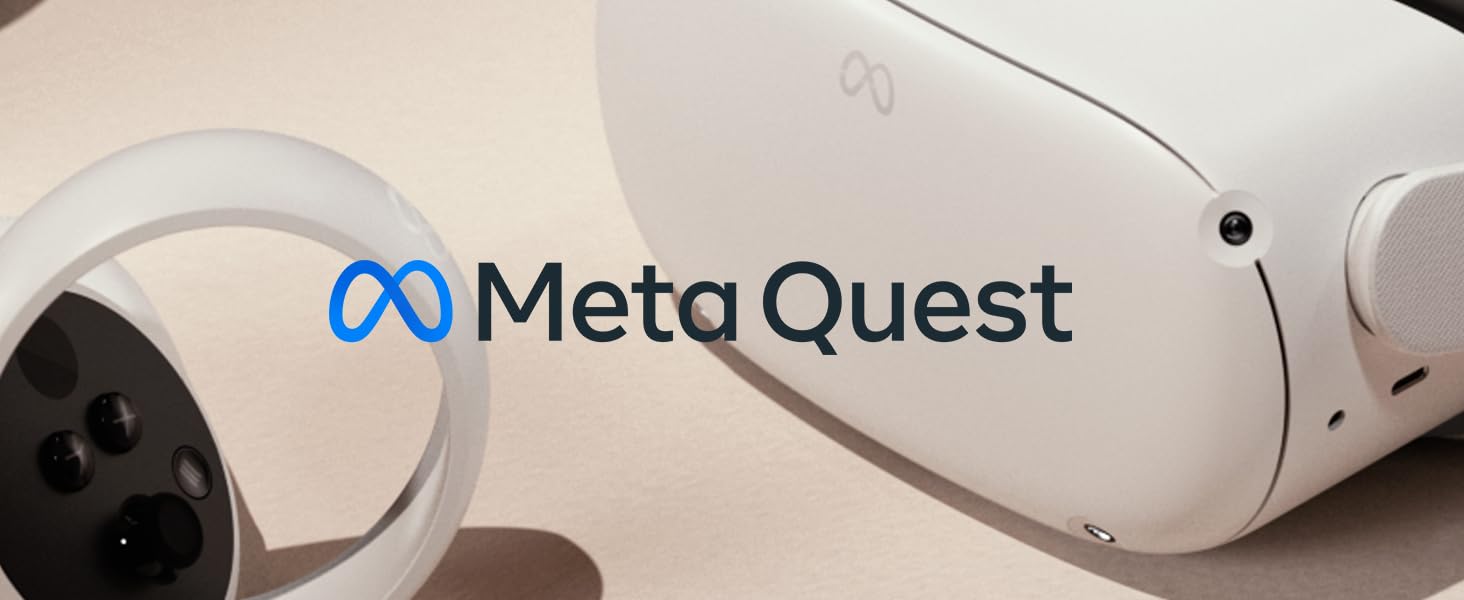
Meta Quest 2 is a standalone VR headset featuring a powerful Snapdragon XR2 processor, 128GB storage, and a 3640mAh battery for wireless freedom. With 3D positional audio, hand tracking, and a 90Hz LCD display at 1832x1920 resolution per eye, it delivers immersive gaming, fitness, and social experiences without the need for external devices. Lightweight and portable, it supports over 500 titles and real-time multiplayer, making it the ultimate gateway to virtual worlds.


| Additional Features | Headset Casting |
| Age Range Description | Adult |
| Asin | B099VMT8VZ |
| Battery Capacity | 3640 Milliamp Hours |
| Best Sellers Rank | #6,630 in Video Games (See Top 100 in Video Games) #54 in Standalone Virtual Reality Headsets |
| Brand | Meta |
| Built In Media | 2 Touch Controllers (L&R), Glass Spacer, 2 AA Batteries, Quick Start Guide, Power Adapter (US, UK, EU, AU), Safety & Warranty Guide, Charging cable, VR headset |
| Color | White |
| Compatible Devices | Smartphone |
| Connectivity Technology | Wi-Fi |
| Connector Type | USB Type C |
| Controller Type | Touchpad Control |
| Customer Reviews | 4.7 4.7 out of 5 stars (74,400) 4.7 out of 5 stars |
| Display Maximum Resolution | 1832 x 1920 |
| Display Refresh Rate In Hertz | 90 |
| Display Resolution Maximum | 1832x1920 |
| Display Type | LCD |
| Field Of View | 360 |
| Item Dimensions D X W X H | 10.24"D x 7.36"W x 4.96"H |
| Item Weight | 1.83 Pounds |
| Manufacturer | Meta Platform Technologies, LLC |
| Memory Storage Capacity | 128 GB |
| Mfr Part Number | 899-00182-02 |
| Model Name | 899-00187-02 |
| Model Number | 899-00182-02 |
| Number Of Batteries Required | 1 |
| Operating System | Oculus |
| Platform | Meta Quest |
| Resolution | 1832 x 1920 |
| Screen Size | 5.46 |
| Sensor Technology | Accelerometer Gyroscope Magnetometer |
| Specific Uses For Product | Gaming, Fitness, Social/Multiplayer, Entertainment |
| Upc | 815820022688 815820021858 815820022695 |
| Vr Operating Platform Compatibility | Standalone |
User
A startling, occasionally disquieting virtual reality experience for all
First, a little background. I'm 73 years old. Above average in the activity department, adept mentally, although I am literally the only person I know who can lose something when standing perfectly still. I have four grandchildren. I hold down a full-time job as a writer, and a once-a-year gig teaching Rio Grande Board Games at the annual World Boardgaming Championships (WBC).It was at the most recent WBC that I was introduced to MetaQuest 2 and in particular, its bundled game called Beat Saber. I'd tried much cheaper VR systems, the ones that hold your phone and you have to download apps to run on them. This was an entirely different ball game. This was, I should note, not a function of the WBC. It just so happened that one of the site administrators had brought the system along with him and one evening, invited me to give it a try.The first issue that one should note is that once you put the headset for this system on, you are pretty much detached from the reality around you. This is fine as long as it's just you and the machine, but you can forget about being outside the machine and trying to instruct someone inside the machine about what's going on. As it happened, the man who introduced me to the system basically set it up for me - put it on his own head, clicked the right buttons - and then transferred the headset to me. With a couple of hand prompts and a word or two, Beat Saber, the program that comes with the MetaQuest 2 when you buy it these days, came on line and there I stood, with two controllers, one in each hand, as my eyes beheld on the screen in front of me, a series of square blocks coming at me, each with an arrow, pointing either up, down, right or left. The controllers operate two light sabers, one in each hand, and the object of this game is to swat the approaching blocks in the direction indicated by the arrow on them. There are also occasional large obstacles coming at you, like skinny walls, which appear like three-dimensional line drawings as they approach. You can't swat these aside and the idea is to avoid them. In most cases, this entails just stepping out of their way, either to the right or the left, but dependent on some choices you make in Beat Saber, some of these objects can be wide and impossible to avoid unless you duck as they approach. No way to jump over them.And there's music. At first, you don't pick up on the idea that your swatting activity with the light sabers can occasionally be rhythmic, linked to the beat of the music. . .Beat Saber. Get it? But you'll pick up on that fairly quickly. If you don't dance and would like to, this is a good program that will force-feed you the concept of moving your body in beat with the rhythm of a song. You don't realize you're dancing because as far as you're concerned, you're swatting colored boxes with virtual reality light sabers. A note of caution. People familiar with the system and how it works will delight in recording video of your attempts to play the game; unbeknowst to you, 'cause you're wrapped up in the headset and can't see anything but what the machine is giving you to see. These people recording you will be LOL-ing themselves breathless, as you contort yourself in a relatively confined space, trying to dodge things and swat at the colored boxes.I made the mistake of failing to heed the warning that if I didn't buy one of these systems soon, its price was going to go up. A lot. And it did. But I bought it anyway and am just beginning to tap into the available free apps and exploring the possibility of buying other ones.There's a free Epic Roller Coaster app, which is fairly enjoyable, although oddly enough, both myself and my wife (now at home with our own MetaQuest 2) found ourselves getting a little queasy during the experience. Not sure what that's about. She NEVER goes on real roller coasters and I do it all the time.Also found a walking-on-a-building-skeleton app that had me God knows how many stories high and though not generally afraid of heights (acrophobia), I wasn't all that keen on walking on the available, skinny steel walkways to approach the edge. I'm in my living room, my mind knowing damn full well that I'm not only not as high as the program makes me think I am, but am, in fact, on solid ground. Yet, in an attempt to approach the edge and have a look OVER the edge, I am literally creeping forward, edging my foot out in front of me, making sure of my balance with each step. My mind absolutely refuses to grasp the concept that I am not in any danger.It should be noted that when you play in virtual reality, the mechanism has you define a space where you are going to be, literally drawing a perimeter line. It's not because the machine is worried you might step off the big building you only think you're on, but when you're playing a game like Beat Saber, you want to make sure that your arm movements don't knock over a lamp your Aunt Ethel gave you for Christmas last year, or in moving your legs around, you don't accidentally kick the screen out of your new Smart TV.I haven't been too excited by any of the first-person shooter kind of apps that are available. That kind of activity never lured me to the various systems that were already on the market. But I did notice and have been on the verge of pulling the trigger on some of the other activities, like table tennis, actual tennis and some other sports activities, like baseball. Am also interested in what is, at present, a small selection of board games, like Tsuro and chess (in a variety of different environments). They offer Catan (originally, Settlers of Catan) and though my interest in board games is strong, I never really liked Catan in real-time, so I'm not going to pick it up in VR.I recommend this system highly. The experience of good VR (and you can buy systems better than the basic one that I purchased) is mind-altering. It's something to which your mind has never been previously exposed; an alternate reality with its own set of rules that takes some getting used to. It's more expensive than pot, but unlike pot, it doesn't just let your head create new connections and free it from everyday anxieties, it creates a reality within your brain that is intriguing to watch, hear and interact with.And as my age indicates, fun for all ages.Oh, and one other cautionary note for those of a certain advanced age. The first time I tried the system, at the WBC, my score at Beat Saber was abysmally low. So I tried again. And again. It wasn't my hand movements with the controllers or the side-stepping away from approaching objects that got to me. It was the ducking at things that I had to let go over my head. I made the crouching moves necessary with reckless abandon. Once, again, and again. My upper thighs complained to me all of the next day. The good news is that it makes for good, healthy exercise.
User
A Leap Forward For Mixed Reality
I owned the original Oculus Rift and upgraded to the Meta Quest 3. It was a big leap forward for me.— TRACKING —Gone are the days when you had to have fixed sensors in your room with a fixed play area. Now, you can bring this anywhere and play wirelessly, with or without a computer. Just the fact that I don't need sensors is a win. The tech packed into this can detect your surrounding environments quickly and easily. It even tracks your hands and you can navigate with just your hands using gestures similar to an iPad/iPhone.— SCREEN —The screen is a big improvement over previous generations, including Meta's Pro model. The colors are vibrant, the sharpness is perfect, and getting your head in the sweet spot is much easier. I advise using an app to measure your eye distance (like Eye Measure), and then you can adjust the lenses to suit your exact eye distance for optimum viewing comfort.— STORAGE —I got the 512GB because I was torn about their pricing model. I didn't want to underdo it so I spent the extra money so I had more space, even if I didn't know if I would need it. Frankly, 256GB would've been perfect for me personally at the moment.— WIRELESS PLAY —The games runs off the headset—if you buy games from the Meta Quest store. They do run more expensive and the sales are okay when they're there. If you have been buying VR games on Steam, you can run them wirelessly with SteamVR as long as your computer's graphics card is compatible. You can also physically connect a USB-C cable to a computer to play your games.— GAMES —Games feel like an elevated Nintendo 64 at the moment. The tech is there, we just need higher-quality textures and more AAA games when the masses start pouring in. Most games seem to have a stylized polygonal quality to them, and few games are going for a realistic look. Currently, I would say the quality of games is good enough for where the technology is at the moment in terms of the processing power that's in the headset at this price point.One of the great things is Asgard's Wrath II is included free with purchase and this is one of those games that takes full advantage of this headset's capabilities. You also get a 6-month free trial of Quest+, which is two pre-selected curated games per month for as long as you're a member; you lose those games when you cancel, but if you subscribe again your library will be there.— APPS —Besides games, you can use different apps with this. I use Virtual Desktop to access my 3D movie files on my computer, plus other media I have. I can also access my SteamVR games this way as well. Then there are media consumption apps like Amazon and Netflix. Explore and you'll find useful things to install.— MIXED REALITY —This is part of the future of gaming, baby. Having a big play space at home combined with a mixed reality game is one of the most fun experiences to have. This is also similar tech in Apple's Vision Pro. There are a couple of free games included, and I can't wait to see what the future holds in this growing game category.— BATTERY —The battery lasts on average about two hours. For me, that's great because I generally get a little dizzy before that period so the headset will die before I get fully nauseous. VR dizziness is a real thing and I advise that if you start feeling some type of way, to stop sooner rather than later. I would build up your brain's tolerance to VR slowly. If you get dizzy, start timing how long it takes. Take a day off and try to add 10 minutes or so in the next session, until you can go longer.If you are one of the lucky few who are not affected by dizziness, you can plug this into a wall while playing and it will charge while you play. In theory, you could play non-stop with the right cable and charger.
User
55yr old female reviewer: BENEFITS - amazing, wonderful experience
I’m 55 years old, and suffered NO motion sickness. This is because you can adjust the speed of movement and choose SITTING MODE. In many games you can “jump” to a spot.You will charge your headset and then set up a Metaquest account. After that with your headset on, you will be taken to an interface inside the VR world where you can adjust and tweak your personal settings to suit you. You will also see APPS which teach you how to use everything.Be aware that if you want to buy Metaquest games only, they WILL download directly onto the headset. From other sites like STEAM you need to have a computer capable of LINKING the headset to the game. Google the requirements. ( This info provided by my 20 something computer savvy son.)I have had my headset one week and I can truly say it is initially a LIFE CHANGING experience.-I am not on there to play combat games-If you want to TRAVEL, to PLACES IN NATURE you will not be disappointed!. National Parks around the world on BRINKS TRAVELER, NATURE TREK takes me to mountains, trees, water features and wildlife!!! TRIPP is …mind blowingly calming, imaginative, artistic, beautiful…outstanding. I still have to try 2 or 3 others I bought, but couldn’t wait to write this review.Yes it’s TRUE you CAN tell it’s not real, but it’s the next best thing to actually being there. What helps is that when you lean forward in your seat and look around, it’s in 3D all around you! You are totally immersed.So if anyone my age or older is hesitating for all the reasons that I was…don’t, go for it.I bought my games half price off in a sale, so I’m sure the sales will return.To summarize: In the beginning, the first week, I went on VR every evening and enjoyed discovering the wonderful, amazing and beautiful VR world. However it is a just form of entertainment and after the novelty wears off, like all things in life, after a short while, it will just become a part of entertainment / relaxation tools and won’t replace all your other interests. You will still want to read, watch movies, play match -3 🤣🤣🤣, cook, enjoy REAL hiking and REAL people. And then when the mood suits you you’ll be back on VR.Just so it’s known, my first experience of VR was a year ago, in an exhibition, “The Van Gogh Immersive Experience.” The VR there allowed you to travel THROUGH paintings! I traveled through the beloved “Cafe de Nuit”. I was in. AWE.I would LOVE IT if developers could develop more experiences like that, traveling into:paintings, museums, monuments, landmarks, documentaries, history…EVERYTHING PLEASE! And THANK YOU 🙏I bought the comfort headset, extra attachment, and it’s worth it to get a good fit. Also if one of your eyes is sharper than the other like mine you can buy lens relacements on Amazon (I believe, I still have to look into it more). You need to know you eyeglasses prescription strength. That’s the funny thing, if in real life you need to move closer to a sign to read it, you will in VR too !!! 🤣 🤣 🤣
User
This has the best enjoyment/dollar value of just about any purchase ever.
This is my first and only VR experience. With that said, in just the first few minutes, during the setup and updating process, my mouth was agape. The tutorial had me smiling in wonder at the feeling of immersion. The apps available natively to the Quest 2 are varied and fun, if not cheap, but there are demos and free games out there. We like is so much, we are probably buying a second in the near future.However, my favorite piece of this requires use of a decent PC and fast Wi-Fi: Oculus AirLink, currently in Beta, is a cable free connection to the Oculus program on your computer that allows use of Oculus Rift and Steam VR games. These are generally games that need the extra processing power of a real GPU, and offer better graphics and more complex environments than the Quest alone can provide. Google Earth VR, a free app that isn't on the Quest natively is, for me, worth the price of admission on its own. Being able to walk among the skyscrapers of NYC, or play Gojira in Tokyo is awe inspiring.A couple of minor cons: Battery life is poor. During our first days, when we were using it especially heavily, I had a battery pack and USB-C cable connected to the Quest that we'd swap into pockets to add play time. They make improved head-strap setups that include provisions for holding a battery.About that strap, some in my family complained about it, so we may be shopping for an upgrade. I can live with it, however.In low light, the guardian, the virtual barrier that is set to keep you from running into walls, can flake out, dropping you out of the game.And lastly, a big con for some folks: This requires an active, real, Facebook account. Deactivating your account deactivates your Quest. Deleting you account deletes, permanently, all of your purchased apps, with no refund. There are lots of reports regarding problems with folks using fake names, secondary accounts, other folk's accounts, etc. When there are problems, Facebook will delete or lock accounts, and render your Quest a brick. Customer service is reportedly horrendous when trying to fix these problems. My advice would be to use your real account, don't fudge around, and you should be fine. Yes, they are tracking you, Yes they are subsidizing the prices of these thing by commodifying your data. However, unless you are already complete social media hermit, getting in bed a little deeper isn't going to alter your data footprint in any significant way. If you are here shopping on Amazon with a cellphone in your hand or pocket, worrying about Facebook is sort of pointless.TL;DR - GET ONE. It's a great value within the reach of many people. You can have a ton of fun without a PC, and even more with one.
User
good item
good item
User
Fun
It's a fun all in one VR but it's not a big jump from the Go version like you would think. It's worth buying for gaming but if you just like to watch VR and not a big gamer then I would just buy the Go. The PQ is not alot better and you would only notice if you side by side the quest2 and Go to see it. Sound hands down is better on the Go it has more of a surround FX and is clearer in sound over all then the quest 2 only thing quest 2 has over the Go in sound it has way more bass. Some apps I like on the Go are not on the quest 2 which I see as dumb because you would understand if the Go could not play quest 2 apps then okay because you would think the Go does not have the better video card,processor or whatever but for the quest 2 not to have Go apps you had before is just dumb and shows lack of backwards compatible from oculus. I was very dispointed with the Oculus quest 2 out of the box because I was thinking it was going to be blowing the Oculus Go out of the water in every which way but it does not. Onces your over the dispointment like I was it's not bad the quest 2 if you look at it as it's just different then the Go and not as better. Quest 2 you need to change refresh rate to 120hz in setting and you can get a third party app to help changes more setting to make the quest 2 have a better PQ so keep that in mine you can YouTube all that if you want to know more. I don't like some things on the quest 2 seem like a down grade from the Go version like Sound,there no sound volume numbers anymore like 1 to 15 on the Go,there no display brightness anymore,the power and sound buttons in a different location then the Go and there not in a better spot I think,even the charging light is now in a dumb spot which is on the side of the quest 2 so now you have to pick it up to see if it's charged or tilt your head to see it when on the Go it's right on top of it so boom you can see it a mile away without picking it up it's charged,head strip is more uncomfortable on the quest 2 then the Go out of the box yes you can get a upgraded strip with added battery from Oculus but that extra money. There was just some dumb moves made by Oculus on the quest 2 but not saying there where not go moves made too like the controls there are two they track your hands and you do not need to even uses controls at times because you can track your own hands. The extra cameras on the quest 2 are nice you can tap the side of the Quest 2 to turn them on to see where your going and not have to remove the VR off your face,you can now walk in VR walk and look around more way better then the Go version there. You can adjust your eye lens good move there. Is it super faster then the Go no but it is a faster VR all in one then the Go which still helps in fast moving gaming. So get the quest 2 if you game and play more games then watch VR but if your just a VR watcher like using it to sit in a roller coaster,looking at mountain,look at shows,movies,plays,magic shows and etc..... Just things you sit and watch then buy the Go and save lots of money you do not need the quest 2.
User
Fun
Fun fun fun great price
User
A Reality Raider - The Meta Quest 2 Experience (15 Reasons to Buy This VR Headset)
1. Great for Beginners and IntermediatesThe Meta Quest 2 is one of the easiest ways to jump into VR. The setup is simple, the interface walks you through everything, and the headset gives beginners a smooth introduction without holding back more experienced users. Whether you want casual games or deeper, more immersive titles, it hits a really nice balance.2. The Price Is Almost Too GoodStarting at around $200, the Quest 2 delivers more value than many headsets that cost significantly more. It’s affordable without feeling cheap, and with sales happening often—especially as newer headsets come out—it’s becoming an even better deal.3. Unmatched Value Compared to CompetitorsSure, higher-end headsets offer premium features, but when you look at overall value, versatility, and ease of use, the Quest 2 is hard to beat. It’s compatible with most popular VR games and can tap into a huge library through the Meta store or a connected VR-ready PC.4. Simple, User-Friendly InterfaceThe interface is clean and easy to navigate, so you’re never lost or overwhelmed. Setup is guided, onboarding is simple, and frequent software updates keep adding improvements. For newcomers, this means way less hassle and way more time actually enjoying VR.5. Strong Game Library with ExclusivesThe Quest 2 has an impressive library of apps and games, including exclusives like Beat Saber and Vader Immortal. Combined with cross-platform compatibility for many titles, it’s one of the most versatile VR ecosystems out there.6. Cross-Buy Options for PC VR OwnersIf you connect your Quest 2 to a VR-ready PC, some games give you both the Quest version and the PC version with a single purchase. It’s a great perk if you like flexibility or plan to play on multiple setups.7. High-Resolution DisplayWith 1832×1920 per eye, the screen is sharp, bright, and immersive. It greatly reduces the “screen door effect,” though very detail-oriented or tech-savvy users might still notice the subtle lens patterns. It’s not really a problem—just something you might catch here and there if you’re picky like me.8. Excellent Head, Hand, and Room TrackingThe Quest 2’s 6DOF tracking is smooth and responsive. Whether you’re moving around a room or simply using hand-tracking, it feels natural. I especially love hand-tracking when I’m being lazy on the couch watching YouTube and don’t want to reach for my controllers. (Guilty.)9. Built-In 3D Positional AudioThe spatial audio is surprisingly good for open speakers. You can hear where sounds are coming from without blocking out your real environment—great for safety if you’re in a shared space. Features like “spatial awareness” help you avoid bumping into objects, and the double-tap passthrough gesture makes switching from VR to your surroundings effortless.10. Flexible Settings for Every UserFrom display brightness and comfort adjustments to safety boundaries and audio modes, the settings menu is straightforward and lets you customize your experience easily. It’s great for tailoring the headset to your comfort.11. Easy Streaming, Recording, and CastingThe Quest 2 makes it simple to show your VR gameplay to others or record it for content creation. The built-in software smooths out the camera view for cleaner, less shaky recordings. With the Meta Quest Link software on your PC, you can also stream or cast over Wi-Fi or through a direct connection.12. Smooth PC ConnectivityWhether you use a USB-C cable (Oculus Link) or go wireless with Air Link, connecting to a VR-ready PC considerably expands your game library. Being able to play both standalone and PC VR titles makes the Quest 2 feel like two headsets in one.13. Tons of AccessoriesMeta and third-party brands—like Kiwi, which I personally recommend—offer a huge range of accessories. From comfort mods to better straps, battery packs, and glasses spacers, it’s easy to tune the headset to your needs.14. Optional Straps = Better ComfortThe base headset is light and fairly comfortable, but the Elite Strap options are worth considering. They improve weight distribution and, with the battery version, extend your playtime considerably.15. Strong Community and Developer SupportThe Quest 2 has a thriving developer ecosystem and an active community. Meta consistently pushes updates that add features and improve performance. App Lab also brings tons of indie content, giving users endless things to try. This steady support keeps the headset feeling fresh—even years after release.In SummaryI could honestly list even more reasons, but here’s the bottom line: the Meta Quest 2 has set the standard for entry-level VR. It’s affordable, portable, powerful, and incredibly versatile. From the audio and display quality to the constant software updates and impressive game library, it’s an easy recommendation for anyone getting into VR. After a year of using it, I still believe it’s the best value VR headset you can buy—and with ongoing updates, I expect it to stay that way for quite a while.
User
Great and recommend
Great and recommend
User
Very great and intresting
It so much fun playing VR feels like a different reality, would recommend playing calm games first and then moving on, and if you have a great powered pc/computer I would totally recommend you to connect the VR to it to experience the games in much-improved graphics, would recommend for the price tag over the quest 3. but if you have some extra bucks I don't see a problem not getting the quest 3
User
Well worth the asking price, but can expect some big improvements in the upcoming years..
## Pros:- Cheap, Meta is selling at this price probably at a loss to attract more people. 128GB for around 33-35k is a great price.- Relatively higher resolution compared to a non-existent competition in this price range.- The quality of sensors is top notch. The tracking is extremely accurate.- It's relatively lightweight and can run off battery which means no cables. Very convenient and definitely the future direction.## Areas for improvement:- The displays could use OLED for better blacks. Though using OLED will hurt longevity so this one gets a pass. Currently blacks are like gray and that is something you will notice if you look for it.- The resolution could use an improvement. Again, it's an extremely competitive resolution for the price, but since it's so close to your eyes, even this feels pixelated and low res. It's early VR tech so expect that to improve with time.- The battery life is barely 2 hours on a full charge depending on what you're viewing. It's reasonably good, but in the future we could be looking at more efficient devices.- There should be a OS level simulated way to rotate when sitting still. It's tedious to have to get up just to rotate to other side of a 360 degree video. Allow simulating that via controls or something on OS level.- The headset strap is not comfortable for long wearing sessions. I should not have to spend more money to get a better quality strap. Wearing this device is a primary function and you shouldn't have to buy an accessory to make it better, regardless of the price. Only possible con I an think of, but it gets a pass this time.- On a related note, as this tech gets better, I expect components to shrink and this to get lighter and sleeker.- Would be nice to not have to create a Facebook account for this, but let's be honest, that's why they're selling this at a loss. To collect more customers and collect your data to target ads at you. That's how they make money, by selling ads and services.- Remotely installing apps from mobile is a hit or a miss. Most times it doesn't start downloading and I have to manually trigger app downloads. I think it's a temporary bug which they can easily fix.## Other notes:- Use Firefox reality browser. Way better than default and support ad blocking, multiple window and is also far more convenient and reliable with Web XR experiences.- Give Oculus TV a try. It's like YouTube VR but the interface is much nicer and the recommendations are also extremely good.- You can cast your Oculus view to your phone. This is super convenient when showing this to a friend or family member. Just cast to your phone so that you have a sense of what your friend/family member is seeing and guide them accordingly.## Summary:Great stuff honestly. Making VR affordable (regardless of the intentions) also opens it up to more developers across the world and that will only help give us better VR experiences over time. Looking forward to develop some WebXR and native oculus experiences using this.
User
No me arrepiento de haber dado el salto al "metaverso"
Llevo 1 año con el producto y me encantan mis meta quest 2. Realmente tener un producto que tenga una dimensión como experiencia es fascinante, y más aún pensando que es algo que puedes tener en tu recámara y en formato stand alone. Es una pena que poca gente conozca y tenga un dispositivo de estos. Espero que ahora con el anuncio de Apple la gente se anime a comprar dispositivos de realidad virtual /mixta, sobre todo de meta, ya que el dispositivo tiene un precio bastante accesible por una tecnología realmente maravillosa. Definitivamente compraré los meta quest 3 en cuanto salgan y animo a las personas a adquirir una experiencia de estas, no se arrepentirán.Cosas que podrían cambiar en un futuro:1. la visión.Aunque es buena, aún es borrosa y a veces poco clara. Estuve probando y las imágenes dejan de distinguirse con claridad a una distancia de 40 a 60 metros, que es bastante, después de eso las imágenes se tornan borrosas y difíciles de ver. Claro que todo se puede hacer: ver películas, videos, jugar, descansar, etc. La visión no es impedimento de nada, solo podría mejorar bastante. Está característica definitivamente mejora en las quest pro 2 y muy posiblemente en las meta quest 3 cuando salgan.2. La correa: la correa es muy incómoda. Ajustarla para diferentes personas es tedioso además de que es incómoda en largos periodos de uso y resbala bastante sobre la cabeza. Ocurre que si no está muy apretada a la cabeza (lo cual es muy incómodo), al momento de girar los visores resbalan. La solución es comprar otra correa más cómoda, aunque al principio si te quedas sin dinero por la adquisición tendrás que aguantar un rato con esa correa.3. Precio de la tienda: los juegos dentro de la tienda de oculus pueden llegar a ser 2 veces más caros que en Steam por ejemplo. Se entiende porque están optimizados para un dispositivo stand alone. No obstante, a veces este precio de verdad puede llegar a estar muy inflado, tanto que podrías preferir comprar la versión de PC y sacrificar un poquito el movimiento libre con un cable tipo c que se conecte a tu PC. Cabe recalcar que el dispositivo cuenta con un sistema que permite la conexión vía WIFI con tu computadora para poder acceder a los juegos de PC sin cable, lo único que necesitas es tener una muy buena conexión dedicada únicamente para los visores. En mi caso preferí conectarlo con cable para tener menos lag.4. Calor. Después de un uso de aproximadamente 30 - 40 minutos, tal vez un poco más (dependiendo de la aplicación que se esté usando) el dispositivo puede llegar a calentarse haciendo que realmente sudes adentro de los visores. En climas más fríos esto no es problema, pero si vives en un lugar cálido podría llegar a ser bastante incómodo.En resumen, las meta quest 2 han Sido unos visores que han cumplido, satisfecho e incluso superado por mucho lo que esperaba del producto. Es una experiencia completa cada vez que te los pones. Siempre es la misma emoción que sientes la primera vez que los usas y más si te aventuras a probar experiencias de diferentes géneros: terror, aventura, sci fi, etc.También ha Sido una gran herramienta de visualización para cosas de trabajo. Por lo que, las meta quest son más que una consola, son una herramienta para aquellos que quieran usarlas para este enfoque.Recomiendo ampliamente la adquisición de unos visores.
User
The Best but why?
The best value for money standalone VR headset.Dont go for the negative review that it has bad lense or is cheap bla bla bla, cause you cant even find any VR standalone headset at this price.1. Quality is great, even if you drop it it wont break easily and still works, check out ThrillSeeker channel on youtube for more strees test that guy did.2. Lenses are old once, yes they are but in this segment they wont dissapoint you compared to $1000 Valve Index3. Resolution and FOV is good but not great but perfect for movies and watching 3d movies, 360 movies and Oculus games for sure. Casual user wont even find any difference4. Great library of games, litttle expensive but you get sales now and then and you have sidequest if you want more for free and also with some tricks you can install any android apps.5. The glimps and your start to metaverse6. Battery is a concern but get the cable creation cable and you are goog to go. Get the 16ft one7. Install Sidequest. (Mobile and PC) if you want a lot of best and free content and if you are a advanced PC user. Not recommended for users not fimiliar with advance PC use or adb, but you get a tons of tutorial on youtube if you want to try.8. If you have a good PC, VR ready GPU, then this can play Steam VR as well, now it has Airlink wireless as well, but you need Wifi6, 5ghz band and PC connected using ethernet for best quality.9. Amazing hand tracking and controllers at this range10. In any case you end up scratching the lenses, get a polywatch solution and see the magic, it would be as good as new, thank me later for that advice. See youtube for more info11. Great mutiplayer capabilities, mic is great and stock speaker are just awesome, and you can still connect your own headsets as well.12. Get a rechargable battery for your controller, cost around rs400 with batgery and its charger.13. If you still have more money get an Elite strap for best comfort and wobble free experience.14. If you sweat much, mind that you might see fog on lense on prolong use, there are tons of alrernatives to try to avoid that, but the cheapest option is simply put a tissue to your forehead and put on the headset and good to go.15. You are still here that means you are convinced, just go for it and buy it, you will not regret for sure. Search me in case you need more assistance on Oculus, Ashura- is my Oculus id.
Trustpilot
2 weeks ago
2 days ago