📚 Elevate your reading game—wherever life takes you!
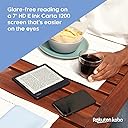
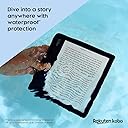
The Kobo Libra 2 is a premium 7-inch eReader featuring a glare-free HD E Ink Carta 1200 touchscreen with fast page turns and deep contrast. It offers adjustable brightness and blue light reduction for comfortable night reading, plus a waterproof IPX8 rating for durability in wet environments. With 32GB of storage, it holds up to 24,000 eBooks and 150 audiobooks, accessible via WiFi and Bluetooth. Its ergonomic design supports both touchscreen and physical page-turn buttons, including landscape mode, making it a versatile companion for busy, style-conscious readers.


| ASIN | B09HSRLQVX |
| Best Sellers Rank | #272,146 in Electronics ( See Top 100 in Electronics ) #382 in eBook Readers |
| Brand | Kobo |
| Color | White |
| Compatible Devices | Devices with Wi-Fi, Bluetooth wireless technology, USB-C, and the Kobo Audiobook app |
| Connectivity Technology | USB-C |
| Customer Reviews | 4.5 out of 5 stars 5,759 Reviews |
| Display Technology | Electronic Ink |
| File Format | EPUB, PDF, MOBI, JPEG, TXT, EPUB3, FlePub, PDF, MOBI, JPEG, GIF, PNG, BMP, TIFF, TXT, HTML, RTF, CBZ, CBR |
| Global Trade Identification Number | 00681495008438 |
| Human-Interface Input | Touchscreen |
| Item Dimensions L x W x Thickness | 6.38"L x 5.71"W x 0.35"Th |
| Item Weight | 0.22 kg |
| Manufacturer | Kobo |
| Memory Storage Capacity | 32 GB |
| Mfr Part Number | N418-KU-WH-K-EP |
| Model Name | Libra 2 |
| Model Number | N418-KU-WH-K-EP |
| Native Resolution | 1680x1264 |
| Screen Size | 7 inches |
| UPC | 681495008438 |
I**H
EVERY deity's gift to bookworms!
I love books. The feel, the smell, nothing beats opening a new book or rereading a beloved favorite for the twentieth time. However, books are heavy, and they take up a ton of space, which comes at a premium when you don't live in the local library/aren't allowed to line every wall with bookshelves by the significant other to make your place feel like a library. Enter ebooks. Yes, I know audio books are a thing and possibly even easier to use, but I read much faster than I listen, and even speeding up the reading I can finish multiple books in the time it would take to listen to the first audio book. So I started reading ebooks on my laptop, and moved to my tablet and phone. It was meh at best, and annoying to always have to drag a power cord for charging everywhere I went. It's also terrible for your eyes. But e-readers were barely better than the tablets, until e-ink technology arrived. But I still held off, until I finally started doing my research at the beginning of the year. Kindle seemed the only real choice, but I already had thousands of ebooks and it seemed a daunting task to figure out how to load them to a Kindle properly, and the thought of paying for a device that came with ads unless I paid even more just made me angry. So I bought a Kobo. And I fell in love. I've been using my Kobo for months, dragging it to work, on planes, to the beach, out to the pool, the local parks, on road trips, to doctor's offices, basically everywhere I go it's in my purse. The screen is easy to read in the brightest sunlight and the darkest nights when I can't sleep without finishing just one more chapter at barely 5% brightness, and the night mode makes the screen comfortably warm so the blue light doesn't bother me. I can easily get a week or more of reading between charges with the wifi turned off, and adding my own books from outside sources is a piece of cake. I can't speak for the audio book usability, but I have hundreds of books on my device with barely a dent in the available memory, and borrowing books from the library with Overdrive is a snap. The feel of the reader isn't a book, but it still feels solid without being heavy or awkward, and I love the buttons for turning the pages rather than being entirely touchscreen. The USB C also makes it easier to charge as most of my other electronics use the same type of cable. The only hiccup is in adding books from Barnes and Noble, as their file type is essentially unusable with anything not running their Nook software, but there are workarounds for everything. The magnetic screen off and on with the case I bought from Amazon is also great because I can close my book at any time without needing to find a bookmark or remember a page number. I can also skip between books to my heart's content and I never need to worry about losing my place because the reader remembers where I am in every book! If you're on the fence about getting an e-reader for reading books, this is the one to try. If you want something that can also browse the internet or have multiple apps, buy a tablet. This thing is solid as a rock for the serious reader. You won't regret it!
C**M
Great e-reader with just a few issues
UPDATE: I'm increasing my rating from 4 to 5 stars after using for months. With software updates, the device has been very stable and a pure joy to read on. ORIGINAL REVIEW: Overall, I think the Libra 2 is a fantastic ebook e-reader, and I recommend it. There are a few things that knock off 1 star from a perfect rating, though. Hardware - The good things: - The screen is amazing. The text is very crisp and dark and the front light is very even (at least on my unit). - The warm light is very pleasing for evening/night reading and works very well. (The evenness of the lighting was ever-so-slightly not perfect with the addition of the highest setting of warm light, but not enough to be distracting). - The rounded corners of the grip side make holding it in one hand fairly comfortable. - The weight of the device is light enough that it can be held one-handed (without a case) in comfort for a while. - The battery provided me 20 hours of reading using very generous front-lighting (probably over 70% most times) (with Wi-Fi turned off). The battery reached 10% at that point and popped up a low battery message. I'm not sure how this compares to other e-readers since manufacturers like to advertise in weeks instead of hours, but using their convention of 30 minutes per day, this would be about 6 weeks of reading between charges. - It's available in white, which is what I got, because it is very good at concealing fingerprints. - The power button's location is well placed. It never gets accidentally pressed and is easy to feel for without looking, and it has a definite click to know that it's been pressed. - The USB-C port is obviously nice to have (vs. micro USB). (Note: The included cable is a USB Type-A to USB Type-C cable, and no charger is included. So you will still need a charging brick with a Type-A port to use with this, and will need a Type-A port (or adapter) on your computer if you connect it to one.) Hardware - The not-so-good things: - The plastic case has a cheap feeling to the touch. It is not as nice as the more rubbery touch of the Kindle Paperwhite, for example. My unit even makes a slight creaking noise when squeezed gently near the corners. The embedded texture on the back helps make it feel a bit less cheap and does help to provide more grip when using without a case, but it still isn't "pleasurable" to the touch. It's just plastic. if you use a case while holding it, this won't be an issue. - The page turn buttons, whether by design or not, have an uneven pressure to them. If pressed toward the inside, it requires much more force to get it to click. If pressed toward the outside, only a light force is required. - When turning the front light completely off, the screen background is grayer (less white, less contrast) than other e-readers I've seen (e.g. Kindle Paperwhite, Kindle Oasis). (But with almost any amount of front light, the contrast is outstanding.) Hardware - One other thing: - The screen is slightly recessed. I personally prefer this to flush-screen e-readers. It doesn't have as "premium" a look, but it makes it very obvious to feel if the touchscreen is being contacted or not and prevent accidental touches. Software - The good things (common to all Kobo e-readers): - The interface is very well organized, clean, and simple to use. - The front light brightness can be adjusted with just a simple swipe up or down along the left edge of the screen, without first dropping down any menu and then having to close that menu. - The header can optionally show remaining pages in the chapter, which I find to be more useful than an estimate of how much more time is left, which can easily be miscalculated. - A subtle book progress bar is optionally displayed along the bottom of the screen. I really like this and prefer it to seeing a percentage. It provides a similar feeling to reading a physical book, where you can just tell how far you are in it, but without having to take any more screen space than necessary. - Kobo's concept of "pages": I really like the way Kobo software determines how many "pages" are in a book. It readjusts this number automatically based on the font size, margin settings, etc., so when it displays the number of pages left in a chapter, for example, you know that there are exactly that many page turns left for the settings you have selected for that book. I find this to be much more useful than Kindle's way of showing pages, which is to correspond to the published physical book when possible. - Built-in Overdrive. It's nice to be able to check out and return books from the library right from the device. - Built in Pocket App support. I have not used this feature, but it's nice to know I can read supported web articles on the Kobo if I want. - epub format support: I've found that some of the classic literature is available in epub (but not Kindle) format, so I can borrow from the library without having to use any conversion software as I would on a Kindle. - Installing additional fonts is simple. Just connect to a computer, create a "fonts" folder, and drag the fonts into it. Software - The not-so-good things: - There are still some bugs (which will hopefully be fixed). My initial experience was not great. But all the bugs I found and list here were encountered during setup and configuration. I have not had any issue at all during reading sessions, which is what is most important. - Upon first powering up and connecting to Wi-Fi, after the device did an immediate software update and appeared to be finished with it, it became EXTREMELY laggy. It would take maybe 30 seconds to respond to actions. Rebooting resolved it. - The device has rebooted spontaneously while searching the Overdrive catalog and locked up completely a couple times (once while in sleep mode and once while changing a setting). - After connecting to Wi-Fi successfully, the device prompted me again for the password the next time I connected and again a third time. Only after that did it finally save the connection settings as it should. - When an Overdrive library book is returned, Kobos automatically download a "preview" copy from their store as a placeholder (supposedly to store annotations, bookmarks, etc, but also I'm sure as a convenient way to purchase the book). That's a bit annoying, and these can easily be removed after being downloaded, but one time it downloaded preview copies alongside their corresponding three library books I had checked out (that I had NOT returned and were NOT expired) and it erased all my progress in them. I have not tested any of the audiobook or bluetooth features. For me, I like the device so much that the issues I listed are easily acceptable. The bottom line is that it is very enjoyable to read on the Kobo Libra 2.
C**N
Converted from Kindle to Kobo
Let's preface this by saying that I've been an avid Kindle user for the past few years. I started with a Kindle Voyager (wonderful e-reader) and have had two Kindle Paperwhites in the past couple of years - the most recent of which is the Paperwhite Signature edition. The Kobo Libra 2 is my first Kobo. I love it. I love the fact that it's functional for reading. That's why we got e-readers, right? To read things? No BS. No constant advertisements that you need to spend $20 to remove. The ability to borrow books from your library directly from the e-reader is so lovely. The fact that it plays well with other formats. The fact that it feels SO NICE in the hand is probably the top reason I love it. The asymmetrical design (yes - Oasis has this as well...but I don't like the feel of the Oasis...which is also much more expensive) is very comfortable to hold - and the Kobo is light - in many cases, it's lighter than a book! It's waterproof. It has page turn buttons (I thought I wouldn't want those and that they looked silly compared to the buttonless technology we have today - nope. They're nice. Function first). The fact that the screen isn't flush seemed weird, too - but you get a crisper page that way - and, yes, you can notice it. I've been converted. I've tasted Kobo, and I'm not looking back. Will I still keep my Kindle around? Absolutely - I've got quite a few books I've purchased through Kindle that I would like to hold on to - and I still love my Kindle. Could I read those through the Kindle app on my phone or laptop? Absolutely - but I prefer the e-reader experience over a phone screen. But moving forward, I think I'll be sticking with Kobo. Do I still recommend Kindles? Yes! But I just might recommend a Kobo first. And I dunno - maybe this is going to be like the Android vs iPhone or Mac vs PC kinda thing (it probably will be/is). I'm team Kobo. Here's a summary of the pros and cons I've noticed after having my Kobo for a few days: Things that bring me joy: - Very comfortable to hold (for my Paperwhite, I depend on the sleep cover to hold it properly - I don't need that with the Kobo. I also tried out the Oasis a while back, but I didn't like how the back cut into my hand...with the Kobo Libra, my hand stays comfortable, even after reading for hours) - You can rotate the device, and the screen will keep up. I switch from holding it in my right hand to my left hand...the Libra 2 will rotate the screen to accommodate this. Heck - you can even read it in landscape if you want to (maybe easier for certain formats/pubs). And if you don't, you can lock it to be only in portrait mode. - Page turn buttons (that you can program for which button turns the page forward or backward) - No ads - Waterproof (yes - Kindles have this, too!) - Clearer screen (you don't have extra layers of glass/plastic in front of it) - Lightweight (lighter than quite a few books - I legit weighed them out of curiosity) - Direct integration with OverDrive (for you Kindle users out there, Libby now owns OverDrive - if you're used to going to Libby to link your library card to your Kindle, it's similar - but with Kobo, you don't NEED the Libby app on your phone to do this - you just do it from the Kobo) - The power button IS ON THE BACK OF THE KOBO (you don't accidentally tap the power button like you might on Kindle - is that just me??) - Did I mention how comfortable it is to hold? (seriously - I noticed the second that I pulled it out of the box that I was going to prefer reading on this thing) - The ability to easily load fonts (Bookerly is probably my favorite font at this point - I came to love it over the past few years having a Kindle...didyaknow that you can load Bookerly to your Kobo? Name a font, and you can do it in a matter of a couple of minutes. Have done. Works perfectly.) - You can purchase books through Kobo's store, just like the Kindle store (are there as many titles? No - but it's an option when your library doesn't have it) - You can set your sleep screen to be blank. Or you can set it to be the book you're currently reading (without having to spend $20 extra to remove ads) - There's a Kobo app for your phone just like a Kindle app - It's so comfortable to hold! (wait I think I already said that...) - USB -C charging - warm light backlighting - backlight can be adjusted easily by just swiping your finger up or down along the outside of the screen - Uh...32 gigs of storage? Who needs that? But it's there for audiobooks, I suppose. And that's just inherently built in...in case you need to store the entire contents of the Library of Alexandria on there or something along those lines... - Audiobooks - yes, it can store them and play them via Bluetooth...but I personally don't use an e-reader to listen to audiobooks. It's 2023, and I have a cellphone. I personally don't see the point of adding audiobooks to an e-reader (it's an e-reader...not an e-listener). But if others find that a necessity, it's available on this device! - Direct Pocket integration! I'VE YET TO USE THIS FEATURE BUT HEY IT'S THERE! Things that don't bring me joy: - Fingerprint central. The plastic/coating that's used shows fingerprints like nobody's business. I have the black version, so I'm not sure if the white version would be better...but black looks nicer IMO...so fingerprints it is. I don't have greasy fingers (and I live in Colorado...so they're not exactly sweaty either). But man, oh man. It looks like I just polished off a bag of potato chips after I look at all the prints on this thing. - Can be glitchy sometimes. The software experience isn't quite as smooth as Kindle - not gonna lie. The vast majority of the time, It works as it should (yep - page has turned correctly). Rarely, it does freeze. But holding the power button to jolt it back has worked fine so far...will see how things fare over the next several months/year. - CAN feel cheap - I think this might be because it feels lighter - I DEFINITELY prefer the lighter feel of this to the heavier Paperwhite...but it doesn't FEEL like I spent this much money on this device. The plastic sometimes pops/clicks every once in a while. - Pattern on the back - it's got this pattern on the back that I'm not sure if it's supposed to make the thing grippier? Or cool? But dust and crumbs get stuck in it. It looks like the Clara 2E is changing things up a bit, and that looks like a nicer backing - Very few 3rd party accessories - this isn't a Kindle. It's MUCH tougher to find accessories for Kobo products. For a sleeve, I ended up looking for Oasis accessories. I'm personally not going to get a sleep cover for my Kobo (I don't really need one from a grippy perspective - and I don't want to ruin the feel of it in my hands)...but if I did want to get a sleep cover, I found that options are quite limited. Overall Impressions: Yes. I honestly can't wait for them to come out with a Libra 2E or whatever will be next. I love this thing more than I love lamp. And I've been telling all my friend to get one.
S**9
Very nice e-reader!
I have always been a kindle or fire person because there's nothing like the convenience of the Amazon library and ecosystem, in my opinion. But, I decided I wanted something that would be easy to download library books, and reviews say that the Kobo was a good alternative. I agree. I think I still lean toward the kindle but hear me out there are pros and cons here. And, don't get me wrong the Kobo Libra 2 is really nice. Background: I have had 3 generations of the Kindle and I have mained the gen 4 Paperwhite and I love it. I stuck a popsocket on the back and easy reading no hand fatigue sitting or laying in bed. It is quick and responsive, portable, and easy on the eyes. I was really drawn into the Oasis's shape but didn't want to pay the high price, even the refurbs where hitting bit higher than what i wanted to pay and the best alternative was the Kobo Libra 2. Out of the box it is a great experience. I love the 7in screen and how it looks and built. I can now read books from 3 different ecosystem, Amazon(with Kindle), Kobo, and library(overdirve). I love options and now I can browse all three for a book series I can download. To be honest, i'm not the big series books kind of person, because i can't stand that you'd have to pay a premium for at least a book in a series when you've enjoyed a free or at least an inexpensive one up to now. whatever! But, my only cons about the Kobo is that it is slower, by a millisecond i think to the Kindle. Even when you hit the button to turn the page it lags. I see a quicker turn on the kindle but that could be my eyes. I also see a little bit of ghosting in the Kobo that i don't see on the kindle. And that it is. In conclusion, i like the Kobo a lot and i would still recommend the Libra 2 to anyone because it is a great devise for the price. and a great compliment to anyone willing to compliment their Amazon kindle library with others.
L**Y
I LOVE IT
I love this WAY more than I thought I would. It is sooo user friendly and has so many features I didn’t think I would appreciate as much as I do. The screen is so sharp and crisp and can be adjusted to get it nice and bright with the simple swipe of your finger up or down on the left side of the screen. The pages load way faster than my kindle paperwhites did. It fits so perfectly in my hand and the buttons are my absolute favorite part of the entire device. You can adjust which button turns the page forward vs backward. I was surprised and impressed with how quickly the screen reorients based on how you are holding it. I thought I wouldn’t know what to do with myself switching from the kindle to this, but I’m so glad I went with the kobo libra 2. The store is easy to use, and the books download quickly when purchased on the device and send quickly to your device if you buy a book on the website from your phone. The only thing I hope for with this device is that I can figure out how to load my audible books to this device. I used to use the kindle app on my iPhone to listen to whatever book I was currently reading while driving in the car. I liked the “immersive reading” experience the kindle provided in that it would save my spot between an audio and e-book, allowing me to transition between the two seamlessly. I prefer to read on my tablet, but while driving I like to switch to the he audiobook so that I can finish my books faster. I really hope Kobo figures out a way to provide something similar. Perhaps this is already possible, but I haven’t yet bought both an audio and ebook from the Kobo store. Once I finish the current book I’m reading I will try this out and update my review if I have any luck. I still think this is a five star device.
L**T
Very nice reader
So I'm new to "readers," but have read off my tablet for a long time. I'm not a big reader, but I'm trying to do that more, so a nice, light-weight, dedicated reader seemed like it would help. I chose this one because it has OverDrive already in place and ready to go -- and I read mostly library loan books, so I thought that would be more convenient. I had a couple of hiccups getting that working (mostly my ignorance). I don't have any previous experience to compare it to (except it's far superior to reading on a tablet), but I'll say that reading is a pleasure. Good screen, touch-screen or buttons work perfectly. I thought the small screen would bother me, but it's so easy to page up it's not an issue at all. I love that it has auto-rotate, I'm learning that for holding it when I'm reading outside I like vertical where I can hold the large side handle, but I have a "thing" to hold it while I sit leisurely by the window indoors, and then I prefer horizontal. It's okay to be spoiled :-) It has very nice and easy adjustments - just slide a bar to increase type size or brightness. I like their typeface and spacing options. I've had it for four days and I'm mostly playing with it so far, and it's lost half its charge in that time. I don't think that's a huge deal, but others have commented about it. I'm struggling a little about just one thing -- it does not support the X-Ray feature that Kindle has to keep track of characters -- for whatever reason I have a problem remembering the names of the many secondary characters even a day later, and I have used X-Ray pretty regularly to keep up. I like that feature. It may only available on Kindles, but for an expensive and high-end reader, I think it should have such useful features as this. But the quality of the screen (and the bigger size) are top notch.
R**D
Finaly a screen with real black letters.
Sept 21st After a month of experimenting and use, I have found other options that make a difference. I found that in beta features > large print mode, which increases the print size of the dictionary popup, very useful because I had trouble reading the small print size. i can also increase the weight of the font (in advanced) which helps make the letters more black for reading. I still think that the e-readers without touch screen have a blacker and more contrasty screen which I miss from my Kindle keyboard. (I think the problem with the touch screen is the extra layer on top of the screen which seems to reflect light inside and makes the letters more grey or washed out) But this format weight option has improved the contrast, and with coming from a 6 inch screen to a 7 inch, I can use a slightly bigger font size to compensate. I could not go back to a 6 inch, and am really happy with the Kobo 7 inch. At first I was reading English language books but later side loaded Spanish books and had a problem with it not reading properly the accents and tildes, and leaving a space before and after the letter. To make a long story short, I found out that the font "AR UD jingxihei" which I was using is for the Chinese language. There was no indication, and I wasted a lot of time trying to find out, so I warn others who might fall into this error. Forget about the internet. Only good for buying books. Received my Kobo yesterday. Very happy, and thrilled. Even more than I expected. More contrast, better definition, than my old Kindle keyboard. (I still think the real black letters of the Kindle keyboard were better than the first "Paperwhites") A little more speed than the keyboard, but nothing special, is good enough for reading. They say it's a little slow on pdfs and internet, but I am not interested in those. The menus are logical, short, and practical. I like the page turn buttons, which work well. I don't know why some reviewers complained about the buttons. Going from a 6 inch screen to 7 inch makes more difference than one would think. Years ago I bought one of the first paper-white with internal lights but was not happy with the contrast, sold it and went back to the keyboard. This time I bought the Libra 2 with a little fear, because of my past experience, but I am very satisfied with the Kobo for reading books. I can't say anything yet about the other functions. I had been studying up on internet and learning how to convert my files not only to ePub but also to Kepub (Kobo-pub) which can show more details on your book while reading: title, chapter, pages and time left to go in chapter, time for next chapter, percent of book read etc. A lot of dictionary s to choose from. I am also very pleased with the Fintie case: 5 stars.
Z**Z
Exceeded expectations
I love my Libra 2! This was my first e-reader, and I am blown away by how much I enjoy it and how many more books I read in any given month because it’s so easy with this! It is very light and easy to hold and easy to press the mechanical buttons to turn the page, which I love. The finger swipe to adjust brightness is great, and the angled side makes it easy to rest it in one palm. Battery life is sufficient but I don’t really have anything to compare it to. The integration with overdrive is amazing so I can easily check out ebooks from my library on the Libby app and read them on the Libra. I have also bought books from the kobo store to read and transferred epic books and PDF books from my computer with the included cable using Adobe digital editions software and that process was not super convenient but also not too much of a hassle. Overall I love this thing and can read outside in the blaring sun or inside late at night with gentle yellow light so it doesn’t strain my eyes. My only gripe is that the highlighting process is not very ergonomic and it is error prone, and I have to manually transfer highlights to my computer as exported text files rather than integrating them with an app like Readwise. Also, I am a heavy user of the Pocket app for news and web articles, and although there is integration with the Libra 2, it doesn’t have the ability to save your highlights to Pocket which is really the only reason I use Pocket so I was really disappointed. Basically I don’t use Pocket and instead use this exclusively as an ebook reader with my overdrive account, but it is absolutely perfect for that and I highly recommend!
R**I
J'ai repris goût à la lecture!
Excellente liseuse. Réactive, même si j'aurais aimé qu'elle le soit autant que mon cellulaire, elle est parfaitement adapté à la lecture de PDF, ePub, etc. Désolé Amazon, mais la Kindle est moins versatile sur ce point. Pour l'autonomie, je n'ai jamais vu la fin de la batterie puisque lorsque je charge mes livres, elle se recharge en même temps, alors j'ai toujours eu de la batterie. Je charge des centaines de PDF dedans et sa mémoire est excellente. Son auto-rétroéclairage est fort utile. Je n'utilise par le magasin Kobo et la pub est absente de la liseuse, il n'y a que 2-3 livres «vedettes» proposés qui sont sous votre sélection de livres/revues en cours de lecture. Pour faire simple, on ne tente pas de vous vendre quoi que ce soit vs. une autre marque. La fonction/navigateur internet intégré et la possibilité d'avoir mes livres de bibliothèque municipale de Montréal et de la Grande Bibliothèque du Québec dans celui-ci ajoute à mon plaisir. Un beau bravo à Kobo, reste le prix et si vous avez une promotion, il ne faut pas hésiter!
A**.
Crisp and Beautiful
Pros: UI is lovely. Screen is crisp and clear. Frame is ergonomically perfect for one handed reading. Cons: A bit slower than new Paperwhite in terms of processing speed. After turning page or selecting a option, a bit of text ghosting is there,which goes away after a second or two. Frame is plastic but light and buttons are stiff at the start.
M**6
Toller E-Reader
Ich bin mit dem E-Reader sehr zufrieden. Mit der Fingerschlaufe lässt er sich super mit einer Hand halten, wenn man im Bett auf dem Rücken liegt. + Farbtemperatur regelbar + Helligkeit lässt sich sehr weit runterregeln + Gute Verarbeitung + Knöpfe fühlen sich solide an + System ist verständlich und relativ simpel gehalten - Die Navigation durch die Bibliothek und das System könnte gern etwas schneller funktionieren. Ich ziehe deshalb aber keinen Stern ab, da dies leider bei allen E-Readern der Fall ist, die ich bisher getestet habe. Ein Paperwhite ist z.B. auch nicht schneller. Ich empfehle jedem dieses AddOn: WANPOOL Universelles Anti-rutsch Handhalteband, für ca. 11 Euro. Ich kann für den Kobo guten Gewissens eine Kaufempfehlung aussprechen.
F**A
Génialissime
Je fais ce retour après 2 mois d utilisation quotidienne : la Kobo libra 2 c’est juste le top du top. En 2 mois en lisant chaque soir je ne l’ai rechargée que deux fois ! Elle tient trop bien. La luminosité s’adapte parfaitement. Moi qui étais CONTRE les liseuses j’étais vraiment pro livre à mort je pouvais me battre pour le livre papier croyez moi bah maintenant j’accepte d’évoluer avec mon temps et c’est vraiment un plaisir c’est léger, fluide, pour acheter des livres c’est simple. Bref foncez même quand on est anti-liseuse avec la Kobo on devient pro liseuse. La taille c’est l’idéale je ne voulais pas trop petit. Là c’est parfait. Bref UN RÉEL CONFORT. Vous voyez quand vous lisez un livre papier et qu’il devient lourd au poignet vous connaissez cette sensation c’est obligé et bien avec la Kobo plus ce souci ;) Je l’aime ! (Mais j’aime toujours autant mes livres papier)
G**I
Leer vuelve a ser divertido
Hace más de diez años me regalaron un e-reader de los de entonces: la pantalla era de baja resolución, bastante pequeña, bastante gris, no tenía luz trasera y no era táctil. Aparte, el dispositivo era muy lento. Demasiadas limitaciones, no tenía nunca la sensación de "meterme de verdad" en la lectura. Así que después de leer unos pocos libros volví al soporte papel. Mucho más tarde y después de comerme bastante la cabeza he acabado comprando el Kobo Libra 2. ¡Menudo acierto! La pantalla es una maravilla. Los e-readers todavía tienen una pantalla grisácea, pero con la resolución actual de 300 pixels por pulgada y la luz incorporada, el Kobo se puede ajustar de manera que siempre parece, casi, una hoja de papel. La ilusión es tan buena que te olvidas de que estás mirando una pantalla, cosa que nunca he conseguido del todo con el iPad. Me pego el día mirando pantallas y nunca he tenido problema, pero la pantalla del e-reader me parece mucho más relajante a la hora de leer texto. El Kobo proporciona una experiencia de lectura mejor que tablets o libros en una mayor variedad de situaciones. Ahora abro un libro de papel y la sensación es que la lectura resulta incómoda si no estoy cerca de una lámpara o una ventana. Las tabletas no se ven bien a pleno sol. Con el Kobo siempre puedes leer perfectamente a gusto, ya sea bajo el sol de mediodía o totalmente a oscuras. Otro aspecto que lo hace superior a los libros: si estás acercándote a la cuarentena quizá hayas notado que algunos libros de papel te cuesta leer, porque están impresos en una letra demasiado pequeña o fina. El e-reader te permite ajustar el tamaño y peso de las letras de forma que sean perfectas para tu visión. Como dispositivo, el Kobo Libra 2 está bien hecho: tiene botones físicos para pasar página (también se puede usar para esto la pantalla táctil), es fácil de sujetar gracias a su diseño asimétrico, se nota sólido. Mi unidad ha sobrevivido sin el menor rasguño el "test de la playa": dos semanas sufriendo la arena y siendo transportado diariamente en una mochila con toallas, sin funda ni nada. La batería dura una barbaridad, lo cual es muy cómodo, y en los 32 Gigas que trae caben miles y miles de libros. Este dispositivo NO es para darle un uso de tableta. Viene con Wi-FI, Bluetooth y un navegador de internet experimental, pero francamente todo eso son boberías. El Kobo Libra 2 es para leer libros de solo texto. Si quieres leer comics, revistas, PDFs o consumir multimedia mejor invierte en un iPad. Ahora bien, para libros resulta una experiencia excelente, como ya he dicho superior al papel y a las tabletas. Por último, como dispositivos, los Kindle seguro que también están muy bien, pero el Kobo Libra 2 te permite abrir libros en cualquier formato sin andar con tonterías transformando formatos, y sin tener que pasar por caja en una librería concreta (aunque Kobo tiene librería obviamente). Si estás "atascado" con la lectura, invierte en un juguete de estos. No te arrepentirás.
Trustpilot
2 months ago
2 weeks ago