


Desertcart purchases this item on your behalf and handles shipping, customs, and support to Mexico.
โจ๏ธ Elevate your workflow with the keyboard designed for pros who refuse to compromise
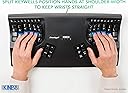
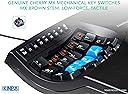
The Kinesis Advantage2 Ergonomic Keyboard (KB600) features a patented contoured split design with integrated palm supports and 20ยฐ tenting to reduce strain and boost productivity. Equipped with Cherry MX Brown mechanical switches, it offers tactile feedback and durability rated for 50 million key presses. Fully programmable via the driverless Smart Set engine with 4MB onboard memory, it supports custom layouts and macros without software installation. Compatible across all major OS platforms, this wired keyboard is backed by a 3-year manufacturer warranty and engineered in the USA for lasting performance.





| ASIN | B01KR1C5PY |
| Additional Features | Ergonomic, Split Keyset Design, Wrist Rest |
| Antenna Location | Office |
| Best Sellers Rank | #1,190 in Computer Keyboards |
| Brand | KINESIS |
| Built-In Media | Kinesis Advantage2 Keyboard |
| Button Quantity | 87 |
| Color | Black |
| Compatible Devices | Plug-and-Play compatible with all USB operating systems (no special drivers required) |
| Compatible Operating System Family | Linux, Windows |
| Connectivity Technology | wired |
| Customer Reviews | 4.3 out of 5 stars 500 Reviews |
| EU Spare Part Availability Duration | 3 years |
| Enclosure Material | Silicone |
| External Testing Certification | Nรฃo aplicรกvel |
| Generation | First Generation" or "Generation 1 |
| Global Trade Identification Number | 00607998600078, 05050914962609 |
| Hand Orientation | Ambidextrous |
| Item Dimensions L x W x H | 16.5"L x 8"W x 3"H |
| Item Type Name | KINESIS KB600 Advantage2 Keyboard |
| Item Weight | 2.2 pounds |
| Keyboard Backlighting Color Support | Single Color |
| Keyboard Description | Ergonomic |
| Keyboard Layout | QWERTY |
| Manufacturer | Kinesis |
| Mechanical Keyboard Switch Model | Cherry MX Brown |
| Mfr Part Number | KB600 |
| Model Name | KB600 |
| Model Number | KB600 |
| Number of Items | 1 |
| Number of Keys | 68 |
| Number of Packs | 1 |
| Number of Sections | 3 |
| Recommended Uses For Product | Office |
| Series Number | 600 |
| Special Feature | Ergonomic, Split Keyset Design, Wrist Rest |
| Style Name | Tactile Brown Switches and QWERTY Keycaps |
| Switch Type | Tactile |
| Theme | Ergonomic Keyboard Design |
| UPC | 607998600078 |
| Warranty Description | 3 Year Manufacturer |
C**S
Expensive but worth it
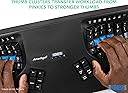
I've experimented with so many other keyboards before landing on this one. Started with a Typematrix before college, switched back to regular keyboards like keychron Q1, then got a Moonlander (which is also split, ortholinear, and has thumb clusters). The biggest thing all of those other keyboards miss that the Kinesis gets right is the keywell - it's convex so it encourages a natural wrist position, and all your fingers rest perfectly on each key. The column of keys for your pinky is slightly higher up and the column of keys for your middle finger is slightly lowered... because your fingers are different lengths. The thumb clusters encourage using your thumbs for super common keys like enter and backspace rather than your weak pinky. And these thumb clusters are way more natural to use compared to the Moonlander. When your fingers are on the home row, you can access all the thumb cluster keys without moving your hand because of the varying heights and angles of each of the thumb cluster keys. Clearly a lot of thought and research went into the design of the key layout. Also, it's super easy to remap keys. It's onboard - you press the remap button, press the key you want to move, and the destination key, and you're done. Makes it really easy to experiment with different positions; for instance, I switched the shift key with the one above it on both sides so that my shift keys were on the home row since it's one of the most common keys. When it comes to build quality and premium feel... Yeah, it's plasticy, yeah it has abs keycaps that will get shiny over time, yeah it has no backlight, and yeah it's wired, but clearly the money was spent on making the most comfortable keyboard, not the most flashy or premium feeling. Even though it's plastic, it feels super durable and I don't think it'll break very easily. If you can't do wired connection, the Kinesis 360 Pro is wireless and very similar, but honestly I prefer the simplicity of the wired connection on this one. No worrying about charging. I also like that it's one solid unit rather than distinct halves. Less to keep track of, less positioning to adjust, but that also means it's less flexible since you can't change the distance between each half of the keyboard like you can on the 360. I think this one is easier to have in your lap though than the 360 with its two distinct parts. All depends on your needs and wants. Speaking of having it in your lap, one downside of this keyboard is that it's raised higher than a lot of other keyboards. The actual keys are lowered down into the unit, but to enforce that, the actual body itself rises up quite a bit. You'll need to make sure you have a chair that can go high enough or a keyboard tray that makes it lower so you're not hurting yourself by scrunching up your neck and shoulders to reach the higher level. I find placing it in your lap is a super comfortable way to use it that gets around this, but consider getting a drafting chair if you need your chair to raise up higher than your current one does. Also, just a small thing, but I love having dedicated function keys (F1-F12). Might be silly, but I've never had a keyboard before where you can just press a function key - without holding down a separate "fn" key or other layer shift. If you use VS Code or develop in general, there's often a number of super useful shortcuts tied to the F1-12 keys, and it's very handy to access them at the press of a button without any key combos or anything else. Highly recommend this keyboard if you experience any sort of pain in your wrists, arms, shoulders, or neck from sitting at a desk typing all day. It's so so worth it. My pain went away so fast. Just make sure the rest of your setup is ergonomic as well. The Kinesis Advantage 2 User Manual has a whole section on how to make the rest of your desk setup ergonomic. Make sure to follow it.
B**N
So good I got 2 of them! And no more wrist and hand pain!!!
This might sound extreme, but I think this keyboard literally changed my life. I say "think" because I'm not sure what could have been. I am a software engineer. Needless to say, I spend a lot of time at a keyboard. Over the years (I'm 39 by the way) my hands and wrists have progressively got worse. I would hear cracking, and constant aching in my hands and wrists. I just assumed that was par for the course with my job. As time went on, it got worse, and I decided to look into keyboards. I've had the split wrist ergonomic keyboards in the past and I liked them, but I thought I would look into something else. After reading tons of reviews, looking at and seriously considering every crazy keyboard style out there. I looked at all the start ups, oldies, etc. I had some criterion: - Nothing but the best ergonimics - mechanical keys - programmable I finally settled on the Kinesis Advantage 2. Setup was as expected. Now that's because I was already aware that there are KVM switches often have compatibility issues for keyboards like the Kinesis. This prevents you from being able to use the keyboard input on the switch. I have a KVM switch (IOGear Miniview DVI 4 port USB KVMP Switch). When reading the reviews from both companies, I knew it wasn't going to work, but I already had a workaround. Basically, because your keyboard has the multimedia controls (like a lot of other of your cool keyboards) and some other advanced features, KVM switches don't recognize them. That doesn't mean that you will have any drivers on your windows PC (or Mac/Linux/etc) or anything like that. It's just a keyboard to everything else in the world... but your KVM switch. This problem was easily solved by using one of the standard USB connections on the switch. I just have to push the button on the switch now. I also hooked up a standard keyboard for the rest of the people on this planet that don't know how to use my keyboard... so I just use that to actually control the KVM so it's really fine in the end. If you are planning to use a KVM switch have a look at the Kinesis web page, they have identified some that do work, sometimes only in a partial manner. As any other review of the Kinesis will tell you, it takes time to get used to. Plan on that. I spent a lot of time on Type Racer practicing in my down time. I completely stayed away from standard keyboards for about 2 months (mostly). I made a lot of mistakes and made a lot of mistypes, hitting double keys, etc. It was obvious from the start how much better the ergonomics were. I was able to easily program some macros into the keyboard. As I mentioned, I'm a software engineer. There are a lot of patterns that I type many times a day, I can do this with a single keystroke now. So far, I haven't found a need for it yet, but the keyboard has different layer settings so if I'm switching between editors that have different auto completion features (i.e. how {} and () brackets are written out and tabbed... developers know what I'm talking about). The Cherry keys are all they are cracked up to be. It's my first mechanical keyboard set so I don't really have much to compare them to, but the keys are wonderful. They are clicky, but not too bad. People I work with have not mentioned much about it so I assume that it is not too bother some. Now, on to the real reason you would buy this keyboard. The ergonomics... As I mentioned, it was obvious immediately how much more comfortable this keyboard is. I'm not sure exactly at what point it was, but my wrist pain went away... and I'm talking about a 2 months... probably less. I didn't have any diagnosed carpal tunnel or anything like that, but the pain was constant. It's also important to note that I have reduced shoulder and neck pain because my arms are in a more natural position as well. I carried my keyboard back and forth to work gladly every day until I got one for my work. At that price my work wanted a doctors note, which I gladly went for. At this point, I have had the keyboard almost a year. I will now switch between "normal" keyboards and the Kinesis pretty easily enough. It literally becomes painfully obvious how much better the Kinesis is after typing at a "normal" keyboard for more than 5 minutes for me now. My wrists will start to hurt almost immediately and I think that I've been doing this all my life. I'm seriously considering switching to Dvorak now that I have one at work and one at home. I was thinking that it might help me separate my brain more from the "normal" keyboard so switching would be easier. I did get the Dvorak version for work to plan for this and will likely buy the keys for my home keyboard. Have a search on Youtube for a review on the Kinesis Advantage 2. There is a very good one that is about about a 15 minute in depth review of the "Human Keyboard". Pros: - Ergonomics - Program-ability - Ergonomics - Build quality - Ergonomics - Actually smaller than it appears in pictures. - Ergonomics Cons: - KVM Switches... but a lot of other high end keyboards will suffer - It's completely different from all other keyboards (but that's why your buying it right?) so switching between "normal" keyboards can be awkward, but it's not as bad as I expected. - Fatter and taller than a "normal" keyboard but slightly shorter. It might not fit well in those desk drawer keyboard trays. - could be considered loud, but nothing louder than any other mechanical keyboard. In the end, this keyboard does exactly what it says, every other review I read is spot on. If you are serious about your ergonomics, are experiencing pain in wrists and shoulders. I'm not saying this is going to cure you... but it might. In conclusion, I "THINK" this keyboard changed my life, because I will hopefully never know, but I was quite certain that I was developing some long term chronic problem with my wrists and hands. As of a year later, I don't worry about this nearly as much.
T**M
Best damn keyboard ever made
No wrist pain, extremely comfortable, no shoulder flaring, and typing is a dream instead of a grind. It also makes Dvorak and other layouts a possibility for those who find AWEF JIO; a more natural "home row" than ASDF, since the keys for longer fingers are deeper in the wells. Layouts are programmable and have two you can toggle easily (e.g. your layout and a QWERTY) saved on the keyboard. Keys are easily remappable. Now using Dvorak on this and QWERTY on flat keyboards. Keys are all reachable. Accidentally hit number keys instead of top row when I first got it. Matrix instead of staggered rows is amazing on this. The thumbs become actually useful and take load off pinkies. There's other stuff like mechanical keys (omg never going back), macros and hardware "click" toggle like blue switches, but the wells and different finger depths, the split keyboard, built-in palm rests and tenting, and thumbs becoming useful are the big points. Seriously, flat keyboards seem designed for robots after using this. The USB cable is very long, and it's attached with a spiral fortifying it to keep it (I think) from bending or being yanked hard. The price it high, but it's an investment in my eyes, and a damn good one that pays for itself in hospital visits avoided and comfort if your trade involves using keyboards a good portion of your walking hours on the earth.
G**G
Best 300 dollars ever spent on an ugly keyboard like this
I've had this keyboard for about 8 months now. At first, I was kind of skeptical about whether if this would be worth the price, but oh boy this keyboard is amazing. Once you get used to it, it's super comfortable to type with. The best part about it is that the space, enter, backspace, and other control keys are all in the center where your thumb is located at. Would have been nice if they made the escape key a little bigger, but you can always remap it to somewhere else. I used Apple's magic keyboard before this and I would constantly feel pain in my wrist after typing just for a little bit. After getting this keyboard, I almost never feel the pain now. This keyboard has a pretty steep learning curve and it took me about a month or two to get comfortable typing with it. But, I was learning a new keyboard layout at the same time (Colemak) to fix my bad habit of typing with two fingers, so if you aren't learning a new keyboard layout at the same time, it'll probably take even less time to get used to it. Pros: - Very comfortable to type with. - Relieves wrist pain - The keys you use the most are typed with your thumbs instead of your pinky - Remap program is easy to use - Gives you a comfortable palm mat - Comes with extra keys for Mac (ex. alt option instead of Windows key) - Great tactile feedback, makes a lot of noise (if you don't want a loud keyboard you can get their red "silent" version) - Easy to clean (all keys can be removed easily with a little remover tool and cleaned) - Easy to switch between Mac and Windows mode (when I use Windows Bootcamp on my Mac I just need to press a single key) Cons: - Ugly (the logo on the center looks pretty bad lol) - Steep learning curve (takes at least a month to get used to it) Conclusion: Definitely worth the 300 dollars if you are willing to put in the time to learn how to use it.
2**2
TOTALLY WORTH THE LEARNING CURVE!
I can never go back to a normal keyboard again! My hands feel great, and working on it is sooo nice...once you get the hang of it. I also find that I use the non-alpha numeric keys much more frequently cause it's so much easier, like Ctrl combinations with page up, page down, home ,and end keys, etc, so easier to keep from reaching for the mouse (trackball). The split arrow keys are a dream, after you break the habit, and it really does feel more intuitive after getting used to it. Also, the location of other keys, like the +=, is really so much more convenient than it used to be. I thought I'd have issues with ctrl+tab or alt+tab, just based on pictures and before actually using the keyboard, but not at all, if anything it's way easier than it used to be. And the function keys are easy to reach after a key combo, so things like switching and refreshing windows, or start/stop commands. The split arrow keys also make it so you can do a lot editing with just the left hand, like highlighting passages, or moving through lines. You can hold down the ctrl button and breeze through combos really smoothly. it's great for keyboard + mouse/trackball scenarios because of this too! Also, with the thumb islands, you can press multiple keys with the same motion, like Ctrl+Alt with the same thumb, and while it takes some getting-used-to, I can already see the workflow getting easier. Only main thing is that I can't use a standard keyboard anymore without reverting to 2-finger mode! Some thoughts on what might be improved: 1. add a space bar, or at least a space button on each side . This was a pain point in my learning curve. For a while I turned the Backspace into a space (cool that you can do that!) , but it was at the sacrifice of the right Ctrl button, and the backspace is cool where it is. But depending on what you're typing, it's convenient to have space capabilities for each thumb. And if you happen to be in keyboard+mouse mode for any reason, reaching accross with the left hand to find the space isn't great. 2. adding custom keys below the shift key. I recognize this might not be in ergonomic reach, but it both seems positioned for a blank/customizable button, and would have helped with the learning curve of the 'feeling' of the shift key being above another button 3. built in trackpad somewhere in the middle. this would be very useful and allow for quick clicks/scrolling without having to move far. I love this keyboard. It should be the standard. Thank you for making it!
C**E
LOVE IT SO FAR
Iโll update this & can only give a partial review @ this time. But I LOVE it! Was afraid since it was so expensive, 1 reviewer said it was too big for her hands, others said too small for their hands; but everyone agreed it was good for pain issues. Just got the keyboard but the computer isnโt here yet. So I canโt plug it in & test functions out yet. But I can play w/ the key fingering & have done that for 2 hrs. I can say itโs very comfortable & the pain I usually have in just 10-15 minโs hasnโt flared up yet. Can also say the fingering is very natural feeling & Iโll only have to get used to some of the symbol & punctuation keys that are in different places than Iโm used to, so not much adaptation needed at all! The numbers are so much easier & more natural than on flat keyboards! I always hated the numbers, but not now! Iโm a woman w/med. size female hands if that helps you any, but smaller hands should do even better than Iโm doing on this keyboard. Itโs easily suited for all sizes of female hands. I canโt attest to it for men w/ larger hands tho. So until I get my computer so I can test the functions of this keyboard, this is all I can truthfully say. So far I LOVE IT & it doesnโt take days & weeks to get used to at all as far as key positions & just straight typing on it. Maybe it will to learn the special functions, remapping keys, or other things, but I donโt know yet. Will update when I know more. I personally see no need to remap keys, but I fully intend to use the shortcut keys & things like that. So if youโre like me & afraid of the price (OUCH!) & what other reviews say about hand size using this keyboard, donโt worry about that if you have female sized hands. No problem there or with learning key layout either! Itโs just so natural the way this is made & I canโt believe there arenโt more made this way! Itโs such a no-brainer & so perfect the way itโs laid out for body comfort & use! All this being said tho, I canโt believe it takes so much more money to produce it that it has to cost this much! I got lucky & got mine w/a very large discount or never could have gotten such an expensive one. I do believe itโs pricing itself out of the market, but as others have said, itโs better than dr & hosp bills & crippling body issues that are very real for some people. I hate to think it preys on injured people to suck more money out of them for the hope of comfort. But I do believe itโs the best keyboard I could have ever chosen for my own issues & thank God for my discount so I was able to get it!!! Hope this helps clarify some questions for anyone on the fence & unsure about what some other reviews are saying about the learning curve & hand sizes.
J**.
It has a high learning curve. Think thrice before you buy this.
I really love this product. Very ergonomic and my arms and hands are at full ease. Also, as keys are very close to your hands, you don't need to move your hands at all even when you type codes with weird symbols like {} [] ~ ` = + and all that. However, this comes at a cost with idiosyncratic arrangement of keys. Yes, you can customize it and change the positions of the keys however you want. But due to the limited space you are forced to put some of the symbols in a place where you really don't want to put to. And there is also a cost of having to adjust to a new weird arrangement. It took me a painful week of re-learning everything with much lower productivity to get adjusted to it, and still I find myself mistyping things after weeks of using this. Another misconception I had was that I might type faster using this keyboard, which is not. Finally, if you assign keys of different size to each other (e.g. Esc for caps lock) you can't switch the keys physically, so you have to remember yourself that you assigned e.g. Esc for caps lock even if you see caps lock physically. So, think before you think the high learning curve and extra effort you need to put will be worth for you. If you overcome it puts your arm and fingers at much ease, but maybe it costs more than you'd expect.
C**N
I love my Advantage2 keyboard
I bought this keyboard a few years ago and had to come back to leave review because itโs that good. I have carpal tunnel and cervical spine issues and typing on regular keyboard was extremely painful. I tried the Kinesis Freestyle Edge but itโs too big for my hands and the split keyboard was too awkward to use. So after reading and watching reviews, I bought the Advantage2. What a great keyboard! The layout and key well keep the my fingers tips from burning. It took a few days to adjust to thumb clusters but now I type considerably faster than I did before. Moving keys to the thumb area reduced strain on the pinky from hours of copy/paste. I have not used any of the remapping or macros but intend to. Itโs expensive but the ROI is worth it if you are online all day. I bought second used one so I can leave it in the office. Cons: itโs a weird shape so traveling/commuting is awkward. I wish Kinesis would offer glow-in the dark keycaps to make up for not have an LED keys. The Advantage360 looks amazing but I prefer a stable keyboard I can use in my lap if I wanted and the Advantage2 has the stability I need. One last wish: gel pads. The Advantage2 palm pads are flimsy pieces of foam that I supplement with improvised cushions. All in all itโs a great upgrade.
T**R
Un gran invento, pero prรกcticamente tienes que aprenderte las nuevas posiciones de las teclas
Un diseรฑo fuera de serie en la bรบsqueda de un teclado ergonรณmico que reduzca las dolencias y malestares de quienes pasan muchas horas tecleando textos. Sin embargo, lo devolverรฉ, porque en mi opiniรณn, dado su diseรฑo curvo, las teclas tienen una posiciรณn inusual, por no decir extraรฑa, por lo que se tiene que reaprender la posiciรณn de las teclas para llegar a dominar este teclado. Tengo 50 aรฑos y empezar de nuevo significarรญa una preocupaciรณn, mรกs que un apoyo.
W**L
Great product!
Initially, my words per minute dropped to 15 when using but after just a week it was up to 50 and now 75+. You can tell the ergonomic benefits you get especially after a long session at the desk where your hands and wrists arenโt sore. While it is expensive it is more than worth it for those who use a computer constantly
A**A
Amazing keyboard for RSI
I was recently diagnosed with RSI. A general economic keyboard did not help the situation and this is where I decided to try this. First challenge was you have to relearn how to use this keyboard as all the characters are slightly displaced. So I actually tracked my progress on typing test.com. on the first week I was at 13 words per minute and subsequently I progress back to 60 words per minute. the only biggest thing I hate about this keyboard is that it is not wireless, given how long it is really been in the industry.
A**E
Sehr geeignet bei RSI
Hat meine Probleme mit RSI sehr verbessert. Innerhalb von einer Woche werden die Schmerzen in der Hand bereits spuerbar weniger. Beste Investition in meine Gesundheit und in meine Arbeit als Programmierer.
D**D
Excellent but takes getting used to
I've used split keyboard for ages and finally wanted a mechanical one. There are a number of alternatives, all expensive, so I decided to give this one a try. I got the version with Cherry Brown switches. Once I got over the learning curve - and don't fool yourself, there is one - I found it very comfortable and easy to use. It's even got a Mac mode which alters the mapping of the thumb keys slightly (and it comes with the correct keycaps for a Mac). I found the hardest thing to get used to was the thumb clusters - specifically, moving the backspace and delete keys from right-pinky to left-thumb. I love it now though. A word to the wise, though: If you can't touch type, you should think again before considering any split keyboard, especially this one. You WILL have to learn to touch type to use this keyboard if you can't already... and you will find out all about the little bad habits you had built up as you get used to the ortholinear key layout.
Trustpilot
2 weeks ago
2 months ago