We remain fully operational. Our teams are working around the clock to ensure your deliveries continue safely.

DOWNLOAD THE APP


Copyright © 2025 Desertcart Holdings Limited
DOWNLOAD THE APP




Buy anything from 5,000+ international stores. One checkout price. No surprise fees. Join 2M+ shoppers on Desertcart.
Desertcart purchases this item on your behalf and handles shipping, customs, and support to Mexico.
🚀 Elevate your office game with speed, style, and smart connectivity!
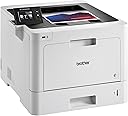
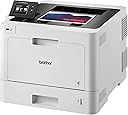
The Brother L-8360CDW is a high-performance business color laser printer designed for busy professionals. It delivers sharp prints at up to 33 pages per minute with a 2400 x 600 dpi resolution, featuring automatic duplex printing to reduce paper waste. Equipped with a 2.7-inch color touchscreen and versatile connectivity options including wireless, Wi-Fi Direct, NFC, USB, and Gigabit Ethernet, it supports seamless mobile and desktop printing. Its 250-sheet input capacity and multi-purpose tray handle various media types, making it a reliable, efficient centerpiece for any modern office.
| ASIN | B09KZYW1ZG |
| Additional Printer Functions | Scan |
| B&W Pages per Minute | 33 ppm |
| Best Sellers Rank | #340,647 in Office Products ( See Top 100 in Office Products ) #472 in Laser Computer Printers |
| Brand | Brother |
| Built-In Media | Printer, Printer Cable |
| Color | black |
| Color Depth | 1 bpp |
| Color Pages per Minute | 33 ppm |
| Compatible Devices | PC, Smartphones |
| Control Method | Touch |
| Controller Type | Android |
| Customer Reviews | 4.2 4.2 out of 5 stars (20) |
| Display Type | LCD |
| Dual-sided printing | Yes |
| Duplex | auto |
| Hardware Interface | USB |
| Ink Color | black, cyan, magenta, yellow |
| Item Dimensions D x W x H | 12.3"D x 17.4"W x 19.1"H |
| Manufacturer | Brother |
| Maximum Copy Resolution Black and White | 2400 x 600 dpi |
| Maximum Copy Resolution Color | 2400 x 600 dpi |
| Maximum Copy Speed Black and White | 33 ppm |
| Maximum Media Size | Legal (8.5 x 14 inches) |
| Maximum Print Resolution Black and White | 2400 x 600 dpi |
| Maximum Sheet Capacity | 250 |
| Maximum print Resolution Color | 2400 x 600 dpi |
| Model Name | L-8360CDW |
| Model Number | L-8360CDW |
| Model Series | 8360CDW |
| Number of Ethernet Ports | 1 |
| Number of Trays | 2 |
| Other Special Features of the Product | Wireless |
| Paper Size | 8.5 inches |
| Print media | Envelopes, Glossy photo paper, Labels |
| Printer Connectivity Type | Ethernet |
| Printer Output Type | Color |
| Printer Type | Laser |
| Processor Count | 1 |
| Resolution | 2400 x 600 |
| Scanner Type | Flatbed |
| Specific Uses For Product | Office |
| Total Usb Ports | 1 |
| UPC | 679541196758 |
| Warranty Type | limited warranty |
G**T
Brother Laser Jet HL-L8360CDW(T)
Thus far, difficulty in getting wireless communication set up. Will keep working on it. Might be user error. Print quality (hard wire connect) is outstanding; speed is good.
J**S
Great Printer, a couple small flaws
For the most part, I love this printer. The print quality is good as well as the price of consumables per page when compared to other laser printer products. I really like the way the duplex printing works, even from mobile devices. The toner cartridges are easy to replace and the paper trays work well. I've added the 500 page tray to allow me to load a whole ream of letter size paper and then I've loaded the tray that came with the printer with legal size paper. One of the main reasons I bought this printer was because it supported printing from mobile devices. The AirPrint works very well and my wife simply loves the ability to be able to print from her iPad. I also like that you can set up the printer to automatically order cartridges when a cartridge gets low. Now for the things I feel need to be improved and that caused me to rate this four stars instead of five. 1. Wireless network setup is not as easy as it could be and if you happen to have a router that combines 2.4Ghz and 5Ghz under the same SSID, then it will not connect. There are work arounds, but this is something that should be fixed. 2. I just received my first refill cartridges and I was expecting that there would be instructions for recycling the old cartridge ... or better yet a return label to send the old cartridges back. There was nothing so now I'm waiting for the holidays to end where I can call and find out if there is a program to recycle the old cartridges. I would definitely recommend this printer.
A**.
Stay away
DO NOT BUY BROTHER!!! I purchased a brother mfc-3750cdw 2 years ago. The printer works just fine. All of the sudden I get a message to update my firmware. Once I do it no longer recognizes my printer cartridges. It turns out their new software update 157 has one sole purpose which is to block out competitive printer cartridges. Now I am forced to purchase $300 worth of cartridges from machine that cost just that. Total scam these people are a sham .
D**T
How I Adore My Brother Printers
This is my second large Brother color laser printer. The first one is still going strong after 10 years, but I donated it to a school instead of shipping it home when I returned from overseas. That printer actually made it through 3 overseas moves and a couple of local ones. Workhorse! This new one has been fabulous so far as well. It was the easiest printer I’ve ever set up, and that surprised me. Plug it in, turn it on, follow the prompts to get the drivers and then to connect to my wireless network, and it was up and running in just a few minutes. The colors are sharp, the print speed is wonderful, and it isn’t overly noisy, nor does it emit a bunch of smells of “hot” … if you’ve experienced this, you’ll know what I mean. I would like to comment on one thing I’ve seen repeatedly in the comments. Others complain that there was no “printer cable” included. Well, no, there really wasn’t since most printers don’t use “printer cables” anymore. What was included, though, was a USB cable which is what all of my printers have used for the last decade. I put it in a drawer in case I need a USB cable since this is a wireless printer (if you want it to be). Although the toners are super expensive, I always use the Brother branded ones. They give me no trouble at all and provide the best outcome for my projects, whether they be printed matter or graphics. While the printer can print photos, that’s not really what laser is meant for … I have an inkjet for that. I look forward to many years with this new printer doing what I need it to do for me. Fantastic!
Trustpilot
1 day ago
3 weeks ago