🚀 Compact power that keeps you ahead of the curve
The ASUS E210 is a sleek, ultra-light 11.6-inch notebook powered by an Intel Celeron N4020 processor and 4GB DDR4 RAM, designed for professionals and students who need reliable performance on the move. Featuring 64GB eMMC storage, Windows 10 in S Mode, and a one-year Office 365 subscription, it balances portability with essential productivity tools. Its slim profile, HD display, and versatile connectivity options make it an ideal companion for everyday tasks, streaming, and light content creation.


| ASIN | B09HX29TPY |
| Audio Output Type | Headphones, Speakers |
| Audio Recording | No |
| Audio features | Laptop with built-in speakers, supports headphones and external speakers |
| Automatic Backup Software Included | Microsoft Office 365, Windows 10 Home |
| Available M2 Slot Count | 1 |
| Battery Cell Type | Lithium Ion |
| Best Sellers Rank | #5,666 in Computers & Accessories ( See Top 100 in Computers & Accessories ) #651 in Traditional Laptop Computers |
| Bluetooth Version | 4.0 |
| Bluetooth support? | Yes |
| Brand | ASUS |
| Built-In Media | L210MA-DB02, Power Adapter & Cord, User Guide, Warranty Card |
| CPU Codename | Gemini Lake-R |
| CPU Model | Celeron N4020 |
| CPU Model Generation | 7 |
| CPU Model Number | Intel Celeron N4020 |
| CPU Model Speed Maximum | 2.8 GHz |
| Cache Memory Installed Size | 4 MB |
| Camera Description | Front |
| Chipset Type | Intel UHD Graphics 600 |
| Color | Star Black |
| Compatible Devices | Devices with 3. |
| Connectivity Technology | Bluetooth, HDMI, USB, Wi-Fi |
| Control Method | Touch |
| Customer Reviews | 4.0 out of 5 stars 989 Reviews |
| Display Resolution Maximum | 1366x768 Pixels |
| Display Technology | LED |
| Display Type | LED |
| Form Factor | Notebook |
| Global Trade Identification Number | 00195553264976 |
| Graphics Card Ram | 4 GB |
| Graphics Coprocessor | Intel UHD Graphics 600 |
| Graphics Description | Integrated |
| Graphics Ram Type | DDR4 SDRAM |
| Hard Disk Description | Emmc |
| Hard Disk Interface | USB |
| Hard Disk Size | 64 GB |
| Hard-Drive Size | 64 GB |
| Hardware Interface | 3.5mm Audio, Bluetooth 4.0, HDMI, USB 3.0 |
| Has Color Screen | Yes |
| Human-Interface Input | Keyboard, Touch Pad |
| Is Electric | Yes |
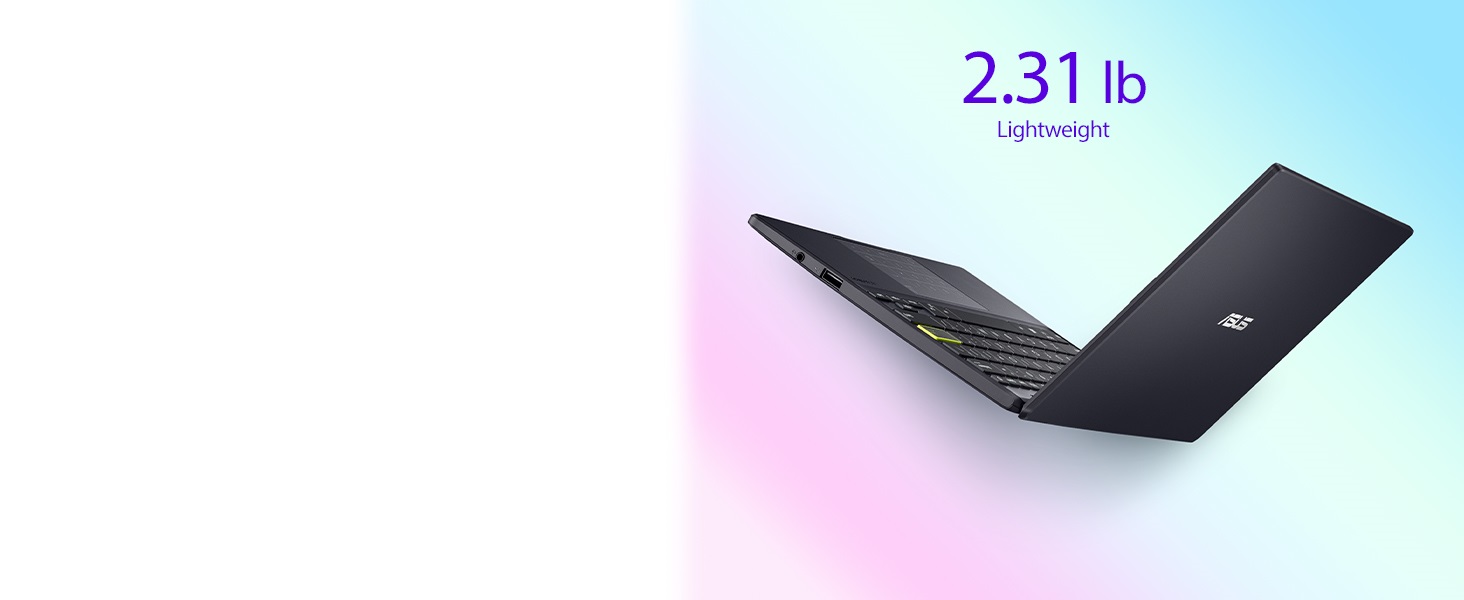
| Item Dimensions L x W x Thickness | 10.98"L x 7.52"W x 0.67"Th |
| Item Height | 0.67 inches |
| Item Weight | 2.65 Grams |
| Keyboard Description | Chiclet |
| Keyboard Layout | QWERTY |
| Lithium-Battery Energy Content | 1 Watt Hours |
| Manufacturer | ASUS |
| Maximum Display Brightness | 250 Nit |
| Memory Clock Speed | 2.8 GHz |
| Memory Slots Available | [A] |
| Memory Speed | 2400 MHz |
| Microphone Form Factor | Built-in |
| Model Name | ASUS Laptop L210 |
| Model Number | L210MA-DB02 |
| Model Year | 2021 |
| Native Resolution | 1366 x 768 pixels |
| Notebook Pointing Device Description | Mouse and Keyboard |
| Number Of Cells | 3 |
| Number of Drivers | 1 |
| Number of Ports | 3 |
| Operating System | Windows 10 Home |
| Optical Storage Device | No Drive |
| Other Special Features of the Product | Anti Glare Coating, HD Audio, Portable, Webcam, Wifi |
| Power Device | AC Adapter |
| Processor Brand | Intel |
| Processor Count | 2 |
| Processor Series | Celeron N4020 |
| Processor Speed | 2.8 GHz |
| RAM Memory Installed | 4 GB |
| RAM Memory Technology | DDR4 |
| RAM Type | DDR4 SDRAM |
| Ram Memory Maximum Size | 4 GB |
| Resolution | 768p |
| Screen Finish | smooth and glossy |
| Screen Size | 11.6 Inches |
| Speaker Description | Built-in |
| Specific Uses For Product | Business, Multimedia, Student |
| Supported Monitor Maximum Quantity | 2 |
| Total Number of HDMI Ports | 1 |
| Total PCIe Ports | 4 |
| Total Usb Ports | 3 |
| Touch Screen Type | Touchscreen |
| Touchpad Feature | True |
| UPC | 195553391351 195553264976 |
| Video Output | HDMI |
| Video Processor | Intel |
| Voltage | 19 Volts |
| Warranty Description | 1YR International*/Eligible for 1YR free Domestic ADP upon registration with 1-way free shipping/2-way FREE shipping for standard hardware warranty repair |
| Warranty Type | Limited |
| Webcam Capability | No |
| Wi-Fi Generation | Wi-Fi 5 |
| Wireless Compability | 802.11ac, Bluetooth |
| Wireless Technology | Wi-Fi |
P**Y
Great little laptop
One of the best computers you can get at the price point. Highly recommend for students on a budget, beginner content creator or business owner. This held me down for many years. Very durable, good battery life, decent boot time, good connectivity, I don't think this is touch screen, keyboard can be cheap feeling and has no backlight, but that wasn't a problem for me. After about year 4 it began to slow down, but what else could a girl ask for? I liked it so much I purchased it again! Als has pretty good internal memory in my opinion. Also super lightweight which I love.
C**T
As a music player, it’s perfect
I used to have E210A when I was in London in 2021. One drawback of that old E210A was that it only had 64GB storage. There was not much space left after Windows updates and installations of apps. This 2024 model with a larger storage of 128GB has completely resolved the problem. When I saw it on Amazon, I immediately ordered one without hesitation. Sure it is slow, not a good tool for any complicated work. However, for me it is a perfect music player. It’s very cheap in price, small in size, light in weight, fanless, and with a respectable battery life. I installed a 2TB SSD and put all my music files on it. I then connected it with my Benchmark DAC3 HGC and active speakers. Running foobar2000 I am in the music heaven. I can also use it to listen to internet radios, Spotify, Apple Classical Music, and so on. It’s just BRAVO! And, hey, it still does well on basics like internet browsing and youtube videos. By paying such a small amount of money, I am completely satisfied. PS. For web browsing, use Edge instead of Chrome. Edge is faster and less demanding on ram than Chrome in this low-end laptop.
E**N
Satisfied.
I bought this for travel, and being small and light it's perfect for that. The numeric keypad function on the touchpad doesn't work on my unit, so I keep it turned off. Appears to be a physical issue within the touchpad. That wasn't really a feature I needed anyway. The touchpad works fine as a touchpad, but I use a trackerball so I don't even need it for that. It came with version 22 of Windows 11, and as soon as I got it initially set up it started downloading version 24. That download and install took a very long time, and the computer was very slow until that got finished. Now it's up-to-date, it runs fine.
F**K
SLOW and S-mode is horrible. 2 day old Computer locks up
Update. My 11 year old daughter used it for a couple hours and played Roblox. She said she couldn't hardly play it's so laggy and then went to YouTube on the browser. After 5 minutes the screen message sorry something went wrong popped up and the computer rebooted by itself. Save you precious time and stay away from this one. This one is being returned. I guess if you just wanted to use this to browse the internet using the default browser for Microsoft then you would be okay as a retiree who has extra time on your hands. I spent hours last night setting up parameters with I was expected on buying a new machine but for some reason this Microsoft computer came up with its own generated email which oddly related to the business I work for but had no connections with that email but it processed and was working. One of the first things I try to use the computer for was printing a document and with the Microsoft S Mode it would not allow me to download the driver for my printer. It came up with some purchasing options for drivers that might work so I attempted to turn S Mode off and the computer was freezing up while I was opening the browsers to search how to do this and then when I attempted to turn it off the screen would just flash and the dialog box that supposed to come up and say it's turned off flash on and then turn right off and you couldn't even see what it read. It would not turn the S Mode off so because of all these issues I chose to spend the time and restore the computer back to New and start all over. Doing that brought me back to reinstalling my actual email for Microsoft and was able to bring the computer up the way it should have in the first place but also I was able to manipulate my way into finding where to turn the S Mode off and this time it allowed it to turn off. It notes Once you turn estimate off you can't turn it back on. But I would assume you just restore the computer and that's how you would get it back if you really wanted that horrible program that locked you into only using Microsoft software. I downloaded Chrome and the system wasn't too happy with that at first so I had to close the program and open it back up a couple of times and then it started working fine. As you can see in the video I was attempting to go through already installed applications and you would watch the page be blank and then slowly populate. I downloaded Roblox and that took approximately 7 minutes while the screen stayed frozen and the timer showed it was barely downloading and all of a sudden it popped up saying downloaded and would you like to open the app. Overall I would send this back if I wasn't going to get charged a restocking fee but technically there's nothing wrong with the computer it's just a entry level product that knowing spending under $200 for you might be getting into. I hope this helped out if you're thinking it was going to be a faster more 2024 year-like computer but you'll end up expecting a computer that feels like the old one you got rid of that has a few viruses on it causing it to be laggy.
J**S
Just What I Needed
This laptop turned out to be exactly what I was hoping for. It showed up just as described, no surprises, and it’s been working flawlessly since day one. I mainly use it for web browsing, emails, streaming, and some light work stuff, and it handles all of that without a hitch. It’s lightweight and easy to carry around, the screen is clear, and the keyboard feels surprisingly nice to type on. Overall, I’m really happy with it. It’s not some high-end powerhouse, but for everyday use, it’s perfect. If you’re looking for something simple, reliable, and affordable, this one’s a solid choice.
P**G
Cheap, light duty, portable laptop - network timeouts on mine
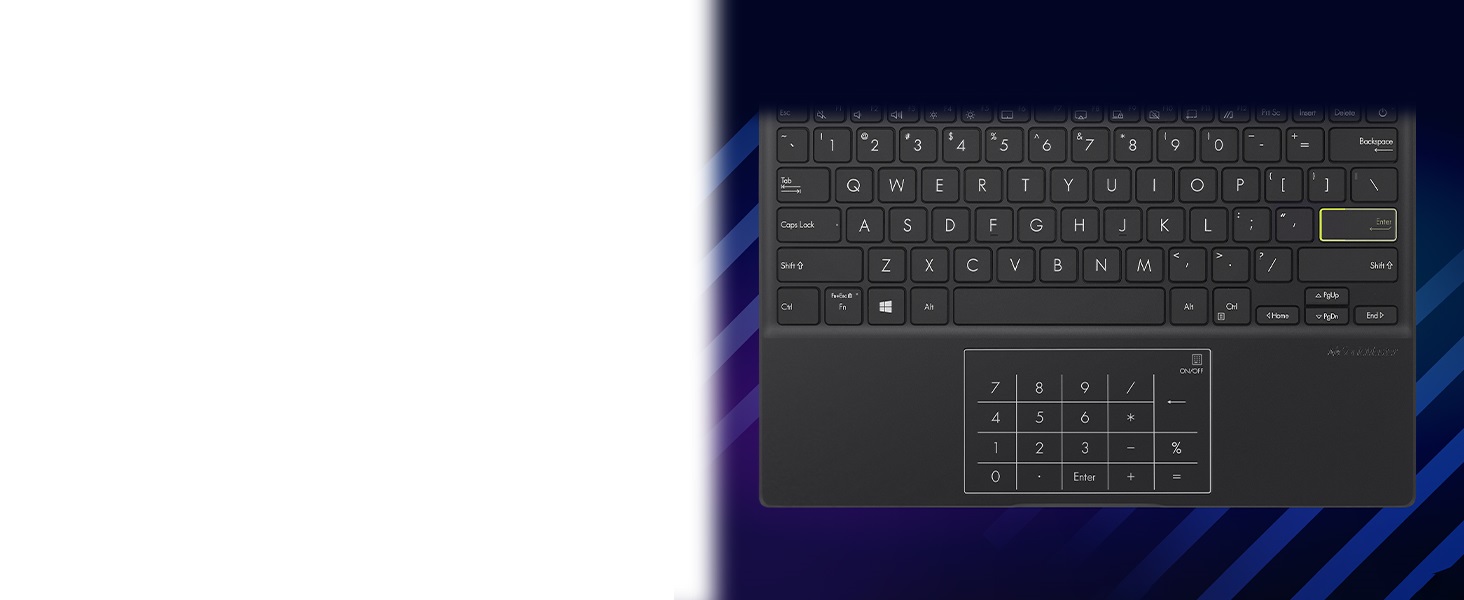
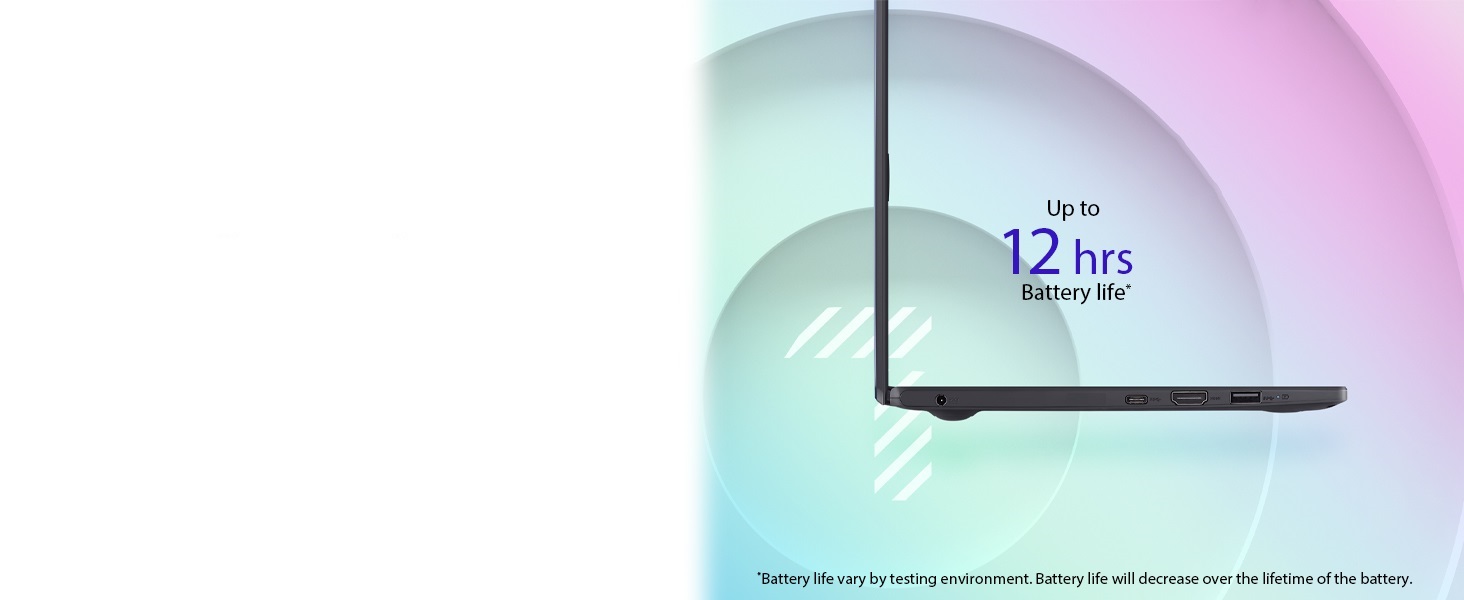
Overall this is a small, light, and cheap Windows laptop. It's rather slow, but may be acceptable for light use such as web browsing, email, listening to music on headphones, etc. It has Bluetooth and USB jacks for expansion, however you CANNOT UPGRADE THE RAM OR SSD. You're stuck with 4GB RAM, which is kind of small. Nevertheless, it runs Windows 11 Home edition. If it weren't for the problem of timing out on network access (described later) I'd be satisfied with my purchase and would have rated it 5 stars. Hardware: When closed it is smaller than an 8.5 by 11 sheet of paper. The 11.6" screen is fine, but if you're planning on doing anything graphics intensive like gaming, this machine won't cut it. The keyboard feels small but OK. If you do a lot of typing you may want something better. The trackpad is OK. It can be turned into a number pad, which I have no use for. It has Bluetooth, which I use to add a "normal" mouse and wireless headphones. The battery lasts for many hours. The RAM is permanently soldered onto the motherboard, so you're stuck with the 4gb that it comes with. Same story with the SSD. It comes with a 128gb SSD. You can expand the storage with a USB flash drive. There are 3 USB ports: 1 USB C, 1 SuperSpeed USB A, 1 slower USB A. The power adaptor uses a separate jack and does not use up the USB C port. There is one hdmi port, and a headphone jack. That's it for ports. There is no SD card slot. After a few weeks of occasional use, it started freezing up when accessing the network. It timed out trying to reach any site even though Windows still thinks it's connected to the WiFi. Failed at home and at a coffee shop. I replaced the WiFi adapter with a "nano sized" USB WiFi adapter and the problem still happens. Pausing Windows Updates seems to fix it. Perhaps this laptop is just too slow to handle anything else when doing a Windows Update? Software: It comes with Windows 11 home edition in "S mode". "S mode" means you can only install software through the Microsoft Store. However, it is pretty straightforward to break it out of "S mode" so you can install whatever software you want. There is not much bloatware from Asus. It also comes with a free 1 year subscription to Microsoft Office 365, which is nice. You'll probably want to install a music player app (Pandora, Spotify, VLC, etc). Maybe add your favorite antivirus program (unless you're satisfied with Windows Defender). Summary: For the money this would be a good little Windows laptop. It's highly portable. It has Bluetooth and USB for expansion. However mine sometimes gets stuck when accessing the Internet. It's limited to 4gb RAM and it runs a little slow. If you're patient and not too demanding then you'll probably like it.
P**E
These Laptops Are Disappearing
These small, inexpensive Windows laptops are disappearing. It looks like 95% of the market in this segment has been taken over by by Chromebooks. If you find Chromebooks even more obnoxious than Windows machines, read on. I don't want to travel around with a $600 laptop, so this cheaper, lightweight machine is perfect for traveling, and possibly getting stolen or lost. It was no trouble to disable "S" mode. Instructions are readily available on the internet. I disabled it on the first try. Some things I like: There are LED lights for both "power" and "caps lock." Though the keyboard is not lighted, the "enter" key is painted fluorescent green around the rim, which makes it easy to see in dim light. The response from the 128GB SSD is pretty snappy, and better than I expected. The screen is matte, which is good -- not glossy. The power supply is small, about the size of a standard cell phone charging block. It took about 30 minutes to get Windows 11 going the first time. On the first charge, I ran the laptop for about 3 hours straight, always doing something, and used about 35% of the charge. This looks more than adequate for the tasks I do. There was approximately 80GB of free space on the 128GB SSD, since Windows takes up a good chunk of it. That's still plenty, since you are unlikely to install any giant games. About the only downside I see is that it gets a little warmer than my previous laptop when doing a lot of work. Not hot - just warm. When it's idling or under low usage, it's nearly at room temperature. But the N4500 processor is about 3X faster, so this is not a factor to drop the score. The processor in this 2024 model is also significantly better than the one in the 2023 model. No problems encountered thus far. I am very pleased with this machine. UPDATE: After three days, I ran into a problem -- but it has to do with the dreadful Windows 11, not the ASUS laptop itself. The Windows version that came installed was two years out of date (V22H2). When I attempted to update, the update downloaded, but then failed to install, giving a message that Windows had reached the end of its service life. Attempting the update again gave no relief. In short, this is a problem with TPM 2.0 and Secure Boot. This was solved by referencing the excellent article by Konstantinos Tsoukalas. Just do an internet search for "Windows has reached the end of service but not updating." Another "problem" was that W11 was using 3.1GB of the 4GB on the machine when the machine was just sitting there idling. The CPU load was running at 20%. I used the REVO uninstaller to get rid of three-fourths of the Windows apps, and all of the ASUS bloatware (which was fairly minimal). This brought the idling memory usage down to 1.7GB and the CPU load down to 10%. Quite significant. Still very happy with the laptop, itself!
J**N
Mine was good
I bought this before I read the reviews and was a little worried this was going to be a bust, but mine is great! It was in ‘S’ mode as a default and wouldn’t install apps unless they were from Microsoft store, but the option was given to disable it. It did seem to take a second to think and the store window didn’t pop up on top like it should have. Had to try a couple of times to get it disabled, but each time it failed it takes you right back to the option screen to disable it so no biggie. I’ll try to hit all the bad stuff I saw: Netflix works just fine 2mb/s download speed (may be throttled by our router) Word worked fine. Comes w/ a free year of office. Does get warm but nothing over any other laptop to cause alarm. A fan tray prob wouldn’t be a bad idea, but that’s true for most laptops. Prob not good for any high load gaming. I’m not even trying. Wouldn’t expect that at this price point anyway. I think it’s a steal at $150. Exactly what I was looking for.
Trustpilot
1 week ago
2 days ago