We remain fully operational. Our teams are working around the clock to ensure your deliveries continue safely.

DOWNLOAD THE APP


Customer Services
Copyright © 2025 Desertcart Holdings Limited
DOWNLOAD THE APP
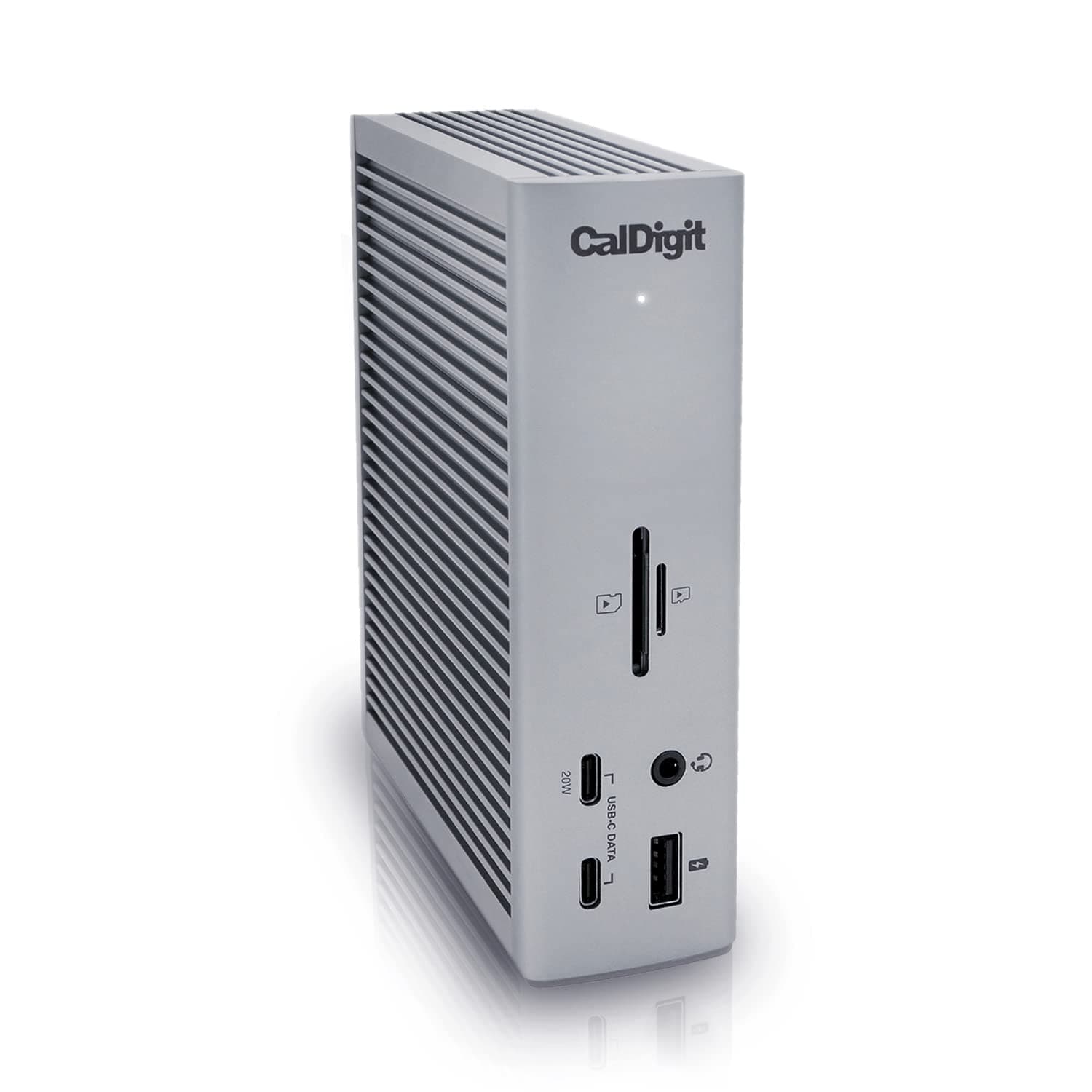
⚡ Elevate your workspace: One dock to rule them all!
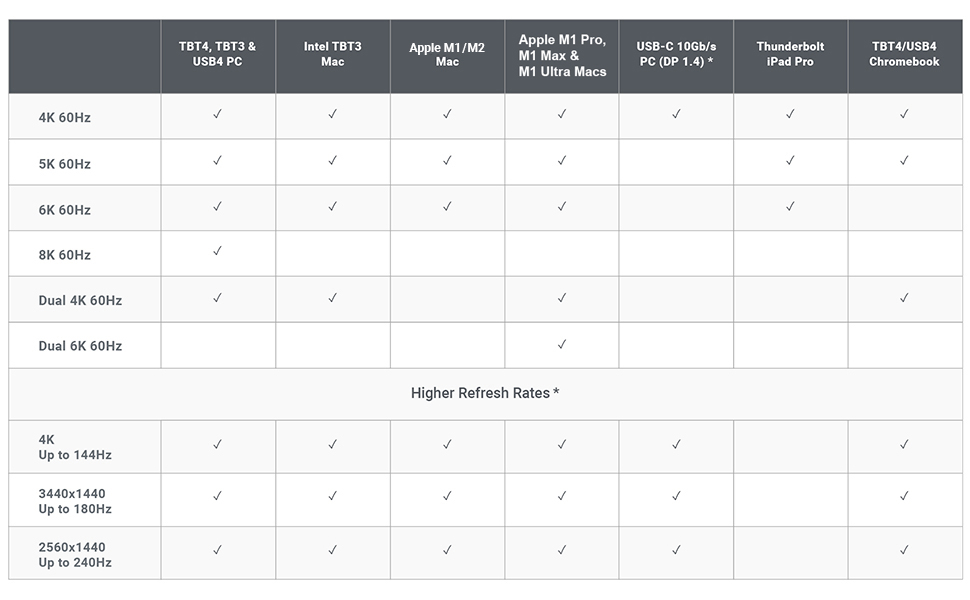
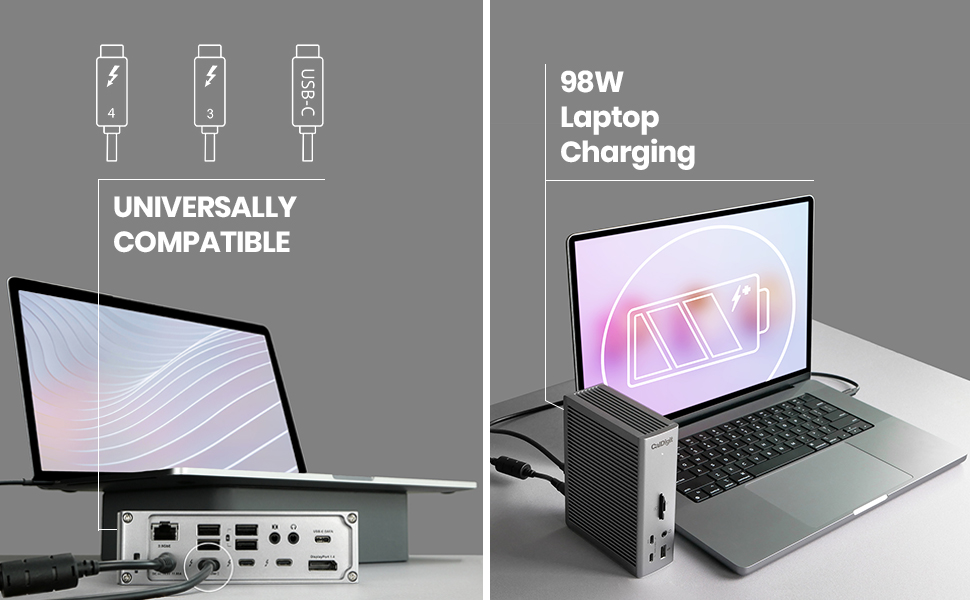
The CalDigit TS4 is a premium 18-in-1 Thunderbolt 4 docking station delivering 98W charging, ultra-fast 40Gb/s Thunderbolt ports, 10Gb/s USB connectivity, and support for up to 8K or dual 6K displays. Designed for professionals demanding seamless multi-device workflows, it features a 2.5GbE LAN port and broad compatibility with Mac, Windows, and Chrome OS, making it the ultimate all-in-one hub for a clutter-free, high-performance desk setup.
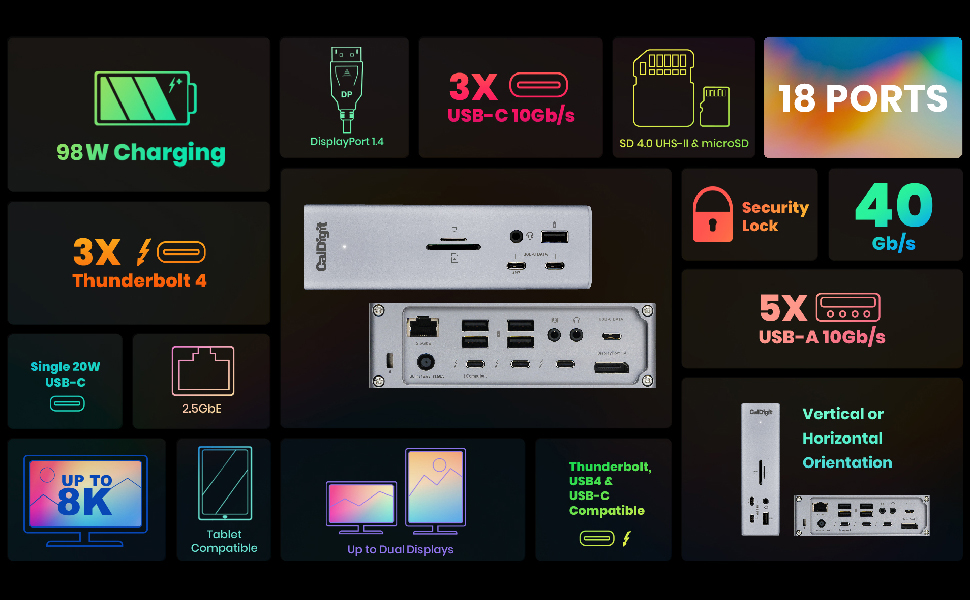
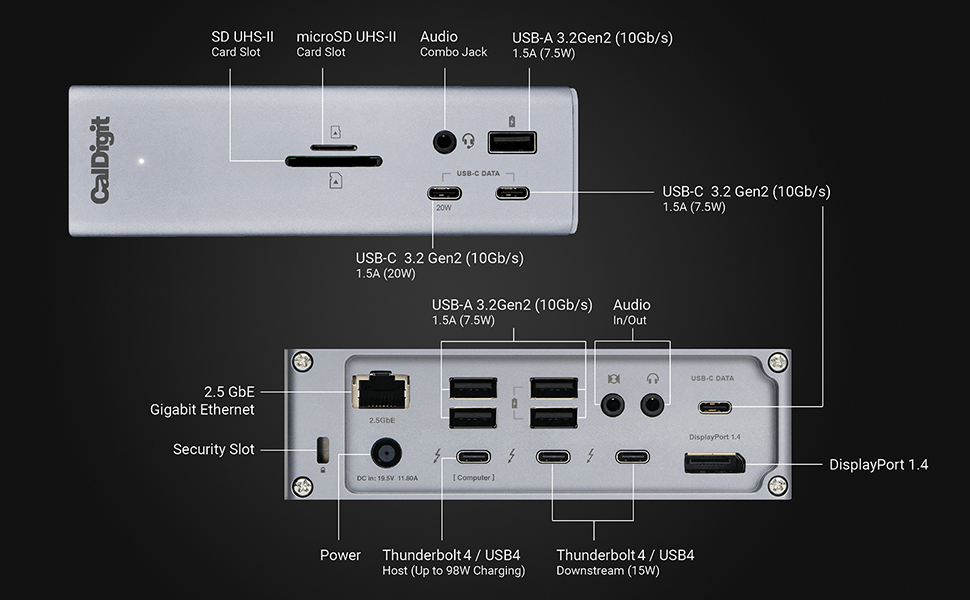


| ASIN | B09GK8LBWS |
| Best Sellers Rank | #4,961 in Electronics ( See Top 100 in Electronics ) #60 in Laptop Docking Stations |
| Brand | CalDigit |
| Color | Space Gray |
| Compatible Devices | Dell Latitude 7370, MacBook Air, MacBook Pro |
| Customer Reviews | 4.1 4.1 out of 5 stars (1,711) |
| Hardware Interface | USB |
| Item Dimensions L x W x H | 4.46"L x 1.65"W x 5.55"H |
| Item Type Name | Thunderbolt 4 Docking Station |
| Item Weight | 1.41 Pounds |
| Manufacturer | CalDigit Inc. |
| Number of Ports | 18 |
| Total Usb Ports | 3 |
| Unit Count | 1.0 Count |
| Wattage | 98 watts |
N**E
Best docking station for MAC Users
All my issues are gone with this docking station. My MacBook pro now recognize all the devices connected with no issue and my desk looks clean. A bit expensive but if you are on your computer for long periods of times I see this as an investment. I've had no issues AT ALL with this docking station. Before I had to be restarting my computer so many times. MAC would not recognize my second monitor, or my mic , CAC, you name it. If you are a MAC user and you have a whole setup on your desk with multiple devices connected to your computer, this is your deal for functionality, otherwise you will always have issues. I've tried many different options and I wish I would have buy this one since the beginning. I kept going from docking station to docking station and trying not to spend this amount of money I ended up spending twice what this docking station cost. So believe me, if you want something that works, that is good quality but that it also looks good this is it. Almost forgot to say that I also use this dock with My Dell 5570, my surface and it is compatible with all of my laptops.
D**G
This "does it all" - a bit pricey but WORTH IT!
I have this hooked up to my 16" MacBook Pro M1 Max. In addition to everything you'd expect from this, let me add my use case.. I mostly use my MacBook in clamshell mode as a desktop (hooked up to a UWS 1440p monitor and a 16x9 1080p monitor). I wanted, among other things, an easier transition between "desktop" and "laptop" and this does it. I don't even need Apple's power supply (I can leave it in my travel bag) because one cable does it all, including power delivery. Now, instead of a dongle for a few things, two portable SSDs, and HDMI and MagSafe power cable to plug-in/detach every time I take my laptop with me, it's just the ONE Thunderbolt 4 cable and the HDMi. The TS4 has the two SSDs (one is my backup drive, another is a data drive, not typically needed when I'm on the road), Ethernet to my network switch, USB to a DVD/Blu-Ray burner, USB to a scanner, USB to a CAC reader, a DP->HDMI cable for my 2nd monitor and the audio from my SiriusXM radio plugged into it. It is SO much easier to transition now and it Just Works. Not only that, I still have USB-C ports, SD slots and a Thunderbolt port to spare - so there's some future proofing! I'm planning on eventually getting a Mac mini or Studio and it will be SO easy to migrate - unplug and plug 2 wires and everything will be there. One note, though, If you're sending video out from the DisplayPort to an HDMI monitor, make sure you get an ACTIVE DP-HDMI cable. They're a little more expensive than non-active but non-active is non-functional.
B**C
Turns your Thunderbolt 4 MacBook Pro into a desktop computer with one cable
I decided to sell my Mac mini and get one of the new 14" MacBook Pro M1 laptops with Thunderbolt 4. This dock literally enables me to turn my MacBook Pro into a desktop computer simply by connecting one cable while turning it right back into a laptop once I disconnect said cable. So, now I have the best of both worlds - a laptop AND a desktop computer to replace my Mac mini. The dock works 100% flawlessly. I have it connected to two USB type C SSD drives, a USB type C 4K display, keyboard, webcam, optical drive, and mouse. Performance is on par to being directly connected to the MacBook Pro ports directly. Literally, ALL of this with ONE single cable running to the MacBook Pro... and I STILL have extra ports available on the dock to randomly connect something else like a USB flash drive. I ALSO have it connected via ethernet to my 1.2Gbs Xfinity internet.... so the 2.5GB ethernet on this dock enables me to also get the full potential of my internet speed. (FYI to anyone with ethernet issues on this dock - When first connecting this dock, the MacBook Pro ethernet would NOT work - consistently said an ethernet cable was not connected. There were two thunderbolt ethernet devices listed in the system preferences under Network. I removed both of these devices, indicated that MacOS should NOT install them again next time the MacBook Pro was docked, then disconnected and reconnected the MacBook Pro to the dock.... the correct thunderbolt ethernet device then appeared in the networking control panel. Ethernet has worked 100% fine since then at the advertised speed.) Did I mention this thing fast charges the 14" MacBook Pro at the full 98W? What is there not to like about this dock??? FYI if this applies to you also - I still use the old Apple USB superdrive for DVD-R/W discs.... CalDigit has the driver download to let this work with the dock still pending on their website, but I am sure it will be available soon.... UPDATE: Have to revise this review to report that USB C SSD drives occasionally drop connection when the MacBook is sleeping. Not sure if it is the mac or dock, but getting drive disconnected without ejection messages sometimes after wake from sleep.
C**N
The TS4 arrived earlier than exepected and as was said in other reviews this is.solid piece of electrical equipment. Took all of 5 minutes to setup and get working, downloaded the software from the internet and has worked flawlessly since. I have the Macpro Desktop that should be able to handle a 4k monitor, 2 30 inch Cinema on Dual dvi and one HDMI with 1920x1080.. The Macpro can’t handle the load so I thought I would try hooking the 2 30inch Apple cinemas with dual DVI conveters/USBs and voila it’s cooking with gas. The MacPro had the 4k monitor and HDMI outputs and functions perfectly with the TS4 running the Apple cinemas. Couldn’t for the life of me get the HDMI out[it to function on the Mac-ro after the recent upgrade and change of the display function, OWC used ti be my go to for Mac products, CalDigit is now. Cheers Cliff
E**H
Works well and have had no issues. Very good unit. Works especially well if you have a mac.
M**O
Es excelente periferico TB, lo utilizo con mi Surface y supera por mucho el dock oficial. Suficientes puertos, es usb c para utilizarlo con otros equipos y con energía de sobra para cualquier dispositivo usb o thunderbolt. Solo hay que considerar que no es portátil o lijero.
M**A
يحتر جدا حرارة عالية تقطيع في تشغيل الفيديو بجودة4K
S**I
the box is for the ts4 , and the item inside is the older model ts 3 !!!
Trustpilot
1 month ago
2 weeks ago