Desertcart purchases this item on your behalf and handles shipping, customs, and support to Mexico.
⚡ Elevate your workspace: Ultra HD visuals, turbocharged data, and power-packed charging in one sleek extension cable!
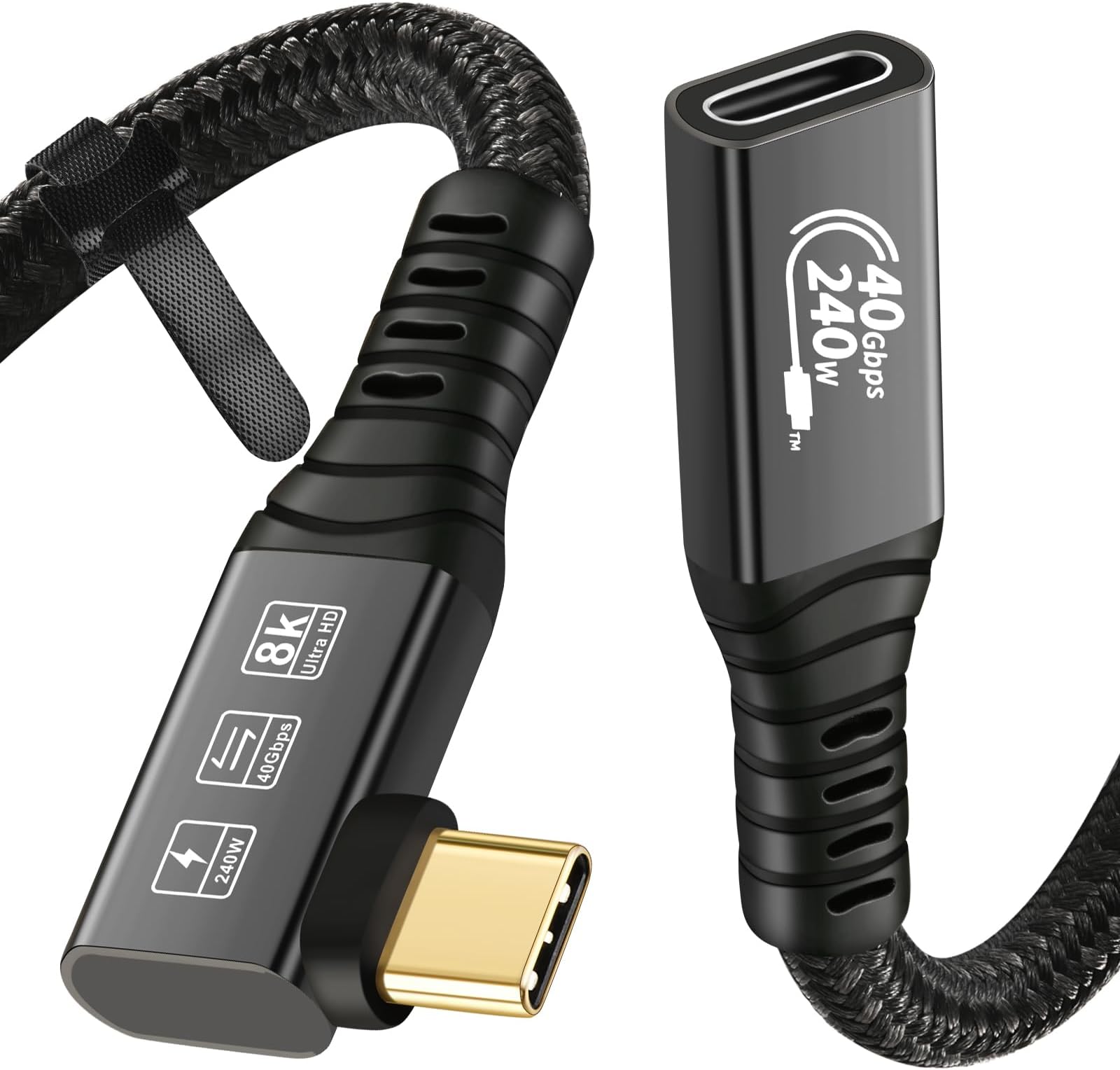
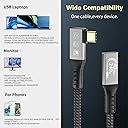
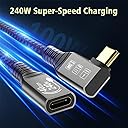
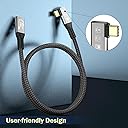
The CableDeconn USB4 8K 0.5M extension cable delivers ultra-high-definition 8K video at 60Hz, lightning-fast 40Gbps data transfer, and robust 100W power delivery. Designed with premium materials and backward compatible with Thunderbolt 3, it’s the ultimate solution for professionals seeking seamless connectivity between USB-C devices, external monitors, SSDs, and eGPUs.


| ASIN | B0B6MKL514 |
| Best Sellers Rank | #301 in Thunderbolt Cables #10,528 in USB Cables |
| Brand | CABLEDECONN |
| Brand Name | CABLEDECONN |
| Cable Type | USB |
| Compatible Devices | Laptop |
| Compatible Phone Models | iphone 15 pro samsung galaxy macbook pro |
| Connectivity Technology | USB, Thunderbolt |
| Connector Gender | Male-to-Male |
| Connector Type | Usb |
| Customer Reviews | 4.5 out of 5 stars 640 Reviews |
| Data Transfer Rate | 40 gigabits_per_second |
| Frequency | 60 hertz |
| Indoor Outdoor Usage | Outdoor |
| Item Length | 0.5 meters |
| Item Shape | Round |
| Item Weight | 0.03 kg |
| Manufacturer | CABLEDECONN |
| Maximum Current | 5 A |
| Maximum Voltage | 20 volts |
| Model | B0101 |
| Model Name | Cable USB 4 8K de 0,5 m, Thunderbolt 4, USB 4 tipo C, macho a hembra, cable de extensión Ultra HD 8K a 60 Hz 100 W, carga de 40 Gbps, transferencia de datos compatible con SSD externo eGPU |
| Number of Items | 1 |
| Number of Pins | 24 |
| Other Special Features of the Product | Data Transfer, Fast Charging, High Speed, Low Voltage |
| Outer Material | Aluminum |
| Part Number | B0101 |
| Recommended Uses For Product | Connecting to external monitors, data transfer, charging USB-C devices |
| Special Feature | Data Transfer, Fast Charging, High Speed, Low Voltage |
| Specification Met | Reach |
| Unit Count | 1 Count |
| Wattage | 100 watts |
Z**U
Works for Thunderbolt and Display Port - USBC port!
This works for my Thunderbolt 3 cable and Display Port-USB C transformer cable both. I can now connect Mac and PC to my Thunderbolt 3 display!
S**.
Great cable to extend Ports behind Devices
Using this behind Monitors, PCs and other Devices where the Ports on the Back are hard to reach.
T**M
Good choice for getting connections in hard to reach spots
I needed a longer cable to power my iPhone charger and this worked great
L**.
The cable finally works for me
Finally a cable extension that works for my unusual setup. None of the 10Gbps extension cable can keep up with all the video signal to multiple monitors through my Dell docking station.
D**L
works for switch 2 dock
bought to use and connect my switch 2 dock to my switch 2 so i don't have to have the switch 2 in the dock. i keep my dock behind my tv and my switch in front, this allows me to extend the dock so i can do this. it was for sure hard to plug into the dock, but that is the dock design. once plugged in this cord stays and works perfectly.
S**Y
Workaround for Red VRaptor proprietary USBC Cable
I used this plus a USB extender as a workaround for Red's dumb proprietary $100 USB cable for the VRaptor's monitor. Don't let Red fool you -the only thing that's different about their property cable is the width of the plug chassis and the fact that it lacks an E Marker chip. (I guess this cable must lack an E Marker.) Just use the tiny short USBC Cable that Red supplies with the VRaptor, plug it into this cable, and plug this cable into a USB extender that's thin enough to insert into the plug on the camera body and you're up and running.
D**R
The ⚡symbol is not clearly marked on the two ends of the cable.
The ⚡symbol is not marked on the two ends of the cable. This is a problem as ⚡ should be top-side on each connector for best performance. If connecting to a Thunderbolt drive, you need to run storage I/O speed reporting software like Blackmagicdesign Disk Speed Test (on OSX) in order to see which side of each Thunderbolt plug should be marked with the ⚡ symbol. How to find out which side of the end connectors should be marked (by you) with the ⚡ symbol: 1. Run the storage I/O speed reporting software while connected to the drive with a marked Thunderbolt cable and without this cable connected (in between) Assess the speed without this cable. Take a screenshot. 2. Run the storage I/O speed reporting software while connected to the drive with a marked Thunderbolt cable with this cable connected (in between) Assess the speed without this cable. Take a screenshot. 3. When the speeds from #1 and #2 match, mark the top of this Thunderbolt cable with ⚡. 4. From now on, always connect this cable with the ⚡ marked ends on top. This will ensure that this cable will run as designed and be reliable AND that you won't short out the Thunderbolt connection. Remember that ⚡ on a Thunderbolt cable marks the top side always. Don't ever plug a Thunderbolt cable in reverse with ⚡ on the bottom.
J**E
Good at first, quickly defective
I didn't use this cable for several months after purchasing it, but initially was very happy with it. Seems like a really well made cable and it "feels premium". Sadly, after maybe five or six weeks of light use, it now makes intermittent connection. Haven't abused or flexed or jammed it or anything, it just doesn't want to complete the connection about 60% of the time, and that's true on computer ports, wall charger ports, and my phone. The ports in those are all good and other cables work fine, so it's just this cable that is failing. Wouldn't mind a replacement but I haven't asked. I think possibly it's just a smidgen too short for full insertion in most ports (the female port isn't always fully flush up front, in holes or behind housings, etc.). Be aware that the ends are rather chunky so this may not work well on some devices, phone cases particularly...they're beefy aluminum so I suppose you could sand/file them down a little bit if you wanted to (and were careful to keep the metal dust out of the connector).
ピ**ド
最強のケーブル
「USB4」と「Thunderbolt 3」そして次に控える「Thunderbolt 4」。 Thunderboltは3からUSB Type-Cプラグになり、便利にはなったが同時にユーザーの混乱を招いている。 形状がUSB-Cであっても、もちろんThunderboltに対応していないケーブルがほとんどだ。 私もThunderbolt 3が出てすぐにアクティブケーブルとパッシブケーブルをとあるツテから入手したが、いまだ一度もまともに使っていない。 (当時はケーブルなのに1万円近くした。これは安くなりましたね) そう、規格やケーブルはあれど、それらに対応したハードウェアが現状は非常に少ないのである。 規格を作るのは容易い。 そして製造で言っても、ケーブルは簡単に作れるのですぐに対応した製品をリリースしてくる。これはHDMIしかり。 しかしそれらに対応したハードウェアはなかなか普及が進まない。 ユーザーもそこまで望んでいないのだろうし、メーカー側もなかなか対応しない。 とは言え、徐々にThunderbolt 3も普及が進んできている。 インテルも新しいCPUで対応してきているし、Apple製品でも対応されつつある。 ということで「USB4」と「Thunderbolt 3」に対応した本ケーブルを1本持っていて全く損はない。 コントローラは「Cypress CYPD2103」のようです。こういうのをしっかり公開しているのも好感が持てます。 Thunderbolt 4が出る前の現在、最強のケーブルと呼べるでしょう。 下位互換としては、PD 100Wで充電できるケーブルとしても、USB 3.2的な高速データ通信ケーブルとしても使えるようだ。 なにせ40Gbpsの速度が出るケーブルなのだから.. (Thunderbolt 3はアクティブでないと40Gbps出ない。ただ、ケーブルがボトルネックになることは少ないと思います..) 残念ながら私も5KかつUSB-Cをサポートした機器(ソースもディスプレイも)を持っていないため、マシな検証はできていないが、iPad Air 第4世代で、USB-C対応のモバイルモニターに出力できたことは書いておきます。 ビデオものせておくので参考にされてください.. 【追記】 PD 100W以上のACアダプタを入手したので試してみました。 チェッカーではちゃんと5Aが表示されたので、eMarkerが入っているケーブルだと思います。 そもそもThunderboltなので当然ですが..
O**R
sağlam
2 tane aldım iki farklı günde geldi. ayrı ayrı kargoya vermeleri dışında bir olumsuzluk olmadı. belki gümrükten geçmesi için düşünülmüş olabilir, bilemiyorum. ürün çok kaliteli, kablo değil demir çubuk mübarek.
M**Y
FINALLY!!!!
I needed a longer cable from my laptop to my hub with power delivery of 100w, support 2 monitors and fast data transfer, I tried many cables including a thunderbolt 4 and nothing worked. I decided to give this a shot before changing my whole set up and IT WORKS!!!! Used the cable that came with hub, added the extension to go to my laptop and instantly the monitors were on. I belive the hub has restrictions for cables and my work laptop has so much security I can't just download drivers or apps so I am very happy this cheaper extension(vs $100+ thunderbolt cable) worked. It seems heavy duty but I just got it so shall see, but wanted to let others know incase they are in a similar situation.
L**N
Works flawlessly
I was able to extend my TB / USB-C dock, and these devices are notoriously fussy. Particularly fussy when you consider they're connected to a MacBook Pro. So I'm very happy with this purchase.
D**L
Macht was es soll
CableDeconn USB4 / Thunderbolt-4 Verlängerungskabel (0,8 m) – Rezension Das Kabel läuft unter macOS und Windows stabil. Ich nutze es als Verlängerung für den Laptop-Verlängerungsarm, damit die Dockingstation nicht direkt am Gerät hängt und ich den Anschlusspunkt flexibel an den Arm führen kann. Im Einsatz mit meinem Samsung Odyssey G9 OLED 49" (DQHD) funktioniert das Kabel sauber. Die volle Auflösung und Bildrate kommen an, keine Flackler, keine Unterbrechungen. Für ein Setup mit so einem breiten 49-Zoll-OLED ist die Bandbreite entscheidend – das Kabel hält das problemlos durch. Ein Punkt ist dabei wichtig: Die USB-C-Kupplung der Verlängerung arbeitet nur in einer Einsteckrichtung. Dreht man den Stecker um 180°, erkennt der Laptop die Dockingstation nicht mehr. Sobald man die richtige Orientierung einmal hat, läuft alles fehlerfrei. Der USB-C-Port am Laptop selbst funktioniert weiterhin unabhängig von der Steckerposition – das Verhalten betrifft nur die Verlängerung. Für Monitorarme, Laptop-Arme oder Setups mit schwer erreichbaren Ports ist die Verlängerung praktisch. Stabil, volle USB4-/TB4-Leistung, und mit dem G9 OLED absolut kompatibel – man muss nur die richtige Steckrichtung einmal wissen.
Trustpilot
1 month ago
1 month ago