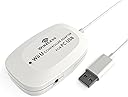
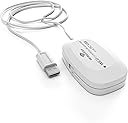
🎮 Elevate your PC gaming with classic Wii U control — wireless, versatile, unstoppable!
The MAYFLASH Wireless Wii U Pro Controller Adapter transforms your beloved Wii U Pro Controllers into powerful PC gamepads via Bluetooth v2.1 with EDR, offering up to 33 feet of wireless freedom. It supports both DirectInput mode for up to 4 controllers and Xinput mode for single-controller compatibility with Xbox-only games, complete with turbo functions and vibration feedback. Compatible with a wide range of Windows OS versions, this adapter ensures seamless plug-and-play setup and customizable button mapping through firmware updates, making it a must-have for gamers who want to repurpose their Wii U controllers on PC with style and precision.
| ASIN | B00E6553PW |
| Best Sellers Rank | #32,707 in Video Games ( See Top 100 in Video Games ) #12 in Wii U Adapters #75 in Wii Adapters #5,157 in PC Accessories |
| Brand | MAYFLASH |
| Color | White |
| Customer Reviews | 4.3 4.3 out of 5 stars (711) |
| Date First Available | August 6, 2013 |
| Hardware Platform | PC, Windows, nintendo wii |
| Is Discontinued By Manufacturer | No |
| Item Dimensions LxWxH | 4 x 2 x 0.7 inches |
| Item Weight | 1.6 ounces |
| Item model number | W009 |
| Manufacturer | MAYFLASH |
| Operating System | Windows 98,xp,Vista and Windows 7 and Windows 8(32 bit and 64 bit versions) |
| Power Source | Corded Electric |
| Product Dimensions | 4 x 2 x 0.7 inches |
| Wireless Type | Bluetooth |
J**.
Works as advertised, firmware update can be finicky
Does exactly as advertised here, it's a no-nonsense PC adapter for your Wii U Pro controllers. There are some oddities with its direct input mode which render it incompatible with Steam - it will detect that you have a controller plugged in, and you can even navigate around the menus with the dpad / analog sticks, but you can't change the configuration at all and it accepts no other controller inputs. I suspect this may have something to do with how the adapter presents itself in direct input mode, and how steam expects to receive controller input. Steam does not automatically load a user profile for this controller either, so I suspect that nobody else has figured this out and that i'm not the only one with the problem. If you were planning to use this device with Steam Big Picture mode (say, for in-home streaming and multiple Wii U Pro controllers, for example), this will not work for you. Steam only recognizes it and accepts input from it in xinput mode, which only allows you to use one controller per adapter. It is 100% functional as an xinput device, all xinput compatible software sees it and accepts it as an xinput controller in that mode. As shipped, the button mapping is 1:1 (ie: A=A, B=B, X=X, Y=Y), even though Microsoft and Nintendo place these buttons in different locations on the controller. A firmware update released in February of this year allows you to press a button combination on the controller in order to reverse the mappings, which places the buttons back where you'd expect them to be. The software could've been a little more intuitive, though - I couldn't get it to work on my primary computer, and their directions left me wondering if I was just doing something wrong. So, here's what you have to do: Download the firmware updater from maysoft's website, and run it as administrator. You'll see a single greyed out button that says 'update firmware'. Unplug the device, and set it to xinput mode. Press and hold the sync button, and keep it held as you plug it in. If you did it right, Windows will detect a different device than usual, and the red light on your adapter will NOT light up. At this point, the 'update firmware' button on the software will be clickable, and you can proceed to update the firmware. Leave it plugged in until the software tells you that the update was completed, it shouldn't take long. If this process exactly as I described doesn't work for you, something went wrong in the process and your only real choice is to try it on a different computer, which can be inconvenient or simply not possible for some. Since it's a firmware change on the device and not a software update on your OS, once updated, the button combination will work to change the button layout no matter what computer it's plugged into, which is nice. With this update, the controller can be considered to be completely interchangeable with every other Xinput device on the market, and no longer requires its own special button mappings. I previously gave this adapter 4 stars, but now that they've updated it, I believe it's worth 5 stars.
A**D
Works great, quick painless setup
Works great, quick painless setup, inexpensive, I love it! I split my video gaming between a home built gaming rig and a Wii U console. I was considering purchasing an xbox controller to use for gaming PC, until I started researching if I could use my Wii U pro controllers on PC and this adapter does the trick perfectly and sames me money! I love the feel of the Wii U Pro Controller and with certain style games a gamepad just feels right (I'm currently playing Gauntlet with it). I still play FPS and strategy games with Keyboard+Mouse, but this gives me more game play options for other types of games and allows me to give dual purpose to controllers I already own for my Wii U. Note: I think most modern games on Steam support gamepad controllers but only Xinput (not Dinput). With Gauntlet for example I have to use Xinput, which means only one of my Wii U Pro Controllers with this adapter. So for something like Lego Star Wars Complete Sage where local co-op play (2 people playing in the same room on one computer) I will likely have to get a 2nd one of these adapters for my 2nd controller for both pro controllers to work at the same time. If the game supports Dinput then up to 4 can be used on one adapter. This adapter allows you to switch between Dinput and Xinput (I cut the notes below directly from Mayflash's website) ●If the Input Switch is set to the "Direct Input" mode, the controllers are recognized as standard Human Interface Device. Your controllers can be calibrated at the Windows Gamepad Setup screen. Up to four controllers can be recognized by a single adapter while in this mode. ● Setting the switch to "Xinput Mode" will make it possible to fool certain PC games which lock out proper input modes from the user unless an Xbox controller is attached (for a list of these games, check Wikipedia). While in Xinput Mode Vibration Feedback is available. The drawback is that while in this mode, only one controller can be recognized by the adapter.
B**K
Very Simple, Very Good
For the longest time, I've been trying to find ways to use Wii controllers on my PC. I started off with bluetooth adapters and a cavalcade of programs that ended up not working too well. I had purchased a Wii Classic Controller to USB adapter and used that for awhile. Though, given the superiority of the Wii U version, I had always wanted to use it. To my excitement, I discovered that this product exists. First and foremost, it's the most simple thing you could ask for. There is no software to customize or drivers to install; you plug the unit into your system, hit the sync button on the unit and on the Pro controller, and everything works seamlessly. It has two modes: X-Input and Direct. X-input mode emulates an Xbox 360 controller, whereupon the rear triggers function as analog and the rumble works perfectly. The only caveat is since this is a Nintendo controller, AB and XY are in their respective Nintendo locations, so the bottom button presses as B and the right button presses as A and so on. In Nintendo games, it works as it should. In most PC games, though, you may need to remap the buttons accordingly. Also, in X-Input mode, only one controller works per adapter, so in a situation where you would like four wireless controllers on your PC, you would have to either buy four adapters or use Direct Input. DI mode supports four controllers with one adapter, but the ZR and ZL buttons become digital and the rumble doesn't operate. With that said, the Wii U Pro Controller is my favorite gaming controller. I've used Dualshock 3, Xbox 360, XBox One and PS4 controllers, and this one is still my favorite. You really can't argue with the 80 hour battery life, either.
F**E
Il prodotto funziona alla perfezione e viene riconosciuto senza bisogno di driver come controller xbox 360. I tasti sono mappati 1:1 (A>A) quindi rispetto ad un pad 360 le due coppie di bottoni saranno invertite. Il tasto home funziona come il tasto guida del pad xbox ed è perfettamente supportato dallo steam big picture. Per quanto riguarda l'altra modalità di funzionamento,la dinput, essa consente di collegare fino a 4 controller a un solo ricevitore (la modalità precedente mappa massimo 1 pad per ricevitore) everranno riconosciuti come pad generici. La cosa bella di questo adattatore è che mettendolo in quest'ultima modalità esso funzionerà perfettamente anche con una ps3 e in questo caso i tasti saranno mappati come quelli di un pad playstation (A>O, B>X, etc...). Prodotto veramente consigliatissimo!
C**O
Un producto de calidad, se ve sencillo pero hace su trabajo, me gustó bastante. Llegó en tiempo. Así podre sacarle provecho a mi control Wii U pro
W**N
Ich muss sagen, dieser Adapter ist wirklich sein Geld wert. Nachdem der Adapter angeschlossen wurde, wurde er automatisch erkannt(Windows 7 64 Bit). Das Adapter ist auf XInput eingestellt, somit wurde der Controller nach der Synchronisation(welche nach Drücken der beiden Sync Buttons reibungslos funktionierte) sofort als Xbox 360 Controller erkannt. Ich musste keine zusätzliche Software oder Treiber installieren. Habe den Controller mit 2 Spielen ausprobiert, welche den Controller als Xbox 360 Controller erkannt haben. Somit werden alle Bedienelemente automatisch mit den Buttons des Xbox 360 Controllers angezeigt, wie man das von einem orginalen Xbox 360 Controller her kennt. Wie bereits in anderen Rezensionen beschrieben, sind die Belegungen des Wii U Controllers und des Xbox 360 Controllers nahezu identisch. Nur der Viererblock mit den Buttons Y,X,B,A sind quasi umgedreht. Ich war daher überrascht, dass die Belegung der Buttons dem Wii U Controller angepasst werden. Sprich wird z.B der A-Button angezeigt, muss auf dem Wii U Controller auch der A - Button gedrückt werden, trotz der unterschiedlichen Anordnung. Hatte die bisherigen Resenzionen immer dahingehend verstanden, dass das Layout identisch bleibt, und somit z.B bei Anzeige des A-Buttons auf dem Wii-U Controller der B-Button gedrückt werden muss. Sofern man nicht vorher permanent einen Xbox 360 Controller genutzt hat und somit die Buttonanordnung in Fleisch und Blut übergegangen ist, finde ich so eigentlich besser und weniger verwirrend, dass die angezeigten Buttons auch den tatsächlichen Buttons des Wii U Controllers entsprechen. Die Reichweite des Adapters ist ähnlich gut wie bei der Wii U. Auch in mehreren Metern Entfernung funktioniert der Controller noch ohne Abbrüche. Da lobe ich mir die Bluetooth Technologie. Die Rumble Funktion funktionierte auch auf Anhieb ohne zusätzliche Treiber. Mit diesem Adapter wird der Wii U Controller für mich wirklich zu einem der besten Controller für den PC.
L**E
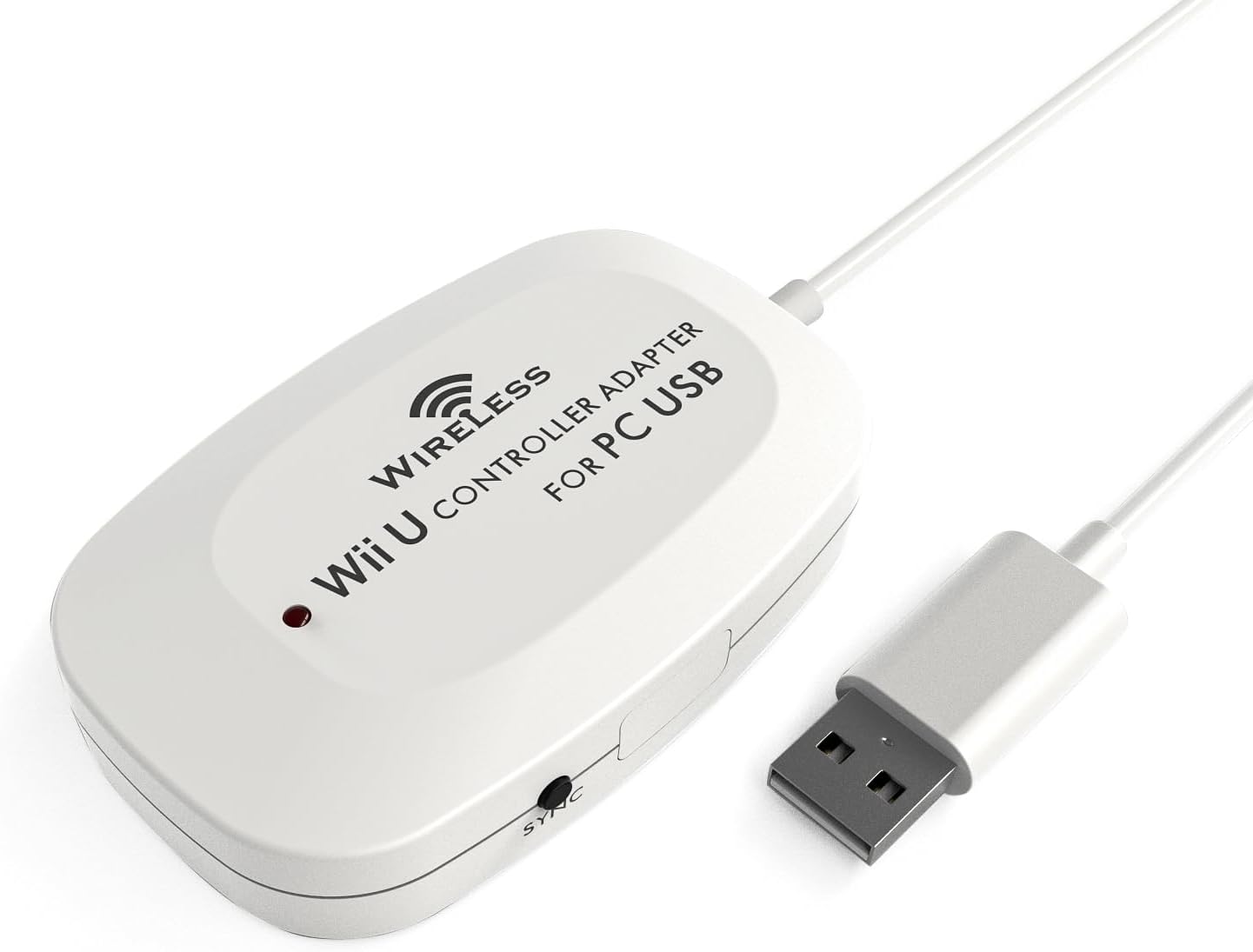
I got a Wii U for my 16th birthday (May 3rd 2013) and I had a pro controller bought for me along with it. I had read online about ways that you could connect the pro controller to a PC and I tried them all. They were quite complicated but in the end I managed to get Skyrim working with my pro controller. Because of the nature of the methods online, I would of had to have got a Toshiba bluetooth device if I wanted to use my pro controller permanently. I decided to give up on it as I thought it wasn't worth all the hassle. When I found out about this product, I was over the moon. t was advertised as a device that let's you use the Wii U Pro Controller on a PC and a PS3. This sounded like the perfect product for me as it would allow me to play my PC games and PS3 games with my Wii U Pro Controller as it felt better in my hands as I have big hands. This adapter is actually better than what the developers say as it not only works in my PC and my OS3 but it works in my OUYA and it works in the PCs at my school without needing to use the driver disc that comes with the product. This adapter has a long cable which it doesn't really need and it has a switch to go between Dinput and Xinput. It also has a Sync button to sync it to your pro controller. It is a nice looking device for what it does and the only problem I have is that the home button on the pro controller only works as a turbo button so you can't get to the XMB on a PS3 unless you have a PS3 controller connected too. I will give this product a 9/10 only because of that problem with the home button on the PS3 and I would recommend it to other people.
A**H
Reçu aujourd'hui, du coup je vais pouvoir répondre aux 2 questions que j'avais posé : Est ce que quelqu'un l'a testé avec Assassin's Creed Unity sur PC ? OUI et c'est marche impeccable !!! Est ce que c'est compatible avec cette manette : Manette pro sans fil afterglow pour wii u ? OUI donc tout est parfait ! S'installe en 2 secondes, synchronisation immédiate, et aussi pour amazon, livraison ultra rapide !!!! Il y a effectivement une LED rouge qui clair en permanence mais comme je l'ai planqué derrière la tour, on ne voit rien, sinon : chaterton !!! J'espère juste que ca va tenir dans la durée ! Je suis très très satisfaite (et c'est pas toujours évident !!!)
Trustpilot
3 weeks ago
1 day ago