Buy anything from 5,000+ international stores. One checkout price. No surprise fees. Join 2M+ shoppers on Desertcart.
Desertcart purchases this item on your behalf and handles shipping, customs, and support to Mexico.
🔗 Bridge the old with the new—print smarter, not harder!
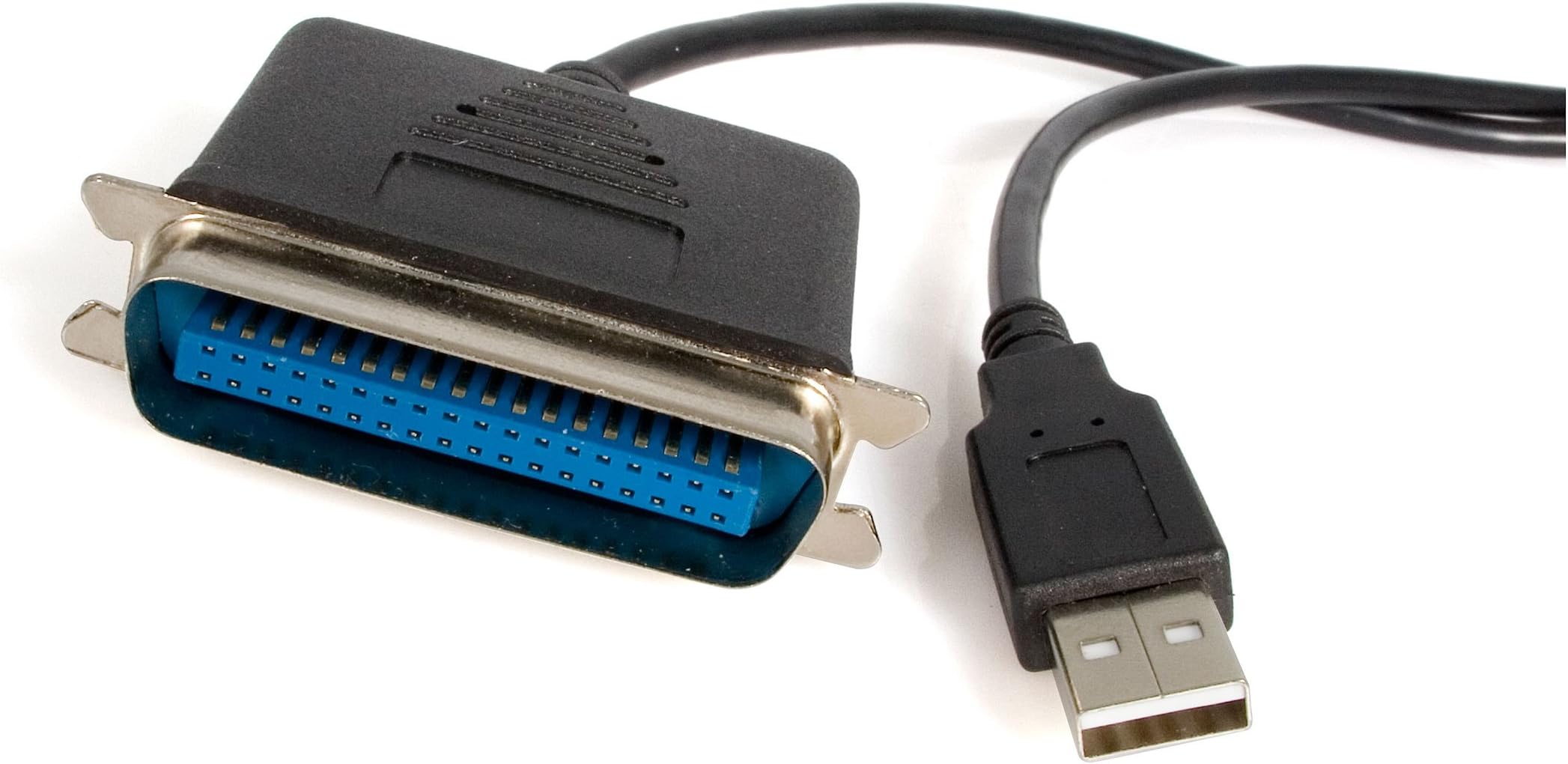
The StarTech.com ICUSB1284 is a 6 ft USB 2.0 to 36-pin Centronics parallel adapter cable that enables seamless connection of legacy parallel printers to modern USB-enabled computers. Featuring plug-and-play compatibility across Windows, macOS, and Linux, it delivers fast data transfer with low power consumption, making it the go-to solution for IT professionals needing reliable, portable printing connectivity.


| ASIN | B00005110L |
| Best Sellers Rank | #1 in Parallel Adapters #7,979 in Computer Cables & Interconnects |
| Brand Name | StarTech.com |
| Cable Type | Converter |
| Color | Clear |
| Compatible Devices | Computers |
| Compatible Phone Models | No Compatible Phone Models |
| Connectivity Technology | USB |
| Connector Gender | Male-to-Male |
| Customer Package Type | FFP |
| Customer Reviews | 4.3 4.3 out of 5 stars (357) |
| Data Transfer Rate | 480 Megabits Per Second |
| Global Trade Identification Number | 00065030781015 |
| Included Components | 1 USB to Parallel Converter Cable |
| Indoor Outdoor Usage | Indoor, Outdoor |
| Item Length | 182.88 Centimeters |
| Item Shape | Round |
| Manufacturer | STARTECH.COM |
| Maximum Current | 180 Milliamps |
| Maximum Voltage | 5 Volts |
| Model | ICUSB1284 |
| Model Name | ICUSB1284 |
| Number of Items | 1 |
| Number of Pins | 36 |
| Other Special Features of the Product | High-quality 6 ft. USB to Parallel Printer Adapter for USB capable PCs |
| Outer Material | Plastic |
| Recommended Uses For Product | transferring data |
| Specification Met | No |
| UPC | 065030781015 |
| Unit Count | 1.0 Count |
| Warranty Description | 2 Years |
S**.
What is shipped is exactly what is advertised & arrived when they said it would!
Works great for my older equipment. It got me back up & running!!
S**E
Extended the life of my ancient dot-matrix printer
I finally had time to try this, long after I bought it, and it worked great. I can use my 1990s dot matrix printer with a modern laptop running Linux (debian). Plug and play... well, OK, had to figure out a few things in Linux, but it really was not hard to get this working. In a more common environment it's probably even easier. If you have the niche need for this product, I can recommend it without hesitation.
J**D
Works fine & is unobtrusive.
Installed it on a new MB installation that did not have a printer port. The printer is an HP Deskjet 622 and it was recognized immediately by my new 64 bit Win 7 installation. Unfortunately the drivers for the 64 bit version of Win 7 Pro were broken - an HP or Windows thing, not a problem with the cable & its driver. After searching the web for the fix I found it, installed the new HP drivers and now it works perfectly. The bonus for me is that the 10' cable gives me the extra length to make a comfortable built in installation. I'd certainly recommend it.
J**.
Extended Use of HP LaserJet 5 Printer
The product is exceptional. I upgraded my PC and Windows XP Operating System plus Microsoft Office 2003 to Windows 7 and Office 2010 to solve an Excel crash problem caused by exceeding "Excel's Format Limit"; however, computers no longer have a "Parallel Input/output Connection", only USB 1, 2, & 3 plus others but no "Parallel Port". Windows 7 does not include a "Driver" for using a USB 2.0 to IEEE-1284 Parallel Printer Adapter Cable; nor does HP provide such a "Driver". I have been using this product (and the included "Driver") for months now and it works flawlessly. Read the instructions included on the CD to learn how to install both the "Cable" and "Driver" correctly. There is a "Specific Sequence" for "Installing the Cable", "Turning the Parallel Port Device ON", and "Installing the Driver". This product includes multiple "Drivers" for different applications; so read the instructions and your "Parallel Port Device" will work again with Windows 7. If you need this for Windows 8 then call the manufacturer to confirm if they have a "Down-Loadable Driver for Windows 8" given you purchase this cable and included "Drivers".
D**K
Works without any hassles!
This adapter is handy for connecting vintage printers that have a parallel port interface. I just plugged in the adapter and was immediately able to print with my old Epson MX-100 dot matrix printer. Ubuntu recognized the hardware and created a device file for the parallel port without any help from me. Nothing could be easier. Excellent value.
F**E
It works!
I bought this to go on an older HP laser printer when I bought a new computer that didn't have a parallel printer port, but after trying a name brand USB to Parallel cable it didn't work. I was scratching my brain when the "better" cable failed so I searched the internet for answers as to how to get my older printer to work with my newer computer. What I discovered was my particular printer will not respond with better cables but with generic cables it would? I really like my printer and didn't want to throw out a perfectly good high quality laser printer just because it was 15 years old, so I thought what the heck I"ll try the generic cable and if it doesn't work send it back...the darn thing worked! I don't understand why a generic cable worked when a name brand wouldn't, but it works so I don't care!!
H**G
Per StarTech: Does not work with all printers, drivers
Did not work for me. The driver for the adapter installed automatically (Windows 7, 64bit). I had the correct printer driver installed (HP LaserJet III). I used Windows' "Add a Printer" and connected to the USB "virtual printer port" (tried every USB port available). But when I tried to print, docs just sat in the print queue, no indication data ever tried to go to the printer. I've tried & tried & tried many times; read every review for steps taken by others with various laser jets and/or Win 7 PCs; tried different orders for the steps; rebooted MANY times; found a PDF on the StarTech Web site (that doesn't seem to apply to Win 7!) and did things in the order specified there; I cleared all drivers and re-installed drivers; I completely deleted all printers (using MMC) & started from scratch... Still no luck. I tried on a different Windows 7 PC that has USB ports and no parallel port. Nope. Still no luck. The printer works fine with a Win XP machine that has a parallel port, but nothing happens with this parallel-to-USB cable, even with the native driver that came with Windows XP and has been used for years with this printer (via parallel port). After many days (over several weeks) of this, I'm thinking my StarTech cable is bad, but I see no way to tell if it's the cable. ---- Update ---- I contacted StarTech customer support about this. The only way to tell if this particular cable is bad is to try it on another parallel printer known to work with their cable, but I don't have other printers, so there's no way to know. They suggested I try the generic/text only driver (and other possible drivers) with my printer, which I did, but it still wouldn't work. Through the course of several days and several e-mails back & forth, testing with various PCs, Windows 7 and Windows XP, various drivers, etc., I learned from StarTech that this cable does not work with all printers and drivers, and maybe that's my problem. "It could be that this particular printer or driver is not compatible with the Prolific chipset used in the ICUSB1284." They didn't tell me how to know if it is supposed to work with my printer/driver. But I don't think they make it clear in the description that it might now work with all printers/drivers. So, I guess it's a gamble. Still unknown if my problem is a defective cable or just "unsupported" printer. Unfortunately, by the time I got to this point, it was too late to return this cable to Amazon.
T**1
Depuis septembre 2025 mon imprimante laser multifonction MFC9880 de Brother de 2003 ne fonctionnait en réseau plus suite aux mises à jour de W10 et w11. Et bien la solution de contournement a été de basculer en le LPT en USB avec ce câble adaptateur "StarTech" pour la fonction imprimante seule. Le câble de 3m est pour moi suffisant. Pour une reconnaissance sur W11 25H2, il faut désactiver l'intégrité de la mémoire (sécurité Windows). Après cela fonctionne parfaitement sur W11. Pour les autres fonctions (scanner), dispo sur un port USB de l'imprimante MFC9880, j'ai pris sur Amazon des câbles USB B - USB A de chez "Thzzhnno" de 3m (Référence constructeur : TC-405-3.0M) qui sont de très bonne qualité (souplesse, anti vrille). Ils sont également opérationnels sur imprimante Brother MFC J6520DW et scanner Epson V200.
C**N
mide 3 metros, el unico que he encontrado de mas de 1,5m. Funciona perfectamente con un plotter HP
G**1
Funzionale. Forse il cavo di 3 mt è un po' corto per un utilizzo medio.
T**Y
Il cavo è di buona fattura
T**Á
Resultó muy útil. Bien embalado y buena conexión sin necesitar instalación de ningún tipo.
Trustpilot
3 weeks ago
2 weeks ago