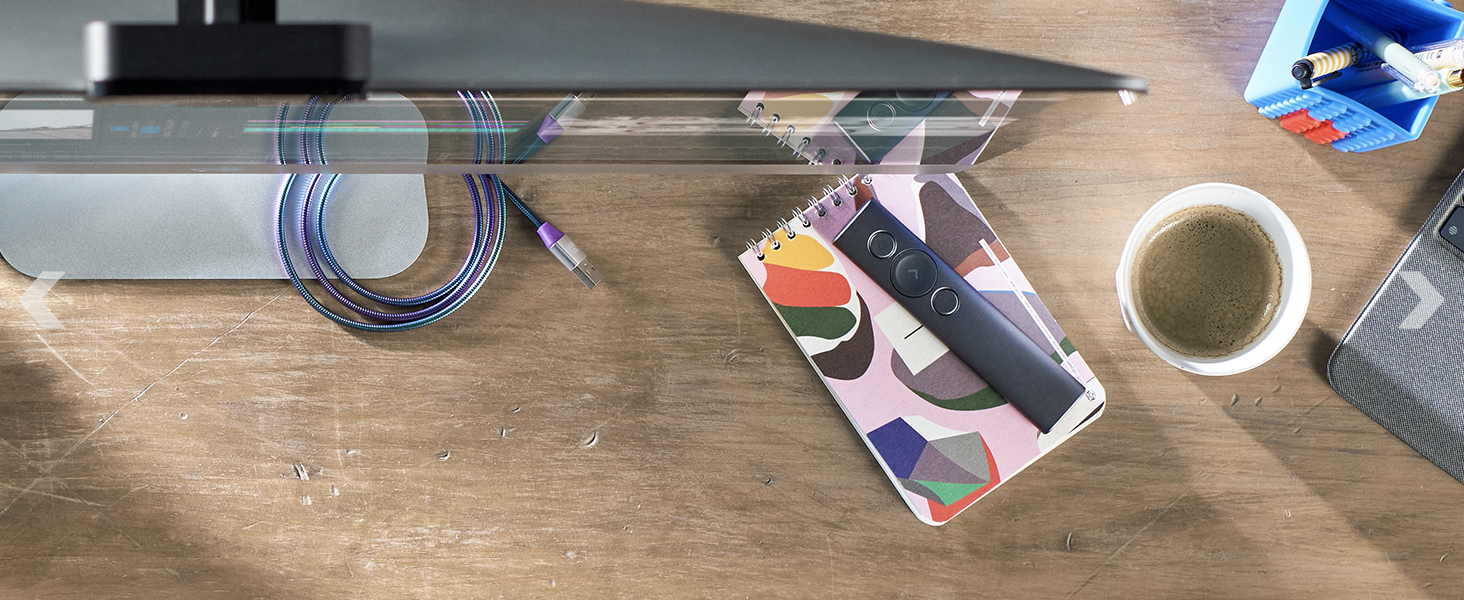
🖱️ Elevate your desk game with the MX Master 3S — precision, speed, and silence in one sleek package!
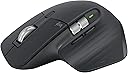
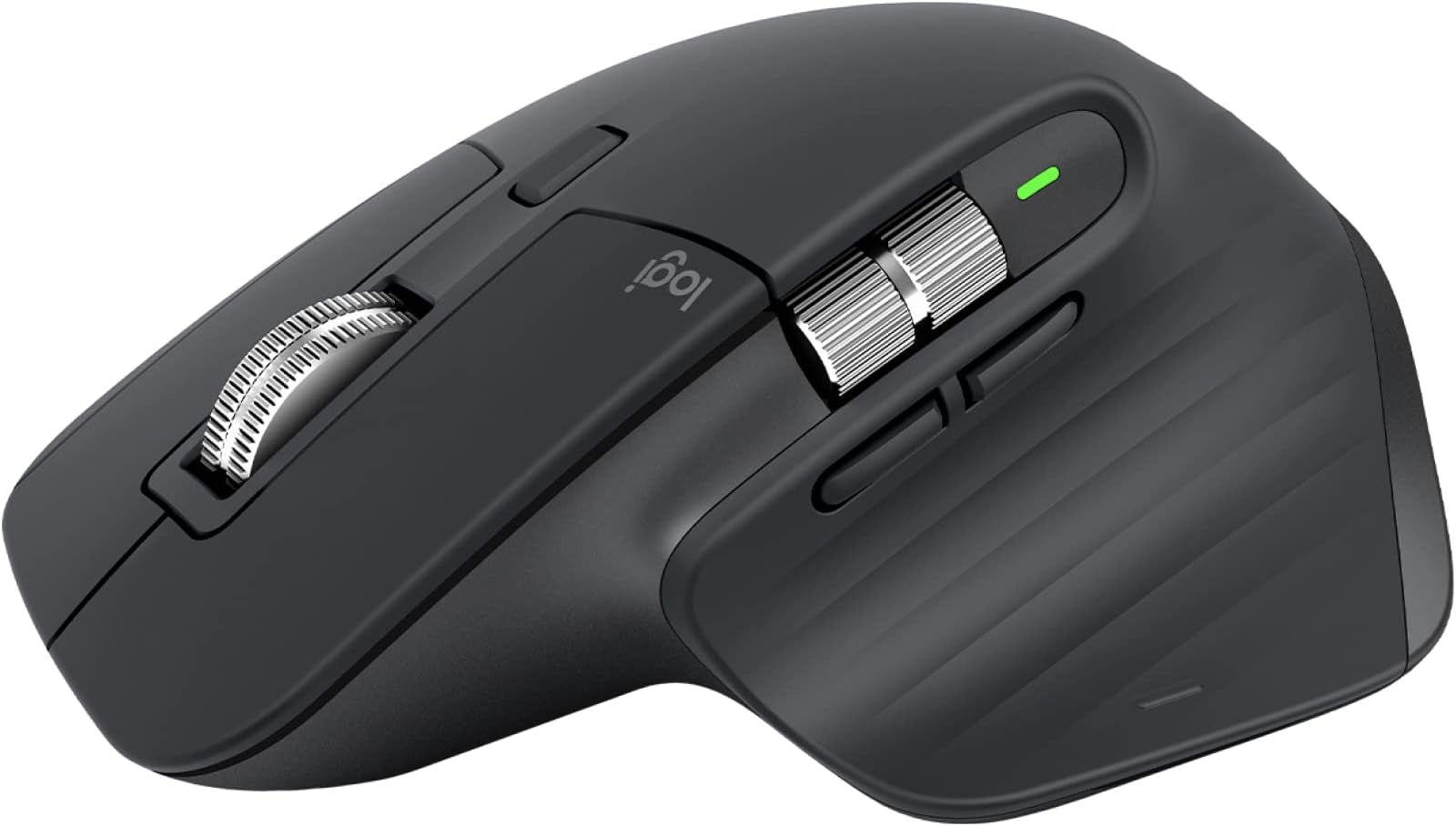
The Logitech MX Master 3S is a premium wireless mouse engineered for professionals seeking precision and comfort. Featuring an ultra-precise 8000 DPI sensor that tracks on any surface including glass, MagSpeed scrolling that is 90% faster and 87% more precise, and 90% quieter clicks for a distraction-free environment. Its ergonomic design supports natural wrist posture, while multi-device Bluetooth and USB-C connectivity plus FLOW technology enable seamless control across multiple computers. Customizable buttons and app-specific profiles via Logi Options+ software optimize productivity. Crafted with recycled plastics, it’s a sustainable choice for the modern workspace.


| ASIN | B07W5JKHFZ |
| Are Batteries Included | Yes |
| Average Battery Life (in hours) | 70 days |
| Batteries | 1 Lithium Polymer batteries required. (included) |
| Best Sellers Rank | #869 in Computers ( See Top 100 in Computers ) #48 in Computer Mice |
| Brand | Logitech |
| Color | Graphite |
| Computer Memory Type | DIMM |
| Customer Reviews | 4.5 4.5 out of 5 stars (18,291) |
| Date First Available | 24 May 2022 |
| Hardware Platform | General Purpose PC |
| Item Weight | 141 g |
| Item model number | 910-006559 |
| Lithium Battery Energy Content | 1.85 Watt Hours |
| Lithium Battery Packaging | Batteries contained in equipment |
| Manufacturer | Logitech |
| Number Of Lithium Ion Cells | 1 |
| Operating System | ANY |
| Power Source | Battery Powered |
| Product Dimensions | 12.49 x 8.43 x 0.25 cm; 141 g |
| Series | Logitech MX Master 3S Performance Wireless Mouse |
S**N
So much happy to own it. May be one of the most advanced mouse in the market!
What a mouse! I told you when it comes to high-end keyboards and mice, definitely, it's going to be LOGI!!! There are a lot of features I can mention with high ratings, but here I only mention about the scroll (middle button) which I liked very much. How it works with Shift Wheel Mode is very interesting. The scroll button moves differently with different modes (2 modes), not only on the screen but also physically and you feel it on your hand, I don't know why but I like it and feel it very much. The side/horizontal scroll button is also very good and quite functional and useful. Nice and unique. Easy-Switch button really saves time and makes it simple. Nice and unique too. But there is one thing I don't understand about the mouse. Why is the Gesture button in the middle of where it is? can't it be a little upper of where it is or close to the corner? I think it will be more convenient to use it naturally with the thumb finger. But I think Logitech has the right technical and functional reasons to do it, because if it is something not good it is easy and simple to see or notice even to an average user. About the price, I don't know much about whether it is very reasonable or not as i don't consider the price that much when I bought it. I primarily looked for the advanced features and also thought it will be of high quality. It meets both of my expectations. Anyways, it is a mouse one will be very delighted to own and work with/use, unique and advanced features, more useful buttons, very high quality, and cost & time-saving in the long run (rechargeable battery, high quality and advanced product with updating pc software & firmware/not becoming quickly obsolete in the near future) Even if I'm a relatively average user and I only use it for a short time, i believe in a long time also it will be as good as it is now.
F**D
Scroll Wheel
There are tons of features I could rave about, but I'll focus on the scroll (middle button), which I really liked. The way it works with Shift Wheel Mode is super interesting. The scroll button moves differently with its two modes, both on the screen and physically, and you can really feel it in your hand. The side/horizontal scroll button is also great, very functional and useful—really unique. The Easy-Switch button is a real time-saver and super simple to use. Plus, the fit in the hand is fantastic if you're right-handed, and it has a good heft that keeps it stable. Charging is pretty quick, and the USB dongle gets picked up by Windows in no time. Overall, it's an awesome mouse with fantastic features, and I believe it would be a great tool for anyone looking for a reliable and efficient device to enhance their productivity. The attention to detail in its design and the seamless integration of its features make it a standout choice in the market.
G**N
The best
The best mouse ever i have used and once u used it you will never go back to the traditional one. The app amazing. It really makes you feel you have full control when working on your laptop The copy and paste option is amazing The rolling option is super fast and controllable Go for it and you will never regret
K**G
Probably the best mouse I've ever used
Just returned the trackball version of this mouse as the buttons were too clicky, and the trackball was either too sensitive or not sensitive enough. So I picked this one up instead and I have to say that it ticks all the right boxes tldr; BUY THIS AND NEVER LOOK BACK. 1. fit in hand is fantastic if you're right-handed 2. there's good heft to the mouse - keeps it stable, unlike the Logitech Pebble, which is great for tossing in your backpack but is too light and doesn't feel right 3. the scroll wheel is just right - the ratchet mode spins well with good tactile feedback, and with a tap of the mode button, it goes into freewheeling mode (which isn't for me YMMV) 4. charging is decently quick and the 5. the USB dongle gets picked up by Windows really quickly 6. I love the customization offered by the horizontal scroll wheel - on my browser, i use it to quickly switch between tabs 7. pairs with up to 3 devices - I've got it paired to my Dell XPS15, and will be pairing it to my iPad Pro and my Macbook Pro next Couple of things to note 1. remember to peel off the paper sticker at the bottom before using 2. remember to turn it on - I spent a good 2 minutes wondering what was wrong before I realized I forgot to turn it on. 🤦♂️ Downsides 1. this isn't a cheap mouse by any standards. I use it for work most of the time (I'm a CX strategist and service designer) and if this lasts me as long as my last mouse did (5 years), it's paid for itself several times over. 2. It's bulky - I'd want to get a simple case for this next so that when I toss it in my backpack, it's not going to be damaged, or damage something else in my bag
M**M
Happy
Good Quality, too pricy
S**.
No es un ratón barato, pero en mi opinión vale cada céntimo que cuesta. La ergonomía es muy buena, funciona perfecto en cualquier superficie, las ruedas de scroll son metálicas y van genial y las baterías duran una barbaridad. El modelo 3S con respecto al 3 destaca en su mayor resolución y el ruido de los clicks de los botones es significativamente menor que en la versión anterior (parece que eso es poca cosa pero realmente se nota y se agradece). El software de personalización esta totalmente a la altura del hardware. Si quieres un ratón profesional no hay nada mejor.
M**S
The Logitech MX Master 3S is hands-down the best mouse I’ve ever used. The design is sleek and ergonomic, with a finish that feels luxurious yet sturdy, making it comfortable to use all day without any strain. The battery life is incredible—I use it heavily throughout the day, and it lasts well over a month on a single charge, which is a game-changer for anyone who hates constantly recharging devices. The software is highly intuitive and makes customizing buttons a breeze. Whether I’m working across multiple screens or toggling between apps, everything is smooth and seamless. The scroll wheel is another highlight, with a magnetic mechanism that’s whisper-quiet and allows for effortless, precise scrolling. Logitech has truly thought of everything with this model, from functionality to design. Worth every penny for anyone who wants a mouse that delivers on quality and performance.
G**O
I'm quite pleased with my recent acquisition, the Logitech MX Master 3S - Wireless Performance Mouse. It has become such an essential tool for my work that I even bought another one to use at home. This mouse is a game-changer in terms of productivity and comfort. The ultra-fast scrolling feature is a standout. It makes navigating through long documents and web pages a breeze. The ergonomics of the mouse are well-designed, providing a comfortable grip even during extended usage. The 8K DPI (dots per inch) sensor ensures precise and responsive tracking, which is a must for any task, especially in my line of work. Furthermore, the wireless connectivity is reliable, and the battery life is impressive. It's great to have a mouse that you can count on throughout the day without worrying about constant recharging. The build quality is solid, and it exudes a professional look and feel. In summary, the Logitech MX Master 3S is a top-notch wireless mouse that combines performance, ergonomics, and durability. It's an excellent choice for those who value efficiency and comfort in their work setup, and I highly recommend it. A bit over priced.
A**R
I'm a great fan of Logitech MX mice, having had several over the years. The 3S model still continues to be an excellent mouse. Some things are better than the 2S model, some not so good. Ergonomically, it fits the hand beautifully. The scroll wheel is smooth and responsive, and you can choose whether you want it to click or be smoothly rotating. My preference is the latter. If you do go for the click scroll, you can still spin the wheel if you give it a decent flick. The positiion of the horizontal scroll wheel doesn't fall to the thumb in the same way as the 2S and this will take a little getting used to. On the plus side, the forward and back buttons now are easier to operate. The mouse can control up to three different devices and I use it to control a Mac, a desktop PC and a mini PC. It works flawlessly for all three. The new "quiet click" buttons are not silent but are much quieter than the previous model. This is good if you are recording videos or streaming and the mouse is near the microphone. The disadvantage is that they require less pressure, so accidental clicking is more likely - especially if you are a bit heavy-handed. You can connect to your computer using the supplied dongle or using Bluetooth. Both methods work fine and the dongle is useful for desktop PCs that may not have Bluetooth. These mice have never been cheap but they have proved themselves over and over.
E**N
Çok iyi bir mouse. Logitech farkı .
Trustpilot
3 weeks ago
2 months ago