Buy anything from 5,000+ international stores. One checkout price. No surprise fees. Join 2M+ shoppers on Desertcart.
Desertcart purchases this item on your behalf and handles shipping, customs, and support to Mexico.
🚀 Elevate your home WiFi game—fast, smart, and unstoppable!
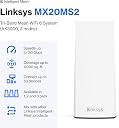
The Linksys Atlas WiFi 6 Mesh System delivers ultra-fast AX3000 dual-band speeds up to 3.0 Gbps, covering 4,000 sq ft and supporting over 50 devices simultaneously. Powered by Qualcomm’s advanced chipset and Intelligent Mesh Technology, it ensures stable, low-latency connections ideal for streaming, gaming, and smart home integration. Easy to set up and control via the Linksys app, it includes robust security features and a 3.5-year warranty, making it a future-proof solution for modern connected homes.


| ASIN | B0B31Z3R3H |
| Antenna Location | Home |
| Antenna Type | Internal |
| Best Sellers Rank | #3,493 in Computers & Accessories ( See Top 100 in Computers & Accessories ) #100 in Whole Home & Mesh Wi-Fi Systems |
| Brand | Linksys |
| Built-In Media | Linksys MX20MS2, Power Adapter, Ethernet Cable, Quick Installation Guide, Warranty Documentation |
| Color | White |
| Compatible Devices | Alexa Devices, Apple Homekit, Iphone, Personal Computer, xbox |
| Connectivity Protocol | Wi-Fi, Bluetooth |
| Connectivity Range | 4000 Square Feet |
| Connectivity Technology | Bluetooth, Wi-Fi |
| Control Method | App |
| Controller Type | App Control |
| Coverage | up to 6000 sq. ft. |
| Customer Reviews | 4.4 out of 5 stars 327 Reviews |
| Data Transfer Rate | 3000 Megabits Per Second |
| Frequency | 160 MHz |
| Frequency Band Class | Dual-Band |
| Global Trade Identification Number | 00745883847808 |
| Is Electric | Yes |
| Is Modem Compatible | No |
| Item Dimensions L x W x H | 3.4"L x 3.4"W x 7.3"H |
| Item Weight | 1.15 Pounds |
| LAN Port Bandwidth | Gigabit Ethernet |
| Manufacturer | Linksys |
| Maximum Upstream Data Transfer Rate | 1500 Megabits Per Second |
| Mfr Part Number | MX20MS2-AMZ |
| Model Name | Atlas |
| Model Number | MX20MS2-AMZ |
| Number of Antennas | 4 |
| Number of Ports | 4 |
| Operating System | RouterOS |
| Other Special Features of the Product | Guest Mode, WPS |
| Security Protocol | WPA2-Personal |
| Smart Home Compatibility | Smart Home Compatible |
| Special Feature | Guest Mode , WPS |
| UPC | 745883847808 |
| Warranty Description | 3.5 Year Warranty |
| Wi-Fi Generation | WiFi 6 |
| Wireless Communication Standard | 802.11ax |
| Wireless Compability | 802.11ax |
A**R
Linksys Atlas WiFi 6 Router Home WiFi Mesh System: Unleashing Unrivaled Connectivity
In today's digital age, a robust and reliable internet connection is essential. The Linksys Atlas WiFi 6 Router Home WiFi Mesh System offers a cutting-edge solution designed to meet the demands of modern households. With dual-band capabilities and coverage extending up to 4,000 square feet, this mesh system promises seamless connectivity and superior performance. Let's explore what makes the Linksys Atlas WiFi 6 Router a top choice for enhancing your home network. Unmatched Coverage and Performance Extensive Coverage One of the standout features of the Linksys Atlas WiFi 6 Router is its impressive coverage. With the ability to blanket up to 4,000 square feet, this system ensures that every corner of your home receives strong, consistent WiFi signals. Whether you live in a multi-story house or a large apartment, the Atlas system has you covered. WiFi 6 Technology Equipped with WiFi 6 technology, the Linksys Atlas delivers faster speeds, higher capacity, and reduced network congestion. This latest generation of WiFi technology is designed to handle multiple devices simultaneously, making it perfect for households with numerous smart devices, streaming services, and online gaming. Dual-Band Flexibility Optimized Bandwidth Allocation The dual-band feature of the Linksys Atlas WiFi 6 Router ensures optimal bandwidth allocation across your devices. By automatically distributing devices between the 2.4GHz and 5GHz bands, the system minimizes interference and maximizes performance, providing a smooth and lag-free internet experience. Seamless Roaming With the mesh system's seamless roaming capability, you can move around your home without experiencing drops in connection. The network intelligently switches devices to the strongest signal as you move from room to room, ensuring uninterrupted connectivity. Easy Setup and Management User-Friendly Setup Setting up the Linksys Atlas WiFi 6 Router is a breeze. The intuitive Linksys app guides you through the installation process step-by-step, allowing even those with limited technical knowledge to get their network up and running quickly. The app also provides useful tools for managing your network, such as device prioritization, parental controls, and guest access. Advanced Security Security is a top priority with the Linksys Atlas WiFi 6 Router. The system features WPA3 encryption, offering enhanced protection for your network and connected devices. The Linksys app also allows you to monitor network activity and receive alerts about potential security issues, giving you peace of mind. Performance and Reliability High-Speed Internet Users consistently report significant improvements in internet speed and reliability after switching to the Linksys Atlas WiFi 6 Router. Whether you're streaming 4K videos, engaging in online gaming, or hosting virtual meetings, the Atlas system ensures a high-speed, stable connection that can handle demanding tasks with ease. Multi-Device Support The Linksys Atlas WiFi 6 Router excels in environments with multiple connected devices. Thanks to the advanced OFDMA (Orthogonal Frequency Division Multiple Access) and MU-MIMO (Multi-User, Multiple Input, Multiple Output) technologies, the system efficiently manages multiple connections, reducing latency and improving overall network performance. Customer Satisfaction Positive Feedback Customers rave about the Linksys Atlas WiFi 6 Router's performance and ease of use. Many highlight the dramatic improvement in coverage and speed compared to their previous routers. The system's reliability and the comprehensive control offered by the Linksys app are frequently praised. Long-Term Reliability The durability and long-term reliability of the Linksys Atlas system make it a worthy investment. Users report consistent performance over extended periods, underscoring the quality and dependability of this mesh WiFi solution. Conclusion The Linksys Atlas WiFi 6 Router Home WiFi Mesh System stands out as a premier choice for anyone seeking to enhance their home network. With its extensive coverage, cutting-edge WiFi 6 technology, and dual-band capabilities, it delivers exceptional performance and reliability. Easy to set up and manage, and equipped with advanced security features, the Linksys Atlas is designed to meet the demands of modern, connected households. Upgrade your home WiFi experience with the Linksys Atlas WiFi 6 Router and enjoy unparalleled connectivity throughout your entire home.
M**B
A Good Router
It works well and was easy to set up.
R**6
We alreayd had an older, very dependable version of this system
We needed to upgrade after our old parent node was physically damaged (case crushed by falling object). We opted for this latest generation, replacing the broken parent and adding two additional child nodes, one for our garage to cover smart openers and a tv and one for an outdoor entertainment area (TV, music). The upgrade was seamless. It took maybe 30 minutes and I did have to unplug and restart the process once wheh it "hung" building the new system, but on the second try, success. No need to call support. Systems is blazing fast and covers everything from the sidewalk out front to the waterfront bulkhead behind our home. Because we had to build a new mesh, even with the same name, password, we had reset all of our smart devices (thermostats, cameras, tv's, etc) by re-adding the mesh. No problem. Very easy and works like a champ.
L**B
Easy Setup
Easy setup and configuration. Excellent coverage area throughout the house, garage, and lawn with reasonably fast speed.
G**Y
Good System Once it's Set Up
This system works very well once you get it set up. The much admired Linksys app's setup procedure didn't work for me, as it failed to connect to the internet once I got everything connected. A call to their tech support group resolved the problem, which was caused, according to the support tech, by a known issue with their app that will hopefully be fixed soon. I don't know if everyone will have the same issue I did before then - your mileage may vary. As a workaround, there's a manual set up procedure that bypasses the app and gets a proper connection to the internet. This involves using the reset button on the bottom of the primary node (it doesn't matter which one you choose for this role) that connects to your cable modem. You have to press it five times slowly until the LED on the top displays the right color. (There may be a description of the procedure somewhere on the Linksys website.) Once you get things up and running, you can then use the app to rename the SSID and use your own password for your network, which is strongly recommended. You can also easily update firmware on both nodes with the app as well. Once you get everything working, the app will show you all the devices connected to the network, as well as those that are offline. This was very helpful. I did have to reconnect some devices to the network despite my using the exact same SSID and password from the old router this one replaced, but this wasn't a big deal - maybe a DHCP issue? In Linksys's defense, I've never been able to set up a new router without some unexpected issue getting in the way. Networks have many variables, any one of which can interfere with setups. But once they're initially set up, high quality routers like this one should work flawlessly for years. Now that I have everything working, this system looks like it will serve us well, with a solid range both inside and outside my home. I'm also very happy that it will automatically perform firmware updates instead of my old system's requirement to connect a laptop to the router via Ethernet to manually download and install updates. That alone is worth the price of this system. Kudos to Linksys for their good effort to make installing such a complex system as easy as possible, and for providing a tech support phone number that gets you talking to an agent quickly.
M**Y
Linksys is just the best for reliability
I bought a linksys over 15years ago and then bought a,t-link. Had for about 6 years and gave the old linksys to a friend and it still working for her. My flat screen stopped working with lan and wifi. Bought this router using consumer reports and because i leave in a block house that wifi has issues with dead or weak spots. I installed with little issues. The best part was it got my wifi on my flat screen working. Love it! My wife was going to buy a new flat screen, but thanks to linksys we don't have to now. Coverage with two nodes has wifi everywhere inside and outside house by pool. Will stay with linksys from now on they last forever it seems. Highly recommend buying linksys models. Worth the weight in gold. Will give the t-link to someone who needs a wifi router and tell them to factory reset and it will work.
C**R
It was a great purchase
I had previously been using a cheap mesh system marketed by a certain Chinese company. I installed it 3 years ago, have never been able to access by typing in an IP address, only with their app. That old system had only WPA, so my Mac used to warn me the security was poor. The app had an option of firmware update; never in 3+ years did they ever have an update, so I decided it was time to go for a more secure system, particularly when the app stopped working. That company offered me no support, just a discount on buying another of their products. I read really positive reviews of this Linksys, and when it came on special, I bought it. Installation was pretty easy, all done by Linksys' app. One step, however, setting up the "child" (secondary) node got stuck; what was supposed to be 4-6 minutes just didn't advance. That was on a Sunday evening. I opted for a text chat with a support person. We connected in about 10 minutes, and the tech person was wonderful, clear, and thorough. I added in a question on how I could start a 2.5g channel for a smart lightbulb we use, and also got good help with that. When I said all was well and we could disconnect, she asked me to check to make sure the lightbulb control was working. Today, I contacted help for how to speed up my connection. I got some useful guidance, including how to use the app to check the signal strength coming to the child node, as well as placement. I now have a really fast connection! In summary, I think this is a solid product with excellent app, and most important, really knowledgeable and helpful tech support.
B**)
Avoid Linksys and Buy Something Better
I purchased the Atlas 6 mesh system with two nodes for a 1550 square foot home. I had a lot of trouble getting the nodes to connect at a distance that provided full coverage in my home, despite the claim that they provide 4000 sq feet of coverage. The mesh system lasted less than 19 months before something burned out an LED light in one of the Nodes, the nodes stopped working as a mesh system, and I was left with spotty coverage to the main TV in my house. I called Linksys support, they acknowledged that my system was under warranty, and they suggested all sorts of different things for me try to reset the system, but nothing worked after almost 3 hours of trying everything Linksys support could think of. So, I asked for a refund or comparable replacement system and then I started getting the run around. They demanded a picture of the node and my proof of purchase, which I provided. However, they told me I needed to try more stuff to reset the system before discussing a refund or replacement. After I fought with them and got them to understand that I'd already tried what they were suggesting and still wanted a refund or comparable replacement, they said they would give me a tiny prorated refund for only one node and send me an email to start the refund process. I gave up, said ok because something is better than nothing, and I could finally drop the issue after waisting 4 hours or more of my time talking to Linksys support. However, the email they sent didn't offer me the tiny refund. Instead, it said that I would have to ship the broken node back to Linksys at my cost and they might issue a refund after they looked at it. So, I just entirely gave up fighting because the shipping costs would probably be as much or more than the refund I might never get. As a result, I will never, ever buy anthing from Linksys again and I recommend you avoid Linksys too. Also, I bought a replacement TP-Link Deco Mesh System on prime day, the setup was easier than the Atlas system, and it works way better and has more features than the Atlas ever did. So, you might want to consider TP-Link, instead of Linksys.
F**A
Did not come with the compatible power cable
The product did not come with the compatible power cable for UAE
V**A
Muy buena señal
Tiene buen alcance y es muy fácil de instalar con la aplicación!!
Trustpilot
1 week ago
2 days ago