
DOWNLOAD THE APP


Customer Services
Copyright © 2025 Desertcart Holdings Limited
DOWNLOAD THE APP
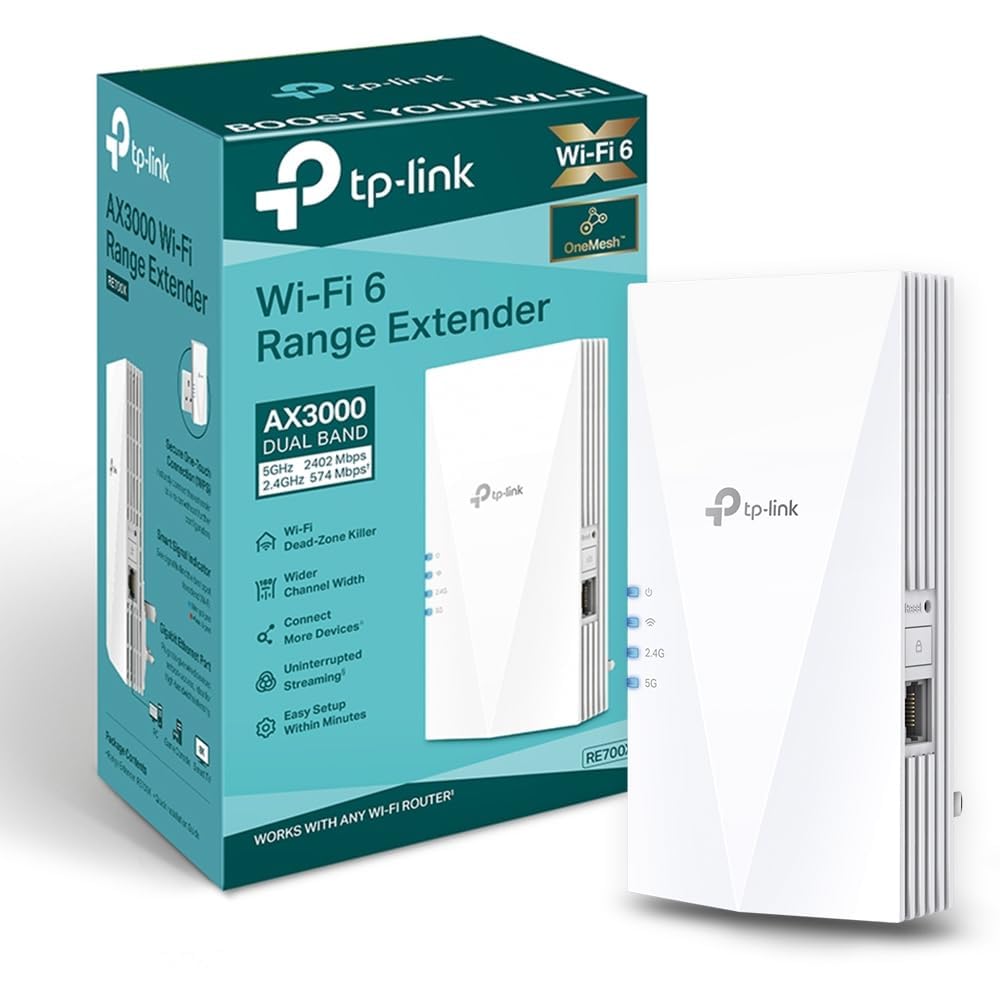
🚀 Boost your WiFi, banish dead zones, and stay effortlessly connected!
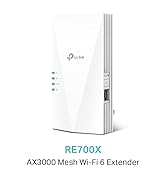
The TP-Link RE700X WiFi 6 AX3000 Extender delivers next-gen dual-band speeds up to 3000 Mbps, supports EasyMesh for seamless whole-home coverage, and features a gigabit Ethernet port for flexible access point use. With smart path selection and app-controlled setup, it’s designed to eliminate dead zones and optimize your home network with minimal hassle.


| ASIN | B0B649T4TZ |
| Are Batteries Included | No |
| Best Sellers Rank | 248 in Computers & Accessories ( See Top 100 in Computers & Accessories ) 5 in Network Repeaters |
| Brand | TP-Link |
| Colour | White |
| Customer Reviews | 4.3 4.3 out of 5 stars (23,110) |
| Date First Available | 8 July 2022 |
| Guaranteed software updates until | unknown |
| Item Weight | 400 g |
| Item model number | RE700X |
| Manufacturer | TP-Link |
| Product Dimensions | 15.9 x 7.8 x 7.33 cm; 400 g |
| Series | RE700X |
| Wireless Type | 2.4 GHz Radio Frequency, 5 GHz Radio Frequency |
S**I
Sorted out my dead zones!
I was struggling with a weak signal in the bedroom, but this has made a massive difference. Setup was a breeze using the Tether app. It’s a bit bulky, but the speeds are solid and it hasn't dropped the connection once since I plugged it in. Definitely worth the investment if you’re working from home.
D**H
Easy set up for a tech hater
I hate technology and this extender was set up and working within 5 mins, no swearing, no launching across the room, no rise of blood pressure. Easy set up info using the App so I’d recommend 100%
F**X
Works well as a WiFi extender
Pretty good. Device needs a host name so you don't have to hunt the IP address it is using. Sometimes gets corrupted and even after reset does not pair well with the Vodafone Powerhub (WPS) thus need to resort to an ethernet cable. Does not mesh with the Vodafone Powerhub, but works well as an extneder sharing the same SSID. Good Power O/P and RF coupling to the Powerhub.
R**I
Excellent AX3000 Extender for Seamless Home Working
This TP-Link RE700X was definitely needed as a booster for working from home. I was particularly pleased that it allowed me to easily create a mesh network with my compatible router, ensuring seamless coverage across the house. I noticed a definite increase in both speed and reliability immediately after setup. It's now great for streaming high-quality video and working in rooms where I previously suffered from spotty coverage. Considering the performance and ease of use, I think this is good value for money as well. Highly recommend for eliminating dead zones!
V**S
Easy set up, reliable signal
Extends wifi signal really well, reliable - even in the brick garage, we haven't had any issues since we set it up months ago. Easy to set up.
J**N
Brilliant extender - Fantastic purchase
After buying 2 other - cheaper - extenders that did not work - thankfully refunded by Amazon. I decided to try once more with this extender. Simple to set up and instantaneously the signal improved - almost shocked how quickly everything improved. Also super easy to connect your devices to the extender. Instructions were super clear and the unit itself looks great - no annoying things sticking up! Highly recommend.
S**E
Not perfect but have their advantages
I have 5 of these over two homes. These are not perfect but compared to other extenders I've used, less problematic. The good points, pretty simple to set using the 'Tether' app (more on that later). Separating the 2.4 & 5 bands was also no issue as was allocating the SSID to be extended. The app is better than the utterly awful Netgear/Nighthawk one. Tether does have issues seeing 5ghz networks - my holiday home has a Teltonika RUTX50 5G router and despite every other device seeing the 5Ghz band, the Tether app just stopped seeing it. This means these can't extend the 5GHz band - extremely frustrating. At my main home the 5GHz on my ASUS RT-BE92 (WiFi 7 - 1Gb FTTP) router is seen, no problem. The next issue is the random drop outs of the signal. No rhyme or reason, it just drops out, sometimes momentarily, but less often for a minute or so. It seems to just lose its handshake with the router. Transmit speeds are decent enough - 5GHz average 300 - 400 Mbps & 2.4GHz up to 100 -150Mbps. Both measured about 10ft away from the extender, in another room. I initially set these up as mesh but found it easier to manage/monitor as separate extenders with their own IDs. With the app, these can be managed remotely via the cloud which is really great. I have a few wireless cameras that use the extenders so if there is a connectivity issue I can sort via my phone.
_**I
⭐️⭐️⭐️⭐️ Decent WiFi Booster – Mostly Works Well
The TP-Link Mesh WiFi Booster has improved the coverage in my home significantly, especially in areas where the signal used to be weak. Setup was pretty straightforward, and once it was up and running, I noticed a definite increase in speed and reliability. It’s great for streaming and working in rooms where I used to get spotty coverage. That said, it’s not perfect—there are occasional drops in the connection, and the signal doesn’t always extend as far as I had hoped. It’s still much better than before, but not quite flawless. Overall, it’s a good solution for improving WiFi coverage, just not a perfect one. 3.5 stars if I could, but I’ll settle for 4.
N**N
Es un aparato muy potente y de gran calidad, no hay más que mirar las especificaciones. Se puede usar como "repetidor", es decir que coge una señal floja del router principal y te la extiende allí donde la del router no llega bien, o bien como yo lo he configurado: como un "punto de acceso" (AP) mediante un cable Ethernet de categoría 8 (de lo mejor) y 15 metros desde el router en mi casa. De esta forma es como si tuviera otro router en realidad, con las mismos nombres de Wifi que el router principal (sistema Mesh) o bien otras dos Wifis independientes, con el mismo nombre y clave (o diferentes, como se quiera) pero añadiendo -Ext al nombre para distinguirlas. Trabaja en WiFi 6 (encriptación WPA3, el WPA2 tiene ya 15 años y está obsoleto y es facilmente hackeable en Wifi) un nuevo estándar de seguridad muy sólido pero que no todos los aparatos antiguos de tu casa pueden ser compatibles. No hay problema porque en lugar de establecer encriptación "WPA 3 personal" de forma exclusiva, te da la opción : WPA2/WPA3, un mix, los aparatos antiguos irán con WPA2 y los modernos que admiten WPA3 trabajaran con esta otra. Tengo un Ipad 4 de hace 10 años que no se entiende con esta opción (los de Apple siempre tan exclusivos con sus cosas), el resto de las cosas marchan sin problema y lo más importante: A CAÑON. El router del ISP (proveedor de Internet) por lo general es bastante inferior (nada que ver con el Tp-Link) de calidad y no suelen ser WPA3 (Wifi 6), suelen tener anomalías con bastante frecuencia, por lo que si el operador te lo cambia tienes la gran ventaja de que toda tu configuración y control está en tu router y repetidor TP-link. El router del ISP solo lo uso para la señal de internet que viene de la calle, de éste por cable directo al Router TP-Link es el que uso router de servicio, split de cables Ethernet al resto de la casa y señal WiFi. Tengo una larga experiencia con esta marca y son productos muy fiables, de gran calidad y muy fáciles de configurar, que puedes hacer a través del navegador o mejor aun con la App Tether. Si vives en un núcleo de población de gran densidad (torres de pisos, como en mi caso) tu señal Wifi puede llegar hasta 300 y 500 metros a la redonda, a través de ventanas principalmente y nunca sabes quien puede captar tu señal y como hackearla. Te conviene pasar en Router y Extensor a WiFi 6 (WPA3) un nuevo estándar de encriptación muy dificil de hackear tras 15 años con la WPA2. Piensatelo, no es tanto dinero y te quitas de sustos. Mi combination es: TP-Link Archer AX53 - Router WiFi 6 AX3000, Doble Banda y Extensor RE700X WiFi 6 AX3000 de doble banda.
M**L
Wzmacniacz działa poprawnie. Ma czuły odbiornik. Długo wstaje, szczególnie przy pierwszym uruchomieniu.
R**I
Produto conforme descrição e de qualidade
A**R
Very easy to pair with the router Wi-Fi. Excellent speed and signal strength. No dead spots in the apartment now! Supports dual 2.5g and 5g.
E**K
I had a terrible experience with this TP-Link extender. I spent two full days trying to set it up, only to face constant issues. It wouldn’t stay connected for more than a minute, and every time I tried to change a setting, it disconnected again. The app was completely useless, as it couldn’t even connect to the device properly. Overall, this extender was a waste of time and money
Trustpilot
2 months ago
1 month ago