

🎥 Preserve your past, power your present.
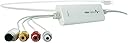
The Elgato Video Capture is a sleek, USB 2.0 device designed to effortlessly convert analog video sources like VHS and camcorders into high-quality digital files. Compatible with Mac, Windows, and iPad, it captures video in the universal H.264 format and supports all major global video standards (NTSC, SECAM, PAL). The package includes essential adapters and cables for easy setup, making it the go-to solution for professionals and enthusiasts eager to preserve and repurpose their vintage video archives with crystal-clear quality.
| ASIN | B00293CDG0 |
| AV Output | MPEG-4 |
| Antenna Location | For indoor and outdoor use |
| Best Sellers Rank | 51,489 in Computers & Accessories ( See Top 100 in Computers & Accessories ) 55 in Internal TV Tuner & Video Capture Cards |
| Box Contents | Elgato Video Capture hardware Composite to SCART adapter Composite video RCA stereo cable |
| Brand | Elgato |
| Brand Name | Elgato |
| Compatible Devices | Computer (Mac, PC, iPad) |
| Customer Reviews | 4.3 out of 5 stars 3,124 Reviews |
| EU Spare Part Availability Duration | 2 Years |
| Global Trade Identification Number | 00852095000218 |
| Hardware Interface | USB 2.0 |
| Hardware interface | USB 2.0 |
| Item Dimensions | 14 x 3.5 x 20 centimetres |
| Item Type Name | Elgato Video Capture, Digitise Video for Mac, PC or iPad (USB 2.0), white |
| Item Weight | 2.82 Ounces |
| Manufacturer | Corsair |
| Manufacturer Part Number | 1VC108601001 |
| Minimum System Requirements | Incomplete: Windows, Mac, USB 2.0, 720p or 1080p video recording capability |
| Model Number | 1VC108601001 |
| Number of Items | 1 |
| Operating System | Windows,Mac |
| Operating system | Windows,Mac |
| Other Special Features of the Product | Multi-standard video handling, easy to use guided software, H.264 digital format output |
| Platform | Mac |
| Product Warranty | 12 Months |
| Recommended uses for product | For indoor and outdoor use |
| Special feature | Multi-standard video handling, easy to use guided software, H.264 digital format output |
| Tuner Type | NTSC, SECAM, PAL, PAL/60 |
| UPC | 852095000218 852095000225 852095000201 |
| Unit Count | 1.0 count |
| Video Capture Resolution | 480p |
| Video capture resolution | 480p |
S**R
A Very Easy To Use Device That Makes Good Quality Digital Copies of Analogue Tapes Such As VHS
I found a box of VHS tapes from my deceased father's camcorder in the attic, which had languished there for 15 years or so, and needed a way of preserving them for the family. This device enabled me to run the composite video-out from a VHS player to this device and then to my PC via its USB connection and generate mpeg, mp4 files for storage and play-back on any PC or streaming device. For this purpose, the device did a flawless job: no crashes or capture glitches, just a set of lovely family video memories going back thirty years for the family to enjoy and cherish. My VHS tapes were old and low-resolution and so I don't know how this device would fair with better quality source material (other reviewers have reported poor experiences) but for this kind of material, this device does a perfectly fine job of capture and I thoroughly recommend it. If I had a criticism it would be that the software is very rudimentary; there are no output file settings at all other than aspect ratio (for example resolution) and no facility to pause and then re-start the capture so that parts of the source material can be skipped during capture. One has to essentially capture the entire tape in one go or break it into a bunch of separate files (a bit of faff). There is however the facility to trim the beginning and end of the capture before committing it to a rendered output file. One can of course edit the output file in a video editor but it would've been good to have a few editing tools in the software supplied with the device. The device is very easy to set up and put to use: I had the thing up-and-running and capturing my first family memory in twenty minutes of so. If you have a similar need to myself, buy this device: you won't regret it.
C**M
A high quality and elegant solution to video capture
I purchased this product after a number of failed attempts to access my archive of analogue sources including VHS, 8mm and Hi8 tapes. Previously I had attempted this with a capture card in a windows PC which more often that not omitted to copy the sound. There was no such problem with the Elgato. As soon as I opened the box, which itself is designed for storing the item and sits nicely on a bookshelf, it was quite obvious what went where. There is no longer a CD containing the software included. This shouldn’t be an issue for most people and there is a link to a free download of the capture program for the MAC. The Elgato gives an impression of being well constructed and has a well designed and unobtrusive footprint. Once downloaded and installed the legato device is detected automatically. Connections are very simple, USB2 on your PC to component RCA ‘female’ connectors (Yellow for video, red and white for audio) to connect to your source. There is also an RCA to SCART convertor supplied which makes connection even easier to a VHS. There is also an S-VHS connector supplied that gives slightly higher picture and sound quality if your source can supply it. One thing to note is that as there are 2 audio connectors a stereo or dual mono signal is expected. When I connected a mono HI8 camcorder sound was only recorded by the PC on the left channel. To correct this during recording you’ll need to a small convertor that will split the mono signal from one RCA to two to give you a ‘dual mono’ signal. After the simple connections the ease with which you can then make a recording should be no surprise. The capture software helps you check that you have sound, then picture and then you click once to record. At this stage there are very few adjustments to be made except to tell the software whether to record for 30, 60 and up to 180 minutes before stopping. This is useful as otherwise recording will continue until you run out of disk space. Strangely there is no option for a 240 minute recording which used to be a common length for VHS tapes. The amount of disk space required depends on the length of the recording and I found that 180 minutes filled about 1.8GB of hard disk space when saved as .MP4. Once your recording is complete you can trim extraneous material at the beginning or end using a simple ‘slider’ tool. Then all that’s left to do is save to a file or directly into iMovie on the Mac or the downloadable Windows software. Once here you can of course tweak the recording as you see fit! This is not the cheapest solution for video transfer but the simplicity and excellent picture and sound quality make the extra expenditure worthwhile. After all you only back up your memories once and the Elgato lets you do it properly.
U**R
Straightforward to use and works well with Intel iMac Ventura
I wanted to convert several old family home movie Video Hi8 tapes to digital. I bought the Elgato video capture device after researching on Youtube and reading the reviews here on Amazon. I was concerned that the software wouldn't work with the latest edition of Apple Ventura 13.1 (and asked a question here), and I found a beta update for Ventura on the Elgato website, downloaded it and it worked well. I found using the Elgato (and after watching helpful Youtube videos) straightforward. I quickly and easily converted my old Hi8 tapes to digital format mp4 using a Sony Hi8 video player to my Intel iMac 2020. Elgato does warn that it does NOT work (yet) with Apple M1 computers. The picture and sound quality were on par with the original Hi8 videotape quality (recorded in the mid-1990s). The Elgato software does allow you to alter the brightness, saturation, contrast and hue via the settings Preferences main menu. I don't know if there is a further way to digitally enhance the overall picture quality whilst using the Elgato. Overall I've done what I wanted to do, converted old family Hi8 videos to digital to preserve the memories, I'm happy with the Elgato and consider it worth the purchase price.
B**E
Straight forward - Easy to install - Good results
Here is my story: Needed to digitise about 30 (!) video8 tapes which were recorded with the SONY Analogue Video8 Handycam Model CCD-TR550E – launched in 1994 for which I paid the handsome sum of £700 from a Sony Shop here in the UK in 1995. So far so good, there was a 12 months warranty on this camera and I had no problems in that time. However, in the 13th (!) month the camera started playing up. It turned out that the cassette motor packed in and needed to be repaired or replaced. So, I had to fork out some £150 to have it repaired. All went fine for a few years until the cassette motor eventually played up again. Well, that was the end of my wonderful (!?) Sony Handycam. Now, all those Video8 tapes were put in the box but couldn't played nor being watched on the TV via the Camcorder. I knew that I wanted to digitise all those tapes on to my PC rather transferring them on to DVD’s. As I didn't have a functioning camcorder anymore I needed to buy one on eBay which would play my old analogue video8 tapes and also being able to transfer them via IEEE-1394 port [wirefire] on to my PC. No problem I thought just check what’s on offer on eBay and there was one which was the Sony Digital 8 Video Camera Recorder DCR-TRV320 which states it plays video8/Hi8/Digital8 tapes. I was exited and thought problem solved. Bought a wirefire cable on Amazon and started connecting the device to my laptop which runs on WIN7 which comes with MovieMaker and which I’ve used before to edit some DVD’s. When I inserted my video8 analogue cassettes in to the Digital camcorder DCR-TRV320 it connected alright and I waited for the video to “roll” – but nothing – all it captured was Gray ! NO pictures at all ! I thought what is going on, read the operating manual back to front – re-plugged, re-connected, but nothing helped. There was no fault with the Digital camcorder as I did a test run ie. recorded/played back and on to the PC – all worked fine. But why on earth is it not playing my old video8 cassettes ? Tried to contact Sony but their support site was down. Searched the web for answers regarding digitising/converting old video8 tapes. Eventually a site which said: Digital8: These camcorders can also play back previously recorded analogue 8mm HI8 tapes using the regular AV connections, but at present cannot convert the analogue 8mm and HI8 recording for direct pass trough to a computer via the IEEE-1394 port [wirefire] I thought , well that’s why it didn’t work ! Next day, I contacted one those companies which offer the transfer of allsorts of media onto DVD’s/external harddrive etc. – luckily the man knew what I was talking about and told me that I bought the wrong (!) Digital camcorder for the transfer. Well, I thought he should know ‘cause they need the right equipments to do the job. Anyway, as it turned out my friend happened to have one of those old Sony Video8 analogue camcorders and offered it to me should I need it for the conversion. Next day, checked those Video Capture Devices on the web and the reviews. As I had enough of going through another episode of trial and error I opted for the Elgato Video Capture which is a bit pricey but the reviews were very good. Anyway, connected the gadget to the analogue camcorder, installed the driver u. software which was straight forward. And last not least it worked ! Used MovieMaker to do the editing and other ‘enhancements’ and I think it did a good job. I got the hang of it now and do a bit of tweaking here and there to get the most out of it. Verdict: Hassle-free and straight forward. Did the job as required and didn't let me down.
A**R
Awesome! Simple & easy set-up, excellent software & does what it says on the tin... Well worth the expense.
Awesome! Simple & easy set-up, excellent software & does what it says on the tin... Well worth the expense. Sure there are cheaper solutions on the market, however all have questionable reviews in comparison. I'm glad I took the chance... after all 'you get what you pay for'. Pros = No complicated option menus/settings, simple wizard process, "start over" function for when you are working a series of movies, easy aspect ratio options, single output file universally compatible. Ability to set a point that recording should automatically stop (so you can set it off, go out and not worry - assuming you set movie length correctly) Cons = Scart socket is poor quality and requires care when slotting into VHS machine. Naming of the file is at the beginning of the process. This assumes you know exactly what is on the VHS tape, i guess this isn't likely in most cases (Although its easy to rename post process). Only able to trim beginning and end once. Unless you're willing to sit through the recording process and manually start/stop tape/recording accordingly. You are likely to need to do some post editing via something like Movie Maker... which unfortunately increases file size.
D**L
Terrible converter from VHS-C
First reactions were positive on initial testing but more in-depth use reversed my opinion. 1. There is no CD in the package but the software is easily downloaded from the instructions in the packet 2. Installation according to the instructions was simple and completed in a few minutes. 3. Have tested a few videos on VHS-C tapes. Everything worked as expected. The quality of the video was very good and as expected from a low-resolution format. 4. Have taken it into Magix Video Pro at 720 x 576 (of course, little significant quality upgrade but allows it to be incorporated in DV projects) with all the editing facilities of a serious editor. 5.Lip synch was perfect up to 45 min. I suspect that complaints about this may be due to computers with limited performance. 6. The attached photo is a screen-shot from a VHS tape: the quality speaks for itself from a low-res source (it is unretouched). If you look carefully, you can see some of the inevitable frame artefacts that become invisible in playback. 7. Recommended! Semi-negative comment: to effect a capture, you have to go through two unnecessary stages of the Elgato menu. Minor nuisance! ___________________ My first reactions above have become severely mitigated. I have since discovered that the video quality is very poor where you have highlights, which become burnt out. I have since scrapped this device as useless and replaced it by a much better supermarket one costing a third of this rubbish. The photo below shows how the highlights have been burnt out with no detail in the owls. The same scene grabbed from the supermarket device shows full detail in the owls' plumage. Elgato's reply to my questions was very unhelpful My recommendation: don't waste your money on this device!
M**N
Worked well for me - as a Mac user.
After reading mixed reviews on this product, I can confirm that it certainly worked very well for me. I used the video capture device linked to a MacBook Air. I followed some very good tips on how to set up and use the device from a couple of videos on YT. A couple of useful points I would add is, after downloading the operating software, I couldn't find the application, even though I thought it was saved in the applications folder, so I then just saved the app to the desktop on my Mac which made it easy to find and open. Once linked to a VCR via start and RCA cables, the process was very straight forward. When you're ready to record footage from your VCR, there is a drop down menu to select how long you wish to record for, or you can custom pick your own as a few minutes if you're recording some short clips. The quality of the recordings does depend on the quality of the original VHS tape. I copied some footage from a tape that was 30 years old! Thankfully that tape was in very good condition, so the transfer to mp4 files worked very well. I would certainly recommend this product. It certainly worked well with Mac, can't say how well it would work with a windows pc though. When I first ordered the device, I was slightly put off the price, but now I've had a lot of success with it, I'm very pleased I went ahead with my order. If you were to have VHS tapes transferred by a professional company, I'm sure they would be charging much more than the price of this product.
V**T
Brilliant product and so easy to use.
Although having paid nearly £90, this capture device is 1st class, but when l 1st made all necessary connections, l was constantly getting an on screen message, “Device cannot be initialised” and would not let me “Continue” to the next stage, l contacted Elgato who were totally brilliant and have a superb after sales technicians department who advised to try different methods to solve the issue. The last suggestion was to unplug any speakers or headphones that could conflict with the Elgato device. I have headphones and speakers plugged into my home studio recording interface, so just unplugged the interface instead of unplugging headphones and speakers, tried the Elgato again and bingo, all was working fine, but after further research with Elgato, l discovered that the drivers installed on my PC for my studio interface and my Elgato device were conflicting with each other, so unplugging the interface solved the issue. I highly recommend this Elgato capture device, and we know we can buy a similar product for a fraction of the cost of an Elgato, but l wouldn’t entertain it, the quality is 1st class. Sorry to go on, but hope this helps.
J**E
Alt, aber immer noch äußerst bewährt...
Obwohl dieses USB-basierte Analog-Video-Capture Hardware/Software-Paket bereits seit einiger Zeit auf dem Markt kursiert und immer noch etwas mehr kostet als irgendwelche andere, chinesische Konkurrenzprodukte, zahlt sich dessen Anschaffung auf jeden Fall nach wie vor aus. Ich persönlich habe das Device auf einem Windows 10 / 64-Bit PC im Einsatz, und es gibt überhaupt keine Issues damit. Die "Berechtigungsprobleme beim Zugriff auf die Kamera" etc. - wie von einigen anderen Usern berichtet - konnte ich jedenfalls überhaupt nicht nachvollziehen. Bei der aktuellsten Windows 10 Release (Jänner 2021) ist das (zuvor von der Hersteller-Seite herunterzuladende) Capture-Programm sogar explizit von den einzelnen "App-Berechtigungen" die "Kamera" nutzen zu dürfen ausgeschlossen und wird daher gleich unterhalb der App-Liste separat angeführt. Wichtig ist nur, dass der Windows-Zugriff auf die "Kamera" nicht generell abgeschaltet wird; dasselbe trifft auch auf den "Mikrofon"-Zugriff zu. Eigentlich klar; denn wie soll man analoges A/V einfangen, wenn dies durch die User-Einstellungen bereits vorab explizit untersagt wurde? Sobald beide Zugriffe gegeben sind, steht einer unproblematischen Aufnahme-Session unter Windows 10 überhaupt nichts mehr im Wege. Mangels eines entsprechenden Macs konnte ich dessen Software-Version leider nicht testen. Obwohl die (downloadbare) Software-Anwendung wirklich nur das Notwendigste zur Aufnahme von analogen Videoquellen (mit Composite- oder S-Video bzw. Mono oder Stereo-Audio) zur Verfügung stellt, ist das Resultat wirklich hervorragend und tatsächlich nicht vom Original zu unterscheiden. Dort wo andere Capture-Lösungen mit merkbaren Dropouts bzw. Bild- und Tonstörungen ihren Geist aufgeben - z.B. bei VCR-Bandfehlern oder Tracking-Problemen - zeichnet "Elgato Vide Capture" die jeweilige Stelle ohne wenn und aber genauso auf, wie sie von der zuspielenden Quelle wiedergegeben wird. Es gibt auch keine Interlacing-Probleme im Bild - wie bei vielen anderen billigeren Lösungen - zu beobachten. Selbst testweise, analoge DVD-Aufnahmen erscheinen klar und deutlich, und das sogar ohne Macrovision-Artifakte. Die obligatorischen Bild- und Toneinstellungen (Helligkeit/Kontrast/Farbsättigung/Lautstärke etc.), welche man vor der eigentlichen Aufnahme in aller Ruhe justieren kann, sind völlig ausreichend für jenen Zweck, für welchen diese Lösung gemacht wurde. Einfach und simpel, so wie es sein soll. Klar, ein kleines Manko ist, dass die (auch in Minuten vorprogrammierbare) Video-Aufnahmesoftware keinerlei Schnittfunktionen bzw. Movie-Features bietet, außer den Anfang und das Ende der resultierenden Aufnahme zu trimmen. Nach Beendigung dieses Capture- und Trimm-Vorgangs wird bei der vorliegenden Windows-Variante sogar noch danach gefragt, ob der "Windows Live Movie Maker" von Microsoft heruntergeladen werden soll, falls sich dieser nicht schon auf dem System befinden sollte. Nachdem es dieses Programm in der Zwischenzeit natürlich schon lange nicht mehr gibt, schlägt auch dessen Download fehl. Dies schmälert aber nicht den Leistungsumfang oder Wert dieses Pakets, denn es ist von Anfang an klar, dass hier keine professionelle Schnitt-Software mitgeliefert wird. Die Windows-Version bietet zwar nur "H.264" als HD-Zielformat an, welches jedoch zu MP4 oder MKV kompatibel ist und von vielen gängigen Herstellern heutzutage ohnehin als Standard angesehen wird. Wer danach wirklich noch vor hat, aus seinen alten Schätzen ein Kunstwerk zu kreieren, kommt an einem professionellen Schnitt-Programm ohnedies nicht vorbei. Während die meisten Capture-Lösungen heute ausschließlich auf digitale Quellen (z.B. DV, HDV, HDMI etc.) setzen und analoge Capture-Lösungen mehr und mehr vernachlässigt bzw. verdrängt werden, spiegelt sich dies offensichtlich beim Bedarf somancher Kunden überhaupt nicht wider. Daher ist es gut zu wissen, immer noch auf eine verlässliche Lösung wie "Elgato Video Capture" zurückgreifen zu können. Dies ermöglicht nach wie vor, alte aber wertvolle (S)VHS- bzw. Video-8 Inhalte etc. digital zu sichern und für die nächsten Generationen zu konservieren. Ich bin sehr zufrieden damit und bereue nicht, ein paar Euros mehr ausgegeben zu haben als für eine Billig-Lösung, welche mich im Endeffekt wahrscheinlich nur verärgert hätte. Daher auch die volle Punktezahl für dieses einfache, aber qualitativ hochwertige Produkt. Zusatz/Edit: Aus gegebenem Anlass, und aufgrund der Tatsache, dass man andere Rezensionen seit Ende 2020 hier bei Amazon nicht mehr kommentieren kann, möchte ich mit einem großen Irrtum aufräumen, welcher hier in Zusammenhang mit diesem Produkt verbreitet wurde. Es wurde behauptet, dass dieses Capture Device offensichtlich nur im NTSC-Format, also in 640 x 480 Auflösung aufzeichnen kann. Dem ist mit Sicherheit NICHT so; die Softwarte hat sich seit vielen Jahren auch nicht geändert (maximal die Windows Treiber dazu). Der Rezensent, welcher das Gerät gleich wegen diesem Irrglauben an Amazon zurückgesendet hat, hat sich offensichtlich nicht genau genug mit den Einstellungsmöglichkeiten der Software beschäftigt. Wird nämlich die Option "Ursprüngliches Format erhalten" im Einstellungsmenü angehakt, so ermittelt die Capture Software genau die Framegröße sowie die Abtastrate des Quellvideos und übernimmt diese Parameter auch für eine Aufnahme. Auf diese Weise sind Aufzeichnungen natürlich auch im bei uns üblichen PAL-Format möglich, etwa in 720x576 (oder bei DVD Captures sogar höher), und das sogar bis PAL/60, also 60 Frames pro Sekunde. Das soll mal eine andere Analog-Capture-Software nachmachen.
P**2
Un élément indispensable pour sauvegarder ses vieilles bandes !
Dés le branchement très facile de ce câble, j'ai été séduite. Déjà par la facilité donc du branchement et ensuite par l'utilisation ultra simple du logiciel. Pour les utilisateurs de mac, je conseillerai néanmoins de télécharger la dernière version du logiciel sur le site officiel (et oui, pas toujours simple quand on a pas un lecteur cd/dvd intégré au mac d'installer le programme !). J'ai aussi été séduite par le côté pratique dans la récupération de la vidéo : après la capture et le "découpage" de celle-ci (ne pas oublier cette étape car impossible de le faire par la suite si vous n'avez pas de logiciel de montage sur l'ordi), la sortie se fait automatiquement au format .mp4. Je mets 5 étoiles mais j'ai hésité à mettre 4 à cause du format de sortie : la résolution est vraiment ras la moquette, mais en même temps je me dis qu'avec les enregistrements de l'époque c'est peut-être pas aussi mal... :) Il ne faut pas s'attendre à un miracle, comme dit dans pas mal de commentaires, on n'aura jamais une qualité HD avec nos vieilles bandes ! Ca a au moins le mérite de pouvoir les sauvegarder sur un support numérique et ça c'est vraiment top. Je suis donc très très fan de ce produit, c'est peut-être un peu cher pour ce que c'est, mais franchement, ça les vaut largement !
O**D
Works
Need to download the software & driver for their website first. Its working fine so far.
Q**I
dont buy
it was good but now it start to acting starnge signal is coming and going picture is not getting as clear as it used to be a month back
E**G
Mejor capturadora por menos de 100 euros
Si realmente quieres pasar tus VHS a digital, olvídate de aquellas capturadoras de 20 euros y decántate por esta. La calidad es muy buena, tanto de vídeo como de audio. El programa Elgato funciona muy bien, y es muy intuitivo. He probado otras capturadoras más baratas y eran bastante malas en lo que respecta a la codificación de la imagen y el color. Muy recomendable.
Trustpilot
2 months ago
2 months ago