Buy anything from 5,000+ international stores. One checkout price. No surprise fees. Join 2M+ shoppers on Desertcart.
Desertcart purchases this item on your behalf and handles shipping, customs, and support to Mexico.
๐ Boost Your WiFi, Boost Your Life โ Stay Connected, Stay Ahead!
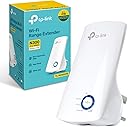
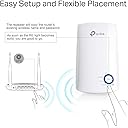
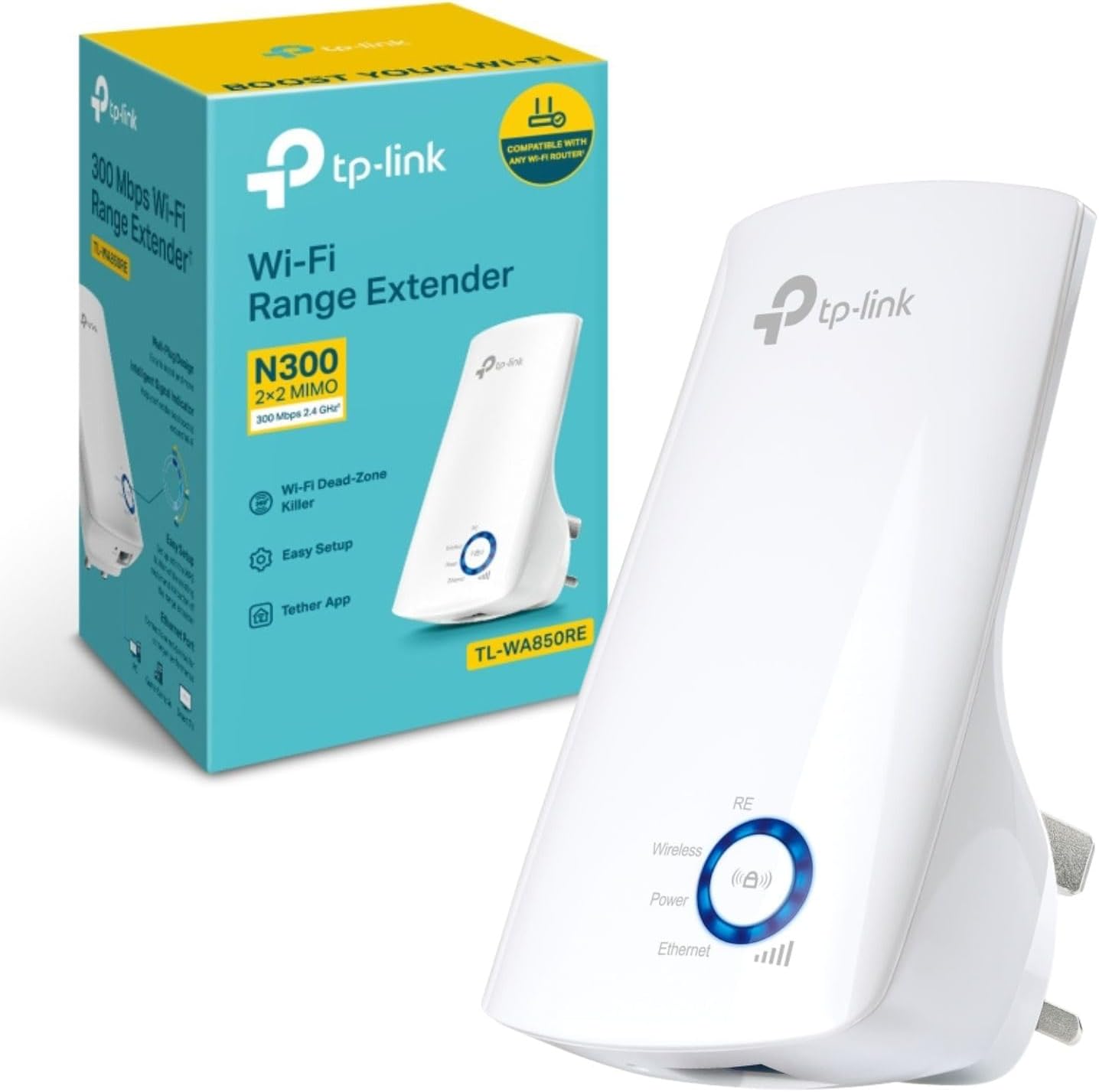
The TP-Link TL-WA850RE is a compact, high-performance WiFi extender delivering up to 300Mbps on the 2.4 GHz band. Featuring dual-mode operation as a range extender or access point, it includes a fast Ethernet port for wired devices and supports easy one-touch WPS setup via the Tether app. With coverage extending up to 91 meters outdoors, universal device compatibility, and robust WPA/WPA2 security, itโs designed to eliminate dead zones and ensure reliable, secure connectivity for home or office environments.


| ASIN | B00AHXXJVW |
| Best Sellers Rank | 40 in Computers & Accessories ( See Top 100 in Computers & Accessories ) 1 in Network Repeaters |
| Box Contents | Ethernet cable |
| Brand | TP-Link |
| Brand Name | TP-Link |
| Colour | Bianco Neve |
| Compatible Devices | Wi-Fi enabled devices (routers, smartphones, tablets, laptops, computers, smart TVs, gaming consoles, printers, security cameras) |
| Connector Type | RJ45 |
| Country of Origin | China |
| Customer Reviews | 4.2 out of 5 stars 37,565 Reviews |
| Data Transfer Rate | 300 Megabits Per Second |
| Data transfer rate | 300 Megabits Per Second |
| Frequency | 2.4 GHz |
| Frequency Band Class | Dual-Band |
| Frequency Bands Supported | 2.4 GHz |
| Frequency band class | Dual-Band |
| Item Weight | 3.18 Ounces |
| Manufacturer | TP-Link |
| Manufacturer Part Number | FBA_TL-WA850RE |
| Model Number | TL-WA850RE |
| Range | 45.72 metros (indoor) - 91.44 metros (outdoor) meters |
| Smart Home Compatibility | Not Smart Home Compatible |
| Special Features | Range Extender Button |
| Special feature | Range Extender Button |
| Unit Count | 1.0 count |
| Wireless Compability | 802.11b, 802.11g, 802.11n |
| Wireless communication standard | 802.11b, 802.11g, 802.11n |
M**R
A must buy to boost your wifi all around house and garden
Very impressed. Bought a cheap version and was complicated foreign and useless so decided to go reputable with a TP-Link booster. Various ways to set up but chose to use app way. All in took about 10mins to set up. Just follow instructions in app. Create an account, you will need to assign a seperate password for the device and have your router code and password to hand to complete set up. Was required to boost signal into my garden and 2 outdoor security wifi cameras that struggled. No issues at all! Strong signal and multiple use in garden with streaming and video calling and all security cameras sprang into life. Also a stronger signal all over house. For the price this is fantastic and can avoid unnecessary router upgrades for faster speeds. Must by.
K**I
Great item has solved our Ethernet and connection issues
I now have 2 of these extenders but the review section only allows me to review one even though I have 2 different model numbers. So - how did I come to need an extender? After changing from a broadband router to a SIM card router due to poor broadband connections (the to distance from the exchange to our house is far so service is poor and speeds were terrible) we found improved speeds to the majority of our house - However - the items in certain areas seemed to be experiencing issues such as steaming quality & constant disconnects as what the new router made up for in speed it seems to be lack in signal range/strength. Fine if your items are sitting on top of it, not so good if there are walls involved. Our CCTV requires an Ethernet connection to be viewable on our phones, so now I was in a dilemma as the new router was set up in a different location to the old one so I couldnโt view the CCTV remotely without running 100 foot of Ethernet cable around the house - not happening. TP-Link TL-WA850RE N300 Universal Range Extender I purchased the N300 WiFi extender mainly to sort the CCTV issue (being as it has an Ethernet port on it) but also noticed itโs helped improve the TV in the same room which started experiencing streaming quality issues and dropping out constantly when trying to watch Netflix or Amazon since the change in the router. Thereโs been a noticeable improvement in our viewing experience which is now playing 4K without issue, buffering, lag or quality deterioration. It is simple to set up - plug it in and the light displays red, press the WPS button on the router and then also on the booster and it connects. My partner did this himself and he is a self-proclaimed technophobe. He was proud he didnโt need me to sort it for him & he set it up whilst I was away. Using an extension lead he set it up in the room where the router is and then once connected he moved it to the neighbouring room where the CCTV & other TV live. When plugged in he said the lights show the signal strength so you can gauge if itโs going to work. He found it was a 3 in his chosen spot and itโs working perfectly. I'm under the impression that you can set it up without the WPS button but being as we have one then I didnโt have to worry about working that out. It was pretty much plug and play in setup respects. I have bought another one for down the garden to keep all our smart plugs in the workshops connected as the signal down there is intermittent (review below) The light on it is quite bright so depending on its location you might consider a bit of tape over the light but be careful not to press anything as the centre is a button. Very happy - would recommend to anyone needing to boost the signal around their router. Just FYI - in response to some of the questions Iโve seen asked about boosters and extenders - you need a router with a live connection/service/subscription. This in itself is not a router so without the main router, this will not work. Think of it as an extension lead. Itโs signal based and doesnโt use the power lines so you donโt need to plug it into the same ring main as the router. As long as itโs paired correctly, then move it where you want it and plug it into any power socket or extension lead you want. Assuming the signal strength light on it shows it's getting a signal from your router then itโll work. UPDATE - I have just found there is an app which I can use & this has the option to switch the super bright LED off during a set time. So now at 9 pm the lights go off & at 9 am they come back on. Great for bedtime as this extender is located in the bedroom. No more luminous blue walls keeping me awake at night. TP-LINK RE220 AC750 Universal Dual Band Range Extender This was purchased to cover an additional wifi dead zone but since my laptop etc runs on the 5G channel (not 2.4) I went for the Dual Band version this time. Really simple to set up. I had the Tether App already installed from my router & other extender, so simply plugged the extender in near to the router (So it picked up a good signal), opened the app & followed the instructions to add a new one. It scanned, found it & added it. I moved it around until I found the prime spot I wanted to position it, so it had a strong signal from the router but also provided a good signal to the office. It has lights on it that are red for poor signal & green for good. The first place I positioned it gave a green for 5G but red for 2.4, so I moved it a bit closer to the router & now it's all green. Nice & easy. Once that was done, I set about adding all my extra devices to it, such. as my Echo Dot. I scanned for the extender and added it as if it was any other wifi device. It uses the exact same login info, so no need to try & remember additional codes etc. Now I can work from my office as easy as if I'm sitting in the living room where the router is located, as the signal is now boosted to the garden, office & workshops whereas before things used to keep dropping off due to poor wifi signal. The whole set up took less than 5 minutes - very simple & no need to be an IT expert. 5 Stars - would recommend these extenders.
A**R
Great product
Great product and easy to set up. However, my internet password changed so I am struggling to get it operational again, but that's down to me because I am not a 'tech' person. Will try again sometime soon.
A**.
Great TP link WiFi extender โบ๏ธ
I purchased this mesh WiFi extender because what broadband provider is offering is ridiculous . I have lots of dead zero network zones in my property. Easy to follow instructions, easy to assemble, easy to connect with the network and straight away is improvement. I hope improvement will remain great. The tool is compact size, look great, works for both 2.4 and 5 , dual band support, speed is good not loosing signal . Heat in norm. Not overheating. Looks nice
D**D
Might work well - but depends ....
I have had two deliveries of this particular item type, to two different addresses. One of these was a mistake, perhaps on my part. I already wrote a review of the item which I re-ordered, which was supplied to the address I wanted. I gave it one (1) star as it did not work, and was a pain to install, and I wasted a few hours trying. I sent it back for a refund, which is now in progress. I don't know if that unit was faulty or not, but it was certainly incompatible with the router used and the network. I thought I might also have to send the current unit under consideration back, mainly as it wasn't at the location I originally intended. However, there are some weak spots in the wireless network in that location, so I thought it might be worth trying it out, to see if it would work, and if so, would it cover the weak spots. At this location there is a BT router, and the WPS method which I was previously unable to use worked within a couple of minutes. I then moved the extender unit to another location and it appeared that the network performance was improved slightly. Then I moved it to a location closer to the weak spots and it did appear to improve the performance, though I noted a couple of walls and windows between the target weak area and the unit, and also between the unit and the router. Finally I moved the repeater closer to the router, but perhaps with an easier "line of sight" to the weak area through a couple of windows. The signal lights on the repeater show full strength, which I never achieved with the previous unit in the other environment. The blue lights glow very strongly, which for some people may be an issue - depending on where the unit is. If it is placed in a bedroom that could be a real problem - I suppose it would be possible to put tape over the LEDs, or run the unit on a timer which would switch off at night. However, knowing that the device is reporting a good signal is a help. With this level of performance I might even be tempted to buy another one to extend the coverage area in another direction. It has been noted that the unit may operate in half duplex mode. Assuming this is the case, then technically that could reduce the data rate possible - but only compared with optimal operation over a good wireless link. The reduction in data rate for half duplex operation need not be much, if most traffic is one way. Data link protocols can reduce any slowing down of data transfers to a very low level. As the data rate on a wireless link tends to drop off with distance from the access point and indeed communications may become impossible, it is better to have a reasonable fraction of the maximum data rate over a link which works, rather than the full data rate over a non-functioning link - to put it in a somewhat convoluted way. As these plug straight into the mains, unless extension cables are used the repeaters may not always be sited in some of the best locations. They may be sited low down, which is probably not optimal.. Extension cables run up walls would be ugly, though better coverage might be obtained by siting these units higher up - particularly if extending coverage in upstairs rooms is a a requirement. I've not (yet) tested this to the maximum extent. For example, I don't know if I can stream HD video into areas where this would previously have been impossible. I may check that out in the future. For "regular" web browsing, sending email etc. this does appear to work quite well. Possibly I may end up combining my reviews for these units. If the units work with WPS, and with a router of your choice, then you may find that they are rather good and as such satisfactory. If the units don't work with WPS, and you can't get them to work with your router, then send them back for a refund as soon as possible, and don't waste much time on them. 2-3 hours is the maximum time to spend trying to get units to work if they steadfastly refuse to perform. I sent the other unit back, and the refund is on its way. Hence these are a bit like Marmite - like or dislike. There may be many factors which influence whether they work or not, and router compatibililty is one significant factor. The blue lights on the front are another objective factor. If the extenders are to be used where these lights might be a problem, such as a bedroom, these might be considered far too obtrusive. Of course the units could be turned off at night, and on again in the morning, but having to remember to do that each night might be an annoyance. On the other hand, if the units are placed in hallways or corridors, they could function usefully as night lights over night. I don't really mind blue lights, but nowadays we are being told that blue lights are bad for our sleep patterns. It's another factor which might sway some potential purchasers. If they work I'd rate them at 4 or 5 and possibly buy more than one to extend coverage. If they don't work after 2-3 hours trying, I'd rate them at 1, and send them back for a refund. That explains my latest evaluation of this product as 3 stars. If it works it's quite good - if it doesn't it's really not worth the money. At the current price (a tad under ยฃ15) if these work they could be considered a bargain.
F**N
Easy and effective
I took a chance on this over a more expensive model as it was the cheapest I could find. It works amazingly well. Itโs easy to set up and extends the WiFi to the whole house and garden. It was such a bargain, very happy with it.
L**E
Great boost to WiFi
Easy set up and worked really well with great improvement in signal
G**E
Very good in the end, but.....
This is now working very well. There are numerous reports of dropped connections, and as this is only day 2, I'm hoping that does not happen, as I'm very happy with it. However, it was not particularly straightforward to set up. I work in IT, and have good experience in Networking, so hopefully can write this from a position of some knowledge.I do feel that this is mostly a very good product, but where is the bug testing, and quality control? This is how it was for me, yesterday: Firstly, even though I have the DGND4000 Netgear Premium Router (a current model at the time of writing), the TP-Link Extender did not want to co-operate with the WPS syncing procedure. After several goes of a complete failure to pair the two devices, I gave up and tried the Ethernet option, with cable and web browser. This looked like it was too, heading for failure, and I started to think of product returns, and my disappointment started to climb! The reason? : The server address for the unit, instead of giving me the setup password login page, gave me what appeared to be a series of "extra" links to what were essentially adverts. There were even links to other items available on Amazon, and one of the links prompted WOT (Web Of Trust) to flag up the clicked item as of dubious nature! But where was the green and white setup screens I had seen in the instructions? Where was the user login? None of that came up in Firefox, so I tried Opera and Internet Explorer. Exactly the same. A complete inability to get to the setup screen. I went to a completely different PC, and at last, managed to get to the Login to set the thing up. I've no idea why the units setup page didn't want to know on the other PC, which is very well set up and maintained. Setup was then straighforward, and soon the unit was ready to plug into a wall somewhere, to try and test its' signal. Good extension of signal was seen, with at least 4 lights lit up, and in a rather dead spot area of only about 78 to 82 dBm, this has climbed rather nicely to the low fifties, around 52dBm I would say. Generally, the signal was improved everywhere, and even outside on the patio, a signal could be seen that was usable, though pretty thick UV screen double glazing. I wanted to get back to the setup screen, mainly to familiarise myself with what it offered, and see if anything might need a tweak. Basically to see what was there. But none of the PCs I tried (4 PCs, wireless and wired) would let me back into the setup screen. Unlike before, where I got these strange advert links (with TP logo at the top by the way), well....this time, I got even less. An almost unclickable screen that looked nothing like the setup pages. So I tried my Kindle Fire HD. Amazingly, this gave me the setup screen through the Dolphin browser, and I was able to see what the various settings and options were. I thought "at least if I need to change anything, I'll use the tiny screen of the Kindle" Next, I noticed that all "wired" connected PCs had lost their connections to the Net. Meanwhile, Windows got a bit busy trying to determine new networks, and changed names (inappropriately) and even the Icon of the Network, as seen on the Windows Network and Sharing Centre. After a re-boot of those wired PCs that didn't want to know, to my horror, they re-booted with STILL no connection. Then I began to worry a bit, and started to think of taking the TP extender out altogether and being done with it all. So then I reset the router too, and at last, the wired and wireless PCs were now seeing a connection, and the wireless PCs were getting good signals. Walking around with a wifi analyser on the Kindle, I was able to see just what I was getting all around the house, and quite a few speed tests revealed at least what I was getting before, so no great loss there, even though these units can halve your bandwidth in the process of extending it. For some odd reason, on one PC, I can now use Opera to see the setup pages, where before I got the odd screen that would not let me set anything up. Yet Firefox and IE still don't let me see that page. So at least if I want to change anything, I no longer have to use the tiny screen of the Kindle to do it, and I need to remember that Opera will now let me. So while it now appears to be working very well, and settled in, it was by no means straightforward. Flaky things happened, which suggest to me a product that just has not been tested enough. I appreciate that some people are up and running in just a few minutes. That's networking for you! Odd things can happen, and there are a lot of variables that can come and bite you on the backside. But when you have a very well set up network like mine, with all recent gear, things like this should not really occur to this extent, and WPS should just work, shouldn't it? Modern router, press....done? All the resetting, failed wired connections? All that suggests to me that some serious "real world" testing needs to take place on the part of TP Link. Also, one other slightly strange thing. On wireless PCs, if I go to the "Currently connected to" networks using the system tray icon (the one that shows how many bars signal strength you are getting" and click on there to disconnect and then reconnect, it fails to! You just get the yellow triangle with an exclamation mark inside it. This never used to happen....you could connect to one network or another at will, wait a few seconds, and then you're up. Since the TP Extender went in, this seems no longer possible : a disconnect followed by a reconnect will always then result in failure to see the network, and the only thing you can do then is to re-boot the entire PC. This is a pain, and effectively makes this feature in Windows useless. So now, it's great. Very happy with it. I just hope it stays that way and does not drop connections like many have suggested. I'll soon forget all this tedium, and if it keeps working, then that's all I want. I should really give this two or even three stars, for all the hassle, but it's now working well enough that four stars seems just about right. I hope this helps anyone. Buy it, yes - but keep your fingers crossed for an easy ride! ** UPDATE ** - 21st February 2014 --------------------------------- Firmware update: so normally, I tend to like to leave a firmware at its initial factory setting, for at least a day or so, to see how it goes. That way, you've sort of got an idea of how it was out of the box, before you update anything. After all, Firmware updates can be a mixed blessing, and sometimes make things worse. Before the Firmware update, I had no problems with establishing a wifi connection after a re-boot of Windows 7, but AFTER the update, I seemed to have inherited some strange effects, which I can only put down to the update, since they didn't happen before. Upon rebooting, although I got full bars for signal on wifi, no browser pages would load. It was as though the TP Extender gave Windows 7 to understand it had a connection, but there wasn't one. I noticed when I went into the Network and Sharing Centre, that the "establishing connection" icon was going off and on and off. Something I've never seen before. At this same time, the Kindle Fire had NO problems seeing wifi, so it was as though just Windows had been affected by the Firmware update. Very odd! I decided to roll back the Firmware, and went to the TP Link site from a wired connection (which was fine) and downloaded the version I already had noted was the original the unit had shipped with. This easily rolled back, though I have to say that when the browser finished transferring the data to the Extender, it seemed to get stuck, and never actually gave the finishing "Success!" message that it had done on the time before. This left an uncertainty as to whether the Extender was "incomplete" or not, but no problems, it had rolled back fine. Then a wifi reboot, and now the Firmware was the older one, the "lost connection" on reboot problem seemed to immediately go away again. I really haven't yet bothered to "upgrade" again, to see if that behaviour creeps back in. Just these things can take so much time! Interestingly, there is even a note on the TP Firmware upgrade page, that they knew of this issue, and they refer to it, AND they suggest they've fixed it in later releases. AMAZINGLY, at least in my case, quite the opposite is true. Where is the testing? I never leave long reviews, but just trying here to give as much information as I can about my experiences with this, in the hope it either warns or helps other people. And having rolled back, all is now fine, and to be honest, I'm just going to leave it and hope it stays put and gives no other issues. At least be sure that you can successfully roll back a Firmware revision, if you have a problem. Good luck! ** UPDATE ** - 22nd February 2014 Sadly, this has now had to be returned. It remained flaky, at best, and also (as is common of Extenders of this type) it truly slowed throughput to a crawl. In my case, as I live in an area far from the exchange, and at best, get a very lowly 1.6Megs, I was finding that a typical 5 meg download started to take as long as 5 to minutes. This was almost like going back to 1992, and 14.4 dial-up modems! I can't recommend this, and would avoid staying clear, or perhaps just about giving it a shot if you have a really good broadband speed to begin with. ---------------------------------
M**L
ู ู ุชุงุฒู ููุงูุนู
ู ููุฏู ูุฎุงู ุชูุง ูููุณู
M**4
Good quality!
Its working nice! Easy installation!
M**N
Awesome, recommendable
Fast and reliable, awesome. Satisfied. Love it
A**O
No adecuado al mercado Europeo
Producto hecho para mercado Ingles con enchufe ingles y instrucciones en ingles, sin posibilidad de uso.
A**R
TP-Link AC1200 Mesh Dual Band
The WiFi extender works well and is easy to set up
Trustpilot
3 weeks ago
2 weeks ago