
DOWNLOAD THE APP


Customer Services
Copyright © 2025 Desertcart Holdings Limited
DOWNLOAD THE APP

🎧 Capture nostalgia in stunning stereo — don’t let your classics fade away!
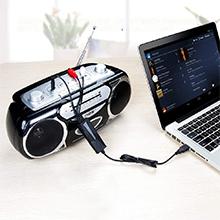
The DriverGenius AudioXfer AV202-B is a compact, USB-powered audio capture device designed to convert analog audio from cassette tapes, vinyl, and MiniDiscs into high-quality digital files. Supporting stereo input via 3.5mm or RCA connectors and sample rates of 44.1kHz and 48kHz, it offers plug-and-play compatibility across Windows, macOS, and Linux platforms. Perfect for music enthusiasts and podcasters, it enables easy preservation and restoration of vintage audio with no driver installation required, backed by a 2-year warranty and responsive customer support.




| ASIN | B00XU4NT6K |
| Best Sellers Rank | 56,838 in Computers & Accessories ( See Top 100 in Computers & Accessories ) 86 in External Sound Cards |
| Box Contents | USB Audio Capture |
| Brand | DriverGenius |
| Brand Name | DriverGenius |
| Colour | Audio Grabber (Black) |
| Compatible Devices | Headphone, PC, earphone, radius |
| Compatible devices | Headphone, PC, earphone, radius |
| Connector Type | 3.5mm (TRS), Stereo R/L |
| Connector type | 3.5mm (TRS), Stereo R/L |
| Country of Origin | China |
| Current Rating | 500 Milliamps |
| Customer Reviews | 4.2 out of 5 stars 1,042 Reviews |
| Input Voltage | 5 Volts |
| Item Dimensions | 8 x 3 x 1 centimetres |
| Item Type Name | Audio Interfaces |
| Item Weight | 38 Grams |
| Item dimensions L x W x H | 8 x 3 x 1 centimetres |
| Item height | 1 centimetres |
| Manufacturer | DriverGenius |
| Model Number | AudioXfer - 1 Pcs (A) |
| Nominal Power | 0.25 Watts |
| Number of Items | 1 |
| Number of Ports | 2 |
| Package Quantity | 1 |
| Power Plug Type | No Plug |
| Product Finish Type | Matte |
| Product Warranty | 2-Year Limited Warranty |
| Specific Uses For Product | Music Collection Digitization, Old Recording Restoration, Radio Broadcast Recording |
| Specific uses for product | Music Collection Digitization, Old Recording Restoration, Radio Broadcast Recording |
| Unit Count | 1.0 Count |
| Warranty Type | Limited |
C**.
Works perfectly, an inexpensive way to digitise cassettes or vinyl
I was looking for a gizmo to allow me to digitise a couple of old cassettes, as I already own a good Nakamichi cassette-player: There are a lot of USB devices which will only take a mono microphone input, so it took a while to find that this was exactly what I needed to do the job: Stereo signal from cassette-player to USB input on laptop. The research proved useful: Apparently, the optimum signal is via the line-out sockets on the rear of the machine, but to save having to dig around the back of my hifi, I chose to try the headphone-out on the front-panel. This has a level-slider, so I could adjust it to get the optimum level for recording in Audacity. So, I ended up with a full-size to mini-headphone adapter, a 5m headphone extension lead (so I could work comfortably on the sofa), and a USB-C adapter to connect with my M1 MacBook Pro. All of these are things a geek such as myself has laying around in various boxes! The USB-C adapter will, of course, go either way in the laptop, but the standard USB end of the gizmo has to be correctly oriented in order to fit into it. That means that the USB-C adapter now also has a correct orientation, in order to work correctly with left and right channels on the appropriate sides. All was hooked up, and a little carefully pushing of connectors employed, used as I was only getting one channel through to monitor on Audacity. Probably from the cassette-deck, which has never head headphones plugged in before. I also took time to ensure it was set to give the best sound-output: It has a couple of filters for tape-hiss, so I experimented with these, set the appropriate tape-type and Dolby, then played the cassette form the beginning and hit 'record' on Audacity. I left it recording whilst I turned the cassette over, to give me one long track to work with. I applied no filters to digital track, having gone through the above process. Also, the previous research had given me some useful tips with regard to the new software: Select a part of the recording that I wanted to be a single track, and then add a label (which will become the track title) to it, and repeat for each track. Then export as multiple tracks based on these labels, select a format for the audio files, add some artist and album details, choose the desired output format, and a few seconds later, I had a complete album of individual, digital tracks to copy to music player, SD card for car, etc. Great stuff! Just a note that if you want WMA file-format exports, then it requires an additional download of codecs from Audacity. Since these are only available under Windows, I saved the single, long track as an Audacity project on the Mac, and did the track, splitting on my Windows PC, where it was easier to see and hear what I was doing (larger monitor, better speakers). All this took a while: Obviously, the recording is in real-time, and this was my first time using Audacity, but I was impressed with both the quality of the original cassette on my Nakamichi, and the finished digital files which I created. If a CD had been available, I would have bought that to rip instead, but for the few times I need to do this, the device is extremely good value, works as expected, and gave me a fun morning messing around on a rainy Sunday.
M**S
Decent USB capture supporting 48khz@16 bits, works on MacOS Catalina
I was looking for something that I could plug into an old MacBook Pro to sample some of my vinyl. Although it is a bit hard to find out the actual specs of the DAC but it supports sampling rate of 48khz at 16 bit. This is perfectly adequate for my use but if you wanted something with a higher rate and better hardware you would need to look elsewhere. I connected this to my MacBook Pro running the latest Catalina release and it was detected and worked without any issues. I haven't plugged it into any of my Windows machines but if imagine it will be the same. I connected the device to the RCA phono outputs from my amp which gave a more than adequate signal. The box also contains a female to female adapter for the 3.5" Jack connection. I didn't use the supplied software but rather downloaded and updated to the latest version (v3.0.4 at the time of writing) of Audacity from their website (it's a free open source program). I used an earlier version a number of years back to perform the same task so am already familiar with it, however there are a number of tutorials on the Audacity site and the web in general on how to use it and it's relatively straight forward. I mentioned the hardware sample rate above as that is what you can ultimately get from the device you can however use the software to down sample this if desired e.g. to the CD standard 44.1khz@16 bits.
L**S
Very simple to use to capture analogue sound
I have not yet used all the functions of this device, so this is a partial review, but the thing I have done - played the output from an analogue player (in my case a cassette player) into an Apple MacBook Pro via USB - it appears to work perfectly, with no apparent reduction in sound quality. The device comes with a small CD containing PC and Mac software which helps the conversion of the input to MP3 on one's computer, but in the case of the Mac this is not needed, since the device immediately appears as a sound input named "USB PnP Audio Device". Because of this, I used software I was already familiar with, Audio Hijack, to input the sound and convert it to MP3. After this, I used other software to edit the sound. So it all turned out to be very easy to use. This was not the cheapest device but I thought the price very reasonable and the results met my expectations.
M**P
Excellent
Excellent product and works well
B**G
Awful yet great.
Windows 10 - Zero Stars. Tried on three different computers- desktop and laptop, but could not get Audacity to recognise V-Top. Windows device manager said it needed 'further installation'. Unplugged, replugged, rebooted, Audacity parameters changed - no result. Ubuntu - 5 Stars. Worked immediately on plugging in. Audacity is of course the real star, just read the tutorials in the manual before you leap in.
P**N
Does not work on Windows
I wondered why all the reviews were for Macs. I see one reviewer saying it doesn't work on Windows 10 (now that I look closely). It doesn't work on my Windows 11 machine either. Audacity says there's no input device. Luckily it dual boots to Linux (Mint 21 which is pretty much Ubuntu) and it works there. The software I use to automatically split on silence is only on Windows (Audiograbber) so it's a pain. I can rip to wav and then run that software on Windows so I can live with it. The title says it works on Mac and PC. Technically, they are right because Linux us running on a PC but most people would take that to mean Windows so it lost a star. I checked their website for drivers but couldn't see anything.
T**T
Convenient and not expensive.
I finally decided to copy some old tape cassette material to my Mac, and this gizmo provides all I needed to port my Pro Walkman headphone socket output sound to the computer via a USB connection. It comes with Audacity software, which I didn’t find quite as intuitive to set up as some have suggested, but once it’s done, it’s done. The quality of the .mp3 files I’m getting from this is very good indeed. Good stereo separation - particularly from professionally recorded cassettes. If you’ve never copied analog material like tapes or vinyl to mp3 before, don’t forget it happens “in real time”, so a full C90 tape cassette takes 90 minutes to run through this to become your mp3 version. I’ve not yet needed to use this adapter to create mp3s from vinyl, but it has two RCA inputs as well as the 3.5mm stereo plug I’ve been using with the Walkman, so ought to be easy enough to connect, providing you heed the instructions about needing a preamp, and not connecting directly to the turntable’s outputs.
M**O
Hard to fault for the moneyA
As of today, I've now managed to fry not one, not two but three of these bad boys. Which means they're either very bad (and I'm an idiot for buying another and expecting them to be different) OR I'm an idiot who really shouldn't pump the output of an experimental amplifier directly into the phono. Go on, guess. No really, joking aside (sorry Amazon, and you'll see I don't return them) I really amp working on a very experimental pre-amp and associated bit but I needed a low-cost digitiser that doesn't make more noise than the evening chorus-line at Crickets-R-Us. And amazing as it is, this thing really is that good. Compared to the Focusrite Scarlett Solo it looks a bit feeble but given the vast difference in price... Plug and play in Windows (no drivers required) and it gives you not two but four inputs on the stereo output. There's no mixer so if you wanted to mix down in real time you'd have to adjust that yourself but the point is that the Drivergenius is very good at what it does and really does compare well with much more expensive kit in terms of the audio it delivers. Works in Linux too - sort of - but it's hard to blame this hardware as Linux isn't known for audio and it's clearly not happy to play on my ageing i5 (8th generation) laptop - so two cores and 0-60 eventually. It's not pretty and it's not going to take a licking but for the money, this thing is just about impossible to beat.
Trustpilot
2 weeks ago
1 day ago