Buy anything from 5,000+ international stores. One checkout price. No surprise fees. Join 2M+ shoppers on Desertcart.
Desertcart purchases this item on your behalf and handles shipping, customs, and support to Mexico.
✈️ Take command of the skies with precision and style!
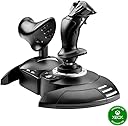
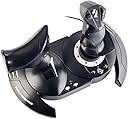
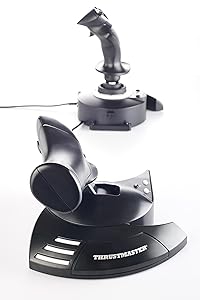
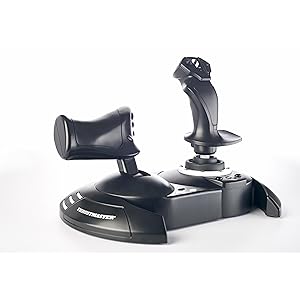
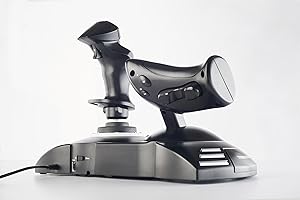
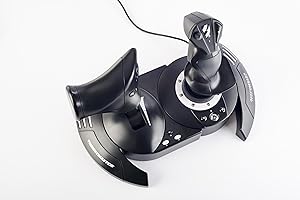
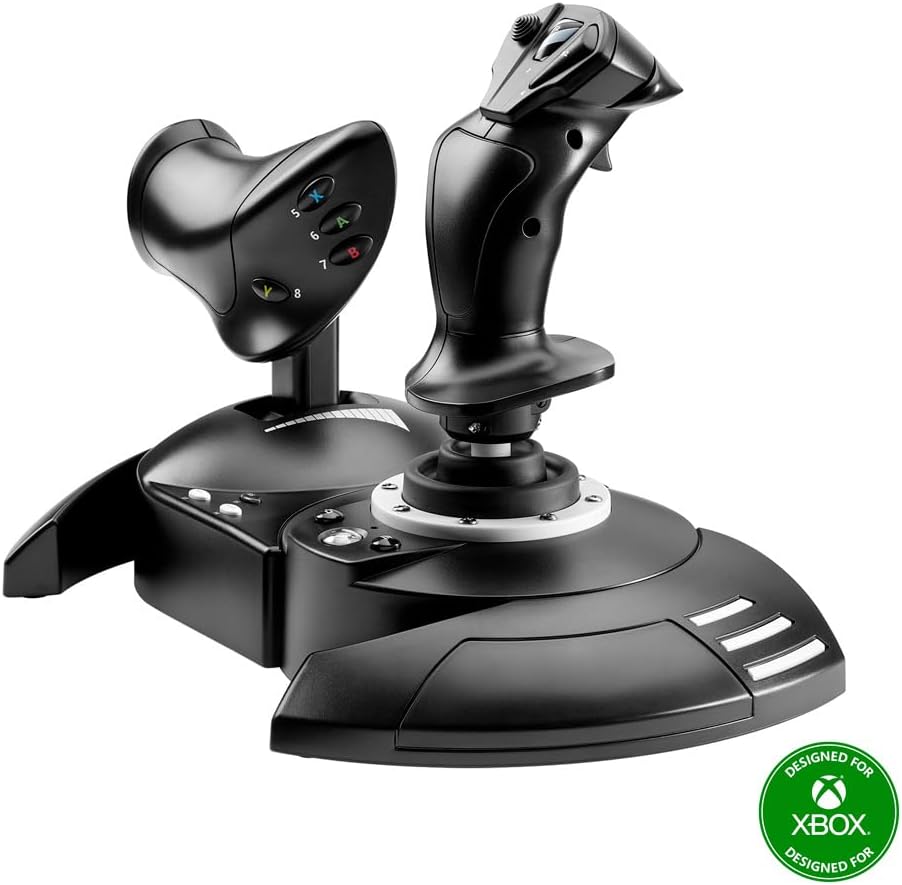
The Thrustmaster T-Flight Hotas One is a versatile, ergonomic flight stick controller featuring a detachable throttle, 14 programmable buttons, and adjustable joystick resistance. Designed for PC and Xbox Series X|S, it offers plug-and-play USB connectivity and supports a wide range of flight simulators. Perfect for both beginners and seasoned sim pilots, it delivers realistic, immersive control with modular setup options and compatibility with additional Thrustmaster accessories.


| ASIN | B07643TW2V |
| Additional Features | Ergonomic |
| Best Sellers Rank | #813 in Video Games ( See Top 100 in Video Games ) #3 in PC Game Flight Controls #19 in Xbox Series X & S Controllers |
| Brand Name | Thrustmaster |
| Button Quantity | 14 |
| Color | Black |
| Compatible Devices | PC, Xbox One, Xbox Series S, Xbox Series X |
| Compatible Video Game Console Models | Microsoft Xbox One, Microsoft Xbox One S, Microsoft Xbox One X, Microsoft Xbox SERIES X |
| Connectivity Technology | USB |
| Controller Type | Flight Stick |
| Customer Reviews | 4.5 4.5 out of 5 stars (5,449) |
| External Testing Certification | Não Aplicavel |
| Global Trade Identification Number | 00663296421005 |
| Hardware Platform | Xbox Series X |
| Included Components | Instructions manual & flightstick |
| Item Dimensions | 20.47 x 11.42 x 22.24 inches |
| Item Type Name | Flight Stick |
| Item Weight | 1644 Grams |
| Manufacturer | Thrustmaster |
| Manufacturer Part Number | 4460168 |
| Model Name | Thrustmaster T-Flight Hotas One |
| Model Number | 4460168 |
| Package Quantity | 1 |
| Power Source | Corded Electric |
| UPC | 734130217037 663296421005 |
| Warranty Description | One year |
K**K
Sturdy
Very sturdy and works amazing
T**Z
Amazing
This is amazing. I have always wanted a flight stick but could never afford one. Luckily for Christmas I got 75$ worth of Amazon credit. Although I do have one complaint. After I initially ordered it, I happened to be checking the item page reading through the description again 4 hours later and noticed it was on sale for 30$ less. That’s kind of crappy. Why would it randomly go on sale right after I order it for full price? Anyway I was able to cancel it and reorder it at the discounted price. On to the actual product. It works great, does everything it is supposed to do. The stick is very comfortable and the thrust handle feels pretty good too. My one and only gripe with the actual product is the thrust stick. It is way too loose. It only really stays in place when it is centered and the slightest touch will drop it full forward or backward. I honestly believe that they could have made a better assembly that stiffens the base of the stick. I noticed in many other reviews that their thrust stick doesn’t even stay in place at all, it just drops to one side or the other. Luckily mine isn’t that bad, it will still stay where I set it but only just barely. I had really wanted the PS4/5 version as no one here owns an Xboxone or otherwise only Ps5s. But no other T.flight HOTAS were affordable or even on sale. The one I wanted was over 120$ but if it were in sale like this one was for 30$ off of 90$ I would’ve been able to get it since 90$ is what I was originally going to pay for this one. Sucks and a real shame. Not entirely sure why this one was the only one that went on sale, and why it went on sale immediately after I initially ordered it 😅
C**R
It disappears. What every good controller should do. (Xbox One User)
You get so into using the device that it ceases to exist. You aren't thinking about it being there. It just melts away because the actions you perform with it become so natural, that belief is suspended. You get these easy muscle memories for actions. "Oh, there's a star. Hard bank right, throttle up, turn out, wait until you hit 1c, then throttle back and tap the system map to pick dock." You think that. Then your hands just do it and you aren't thinking about it. Because it's such a good controller. It feels cooooooooooool using it. I can't put it any other way. It's not good for shooters. I tried to use it to drive tanks in War Thunder, but that's a twitch shooter's world. Not a stick world. Not unless you are flying the planes. Perfect for that. But it will take a lot of TIME to get the stick to play nice with War Thunder. Their default settings aren't just bad, they are dangerous. No rudder control to speak of. You have to remap it off the stick because it's way too high, even if you set it to 0 in settings. Remap it to the toggle button on the back of the throttle. But Elite Dangerous? It's like they sat down with the folks behind the game and made SURE it would just be perfect out of the box. Because it was. I haven't changed a single button, setting, or mapping. I adore the default setup for this stick with Elite Dangerous on Xbox One. This alone, for me, is enough of a reason to buy this thing. It's one of the most rewarding gaming experiences I've ever had. "Throttle up to engage light engines." Sure thing. And you slam that throttle forward and start hurtling through fields of stars.
D**I
Excellent HOTAS for flight sims on PC and Xbox
The Thrustmaster T-Flight HOTAS One is very well built and comfortable to use. It’s compatible with both Xbox and PC, making it versatile for different setups. The joystick feels precise, and the throttle is smooth with good resistance. Setup was easy, and all the buttons are intuitive and responsive, which makes controlling aircraft in flight simulators a breeze. Overall, it’s a high quality, reliable HOTAS that offers great value for the price. Highly recommended for anyone looking to get into flight sims.
B**Y
Works with Mac!
I bought this for X-Plane 11 on Mac OSX 10.13 High Sierra. When the program launches you simply have to manually map each aspect to your controller. Pitch, roll, yaw, throttle, then add what you wish to the controller. Save it as a profile and select it each time you launch. This has a selector switch to toggle Windows or Xbox. Select Windows and calibrate. It has an external connection for rudders, but the joystick rotates allowing you to assign yaw to the joystick without a rudder. Don't try a helicopter without an additional rudder. All axis are reversible in X-Plane, so if you want to reverse the thrust you may. This controller will work with Xbox Flight Simulator 2020 when released. The controller comes in two pieces. The Xbox buttons, A B X Y are located on the throttle. I had trouble attaching the throttle to the joystick. The USB cable is short, as others by noted. This is no problem on a desktop, but for an Xbox, you'll need an extension. Both components, joystick, and throttle are of substantial mass. You must take the time to adjust the detail in settings for smooth operation or the joystick will seem unresponsive. X-Plane has more assignable options than the controller has buttons. I assigned gear, flaps, nav, and com to the controller. You will still need a keyboard and mouse to use this sim. Amazon delivered this next day and it replaces my Logitech 3, with no yaw control. If you own a Mac, this controller will work well. I am a licensed pilot and the controls, once your frame rate is configured in the sim, will work realistically. I caught myself "chasing the gauges" on my first flight. Every other review mentions Elite Dangerous. I have not tried this on that game. Read other reviews if interested in that game. I bought this for X-Plane on a Mac, using Stream. It works well.
C**Y
Roll to the right? Try this...
Okay after many months and months of thinking about what I would write as a review and here is my take on a great piece of equipment.. For starters I purchased the hotas one original edition... soon after purchase however the controller started drifting in random directions at different times of the day. Sometimes it would work... other times not. I decided to go back to my normal controller and was going to sell it for money... Here is where it gets interesting... I purchased a second one after which I started reading reviews and one person said that you should update the firmware package to get latest technical updates... worked great for a few days but once again it started acting up. I decided to send my twin brother the first Hotas I purchased telling him it may roll to the right during gameplay... he said okay it doesn't matter. When he received the joystick he started playing with said joystick but no issues happened during the 5 hours he used the hotas. Now here is what I did to try and see if there was any electromagnetic interference with my hotas. I realized I had static electronic bags used for shipping electronic computer components that also block electronic interference. I made a layer of these bags under my joystick and found that there was no more drift after updated firmware had been installed that morning. I really hope that this review sheds some light onto POSSIBLE issue remedies regarding the occasional drift that I am not the only one to experience... Happy flying.
G**H
Transforms Ace Combat 7!!! (Hotas One for XBOneX)
This really makes Ace Combat 7 a much more fun game -- flight control is so much more intuitive with the Hotas One. I hope this helps anyone wondering if the Hotas One / Ace Combat 7 combo works well. As I write this, it's about 2 weeks after AC7 release, and there hardly any reviews on this combination I could find. Pros: 1. Flight control in Ace Combat 7 is so much more intuitive and enjoyable. With the standard XBOneX controller, I have a tough time pitching down and rolling. Hats off to people who can ace this game with the standard controller, but I'm not the greatest with the left thumbstick as flight control. I was a few missions into the convict squadron when my Hotas One showed up. I restarted the Campaign, and missions got much easier, playable in Normal mode. 2. With stick and throttle joined together, it's a stable enough to put in your lap while you play. 3. Best deal I could find was on Amazon. Cons: 1. My particular unit sometimes needs to be disconnected, reconnected at the round plug (?) section for the XBOneX to see the rudder and stick, though it always sees the buttons. (The USB cable has a short, round connector about 8" up from the USB port connection, so it's a 2-piece USB cable). I imagine I need to call Thrustmaster support to sort it out, which I'm really not looking forward to. This seems more of a problem with when it's connected to the front USB port, than the rear. A bit of an odd problem, since when this occurs, Ace Combat 7 still sees the Hotas One when you go into Options in the main menu. 2. The USB Cable between the flight stick and the XBOne is 5' long. It's a bit short for me, and 6' would have been about perfect, but remedied easily with a cheap USB extension cable (I hope, I just ordered one). 3. I use my stick/throttle as a single unit. However, the interconnecting cable between the stick and throttle is a bit short if you want to use them on either side of your lap (i.e. throttle left, stick right). I've read about a couple of people buying a longer cable, but haven't really looked into this. 4. It will take a few missions to get used to the button layout - some buttons are automatically remapped on the Hotas One. More than a few times in a dogfight, instead of firing a missile, I switch targets by mistake, but that's on me, I think - this is only my second day playing with this :) Small, precise control movements area also easier, I think, with the standard controller than a fight stick 5. To my knowledge, you can't remap buttons on XBOne. But I believe you can if you use it with Windows.
J**D
Works Great
I had zero issues connecting and using it with my Xbox with MS Flight Sim
T**S
My son is happy with the result and uses it daily! Easy to use and great quality. Thank you
Easy to use, qreat quality and just what he wanted
C**S
Good product
So far this item has worked great.
J**C
Un joystick davvero eccellente
Un joystick davvero eccellente e intelligente ... pienamente soddisfa la mia modalità di gestire gli strumenti di vari aerei per volare in MSFS 2020. Grazie
T**N
Good price for quality product
Cant find any HOTAS combo for under 100 SGD, i would say this is a good product for anyone trying to get into flight sim as it is very affordable and customisable.
C**A
Excelente para Warthunder
Excelente producto, mejor de lo que esperaba
Trustpilot
4 days ago
1 month ago