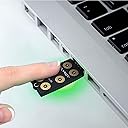


🔑 Unlock elite security with effortless style — don’t get left behind!
OnlyKey is a professional-grade, open-source hardware security key and password manager that combines universal two-factor authentication protocols with a rugged, waterproof design. It features PIN protection with auto data wipe after multiple failed attempts, supports seamless login autofill across all major operating systems, and secures your online presence even if your computer or websites are compromised.


| ASIN | B06Y1CSRZX |
| Best Sellers Rank | 97,951 in Computers & Accessories ( See Top 100 in Computers & Accessories ) 1,104 in USB Flash Drives |
| Brand | OnlyKey |
| Brand Name | OnlyKey |
| Colour | White |
| Compatible Devices | Windows, Mac OS, Linux, Chromebook |
| Connectivity technology | USB |
| Customer Reviews | 4.2 out of 5 stars 562 Reviews |
| Flash Memory Type | NAND |
| Hardware Connectivity Technology | USB Type A |
| Hardware Interface | USB |
| Hardware interface | USB |
| Item Weight | 0.6 Ounces |
| Manufacturer | OnlyKey |
| Manufacturer Part Number | CPT-OKY-002 |
| Model Name | OnlyKey |
| Model Number | CPT-OKY-002 |
| Model name | OnlyKey |
| Network Connectivity Technology | USB |
| Product Features | Open-source, Verified, and Trustworthy; PIN Protected; Tamper-resistant Design |
| Special feature | Open-source, Verified, and Trustworthy; PIN Protected; Tamper-resistant Design |
| UPC | 633832116009 |
| Unit Count | 1.0 count |
A**E
The most important thing about security systems is that they are easy to use ... which this is
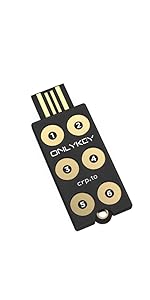
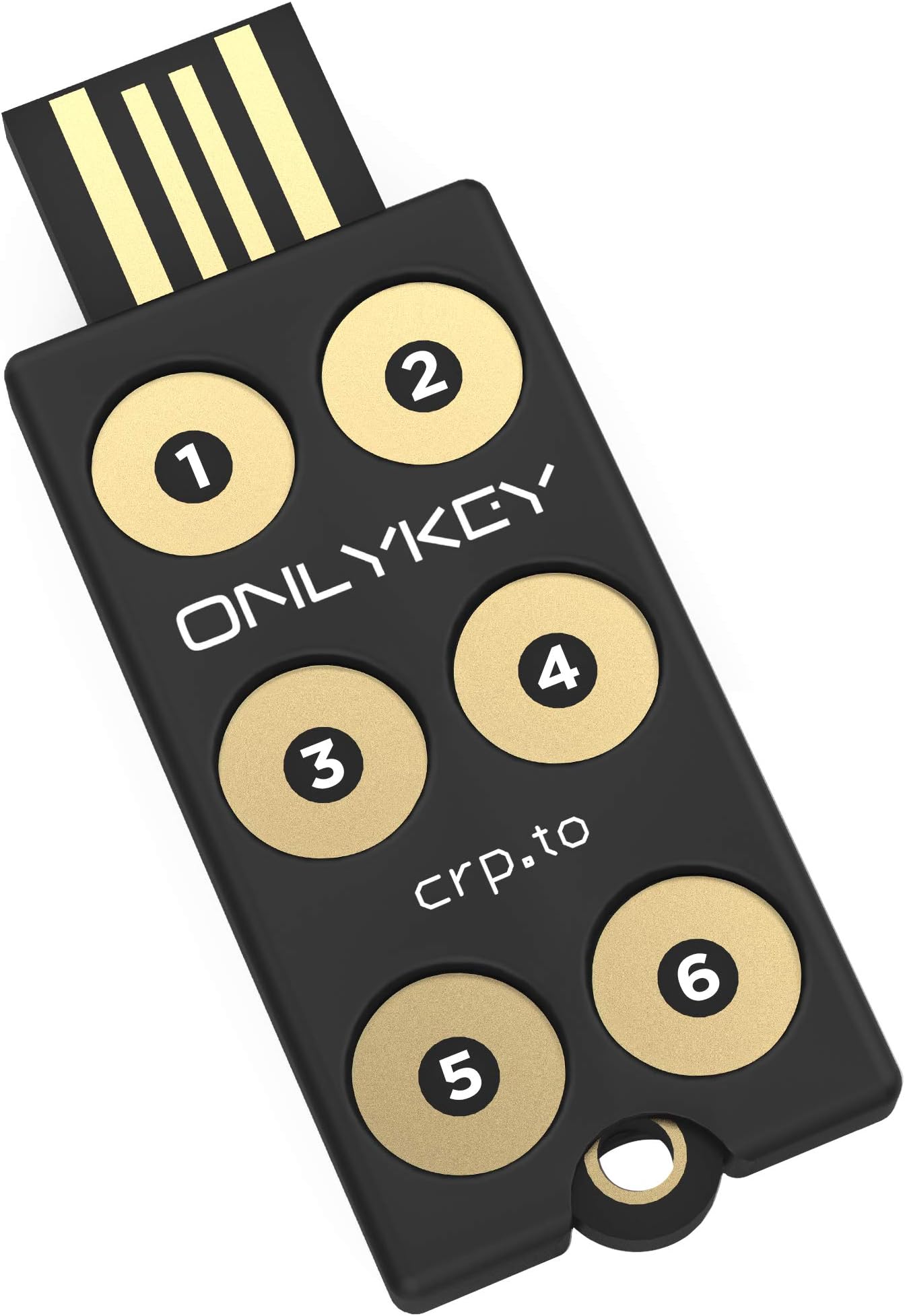
Sophisticated multifunction PIN protected security key and OTP generator. Also stores logins and passwords. The Onlykey is used to enhance security in IT applications. The key is supplied together with a silicone rubber covering (despite what some reviewers say) and a keyring attachment in a bubble packet. There are no instructions but detail of a website is provided that has extensive information about setup and use. I have little prior experience with this sort of equipment but found setting up the key very straightforward. There are many security keys available but their functions vary. The OnlyKey is the only one I have found that is protected by a PIN code which is entered on the device itself. Once the Onlykey has been unlocked it can be programmed to remain open until removed from the USB port or to automatically lock at any time between 1 and 255 minutes. I prefer not to have to keep re-entering the PIN so have mine set to a long time. When I leave my PC in sleep mode it still provides power to the USB ports but the OnlyKey can be locked by pressing number 3 for 5 seconds. OnlyKey can act as a simple security key; it can provide One Time Passwords at the touch of a button (like Google Authenticator codes), it can encrypt files and it can save password and logon information. It can also be used with W10 Hello but needs an additional PIN to be entered which to me is not ‘passwordless’. For this reason, I unlock windows by using the OnlyKey to input the Windows PIN, which it will do at the touch of a button. The OnlyKey allows storage of logon data and OTP’s in up to 24 slots. This is achieved allocating a slot to each of its six keys with a short press and another slot following a long key press. Following logging into the OnlyKey again with a different PIN code allows a further 12 slots to become available. The OnlyKey outputs data to the PC by acting like a virtual keyboard. This means its performance can be monitored by opening a text window on the PC and touching a button which results in the content of the slot being printed in the text window. Interestingly my PC is set up to come out of sleep when I press a key on my keyboard but activating the OnlyKey does not wake it up. The key’s software is a little clunky but it is very flexible. Features of the design could be improved. The key does not have a flat under-surface which means it rocks if buttons are pressed when it sits on a table top. The location of the LED is poor. The multicoloured LED feeds back invaluable information to the user about the state of the OnlyKey, such as whether it is locked or not, but cannot be seen when operated on a desktop. The key needs to be redesigned so the light is visible while the keys are being touched. I use the OnlyKey plugged into a USB extension cable and have it strapped to a piece of clear plastic that allows the LED light to escape and so be visible. The key is also supported so it does not rock. The OnlyKey is an invaluable and sophisticated security key. It is easy to use and has multiple functions. It comes into its own when paired with a password manger like BitWarden.
R**W
Exceptional, Versatile and Highly Secure Mix of Convenience and Efficiency
Introduced to me by "All Things Secured," the OnlyKey instantly stood out - it saves time, enhances security, and I wish I'd found it sooner. It's seamlessly integrated into my routine, and its convenience pairs well with its robust security features. This gem works across platforms, from macOS to Windows and more, affording peace of mind with each use. Setup is simple but doesn't limit advanced options, accommodating all user levels. I've found this product so beneficial and affordable that I've invested in a second as a backup. Thanks to Amazon's next-day delivery, immediate benefits await. In sum, this product uniquely combines quality, versatility, security, convenience, and affordability. I highly recommend trying it - you could be as delighted as I am.
H**E
Only key review
Excellent product wuth a complex interface
M**R
Look no further. This is the Right Thing.
This beats YubiKey, look no further. It performs all the YubiKey functions, and much more. With a PIN. Full encrypted backup (with PGP), so if you lose it, you can replace it without redoing all your security. Automatic entry of URL/Username/Password/OTP at the push of a button. Can be wiped with a code (if you're being rubber hosed). Two profiles, for either real/fake, or double storage (up to 24 sets of login details). Open Source. If that matters to you, this key or SoloKey are OSS. Easy to use on Win/Linux/Mac/mobile with a program, but basic configuration can be done in a text editor where it types out instructions for you and waits for your input. I tried others, this is for me, the Right Thing.
J**J
Strong device, however lacks polish and Manufacturer Support
This is an ok and independent option for a fido security key. The software and setup is easy to use, clear and documentation helps massively in understanding in what the key can do and how it works. However, the product all round requires further support and presence from the manufacturer for this type of device. Although some contact can be made, their consistency in firmware updates and overall contact with the community regarding this product is flaky and cannot be relied upon for long term. I appreciate that this is a small company, however for such a critical security device that also offers community input and code to run on the device it leads me concerned about the overall longevity. In terms of features and device usability I have had no issues with it. They are extensive and offers a wide range of options to be configured. The Management software is clunky requiring an application built upon web frameworks. Although working just fine, this to me lacks polish and consistency with such a product and feels rushed. I really like the product but with the overall support and stagnant updates with no clear sign of they will begin again, it makes it a difficult recommendation. As a hobbyist it is something worth using to tinker with but overall reliability will rely on your own skillset and not the mercy of OnlyKey.
R**U
To me waste of money unless it works
Basically no instruction and when plug in to USB slot IT DOES NOT WORK.TRIED SEVERAL TIME IN DIFFERENT USB SLOT .NOTHING HAPPENS. No cover ,it just expose, £10 to bye I would be happy if it has work Can any one help or have wasted money
B**E
Advanced features required 3rd party install
I actually really like the OnlyKey. It’s very secure as a FIDO2/Web Authen hardware token, which is its primary used. For basic functionality there is no need for 3rd party installs, which great. You can set the unlock PIN and self destruct PIN easily, and use it for FIDO2. It also self destructs if the password is entered incorrectly 10 times. The self destruct function is really a self wipe function so the key can be reused after self destruction. I liked the idea of storing SSH certificates, password and GPG keys all on the OnlyKey, but in reality these advanced functions required additional software, that is not all that easy to use. If you want to use they Onlykey for SSH logins that requires additional software, the OnlyKey-agent. This is pretty simple to use one you have the certificate on your key. While you can backup/restore your OnlyKey, be aware you cannot back up the hardware token part of this key due to the FIDO2 specification. The web server and key keep a count of how many times they were used, to ensure key cloning doesn’t work. In the end I decided to use the OnlyKey as a password protected FIDO2/Web-Authen hardware token, and for KeyBase which it is great at.
T**R
ONLYKEY SECURITY KEY IS A WINNER
This is for now a brief review. The key works - that's the point. Plug it into a USB port and you have a power up light. That alone is a good start. The different coloured lights and flashes. Once you install the app/program for Linux or Win10 portable you can start the app , plug in the key and slowly follow the instructions. In fact you can simply run tails OS, open a text file , click in it , press one of the Onlykey buttons if I recall and instructions begin to automatically appear , pin numbers , destruct codes "delete and memorize" just like mission impossible. The app and key has a great deal of information and possibilities. I.T. experts are now warning of security concerns for your devices even if better protected than ever before so this is a good way to understand the subject. Just depending on a mobile phone is not the best idea and people still tell me " what's the fuss - just write your password on a piece of paper" - these same people lose everything when the phone is reset. I still think this device has some reliability / consistency issues with the app and registering the pin numbers but I trust it more than some other keys that simply would not work in they way they should of.
L**8
Hat mir gefallen
Sehr gute produkt,ich kann ihnen empfehlen
F**L
Seguridad hardware de código abierto
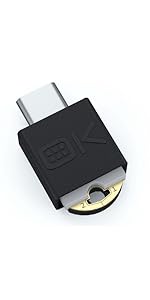
Llevo varios meses utilizando mi OnlyKey a diario: con KeepassXC para gestión de claves y para conexiones SSH. Al principio tenía algunos bugs pero tras algunas actualizaciones ahora todo funciona perfectamente. La he usado alguna vez conectada a mi teléfono móvil por USB OTG, pero es algo muy esporádico y es un fastidio tener que andar con un adaptador de USB-A a USB-C. Aprecio mucho que el software para usar la llave sea libre, por un lado me ha permitido arreglar personalmente algunos bugs que me he encontrado y por otro siguen llegando nuevas funcionalidades (como soporte para firmado con claves PGP/GPG). Hay mucha flexibilidad para usar la llave en muchos escenarios diferentes. Un detalle importante sobre esta llave es que las claves privadas no están protegidas contra ataques contra el hardware interno, porque está basada en Arduino y no dispone de un elemento seguro. Esto significa que si alguien se apropia de la llave y dispone de suficientes recursos (miles de euros en equipamiento especializado) probablemente podría extraer los datos. Si este es un vector de ataque del que necesites defenderte entonces mejor busca productos con un elemento seguro que se haya probado resistente contra ataques (aunque en estos casos tienes que confiar en los fabricantes, que no tengan puertas traseras por ejemplo). Dicho esto la OnlyKey es la llave de seguridad más flexible del mercado hoy por hoy. Si tu principal preocupación es proteger tus claves privadas frente a un ataque de malware en el ordenador o un ataque hardware tipo BadUSB entonces OnlyKey es una buena opción.
S**I
Molto utile, ma decisamente non plug & play
La prima cosa da dire, per evitare malintesi, è che si tratta di un dispositivo che non è assolutamente plug & play. Per utilizzarlo appieno e quindi apprezzarne l'effettiva utilità è necessario avere buone conoscenze e manualità informatiche. In parole povere: è un dispositivo adatto ad un professionista o per uno smanettone, decisamente più difficoltoso altrimenti. La configurazione, specie le prime volte, è un po' macchinosa. In particolare, visto che i valori si possono scrivere ma non leggere, è consigliabile farsene una brutta copia su un file di testo per evitare di dover reinserire tutto daccapo a mano se si deve cambiare solo una virgola. Unico neo per esperti: è un peccato che il supporto PGP si limiti ad una WebApp e si appoggi troppo ed esclusivamente su Keybase.
S**E
Brilliant Password Manager
Use it daily both at home and work. With 12 spots and 2 profiles (24 secrets), it saves me a lot of time. Easy to use and works on windows and linux and through RDP.
E**R
Parfaite. Seule cle à protéger vos acces avec un code pin
Testée depuis quelques mois en clef principale. Attention a l’installation il faut d’abord paramétrer la langue / clavier via le logiciel (par defaut c en qwerty). La possibilité de double code pin permet de multiplier les usages des touches. En permanence attachée a mon porte clef g toujours peur de la briser en deux tellement fine, mais la clef semble tenir le choc. En pratique les touches sont un peu petite pour mes (gros) doigts. Une fois branchée sur un port usb la clef manque d’appui et il faut la tenir d’une main pour saisir les codes de facon fiable. Pas de nfc :( ce sera a priori peut-être inclus dans la prochaine version Sur un pc je me suis trouvé avec le clavier inaccessible en dessous... En dehors de details finalement l’OnlyKey fait ce que j’en attend pour un prix raisonnable et surtout c’est la seule clef à fonctionner de la sorte (code pin de protection d’acces). en cas d’emprunt de votre clef la clef sera efface en cas de mauvaise saisie du pin. ( pensez a faire une sauvegarde, ça devrais être automatisé par le logiciel )
Trustpilot
3 weeks ago
2 months ago