🚀 Power your AI vision with the Jetson Orin Nano — where edge meets excellence!
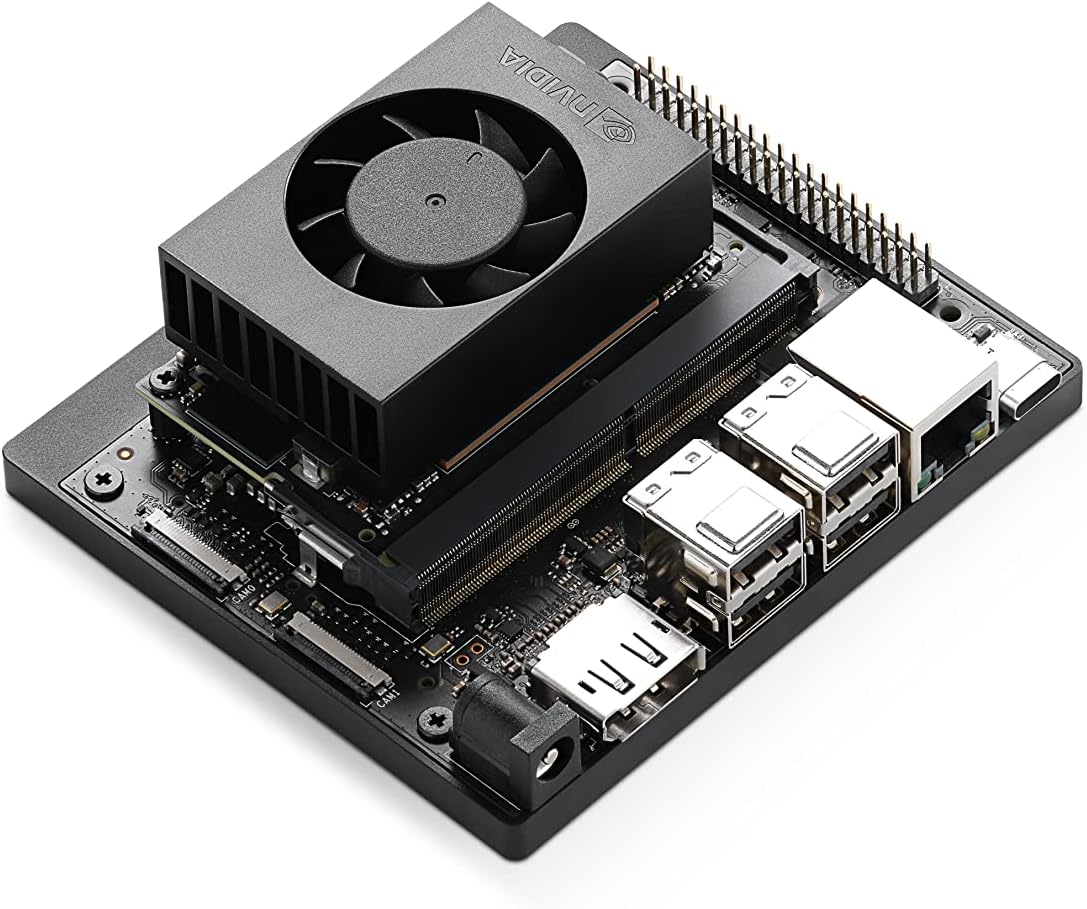
The NVIDIA Jetson Orin Nano Super Developer Kit is a compact, high-performance AI development platform featuring a 6-core ARM Cortex-A78AE CPU and Ampere GPU delivering up to 67 TOPS. Designed for next-gen robotics, smart cameras, and edge AI devices, it offers extensive connectivity including dual 4-lane MIPI CSI camera inputs and 5 USB ports. Supported by NVIDIA’s comprehensive AI software stack and ecosystem, it enables rapid prototyping and deployment of advanced AI models at an accessible $249 price point.
| ASIN | B0BZJTQ5YP |
| Best Sellers Rank | #6 in Single Board Computers (Computers & Accessories) |
| Brand | NVIDIA |
| Built-In Media | Quick Start and Support Guide, Type B (US, JP) Power Cable, Type I (CN) Power Cable |
| CPU Model | 6-core ARM Cortex-A78AE v8.2 |
| Compatible Devices | Various |
| Connectivity Technology | USB, DisplayPort, Ethernet, GPIO |
| Customer Reviews | 4.2 out of 5 stars 273 Reviews |
| Global Trade Identification Number | 00812674025261 |
| Item Dimensions L x W x H | 3.11"W x 0.83"H |
| Manufacturer | NVIDIA |
| Memory Storage Capacity | 8 GB |
| Model Name | Jetson Orin Nano 8GB |
| Operating System | Linux |
| Processor Brand | ARM |
| Processor Count | 1 |
| RAM Memory Installed | 8 GB |
| RAM Memory Technology | LPDDR4X |
| Ram Memory Installed Size | 8 GB |
| Total Usb Ports | 5 |
| UPC | 812674025261 |
| Warranty Description | 1 year manufacturer |
| Wireless Compability | Bluetooth |
P**O
Excellent – Powerful, Fast, and Perfect for Advanced AI Projects
The NVIDIA Jetson Orin Nano Super Developer Kit exceeded every expectation. For its size, this thing delivers incredible performance — fast boot times, smooth CUDA acceleration, and outstanding handling of AI workloads. Running local LLMs, vision models, robotics stacks, and edge-compute pipelines feels effortless. The build quality is solid, setup is straightforward, and the system stays stable even under heavy loads. I’ve tested everything from PyTorch models to engineering diagnostics and it never struggles. For anyone working on edge AI, embedded systems, or real-time machine learning, this is an absolute powerhouse. Highly recommended if you want serious AI performance in a compact, efficient developer kit. This is hands-down one of the best edge-AI boards available right now.
K**.
Works great and excited to look at edge applications, jetpack install a bit tricky for non-linux
Slight pain on getting newer jetpack installed for non-Linux person, but i got it. I had Ollama Phi3 up and running very quickly I'm impressed and looking forward to playing with it more.
B**R
The Orin Nano super developer kit is very dependable..
The Orin Nano super developer kit is a very solidly manufactured little device that is very reliable. Once you learn how to use it with a small Ubuntu 22.04 host and Nvidia’s sdkmanager, you can use it to host many different applications with or without AI. The CSI-2 camera ports are very tricky to use if the cameras are not UVC compatible. At this time, it only supports ubuntu 22.04, but that is enough for many useful applications. Beware and know which version of JetPack you need to use, and be prepared to flash and reflash your SD or NVME memory. It is best to use a large size NVME to avoid lots of headache dealing with the SD.
C**.
after this experience I won't be able to look at any nvidia product without gagging
what a waste of time, not worth my sanity. another day and I'd likely take a sledge hammer to it. nvidia software, their os, the sdk, the code examples (jetson lab), all of it is just absolute garbage. first, you must have real computer (vm won't do) with intel and ubuntu 22.04 just to flash the nvme. then you find out nothing works. first clue was their "readme" link they placed on the desktop "for my convience", which doesn't work, points to nothing. snap needs downgrading before you can run any program. then there are the ai software examples from their own lab. I wasted a week so far trying. only ollama native or container work. I can't make anything else work, and these are their own "tutorials" for this board. all I learned from those is to stay far away from nvidia. I don't believe any of that software, the os and the tutorials are tested or that they are maintaned. their support forums have nothing useful. none of the speech or image or vision tutorials work, all I get is errors, or no response. docker containers start, but nothing listens on the ports I'm supposed to browse to. a swap file is necessary to run anything because the os and nvidia crapware already use about 2-3 GB, leaving very little for models. performance is disapointing, the advertised 67 tops is a lie, marketing bs. in the "super" mode it throttles down immediatelly, actually it trottles down in all power modes. the fan does nothing because it defaults to quiet mode, and you must find a way to set it to allow it to do its job of actually cooling the chip. every step is a struggle, hours of trying, hundreds of gigabytes of wasted downloads. I bought this nvidia dev kit because of the hardware specs:, 1024 cudas, 32 tensors, 2 pcie slots, gpio, 2 csi cameras. but it's all useless without working software and drivers and documentation, and nvidia people have no clue how to code. I know nvidia since mid 90s, their video card drivers were always horrible.
H**H
Good small computer.
It takes some effort to set up, and the placement of the socket where the memory card is inserted isn't great. Once it is set up it works quite well.
J**C
Jetson all the way
This device is pretty sweet and for the price it was at was well worth it. It is a speedy little device and I am still learning things it can do. So far Emulation station it does phenomenal with, I am working on some AI generation and LLM stuff. Also testing this out with a digital camera for taking cleaner pictures and using profiles others have setup to get better night shots. There are a lot more things to do with this and it is a very versatile deal.
A**N
great Home Assistant AI server
This is an amazing addition to my Home Assistant setup. I now have an AI server that keeps all of my data safe and secure inside my own network, no more data mining by tech bros. Best of all it's crazy low wattage. I am going to be getting another one for a robotic project to be its interactive AI. I realize that I can just have the robot use this one on my network but I want the robot to be 100% self contained. With the low power consumption, there's no reason to not have it on board. I will probably also use it as one of the robotic controllers but only if it can walk and chew gum (talk) at the same time. These things are well worth the price as long as tariffs don't jack up the price. I hope I don't have to wait a few more years for that nonsense to quit making robotics so friggin' expensive. You're killing me smalls.
L**N
Good hardware. Not user friendly. Install Jetpack 5 not 6
After 4 days I finally got this running. The hardware is powerful for something so small. But honestly, it was nightmare to set this up because of the crappy software. First of all, the Jetpack 6 OS doesn't flash for models built before May 2024 unless you first install Jetpack 5 to update the firmware. And even then, Jetpack 6 only works on SD cards at this time, not on NVME drives. To use an NVME drive, you need to use Jetpack 5.1.13.... But nobody mentioned this in the docs. I had to delete Ubuntu 22 and install Ubuntu 20 on a laptop to successfully flash the Jetson. Also installing Pytorch and OpenCV with GPU support was a horrible experience. If you do it wrong, there will be no GPU support or some arcane error will happen. There are a lot of little dumb things. For example, Bluetooth Audio is disabled by default and you have to go to this random file to enable it again in order to use Bluetooth speakers or headphones. Visual Studio Code is not available on the Store. You have to search on somebody's website to download it. Eventually I did get it running like a normal Ubuntu computer with a GPU and I love it. But if I hadn't already thrown out the box and 3D printed a case for it... Probably would have just returned it. What the Dev team at Nvidia needs to do is to streamline and simplify the process so out of the box so that this thing operates like a cool minicomputer that you just boot up and use and then can later modify for robotics work. I had to search various YouTube videos, and internet forums to get this running... If I wasn't already experienced with Linux, and computer vision stuff... This product would have been impossible to use.
Trustpilot
4 days ago
1 week ago