






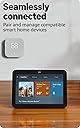


Echo Show 8, With Spatial Audio, Smart Home Hub, ideal for open living spaces, Designed for Alexa+, Glacier White
Product ID: 561108509
🏠Built-in Zigbee + Matter + Thread smart home hub
📺8" HD touchscreen
🔊Spatial audio with dual neodymium drivers
Buy anything from 5,000+ international stores. One checkout price. No surprise fees. Join 2M+ shoppers on Desertcart.
Desertcart purchases this item on your behalf and handles shipping, customs, and support to Mexico.
🎯 Elevate your smart home game with the Echo Show 8 — where style meets next-level control!
The Amazon Echo Show 8 (3rd Gen) is a sleek, Glacier White smart display featuring an 8-inch HD touchscreen and spatial audio powered by dual neodymium drivers. It integrates a 13 MP auto-framing camera for crisp video calls and acts as a smart home hub supporting Zigbee, Matter, and Thread protocols. Designed for privacy with a physical camera shutter and mic mute, it offers seamless voice and touch control, adaptive content display, and extensive accessibility features, making it the perfect centerpiece for connected open living spaces.
| Size | 7.9” x 5.5” x 4.2” (200mm x 139mm x 106mm) |
| Weight | 36.6 oz (1034 grams) Actual size and weight may vary by manufacturing process. |
| Display | 8.0” HD touch screen |
| Camera | 13 MP centered camera with built-in shutter (Photo quality/size may vary) |
| WiFi connectivity | Dual-band WiFi supports 802.11a/b/g/n/ac WiFi networks. Does not support connecting to ad-hoc (or peer-to-peer) WiFi networks. |
| Smart Home Hub | Zigbee + Matter + Thread Border Router |
| Bluetooth connectivity | Advanced Audio Distribution Profile (A2DP) support for audio streaming from your mobile device to Echo Show 8 or from Echo Show 8 to your Bluetooth speaker. Audio/Video Remote Control Profile (AVRCP) for voice control of connected mobile devices. Hands-free voice control is not supported for Mac OS X devices. Bluetooth speakers requiring PIN codes are not supported. |
| Audio | 2 x 2” full range neodymium drivers with passive bass radiator |
| System requirements | Echo Show 8 comes ready to connect to your WiFi. The Alexa app is compatible with Fire OS, Android, and iOS devices and also accessible via your web browser. Supported operating systems. Certain skills and services may require subscription or other fees. |
| Setup technology | Amazon WiFi simple setup enables customers to connect smart devices to their WiFi network in a few easy steps. WiFi simple setup is another way Alexa is always getting smarter. Learn more about frustration-free setup. |
| Processor | Octa-Core SoC with Amazon AZ2 Neural Network Engine |
| Accessibilty features | To enable features that personalize Alexa to your abilities, go to Settings → Accessibility. • Tap to Alexa enables access to Alexa via touch, instead of speech, through on-screen tiles or a keyboard, including the ability to save your favorite actions. • Adaptive Listening provides customers more time to finish speaking before Alexa responds. • Preferred Speaking Rate enables customers to control how fast or slow Alexa speaks. • Alexa Captioning, Call Captioning, and Closed Captioning provide text captions in any mode for supported content. • Show and Tell helps customers who are blind or visually impaired identify products when you say “Alexa, what am I holding.” • VoiceView screen reader enables access for customers who are blind or visually impaired. • Screen Magnifier enables customers to zoom in/out, and pan around the screen. • Notify When Nearby will play notification sounds when you’re detected near your Echo device. • Kindle Read Aloud will have Alexa read your Kindle books aloud. • Real Time Text enables customers to type live text in a video call. • Alexa Accessibility features also include settings for Color Inversion, Color Correction, Request Sound and more. |
| Warranty and Service | 1-year limited warranty and service included. Optional 1-year, 2-year, and 3-year extended warranty available for U.S. customers sold separately. Use of Echo Show 8 is subject to these terms. |
| Included in the Box | Echo Show 8, Glacier White power adapter (30W)/cable (4.9 ft.) and quick start guide. |
| Generation | Echo Show 8 (3rd Gen) - 2023 release |
| Privacy Features | Wake word technology, streaming indicators, microphone/camera off button, built-in camera shutter, the ability to view and delete your voice recordings, and more. Visit the Alexa Privacy Hub to explore how Alexa and Echo devices are designed to protect your privacy. |
| Language | Alexa speaks English and Spanish |
| Alexa Skills & Features | Alexa makes your life easier, more meaningful, and more fun by letting you voice control your world. Alexa can help you get more out of the things you already love and discover new possibilities you've never imagined. Discover and learn what Alexa can do. |
| Software Security Updates | Learn more about these software security updates. If you already own an Amazon Echo, visit Manage Your Content and Devices for information specific to your device. |
| Amazon Sidewalk | Sidewalk uses Echo and Ring devices to securely keep other devices connected and help find lost items by reporting their approximate location to the owner. Sidewalk can enable supported devices to remain connected even when wifi is lost or the supported devices are outside the range of their home wifi. Sidewalk uses a small portion of your internet bandwidth and the approximate location of your devices to provide these benefits to you and your neighbors. Sidewalk is turned on for your device unless you have previously turned it off. You can turn off Sidewalk at any time. Learn more about Amazon Sidewalk. |
Z**K
Huge Upgrade — Amazing Sound and Super Smart
The Echo Show 8 completely exceeded my expectations. The new spatial audio makes a massive difference — music, videos, and Alexa responses sound fuller and clearer than any previous Echo I’ve owned. The screen is bright and sharp, perfect for quick info, recipes, or video calls. Setup was fast, and the built‑in smart home hub instantly recognized my devices. It feels like a true centerpiece for an open living space, exactly as advertised. The performance is smooth, the camera quality is solid, and the whole device feels premium. For the price, this is one of the best smart displays you can get. Highly recommended.
A**A
The perfect kitchen companion
I absolutely love my white Amazon Echo Show 8—it has become one of the most useful and enjoyable additions to my kitchen. The clean white design looks modern and minimal, and it blends beautifully with my kitchen décor without feeling bulky or out of place on the counter. One of my favorite things about it is how convenient it makes everyday tasks. While I’m cooking, I can simply ask Alexa to pull up recipes, set multiple timers, convert measurements, or add items to my grocery list without having to stop what I’m doing. The 8-inch screen is the perfect size—large enough to easily read recipes or watch quick cooking videos, but compact enough that it doesn’t take up too much counter space. I also love using it to play music or podcasts while I’m in the kitchen. The sound quality is surprisingly great, filling the room without sounding tinny or too loud. It makes cooking, cleaning, and even just making coffee in the morning feel more enjoyable. Another feature I use a lot is the ability to quickly check the weather, calendar reminders, and news while I’m starting my day. The display quality is bright and clear, and the touchscreen is very responsive. It’s also nice that it can show rotating photos when it’s idle—it almost feels like a digital picture frame, which adds a cozy touch to the kitchen. Overall, the Echo Show 8 has been incredibly practical and fun to use. It keeps me organized, entertained, and makes cooking so much easier. If you’re looking for a smart display that’s functional, stylish, and easy to use, I highly recommend it. It has truly become a little kitchen assistant that I didn’t realize I needed but now wouldn’t want to live without.
C**D
Easy to set up, no issues to report
Works great. Alexa can even be a little entertaining.😁 I should add that the sound is excellent if you like to listen to music or if you want to get the latest news, weather or sports reports.
C**N
OMG!!!!!!!!!!!!!!!!!!!!!!!!!!
OMG!! Love this Alexa!! It has it all - keeps my appointments handy, can display pictures, keeps date/time and temperature on display and more! It connects to Ring and Blink camera's - amazing!! Product feels heavy, great quality is versatile - I mean I couldn't have ask for anything more!! I haven't tried it, but I can call my sister who also has an Alexa and the screen will display the caller. Plays music - like WOW!! I'm still figuring this out but I love it so much I highly recommend!! It was easy to install and use. Absolutely no regrets!! Thanks Amazon!!
M**T
Strong device, with one important limitation
The Echo Show 8 (3rd Gen) is a solid smart display and, for most uses, one of the better-balanced Echo devices Amazon currently sells. As a smart home hub, it’s responsive and reliable. The display is the right size for a nightstand or kitchen, Alexa responses are quick, and features like photo display, calendars, reminders, and smart device control work exactly as expected. Spatial Audio is a nice upgrade, and for single-device playback, sound quality is very good for its size. Where this device falls short is as a Multi-Room Music (MRM) participant. When used in MRM groups over time, the Show 8 (3rd Gen) can introduce audio instability—brief pauses, delayed volume changes, or momentary desync compared to non-display Echo devices. These issues don’t always show up immediately and may appear only after extended uptime or repeated group playback sessions. Reboots typically restore normal behavior temporarily. To be clear, this isn’t a constant failure and doesn’t make the device unusable—but it does mean the Show 8 isn’t as reliable in whole-home audio setups as standard Echo speakers. In my experience, Echo Dots, Studios, and other non-display models are better long-term citizens in MRM groups. Used on its own, or primarily as a smart display with occasional music, the Echo Show 8 (3rd Gen) performs well and is easy to recommend. If your main goal is reliable, always-on whole-home audio, you may want to limit display devices in your MRM groups or use them sparingly. Overall, this is a very good smart display—just not the strongest choice as a core component in a multi-room audio system.
J**E
The All-new Echo Show 8 (3rd Gen, 2023) Sets the Standard for Smart Home Excellence
The All-new Echo Show 8 (3rd Gen, 2023) is an absolute game-changer for anyone seeking the pinnacle of smart home technology. This device seamlessly combines cutting-edge features with environmental consciousness, earning it a well-deserved 5-star rating. Entertainment Excellence: The 8" HD touchscreen and spatial audio elevate the entertainment experience to new heights. Whether watching videos on Prime Video, Netflix, or enjoying content from Fire TV Channels, the vibrant display and immersive spatial audio make every moment a pleasure. The inclusion of high-quality sound and a 13 MP camera significantly enhances video calling, providing crisp visuals and clear, lifelike sound. Smart Home Integration: The built-in smart home hub makes this Echo Show 8 the central command center for my smart home. It effortlessly pairs and controls devices compatible with Zigbee, Matter, and Thread, eliminating the need for a separate smart home hub. Managing lights, cameras, and other devices using either the touchscreen or voice commands has never been more intuitive. I use this device daily to control all my smart devices with a single voice command, providing a level of convenience that's truly unparalleled. The abundance of Alexa options further enhances the control and customization possibilities. Effortless Connectivity: The device supports connectivity via Bluetooth and Wi-Fi, ensuring a seamless user experience. The setup process is a breeze, and the Echo Show 8 quickly becomes the nerve center of your connected life. Its speed and responsiveness are truly impressive, reflecting Amazon's commitment to delivering a top-notch product. Live Communication Brilliance: The Echo Show 8 excels in live communication, providing hands-free video calls using voice commands. The new Top Connections widget simplifies the calling process with just a tap. The auto-framing camera and noise reduction technology contribute to more natural and engaging video conversations. Easy to Show Memories: The integration of Amazon Photos on the Echo Show 8 makes it incredibly easy to showcase cherished memories. The adaptive color feature ensures that your memories look great in any light, adding a personal touch to your living space. The facial recognition feature further enhances the ease of navigating through these special moments. Daily Convenience: I use this device daily, and its handiness and responsiveness have made it an indispensable part of my routine. Its intuitive controls and quick access to information make it a joy to use regularly. Family-Friendly: Not only is the Echo Show 8 convenient for me, but it has become a favorite among my family members. Its user-friendly interface and versatility cater to everyone's needs, from the youngest to the oldest. It has truly become a communal device that brings us together. Environmental Consciousness: Designed for sustainability, this Echo Show 8 is made from 29% recycled materials, and its packaging is 99% wood fiber-based from responsibly managed forests or recycled sources. Amazon's commitment to environmental responsibility is commendable. Overall: The All-new Echo Show 8 (3rd Gen, 2023) in Glacier White is a testament to Amazon's dedication to innovation, performance, and sustainability. Its exceptional sound quality, sleek appearance, ease of setup, rapid performance, daily convenience, family-friendliness, and overall value make it a must-have for those looking to elevate their smart home experience. This device truly sets the standard for excellence in the smart home market.
K**R
Amazon has absolutely gone mad.
I have a total of 7 Alexa devices. They used to work great. Then the dot started blinking all the time and Amazon discontinued it. I kept it because it still accepted commands. Apparently that wouldn't do, so they made it start making a high-pitched digital noise until I threw it away. All other devices were working fine, as were speaker groups and routines. I ordered this device to replace the spot. They should tell you that it can be connected to bluetooth OR be connected to a speaker group, not both, so you're stuck with the tinny speakers if you're on a group. PLUS, it MADE me upgrade my app to the new Alexa+-enabled app. Now, I'm stuck with 7 devices that act like they are possessed. The Show 8 is the worst of all of them. Slow, poor response, acts like it's running on Windows ME. Speaker groups no longer work (did all troubleshooting and the BEST I can get is the speakers on the same floor connected in one group, but I wanted ALL Alexa devices on all floors connected - that is the ONLY reason I did not buy Apple HomePods instead.) Show cannot show my security cameras, even though they are connected via skills and all cameras are online and working in their respective apps. It REFUSES to accept that I don't want to use Amazon Prime Music (is it so hard to understand that I want to listen to a whole album I have saved in Apple versus letting a device randomly pick a mix for me from yet ANOTHER Amazon service I have to subscribe to? I have set my preferred app to Apple and Show ignores that as though it never was toggled. MOST of the time when I ask to have something played on my speaker group, it plays only on the Flex (HORRID sound - I only have a flex to be able to add items to the shopping list from the laundry room) or it won't play the album I ask for or it won't play it from Apple, or it plays one song and stops. Playing an album on repeat is a no-go. My routines are now jacked up. Alexa will no longer override settings on Nest thermostat so if it is seat on heat/cool and I want to switch to heat and pick a specific temp versus a range, I cannot do that. Amazon is slowly phasing out older devices that still work well by saying they can no longer be connected to speaker groups (strange, they were working just fine before the app "upgrade." I called customer service and was basically told, this service (Alexa+ is in testing phase (not even Beta, somewhere BEFORE Alpha) and they decided to have Prime members be the audience to test the garbage app. They are providing zero updates to employees or customers as to when they will have the app fixed. So right now, I have seven paperweights with varying degrees of uselessness (an older sho, this new show 8, a new dot, two older dots, a flex, and the original Alexa that I had to get on a waiting list to get. The only thing that seems to work consistently well is the flex (go figure - no screen, crappy speakers, no ability to plug anything into it). DO NOT WASTE YOUR MONEY ON ANY AMAZON ALEXA DEVICE UNTIL THEY STOP THIS NONSENSE.
J**.
Ads, Ads, Ads
I bought this thinking it would work as a nice hub for my security camera system and to get me to finally commit to buying Amazon devices for my home. I am now thinking that I made a huge mistake. I want to like this, but it's terrible. It's very slow to respond and nonstop ads and unnecessary visual items like sports or news. I wish I had not purchased this and instead got something Apple or Google based. I imagine that this negative feeling is factored into the fact that they're pumping tons of ads into households across the country, so for those less bothered it will satisfy Amazon's desire to earn advertisement revenue, but the execution is poor. The laggy device means I'll never select an advertisement or care. Secondly, I don't want to see ads in my kitchen. Finally, if this feature was more controllable and the device more customizable, then maybe, but it's not. I'm only keeping it until I find something better and then I'll never buy another Amazon smart home product again The device's main purpose is to show you ads and to listen to your conversations, identify things inside your home that you use or might need. It's secondary purpose is to serve as a slideshow for photos, sports, and news. The clock and weather are tertiary and anything else comes after those aforementioned tasks. I'm only giving it five stars so that my review isn't buried. It's more of a 3 stars if it was customizable, and 4 stars if it wasn't laggy, but it's really 2 stars because of the ads. Sounds great, looks good, but slow and full of ads.
A**L
Blown Away – Best Echo Yet!
This Echo Show 8 completely exceeded my expectations. The sound quality is amazing—it actually feels like a mini home speaker system with rich bass and crisp clarity. Whether I’m playing music, watching videos, or just listening to the news, it sounds fantastic. The display is super sharp and bright, and it automatically adjusts to the lighting in the room, which makes it perfect for any time of day. Alexa feels faster and smarter, and the responses are almost instant. I use it every day—for checking weather, playing music, making video calls, controlling lights, and even watching YouTube and recipe videos. It’s become such a natural part of my daily routine. The built-in smart home hub is also a huge plus—makes managing everything so simple. It looks clean and modern too. The Charcoal finish gives it a premium feel. Honestly, this is probably the most useful and enjoyable smart device I own. I would 100% recommend it to anyone!
D**L
muy buen dispositivo
El dispositivo cuenta con el tamaño necesario y la resolucion para poder apreciar videos, series, etc; sin perder detalles, su audio proporciona una excelente calidad; su camara te permite realizar videollamadas de muy buena calidad incluso en lugares con poca luz, un detalle ideal es que te permite tener privacidad al bloquear el visor frontal de la camara
J**S
Alexa echo show
Excelente producto
A**A
It is awesome!
I upgraded to a Show 8, as my generation 1 Echo Plus doesn't support Alexa+. So this was a combination of a better unit and future proofing. The Show 8 contains three different styles of Hubs, so should work with just about any smart device. The Show 8 has a crisp and clear screen and the speakers are a huge upgrade over the Echo Plus style device. Audio feels like it fills the room much more so, rather than originating in one place. I'm primarily using the Show 8 as a voice interface, but had to use the Touchscreen a little during setup. Setup was extremely easy. I plugged it in. A minute later is asked if I was (my name) and when I clicked yes it then joined the network entirely on its own. I now have the Show 8, Echo Plus, and an Echo Dot, and depending where I am, any one of the three seamlessly answers me. The audio is the massive upgrade although using Alexa+ features is what I bought it for.
P**L
Setting Up for Multiple Cameras, refer back to this if you get stuck
This information is hard to find, it displays your cameras, not just the doorbell, it also switches the cameras off after a set time. This information will save you months of frustration: Instructions for Echo Show 8 live camera view routines How do you get an Amazon Echo Show 8 device to display the Live View Camera when motion detection occurs on Ring devices? The SKILLS option doesn't work for live view after motion detected. Amazon will not tell you this. I spent one hour on the phone with customer service and they were worthless. It has taken a month to figure this out. Here is a solution that that currently works for me, I have an Echo Show 8, and a Ring Pro HD FloodLight/Camera. Also, I am using an Iphone Alexa app. Also works on Android. Sorry for the length, trying to be thorough. Please post a reply if this works for you. I have it running with multiple Ring devices. First, make sure you can see the Live View camera from your Ring device on you Echo Show. Example-> Alexa, Show Front Door (or whatever you named your device) Next, make sure you can stop the Live View camera on your Echo Show from your Ring. Example-> Alexa, Stop If you can do these 2 things, proceed. We are going to be using these 2 commands. You will need 2 Routines for each camera, I’ll the use the Pro HD Doorbell as the example below; Why 2 Routines? Because the “Custom Action” that tells Alexa to execute Commands must be the Last Action defined in the Routine, so we can’t use 1 Routine to issue multiple Alexa Commands. We are going to use the Alexa Commands; {Alexa, Show Front Door} and {Alexa, Stop}, hence the test above. Also and most importantly, multiple Routines can be triggered from the same Motion Event on the same device, at the same time, this allows us to do multiple things in parallel!! These 2 routines will be executed in parallel when Motion is detected on your Ring device; the 1st routine detects Motion on a Pro HD Doorbell and Shows the Doorbell Live View camera the 2nd routine detects the same Motion on the same Pro HD Doorbell, Waits 4 minutes and Stops the Doorbell Live View camera To simplify, 2 Routines detect the same Motion at the same time, one turns on Live View, the other waits 4 minutes and turns Live View off. Open the Amazon Alexa App to create the 1st Routine; Select -> More Select -> Routines Select -> + to add a new routine Select -> + Enter routine name – example-> FD-Cam Show Select -> Next Select -> + When this happens Select -> Smart Home Select -> FrontDoorCamera (or whatever you called your doorbell/camera) Select -> Motion Select -> Detected Select -> Next Select -> + Add action Select -> Custom (scroll to the bottom of the list, also this Custom action has to be the last item in the Routine…) Input -> type in the input field–> Show Front Door (this will tell Alexa to Start Showing Live View at the FrontDoorCamera) Select -> Next (You will see this entered in the Action section as the Command, “Alexa, Show Front Door”) Scroll down if needed Select -> From \ Choose Device Select -> your “Echo Show Device” that you want the Live View camera to be shown on Select -> Save Continue in the Amazon Alexa app to create the 2nd Routine; Select -> + to add a new routine Select -> + Enter routine name – example -> FD-Cam Stop Select -> Next Select -> + When this happens Select -> Smart Home Select -> FrontDoorCamera (or whatever you called your doorbell/camera) Select -> Motion Select -> Detected Select -> Next Select -> + Add action Select -> Wait Enter time duration for the Doorbell Camera to be in Live View (I used 4 minutes, 1 minute works great for testing) Select -> Next Select -> + Add action Select -> Custom (scroll to the bottom of the list, also this Custom action has to be the last item in the Routine…) Input -> type in the input field–> Stop (this will tell Alexa to Stop Showing the Live View at the FrontDoorCamera) Select -> Next (You will see this entered in the Action section as the Command, “Alexa, Stop”) Scroll down if needed Select -> From \ Choose Device Select -> your “Echo Show Device” that you want the Live View camera to be shown on Select -> Save You're welcome... I have it running with multiple Ring devices. Update and summary: I have a camera called front lawn Cam - When detects motion, anytime (in when) - show front lawn cam (in Custom) - wait 10 seconds (adjust to what you want in wait) - stop front lawn cam (in custom) - Wait 5 seconds (in wait) - Echo show show home screen (in custom, otherwise the camera will stay on the screen, and if you close the echo show screen with a command after the camera has been on, it doesn't open again for the next camera movement, so show home screen is best) It now fully functions for the reason I bought it, has taken me about 20 hours of adding and removing commands.
Trustpilot
1 month ago
4 days ago