We remain fully operational. Our teams are working around the clock to ensure your deliveries continue safely.

DOWNLOAD THE APP


Copyright © 2025 Desertcart Holdings Limited
DOWNLOAD THE APP



Buy anything from 5,000+ international stores. One checkout price. No surprise fees. Join 2M+ shoppers on Desertcart.
Desertcart purchases this item on your behalf and handles shipping, customs, and support to Mexico.
🖥️ Triple your view, not your clutter — the ultimate pro setup awaits!
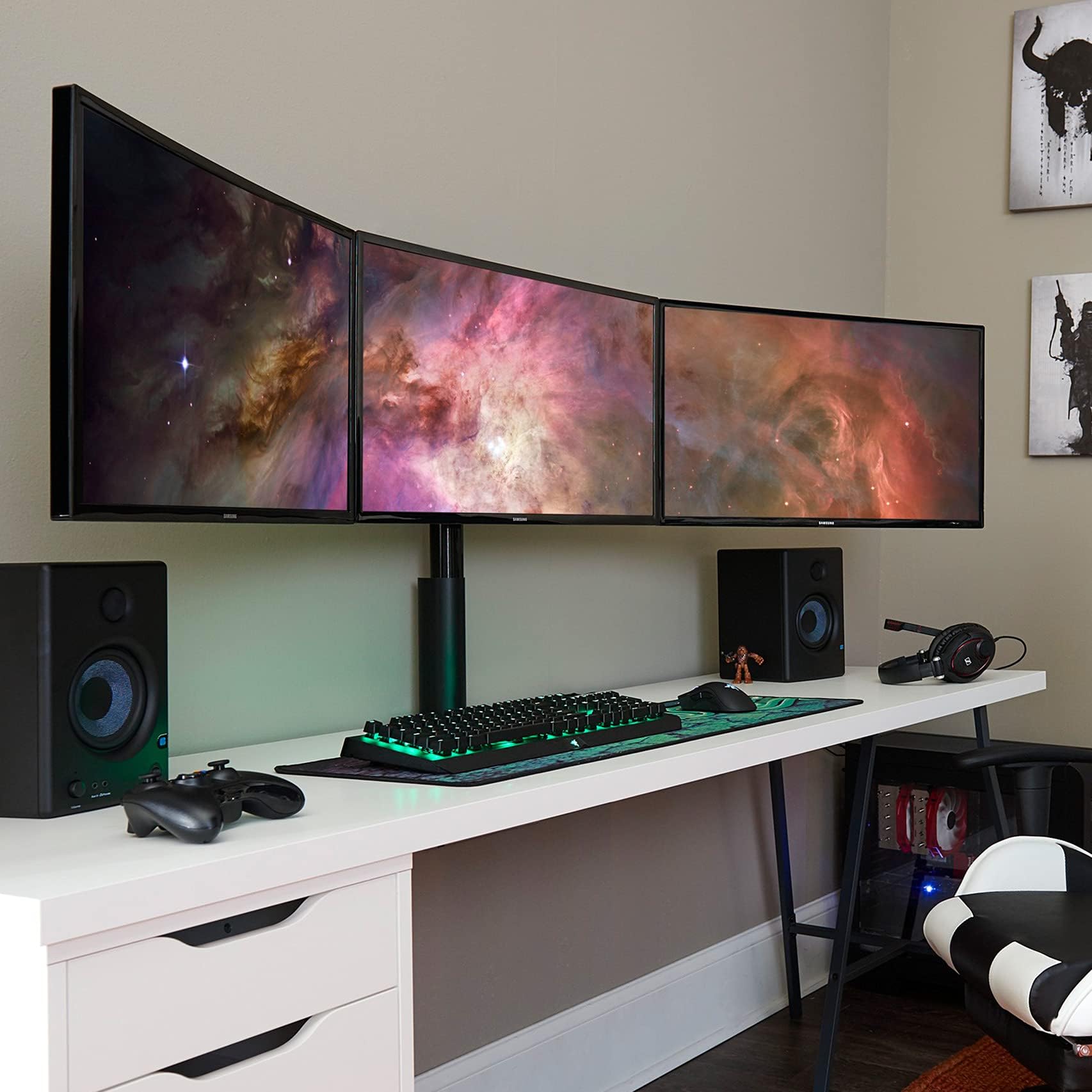
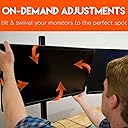
The ECHOGEAR 3 Monitor Desk Stand supports up to three 27" monitors with a robust, polished design featuring tool-free 360º adjustments and a lock-down clamp to eliminate wobble. Engineered for professional-grade stability and customizable tension, it transforms your workspace into a sleek, immersive multi-screen environment while contributing to sustainability with a tree planted per purchase.


| ASIN | B079NNC2YQ |
| Base Type | Leg |
| Best Sellers Rank | #2,579 in Computer Monitor Stands |
| Brand | ECHOGEAR |
| Brand Name | ECHOGEAR |
| Color | Black |
| Customer Reviews | 4.5 out of 5 stars 1,640 Reviews |
| Finish Type | Polished |
| Item Shape | Rectangular prism or rectangle |
| Item Weight | 26 Pounds |
| Load Capacity | 60 Pounds |
| Manufacturer | ECHOGEAR |
| Material | Aluminum |
| Number of Levels | 1 |
| Required Assembly | Yes |
| Shape | Rectangular prism or rectangle |
| UPC | 793795532282 |
J**S
Honestly impressed with the build quality on this stand for the price!
I've wanted a triple monitor setup for years, I finally pulled the trigger when Dell released their S2721DGF and was in need of a stand for them. I've got an Uplift standing desk, so wall mounting wasn't an option and everything I looked at online just seemed cheaply made and looked like crap too. Then I found this one, had a decent picture with the monitors sitting nice and level and looked like it was pretty robust in design. I was skeptical of the $150 price tag though, usually good monitor mounts run hundreds of dollars (We have multiple triple monitor mounts at work that were almost 1k lol). When I first took it out of the package I was impressed by how much everything weighted and how solid it felt. The vertical tube wall thickness is 4mm! It was easy to assemble for the most part, getting the monitors aligned perfectly took some time, which I was expecting because I'm OCD about that kind of stuff, lol. There are a few reviews on here talking about how it isn't sturdy and showing the screens panning back and forth, they do not have the hardware on the clamp tight enough! You really need a ratchet with a 4mm allen socket to get it tight enough but it is ROCK SOLID when you get tight! I did modify it slightly because the vertical tube was a bit long for how low I have my monitors mounted, so I cut about 11" off of it so it only sticks up past the horizontal clamp about an inch and not above the monitors like it did when I first assembled it. I also used a through bolt to secure it to the desk instead of the clamp, a standard grade 8 3/8 bolt with a fender washer worked perfectly! Overall, I'm super impressed with this mount, couldn't be happier! 10/10
A**R
The best I've found -- as good as it gets (also DOES fit 27")
So if you've ever spent significant time trying to align your multi-monitor setup, and you're looking for a better solution, this is as good as it gets. The design of this product is the best I've seen, and it takes several of the variables out of the alignment challenge. The horizontal bar is one piece of sturdy metal. So instead of the hinge-sag on typical monitor stands, you have a perfectly-level horizontal mounting surface. Then, the VESA mounts connected to that are done in an innovative way. The movement is much smoother than typical monitor stands and the tightening function/method is such that it doesn't change the alignment, like a typical allen wrench tightening does--so you take that variable out of the equation. Is it still difficult to align the monitors? Eh. It's not instant-easy and it's not perfect. Right now I'm about 2mm off on each, but it's consistent. I think if I mess with the screws on the center monitor VESA I can get it even. But it's definitely as good as it gets for what's available in the market. I've spent a Saturday getting two 3-monitor setups level before. This is MUCH easier/more consistent than anything else I've used. The mount for the base is a single-bolt, wide tightening plate, which is better than the typical two-bolt setup (where as you tighten one, it effectively loosens the other). My only complaint is that you can't go through the "pipe" to route cables... I'm solving this by zip-tying the cables together and then zip-tying the bundle to the back of the pipe to hide it. That might bother people if a perfectly "clean" cable install from behind the monitors down (vertical to the desk) is important. In theory you could drill a large hole in the rear base of the pipe and then route the cables over and through/down (it's an empty pipe with an open top, but with thick walls, maybe 3mm, so it would take a serious drill bit... could maybe be done with a Dremel and some time/discs/burrs). Pipe height is tallest I've seen... I'm 6'2" and have a standing desk, and I can get the vertical center of the screens nearly to eye level. The reviews that say this won't work on 27 inch monitors might be for an older/incorrect product. I DO have three 27 inch monitors installed and there was ~2 inches of gap between the three with everything spaced out as wide as it would go before I adjusted them to touching. Finally, with the monitors touching edges, the angle of the outer two monitors is ideal (for me, at least). It's the same as what I had done when I had fully-independent adjustment arms. Bottom line on this item is that if you like having your monitors vertically-aligned, this is the best solution I've found/seen/tried, and I've tried a lot. I'm going to phase this in at my office for everyone's monitor stands. Everyone else with various other typical (though expensive) monitor stands has given up--it's misaligned monitors throughout the office and it looks bad and I think it's bad for morale on some level. This stand fixes the problem.
M**R
Perfect stand for when your desk is agains the wall
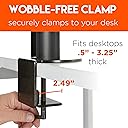
I bought this stand because the arm that holds the monitors is fixed and doesn't require that there be space behind the desk for it to work. There is very little assembly with this stand because the arm comes with everything pre-assembled. You basically just have to attach the base to the pole, and put the arm on the pole. Very simple. I also like the clamp setup on this one better than other ones I've used. It has one screw to do the clamping with a built in handle for extra leverage. This isn't the cheapest triple monitor stand, but I feel like it is a great value at this price because of it's simple setup, flexibility, and sturdiness. Since the arm is fixed, it does come in a pretty long box. Not an issue if you're getting it delivered to your house, but if you need to pick it up somewhere and transport it in your car, you do need some space.
J**S
Great mount with some caveats...
I purchased this monitor mount to hold 3 identical Dell 27" (U2719) monitors. Setup instructions were very clear, and written with a little humor to make the reading a little more enjoyable. The mount is very solid with these Dell monitors, which are fairly light at 14lbs each. Overall I'm happy with the mount, but there are a few caveats to know about before you buy... #1: Monitor height is very difficult to adjust once the monitors are mounted. The curved horizontal beam mounts to the vertical tube via a pipe clamp, so any vertical adjustment with monitors mounted would require access behind the monitors and 3 people (one on each end and one to loosen/tighten the clamp). You'll need to get the vertical height set correctly before mounting the monitors, so better make sure you test fit. I used the basic monitor stand that came with the monitors to set the height on the desk, then I measured the height at the top of the VESA mount and used this measurement to set the height of the curved horizontal beam. If you ever plan on rotating displays 90 degrees, make sure you give enough room for this! #2: There is no fine adjustment to get all the monitors aligned vertically with each other. When I first set this up, I was getting about 1/4" offset in the leftmost monitor as compared to the other two. I swapped left and right monitors to see if the issue was the monitor or the mount, the offset remained so the issue is with the mount. After a lot of loosening & retightening of the VESA mounts, as well as the pipe clamp mount, as well as using a laser level to check heights as I made tweaks, I got the left & right monitors aligned, with the center monitor a little higher (see pictures). I found most of the issue was with the slop in the pipe clamp mount to the vertical tube. If you plan to use this mount for gaming, and you need all 3 monitors aligned with zero offset, this isn't the mount for you. If you can live with a little offset between monitors, then this will do the job. Ideally, given typical manufacturing tolerances as well as the large tolerances with the pipe clamp mount, there should be some way of fine vertical adjustment at each monitor. Ideally, redesign the mount to get rid of the pipe clamp mount and use a slide compression sleeve to lock the perpendicularity between the curved horizontal beam and the vertical tube. All that said, setting spacing between monitors and tilt/rotation of each monitor is a tool-free breeze with the knobs (see pictures). Just make sure you can live with the caveats!
S**L
Excellent stand. Best accessory I’ve purchased in a long time.
The product comes out of the box and you’re instantly amazed by the steadiness of the material. The center pole is hollowed out to keep the weight down, but it remains pretty hefty. The instructions are exceptionally written and easy to follow. Broken down into stages and exactly what you need for each stage. 3 stages, not overly complicated by the detail provided. Once assembled it does it’s job well. The mounts can spin 360 degrees easily, and the joints hold the monitor exactly where you stop spinning. The stand provides an overall curve which is the only negative thing I have to say. You don’t have a choice in the curve. But even so the curve is pretty perfect and I wouldn’t have it straight ever, so this is not actually a bad thing. But most importantly my monitors are at eye level for the first time ever. The space frees up isn’t limited by the bottom of the monitors as they can be raised a substantial height above your desk if you wanted. Great product, thanks for making it.
V**A
Best Design I've Seen In A Long Time!
TLDR; If you need a triple monitor mount, then skip all the other junk in and around this price range and buy this one. Sure, you could get a better mount, but you're going to pay 2-3x what this costs and this gets the job done with room to spare. Whoever designed this, I would like to shake your hand and thank you. From cutting the box open to using this product with all three monitors mounted was maybe a 35 minute process. Ok, so I didn't time it, but it was well under an hour and that includes taking the original stands off of the monitors and mounting them with your hardware. Ask anyone in my family, 99% of the time when I'm putting something together that requires assembly I'm cursing under my breath "What idiot designed this thing!?!?", but the whole time I was assembling this I kept saying "What genius designed this thing? Is it really this easy?" This is one of the most well thought out, best designed, functional and sturdy products that I've purchased from anywhere in a long time. The only critique that I have is that vertical alignment was a bit of a PITA. Horizontal alignment, mounting, routing cables... all the rest was easy, but for some reason, no matter how many of these I've tried, the middle monitor always sits lower than the wing monitors. Not gonna lie, I have a better monitor mount at work. It's more adjustable and allows me to position monitors in many more configurations, but that one also cost my company $400+ and I don't have that kind of personal cash to throw around.
D**E
Best suited for gaming
I spent some time looking around for a solid triple mount monitor, for use with 3 Dell U2717D monitors, and decided on this on this one although I had some reservations. First off with the positives: 1. It truly is very sturdily built. Everything is really solidly made. The main support tube is so hefty, its hard to imagine it ever moving. 2. The instructions were clear and understandable, and they even throw in a little bit of humor here and there. 3. The main support tube is so tall, (28" I believe) that it really helps if your tall to be able to position the monitors at eye height. I'm 6'4" and can comfortably position the height for me no problem. 4. My Dell U2717D 27" monitors fit on here no problem. They don't have large bezels, so your mileage may vary. The BAD now: 1. You really have to be careful in how you position the height. Adjusting it afterwards is no simple job (they recommend two people). Right now, my setup I think is a little low, so I'm going to have to pull my desk away from the wall, get my wife and daughter to help raise it, before re-tightening the screws in place. If the horizontal arm fit in a sliding slot with a quick-release mechanism to lock in in place, that would have been a lot easier. 2. Mounting the monitors on the arms isn't that easy. I've seen some other units where you can mount the monitor onto a holder that you can then slide into place on the arm. Far simpler, and also easier to remove if you need to. 3. The dials to lock the monitors into position are not easy to tighten. I have been unable to get one of them tight enough to prevent the monitor from slowly tilting a little. 4. Some other mounts use a dial to raise / lower a monitor so its at the same height as the monitor next to it. These you have to tweak the tilt and rotation to try and get it right which isn't so easy. And now the WHY I MIGHT RETURN IT reason: The setup is really best suited I think for gaming. The monitors on the sides, are not turned in enough so when I turn my head to the side, that when I look at the monitor, I'm looking at the center with both sides being equal distance in my eyesight. That is IF I position the monitors so their edges line up to try and produce a semi-seamless display. If I don't do that, then I can get the monitor positioned so that I can work with it, but then the whole setup doesn't look quite as nice (check the photo I included). If I set it up so the monitors are right next to each other than the side monitors really look like they would work great at providing peripheral vision in a game setup. Just not for a work setup. Some other triple mounts have the side arms so they can be rotated in, allowing to position the monitor in a better work setup, while also being able to have the edges line up. Ultimately I didn't choose one of those, because of some reviews and I liked how this one looked, but I might go back and try a different one out.
D**E
Beastly, yet silky smooth and versatile! Like Action Bronson in figure skates.
This mount is crazy good! I was pleasantly surprised by the quality of engineering and construction. The mount is basically 3 big chunks of steel with some bolts for attaching your monitors. Fewer moving parts means fewer things that can break. I suspect this thing will outlive whomever I will it to upon my untimely demise. Assembling this mount was dead simple (again, 3 pieces). Simple enough that I completed it as one person with no problem what-so-ever. The included instruction manual is an amusing breath of fresh air. Nice touch. Once everything is mounted up you really understand the splendor of ~72-74 inches of monitor feels like. An unlikely candidate for best feature might be the hip-joint-like swiveling mounts. These babies are siiiilky. Effortless 360 degree rotation with no jerky, sticky spots or worrying you're going to tweak on your monitor. Sometimes I do like 50 said and switch my style up and rock the furthest right monitor vertically and the transition takes about 20 seconds in total. I can't imagine any other 3 monitor mounts being so versatile! A few considerations: If you're considering this mount, be prepared for it to take center stage. Depending on the size of your desk you're probably going to have to shed a few knickknacks. Not only is this baby wide, it's taaaalll. The vertical bar is 28" tall and could probably be 8-10" shorter. I attached this thing to my standing desk (42") and the tops of my monitors are pushing 70" with the mount at half-mast. As a matter of fact I ended up taking down a shelf that was obstructing the height of the vertical pole. Priorities. All this to say be sure to have at least 30" of headroom above your desk to accommodate. Last consideration is to buy longer cables. You could easily need 10' or 15' HDMI cables depending on where your desktop is in relation to the edge monitors and how clean you want your cables to be. If you made it this far you know you want it. Treat yo self! You won't regret it.
Trustpilot
1 month ago
2 weeks ago