🎵 Command your sound with a single step—MIDI Captain ONE puts pro control at your feet!
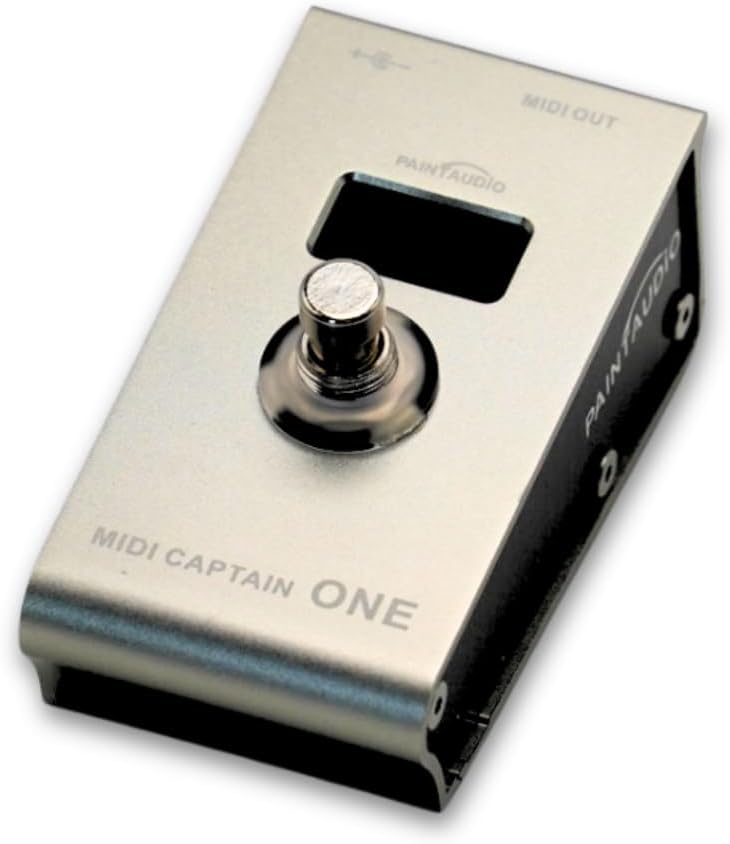
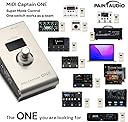
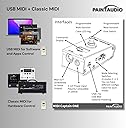
The PAINTAUDIO MIDI Captain ONE is a compact, metal-bodied USB-MIDI foot controller featuring a single programmable multi-function switch capable of sending mixed MIDI commands and USB-HID inputs. It supports multi-state switch cycling for versatile control, works seamlessly with popular DAWs like Ableton Live and FL Studio, and offers flexible power options. Designed for durability and portability, it’s ideal for musicians and producers seeking streamlined, hands-free control over effects and presets.
| ASIN | B0CTG343RH |
| Additional Features | Keyboard Controller, Compact, Portable |
| Best Sellers Rank | #39,685 in Musical Instruments ( See Top 100 in Musical Instruments ) #146 in Keyboard Pedals & Footswitches |
| Brand Name | PAINTAUDIO |
| Compatible Devices | USB-MIDI compatible devices |
| Connectivity Technology | USB |
| Connector Type | USB |
| Control Method | Touch |
| Control Type | Keyboard Controller |
| Customer Reviews | 4.1 4.1 out of 5 stars (40) |
| Hardware Interface | USB |
| Hardware Platform | windows_10, windows_7 |
| Human Interface Input | Buttons |
| Included Components | [POSSIBLE] USB Cable |
| Instrument | Keyboard |
| Instrument Key | Any |
| Item Type Name | Guitar Footstool |
| Keyboard Description | Ergonomic |
| Manufacturer | PAINTAUDIO |
| Material Type | Bronze |
| Model Name | MIDI Captain ONE |
| Model Number | MIDI Captain ONE |
| Noise Control | None |
| Number of Keys | 1 |
| Outer Material | Metal |
| Platform | Windows 10, Windows 7 |
| Product Style | Modern |
| Size | MIDI Captain ONE |
| Supported Software | Ableton Live, FL Studio |
| Total USB Ports | 1 |
| Warranty Description | 1 year warranty. |
S**N
Works great for what I needed.
I purchased this for the simple task of toggling MOD/DEL effects on my ToneX pedal. I originally had hoped to achieve this with a dual switch(not midi) but learned this is not possible with the ToneX with it's current firmware. The configuration was dead simple. You only need to edit a config file that exists on the MIDI pedal. I had it working within an hour of receiving it. Before I discuss possible "drawbacks" I have to make the disclaimer that I'm not a MIDI expert, I only know what I've been required to learn over the years when configuring MIDI devices for specific purposes. What I don't like, is if I toggle an effect on, then change presets it doesn't reflect the state of the effect on the new preset. I will work on the new preset but it has to be "reset" so to speak. My guess is the Tonex would need to send a signal back to the midi controller in order reset it. There may be a way to do this, but the pedal has only MIDI OUT, so it seems unlikely. I will update if this changes. Barring that small issue it does what I want. Looking at the documentation it would appear that it actually can do much more.
A**R
Solid footswitch for reasonable price
Solid frame and worked immediately out of the box over USB-C. Really like having the option for long and short press and the screen / color feedback. Also one of the only wired MIDI foot switches I could find! Everything else is Bluetooth.
K**G
Unmatched functionality for the price
I needed something small to put on my pedal board to control my bass whammy pedal mode. With a little bit of poking around on the computer you can easily figure out how to use this. It’s basically an infinitely programmable midi switch with different modes and functions. All you have to do is edit the TXT file in on the computer by holding the stomp switch down and plugging it in. It has a bunch of cool random and sequential options that let you infinitely expand the code in the file to as many presses in sequence as you want. It really does a whole lot for a $50 device. I would highly recommend this to someone who needs something simple to control a specific pedal or even launch/stop tracks on your computer.
D**L
Ridiculously complicated with no manual.
It was ridiculous how complicated it was to actually change any of the settings. It appeared as code and not being a coder I think they have a long way to go to make this user friendly. Any other device would have worked straight out of the box with Ableton or AbleSet. I know because I use them. I also did their software update and the pedal stopped working completely. I returned it the next day. It’s not worth it. If they would make it user friendly I would have kept it. Do not waste your time.
R**I
After some frustration, it's working good
Original Title: MIDI CC commands do not work, support non-existent. Original Review: MIDI CC commands do not work as expected. It only processes the first 2 "like" CCs, for example CC-69 to move DMX lights scenes up. Then on the 3rd command it fails, it does not send a message. The same thing in the opposite direction (stepping downward through light-scenes). I bought both the Captain ONE and the Captain TWO. Both have the same problem. I've contacted support various times (2 weeks apart) and have never received a response. Updated Review (a week after submitting above review): Changed rating to 4-star. I finally heard from support, about 4 weeks after my initial inquiry (and 2 other inquiries about 2 weeks apart). A combination of firmware update/redo and a troubleshooting guide helped solve my issue. The item is performing well now. The foot-switch mechanism seems well-built (solid) and responds quickly. I would have changed the rating to 5-stars if support were quicker.
R**O
Solid Product (Customer Service is not quite up to the same standard)
This does exactly what I need and for a good price. I wish that there was a better information on the program or better customer service, or a better supported users group.
A**E
Plenty of documentation online
The reviews saying that there's no documentation online are wrong. Go to the Paint Audio web site; there are full manuals there. The one you want is the "SuperMode User Guide". It's not always 100% clear, but it's not hard to figure out. It has full information on how to configure all of the MIDI Captain models. If there's something complicated that you want to do with this pedal, it's probably a good idea to read the manual before you buy it. It's extremely configurable, but it does have some limitations. (Unless you want to reverse-engineer the firmware, which is actually written in Python, but only provided as pre-compiled .mpy files, for which there doesn't seem to be a decompiler. But I believe some people have worked on it and shared what they learned online.) The box includes a USB A-to-C cable and a MIDI cable. I would have preferred that the MIDI cable have a right angle connector on one end, since the MIDI Out connector is on the side of the pedal, but honestly I wasn't expecting a cable at all. It can be powered through USB or a typical 5.5mm barrel connector, which apparently can handle anything from 5 to 12 volts, in either polarity. My multi-effects pedal's power supply (12v, 3A, center positive) works fine, although for some reason it takes longer to power on than with USB. You can't really see it in the marketing images, but the display in the center is a blue 3-digit numeric display. When pressing a foot switch sends a Program Change message, it flashes "PC" briefly, then shows the program number. I assume it shows other things if it sends e.g. a Controller Change or other types of messages. There doesn't seem to be a way to configure the display to act differently. Each of the 2 foot switches is surrounded by 3 RGB LEDs, which are all independently controllable. Out of the box, the DUO is configured to step through MIDI program change messages. The lower button increases the program number, and the upper button decreases it. All by itself, this handles the first problem I wanted to solve: an effects processor (Headrush MX5) that doesn't support any kind of patch number increment or decrement messages, just program changes. In the future I'll very likely want to configure the DUO to send program changes in non-sequential order, which looks pretty easy as long as you don't need a sequence of more than 9. There are also other modes pre-configured, which you can select with the DIP switches on the side. They look like they're designed to demonstrate functionality, rather than to be useful right away. The way you configure it is by writing text files on a computer and uploading them over USB. I'm not crazy about the configuration language, but it doesn't seem hard to use. There are two separate text files, one for each foot switch, and within each of those files, you can separately program the four different modes, which are selectable by the DIP switches on the side (a separate pair of switches for each foot switch). To me it would have made more sense to have just one pair of DIP switches, so the foot switches would never be in two different modes, and have a separate text file for each mode, which would specify the behavior of both buttons for that mode. In fact it seems like the larger MIDI Captain models work more like that.
L**.
Tarde un par de días en entender como configurarlo en mi DAW, pero una vez que entiendes como escribir las rutas en los .txt puedes realmente hacer cualquier cosa con este pedal. Recomendado, solo tómense el tiempo de leer bien el manual, de paso investigar que son los PC o CC, HID y fácilmente cualquiera puede configurarlo y usarlo al gusto.
S**N
It's actually a very cool product!
A**O
La calidad de materiales y ensamble es mucho mejor que la que esperaba. Hay una curva de aprendizaje importante para programar lo que necesitas hacer con este controlador, así que si lo que buscas es un plug&play o que tenga una app para hacerlo, este producto no es para ti. Un detalle adicional es que el cable USB C que viene no permitía la conexión para programarlo. Estuve a punto de devolverlo hasta que probé con otro cable y funcionó perfecto. Necesité el manual y los tutoriales de YouTube para lograr que hiciera lo que quería. Una vez que le entiendes funciona perfecto. Hay muy pocas opciones de controlador midi con dos botones, este por tamaño y funcionalidad es una buena opción, solo que si le dedicas un par de horas en la actualización de firmware y programación.
F**E
C’est génial
M**B
I needed a button to cycle between presets on my MioXL and this works really well. I keep it on my dawless synth table rather than on the floor. Programming it is just editing a config file via notepad, following the examples in the existing file and using the basic instructions provided. If you're tech savvy, it's no problem. But if you're not, then you might want to look elsewhere. Some kind of simple app to edit the config file would have been good. My only other gripe is that most the hookups are on the back, except for usb-c which is on the side. Would have been nice to just have them all in the same place.
Trustpilot
1 month ago
1 week ago