Desertcart purchases this item on your behalf and handles shipping, customs, and support to Mexico.
⚡ Transform your Surface Pro into a powerhouse workstation—dock, connect, conquer!
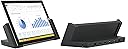
The Microsoft Docking Station for Surface Pro 3 (model 3Q9-00001) is a sleek black docking solution designed to expand your Surface Pro 3’s connectivity. Featuring five USB ports (three USB 3.0 and two USB 2.0), a high-resolution Mini DisplayPort supporting up to 3840x2600, and a Gigabit Ethernet port, it enables seamless multi-device integration and stable wired networking. Ideal for professionals seeking a clutter-free, efficient workspace, it also supports Surface Pro 4 and 2017 models with an adapter, making it a versatile upgrade for your mobile office setup.


| ASIN | B00N3J8NRW |
| Brand | Microsoft |
| Color | black |
| Compatible Devices | Microsoft Surface Pro 3, Microsoft Surface Pro 4 |
| Customer Reviews | 4.4 out of 5 stars 795 Reviews |
| Global Trade Identification Number | 00885370774047 |
| Hardware Interface | USB 2.0, USB 3.0 |
| Item Weight | 1.4 pounds |
| Manufacturer | Microsoft |
| Mfr Part Number | 3Q9-00001 |
| Model Number | 3Q9-00001 |
| Number of Items | 1 |
| Number of Ports | 3 |
| Total USB Ports | 2 |
| Total Usb Ports | 2 |
| UPC | 885370774139 885370843385 885370774047 |
| Unit Count | 1 Count |
| Warranty Description | Limited Warranty |
J**H
Much better than USB3.0 docking stations
There isn't much to say about this dock other than it just works and works well. Since getting the dock I've been using my i7 SP3 as my main workstation in the office and it works pretty damn well. I had previously tried using a few of those USB3.0 Displaylink docks and this is much better. You get much better cable management when you have a large number of devices and it provides a DP1.2 port directly from the Intel GPU for higher resolution displays. I use this with the following setups and have not had any issues. Office: Acer 27" 2560*1440 via Dock miniDP 2x Dell 22" 1680*1050 via Dock USB3 w/Displaylink Adapter KB/Mouse via Dock USB2 ports Gig-e port on 802.1x Corporate Lan via Dock (Some of the USB adapters I've used did not always work properly with 802.1x) Plugable USB 3.0 HUB via Dock USB3 for other accessories ANC9 Noise Cancelling Headphones via Dock Audio Jack Home : Seiki 39" 4K via Dock MiniDP KB/Mouse via Dock USB2 Gig-e via Dock This setup leaves the ports on the SP3 itself free for rapid undocking or connecting flash drives. For the kind of work I do this dock is excellent since it allows me to quickly undock to go to meetings without having to plug and unplug a number of cables. In Short : If you're only looking to use a single external monitor with 1 or 2 external devices this probably won't be worth the money to you, but if you need to quickly dock to a number of external peripherals without any fuss this is well worth the money.
P**H
this is very helpful, it just sits in there ...
this is very helpful, it just sits in there and you close it, no troubles. it will even work with a type cover on it, just be careful that it stays outside! only issue is the ethernet adapter, it'll go in and out until you update the driver. ** Edit: I've had this product for quite a while now, and I wanted to update my feedback. This dock has stood up very well in the time that I have had it. I bought this dock so I could use my Surface Pro 3 in my office at home as my desktop pc. this dock has been very useful, it makes it very easy to switch between using it as a tablet, and using it to work form home. It had Multiple USB 3.0 ports, an Ethernet port, and a mini Display port. I highly recommend this product to anybody that has a Surface Pro 3, It makes using your surface significantly easier. I am so glad that I don't have to deal with plugging and un-plugging everything on my desk every time I use this.
P**C
Now I have a tablet/laptop/desktop all in one!
I have had my Surface Pro3 for a few months now. Initially, I bought it to replace a desktop AND a tablet because I wanted to streamline the number of devices I use. I was not using the machine at my desk very often, so even though I had a cumbersome set-up to connect it to the monitor at my desk, it was not a big deal. But not that my work situation has changed, I will be spending a lot more time at my desk, I want to be able to just plonk my Surface down and start working and not have to worry about all the different connections. This docking station is perfect - power supply, monitor and USB hub are all connected to the docking station. When I need to work at my desk, all I have to do it detach my Surface from the type cover and attach it to the docking station. Initial set-up took a few minutes and there is no need to do anything else! It does exactly what it is supposed to, got it at a reasonable price at Amazon and I am ready to go!
O**D
Must-Have Accessory for the Surface Pro!
I didn't get a docking station because I didn't realize they had them when I got my surface pro 3. I was using the surface pro and there were immediate issues of stability and power. I have a large dog with a tail like a bat, so I was always worried she'd be all excited and hit it with her head, tail, or bump the table and the surface would fall down or over. The surface has a thin flap in the back to stand it upright. It comes with one display miniport and one USB output. Anything you plug in has to be careful with how much power it uses - i.e.. you can use a passport drive, but you can't use the Blu-ray/DVD player because it uses too much power. I had gotten an Amazon USB power hub to deal with this issue. But then I discovered the docking station. Now that I have it, it is spectacular! One side is magnetic, so you can stick the surface pen on it. I have all kinds of plug-ins in the back (not just USB), the surface remains charged, and it is now ultra-stable so the dog won't break it from an accidental movement of exuberance. This is a must-have accessory for the surface pro. The major drawback is that it is not collapsible for mobility purposes. They don't have a bag to carry/protect it either. ADDENDUM: I finally found the perfect bag that fits the dock - Timbuk2 Command Laptop TSA-Friendly Messenger Bag. I love all the nooks and crannies to store things. It is well built and sturdy. It is pricey but worth it considering the value of the cargo and the need for secure portability. I couldn't figure out how to transport the Surface with its docking station since the docking station is awkward and doesn't collapse. This bag works well and is well-balanced to carry with the wide strap. I carry the Surface, the docking station, a secondary screen (lenovo mobile), the mouse, a thin blue-ray CD/DVD external, paper, and pen, and cords. It is perfect for the mobile office.
A**N
Highly recommended
I had hesitated buying this for several months after getting my Surface Pro 3 because other docking stations I've had for tablets have not lived up to expectations. I have to say this one has pleasantly surprised me. The upside for it is its sturdy construction, multiple ports and the fact it is designed to not interfere with the USB port on the Surface Pro 3. The downside is that it only has the single position. That is a minor drawback, at least so far, as far as I'm concerned. Prior to getting the docking station, I was primarily using the Surface Pro 3 when I was away from my desk. Now I use it as a secondary display and workstation, removing the keyboard cover and using a bluetooth full-sized keyboard. As a result, I am using the SP3 more and my productivity has increased as well. All in all, this was a very good investment although I would like to see Microsoft bring the cost of the station down some.
O**C
excellent. a Must get for all SP3
excellent. a Must get for all SP3: Pros: - fits and snaps well on the surface - it doesn't utilize any of the ports at all because it connects to the charging port - it allows me for the first time to connect to power hungry hard drive like the external portable 3 TB from Seagate for which before I'm not able to connect since the error I got (surge in USB port) - portable; light and elegant looking without adding so much chunk like other docking stations. - it receives update support from MS Cons: - no HDMI port or VGA but that's OK since I purchased a long cable (VGA-Display port) and another (HDMI-Display port)
M**7
Great but no security offered for your Surface Pro
The Surface dock can literally transform your Surface Pro into a desktop/laptop replacement. I recently switched from an ultrabook to a Surface Pro 3 and I'm glad I did. It has plenty of ports and looks nice unfortunately there are two things that are not good about this dock. First is the cost. Microsoft has to be making some big margin on these (Minus 1 star). Second and it's a big one. Why on earth would you put a kensington lock slot on the dock but not have the dock secure the Surface Pro? Who's the rocket scientist that did this? So great I can keep people from stealing my overpriced dock but I'm sure they'll settle for just taking my Surface Pro (Minus 1 star).
S**T
Installation is easy and a no-brainer
There is not a whole lot to say about this dock other than it is a Godsend. IMHO, it is this dock that sets the SP3 apart from its competition and makes it a true laptop replacement. Installation is easy and a no-brainer, removing the tablet from the dock is also very easy. While docked, the SP3 is held snugly and securely in place. The original MS magnetic keyboard fits nicely and when the table is not in use the keyboard can be folded up to protect the screen of the tablet. Note, that while a tablet with a thin plastic protective skin installed will still fit into the dock, the SP3 with a case or leather cover installed will absolutely not fit. So one is forced to decide whether to favor protection (as in 'protective cover') over the convenience of docking, or vice-verse. As of these writing (mid Feb 2015) there are a number of firmware updates for the SP3 released by Microsoft in Jan 2015 that one should install to guarantee full compatibility and functionality of the docking station with the SP3.
D**Y
Great customer service!
This company provides excellent communication with it's clients. I felt secure with the transaction and service I received from Danny. My purchase was exactly wha tI was looking for and the product condition and quality was what I hoped to receive. I will use this company again when I need tech equipment to support my existing systems in the future. I recommend this company.
D**X
Tres bonne docking
Tres bon produit. La connectivite est excellente. Un peu chere mais ca vaux la peine
A**S
Good!
I needed to have the surface pro connected to external monitor for work and have extra ports. This dock is amazing! Does everything! Lots of ports and compact!
M**N
Excellent piece of kit
Don't know why I didn't get one of these earlier! Very neat and easy to use. Transformed my surface pro for the office. Now I have big screen, keyboard and mouse. cabled internet and all the USB slots one could use. Only glitch so far is that the screen resolution doesn't change automatically when docked or not..but not a big issue at all. Also like the fact that it's apparently upgradable if/when I get a new surface (4).
B**M
Livré sans accessoires
Malheureusement, le produit n'est pas livré avec le câble d'alimentation.
Trustpilot
2 months ago
1 month ago