🚀 Print Your Future Today — Don’t Get Left Behind!
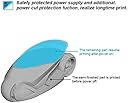
The Official Creality Ender 3 is a budget-friendly, fully open-source 3D printer with an 8.66x8.66x9.84 inch build volume. It features a resume printing function that safeguards your projects against power outages, an upgraded extruder for smooth and quiet operation, and a fast-heating power supply that reaches 100°C in 5 minutes. Designed for beginners and DIY enthusiasts, it requires about 2 hours to assemble and supports printing via SD card or computer connection. With a strong community and extensive online resources, the Ender 3 is a proven gateway into the world of 3D printing.


| Best Sellers Rank | #20,941 in Industrial & Scientific ( See Top 100 in Industrial & Scientific ) #37 in 3D Printers |
| Brand | Comgrow |
| Color | Ender 3 |
| Compatible Devices | Laptop |
| Customer Reviews | 4.1 out of 5 stars 16,270 Reviews |
| Item Weight | 15.43 Pounds |
| Material | Aluminum |
| Product Dimensions | 17.32"D x 17.32"W x 18.31"H |
L**Z
Amazing printer!
The Ender 3 marked my entry into the 3D-printing world, and I love it! The 3D printer has been a godsend! If you're also newbie and searching for advice, here's my brief take on the Ender 3. It's awesome! The Ender 3 arrives in pieces that you must assemble. Since it is essentially a robot, assembly can seem overwhelming at first, but if you take it one step at a time, you'll be printing in no time. I found the printed instructions accompanying the unit to be more sizzle than steak, but, fortunately there are several videos on YouTube that make assembly a breeze. Believe it or not, assembling the unit yourself is beneficial because it familiarizes you with the device. It will allow you to easily make the minor adjustments that 3D printers often require. My wife and I have found that 3D printing comes with somewhat of a steep learning curve, but it's fun. YouTube and websites such as "all3DP dot com" have proven themselves to be life savers. The most common adjustments you'll make while 3D printing is "bed leveling." In truth, though, you're not actually "leveling" the print bed, but rather you're ensuring that the print nozzle is uniformly distanced from the bed (the print surface) on all its 4 corners. The nozzle needs to be super close, too. ...not about an inch or two away from the print bed, but rather it needs to be no further than the thickness of a piece of paper. Crazy, huh? When my wife and I printed a test file provided by Creality (the manufacturer), we frankly sat mesmerized at the unit's precision. It was like staring into a campfire and getting lost in the flames. The nozzle just zipped back and forth across the print bed leaving tiny bits of corn-based "plastic" one layer at a time, and eventually (over time) created a cat/dog thingy. In search of more things to print, we settled on two websites with tons of 3D-printable files that are very often free to download. The websites are "thingiverse dot com" and "cults3d dot com". The latter site takes longer to load, but seems to have more options. Creality has one too, but I haven't really checked it out yet. It's important to note that the files you download from such websites are *.stl files, whereas the Ender 3 needs *.gcode files. To make the file conversion, we downloaded a piece of software called Cura. It appears to be the best (free) software on the market for "slicing" 3D files into *.gcode files. That too has a steep learning curve, complete with complicated settings. But fortunately there are lots of tutorials online along with settings you can copy from experts. I mostly rely on "all3DP dot com" for that. After a while, we decided to invent our own designs and then print them into existence. In my opinion, the cat's meow -- the best and easiest 3D design application -- is Fusion360. It has a limited free version for students and schools, but otherwise it's quite pricey. My wife then found free, open-sourced design software called FreeCAD. We love it, and haven't turned back since. The filament we prefer is PLA. In our experience, PLA produces little to no fumes and it's guilt-free because it's corn-based and biodegradable. It should be noted, though, that not all PLA is created equally. This is primarily because (according to what I've read) pigments affect the PLA in different ways. So, when I order PLA from Amazon, I always look for the PLA with the most and highest reviews. Then, I refer upon their temperature recommendations. Overall, we absolutely love the Ender 3. At under $200, it's extremely affordable, and the process of printing things into existence can be (in my experience) somehow transformative. And if you find yourself confused about something, take my advice by not wasting time by trying to figure it out for yourself. Just refer to the experts on any of the websites I mentioned so, later on, you can focus on things that really matter...like design. Note: the bearing on a little fan went out. So, I reached out to Comgrow, they got back to me immediately, and now a new fan is on the way. No fuss no muss. Finally, at the risk of getting to personal, I'm a disabled veteran who benefits from focusing on tangible things. The process of 3D printing has proven itself to be such a godsend in that regard, that I think the VA should seriously explore ways of getting more vets 3D printing. I hope this helped newbies like me. Happy printing!
D**R
Works well and easy printing
I've only printed a few things so far but it's enough to give some good feedback. At this price point don't expect any frills. That said this bare bones printer performs great. First off from my pictures you'll notice I upgraded the print bed to glass. It's only an extra $12 at the time I purchased. I read some other info online that lead me to believe this would be more likely to be level and perform better. i don't regret it. It works great. My advice would be to take your time assembling this printer. Expect it to take about 4 hours, perhaps more. Make sure everything is tight and aligned properly in terms of the rollers, belts etc. Do not rely on the quick start guide or included instructions. Go out to Youtube and follow the assembly video. Pause it for each step. When you are done stay on Youtube. There is a "Complete beginner's guide" on there from an Australian creator that demonstrates using this exact model. I noticed his menus are a little different due to software changes but his leveling guide and calibration files work great. For being one of the cheapest printers you can get the performance is surprising. I'm very happy with the print quality. I love that I can use tools on Linux or Windows. You don't need to be plugged in as you can simply print from G code on the included micro SD card. The videos online can get you up and running quickly. Every tool needed to build and run the printer are in the box. Nice touch. There is a small amount of PLA material but you will want to order more right away. The included spool is small and really only enough for a couple test prints. If you are a beginner why spend more? This is the perfect first printer. Update: I thought I would add to my review now that I have had some time working with this printer. I've made a lot of improvements to the device I first received. The nice thing is most of the improvements are cheap or you can print them. First thing to note: I was having a lot of problems with printing anything large that took a bit of time. After a lot of digging I found the hotend shipped with the printer was (in my opinion) put together wrong. They either built it cold or inserted the nozzle before the heat break. Either way there was a gap that could not be fixed in the hotend. I bought a Creality spider hotend which is all metal. Way better and it works great. Add to that a BL Touch sensor for autoleveling the bed. Best addition ever. You still need to start with a level bed but it fixes all the little problems with uneven bed surfaces and stopped my extruder problems. While on the extruder. Calibrate your machine! Take the time to measure the output from your extruder. They use a generic setting from the factory. You NEED to set up this machine. Calibrate the extruder, the retraction distance, the nozzle temp for the filiment etc. Pay attention to the details and you will get great results. Really happy with this printer. It takes work but it's a fun project that leads to other projects, and for a beginner it's hard to beat. Some say you should buy higher end and avoid all the minor issues. I disagree. I think this has been a learning experience that prompted me to understand the machine. I think that basic knowledge of the process is important. Your mileage may vary.
J**N
Will Be a Great 3D Printer Shortly
Another reviewer said to "build" it rather than "assemble" it. I get the drift now. The printer is touted as one of the best for the low price because it can print as well as a 3D printer costing 10X as much. The caveat though is that this will take some tweaking and debugging and some upgraded parts to get the printer to this condition. Lots of highly technical buyers on various blogs and YouTube to rely on for information though. I think the skill set required to make this a great printer is 1) Some Arduino experience (to load a bootloader to allow firmware updates to address improved parts such as an auto bed leveler, etc. 2) Some programming experience or at least the ability to compile a C+ program written and load to the Sanguino 1284P 16MHz MCU that is the controller for this 3D printer (to make improvements); 3) Ability to tinker -- finetune the mechanical system; 4) Ability to understand electronics -- MCUs would be nice. My printer came with the following faults: 1. One of the set screws in the brass extruder was stripped out -- operating fine off the one set screw (on the flat) for now but may replace the whole with a direct drive extruder because the system will not print soft (flexible) filament plastics very well with the Bowden tube setup it has now. 2. The Bowden tube coupler slips on many Ender-3 owner's extruders and there are improved couplers out there. Tube is 4mm OD. 3. The Bowden tube will not handle the heat of ABS printing and in fact the printer may not print ABS well because it is not enclosed and for ABS you need to stabilize the temperature of the bed and the ambient air around the printing object. 4. There is a drilled hole in the controller PCB along the edge that reduces the amount of copper trace material to a fine thread and this really does need a jumper around to pass the current without creating a hot spot. Also the area is isolated from the metal standoffs in the controller box with only a think layer of PCB coating and then a direct short will occur. Four (4) insulators need to be added between the stand offs and the PCB. 5. There is a 100uF 16v electrolytic capacitor in the middle of the SMD controller board that is used to smooth the data coming from the thermistors that are used to measure nozzle temperature and build bed temperature. 100uf is insufficient and causes the temperature to bounce around. This should be replaced by a SMD style 220uF 25v electrolytic capacitor (or 440uF). A company called TH3D will do this for about $30 if you send them your controller box (or the circuit board itself. 6. The fan that creates airflow in the conroller box to keep the internal components cool is connected to the same circuit that governs the nozzle fan which (depending on what you are printing... PLA, ABS, etc) may be on or off or even set to a reduced flow speed. This is incorrect. I cut it and wired this directly into the Power Supply input voltage to the controller board so it is always on when the main switch on the power supply is on. You can find info on doing this on YouTube. 7. There are three (3) MOSFEts on the controller board that share a heat sink that is 20mm long and 10mm wide or so. The heat sink is about 4mm short and doesn't cover the last MOSFET. When I pulled the heatsink off I found that the thermal paste didnt extend to this last MOSFET leaving it to get hot (no heat sinking). I cut a picece of heatsink that i2 24mm long to cover and used ArticSilver adhesive as a thermal paste to improve cooling. I found a person on YouTube that had identified this problem (common with most of the Ender-3 units) and it was causing some print flaws because though the MOSFET won't be damaged by overheating it does shut itself down until it cools back to operating temperature. Most MOSFETs and like circuits today have self-preservation features in them that prevent them from being destroyed by overheating -- the compromise is that they shut down for the interim. 8. The aluminum bed is warped on the unit I got. Not sure if it came that way. The bolts that hold the four (4) corners doi not accomodate the thermal expension of the aluminum build plate which expands as metal objects do when they are heated.With no place for this exansion to expand to the bed warps. I plan to fix this by removing the black cover from the bed to bear the aluminum and clip a piece of borosiliate glass onto it as a printing surface and possibly insulate the bottom of the build plate with an aerogel insulation pad. I will use the TH3D EZABL (Automatic Bed Leveler) in the system and let the printer detemine the bed level so I don't have to fine tune it with a feeler gauge (or piece of paper) to level the bed. You can't level a warped bed by adjusting 4 corners!! My bed is high in the back, left edge, and front and sunk in the middle and right side. Not enough to see it but that is what is happening. The warp changes with changing bed temperatures as well.
D**W
Very addictive!
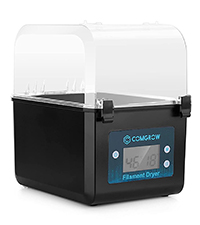
I have been thinking about buying a 3d printer for a little over a year. They have been pricy so I've not stepped into this arena, especially with so much information to wade through. So I bought this printer on a whim with a "lighting deal." First, I read other reviews and found YouTube for assembling the printer. The instructions help a little with the videos, but this is really the only negative. It's well made and simple to assemble so it made for a fun afternoon. Next thing to know is that I didn't know nearly enough. Once it's assembled, you have to level it. Luckily there's a ton of videos on this, and the assembly videos will go through that as well. It's not hard, but something I never thought of. I also got the auto leveler and installed it a few days later. That's a whole different thing that is amazing once you figure it out. Another thing i didn't realize is the print bed. This printer comes with one, obviously, and it does a good job. Keeping the bed level is hugely important for your prints. Also keeping it clean. It's never really clean though. I watched a ton of videos about using alcohol to clean it but that can actually be too harsh. Soap and water seems to be the go to across forums. Using some other adhesive is fair game as well. I didn't realize how much damage I did and bought a glass bed for my prints. Glass was amazing! It actually struggled to get prints to release. But the alcohol was too much and had already started to ruin my new bed. So, just soap and water should get you through most issues (and don't be afraid of the glass bed, it is pretty nice) Now, your filament absorbs water. I also didn't realize this and thought the various filament storage and dryer were just frivolous. They are, and they aren't. I have silica beads, and a vacuum sealer, so I don't strictly speaking need one of those. Also, my oven has a dehydration setting. However, it's nice to just have one on hand and not take up the kitchen or extra electricity from having the oven on. So, need one, no, but I'm not mad that my bundle came with one. Most of the rest of your questions can be Googled. But also, read forums, not just the popular videos and articles (it's how I've ruined two print bed). Everyone loves discussing the slicer (print configuration software basically) settings ands getting the most out of each print. I'm personally looking forward to learning to build my own designs, but don't feel like you have to. My kids love me printing endless frogs and cats for them to display and show off. My nephew likes the toys I've managed so far. Above I've mentioned things I've learned and wish I knew more about ahead of time. However I haven't really talked about the printer itself. It's been great. There's no real instructions because each print is a little different. You need to experiment to see what works best with everything. That may not be for everyone. But you can create surprisingly large prints with great detail with this printer. It's been smooth! It's worth noting that 3d printers can be loud, but it's not very. If say it's more quiet then most dot matrix printers. I can sit by it printing and work on other projects, or leave the room and I can't really hear it. So if you're wanting to break into this as a hobby, this is an excellent printer to start with. It's a little older so there's tons of help out there for it and it's been reliable. Replacement parts are not expensive, nor are upgrades. TLDR: This is a good printer and I'm happy with my purchase.
B**R
Ender-3 - A Year of Pain
TL;DR: If you want to print, avoid it. If you want to spend endless nights tweaking, welcome aboard. After a year: constant stringing, clogs, ugly seams, random failures after 8-12 hours of printing. The "first print" is fine. Everything after that is a circus. By the way, Creality ships this "starter printer" with a cheap plastic sticker bed held on with binder clips. You end up scraping parts off like it’s 2016. A proper $10 PEI flex plate would solve adhesion and removal, but apparently that was too much to include. So you WILL start upgrading from day one. And calling it a "suitable gift for kids"? That’s marketing comedy. This is a machine where you need to clean a 240 °C hotend, calibrate extrusion steps with 100 mm tests, and constantly tweak retraction/temperature. That’s not a toy - that’s a frustration kit. What I Printed Utility stuff: organizers, boxes, lids, rings, toys etc. PLA, PETG, TPU, CF - sometimes a 0.8 nozzle for bigger parts. Cura (latest versions). Out of the Box The first couple of simple models were tolerable. As soon as you go beyond the default settings, chaos begins. Seams turn into ugly zits. Too many retractions = clog city. You leave it overnight, burn 12 hours of power and filament, and wake up to a printer happily "printing in the air" because the hotend is jammed with a solid plug of plastic. Look at the photos: spiderwebs, blobs at seams, tears at layer changes, chunks of plastic from supports. That’s normal for this machine, not an exception. Upgrades I Tried: - Metal extruder arm instead of plastic - Capricorn PTFE tube - Bi-metallic heatbreak - Stronger bed springs - PEI build plate (this one is actually good) - Different nozzles (0.2, 0.4, 0.6, 0.8) - Tons of Cura profiles I did the full calibration dance: e-steps, flow 85-105%, temp towers (PLA 195-215, PETG 225-250), retractions from 0.8 to 7mm (Bowden life), speed 30-70mm/s, z-hop on/off, coasting/wipe/pressure advance where possible. Cooling fan anywhere from 0-100%. Always the same outcome: either strings and blobs, or under-extrusion, or a clog after a long run. Zero consistency. Why This Happens (Technical Reality) - Bowden with PTFE insert in the hotend. Frequent retractions pull the melt zone upwards - plastic plug forms - extrusion stops. Classic. - Rollers and V-slot mechanics. After a couple weeks, you’re back to chasing loose or overtightened wheels. The bed drifts, no auto-leveling, constant manual fixing. - Weak hotend and cooling. PETG in particular is a balancing act: no cooling = melted mess, too much cooling = layer adhesion dies and strings everywhere. - Software band-aids can’t fix hardware lottery. You can tweak overlap/coast/comb/linear advance forever, but if the core thermal/mechanical design is inconsistent, no profile saves you. "It’s Your Fault"? No I did the standard rookie-to-veteran upgrade path: extruder, tube, heatbreak, springs, plate, endless tuning. The result? Yes, the clogs went down, but the print quality problems went up. Same model, same filament - each print is a new lottery ticket. Side-by-Side Reality After a year of fighting, my wife got sick of watching me suffer and just bought me a $1000 printer. With the same filament and same models, I print instead of troubleshoot. That’s the whole difference. Pros - Cheap entry ticket - Huge community (good if you enjoy endless tinkering) - PEI plate really is great Cons - Totally inconsistent print quality - Thermal clogs on long jobs (especially with retractions) - Stringing, blobs, ugly seams, messy supports - V-rollers need constant adjustment - "Upgrades will fix it" is a myth: they only delay the pain Verdict Ender-3 is not "affordable printing," it’s "affordable endless tweaking." If your hobby is upgrading printers for the sake of it - fine. If you need a tool that consistently makes parts - don’t waste your time. I wasted mine. Never again.
M**S
"I CAN't BELIEVE HOW GOOD THIS THING IS!!!!"
First: I UNFAIRLY began this review about the Comgrow Ender 3 stating that: "the pre-assembled Y-Axis shipped with severe dents on all four rollers, and two of the rollers on the X-Axis have minor defects in the form of tiny, shallow cuts that look like bin damage..." I WAS WRONG!!!!! Don't do what I did; I know we just can't wait to slap the machine together and get printing, but if you want to make the Ender 3 perform like a $5000.00 printer, there will be some adjustments and fine tuning to do. Here's where I went wrong: I studied this printer, its reviews, and many different YouTube channels long before I made the decision to buy it, and I understood that motion along the X-Y-Z axis must be smooth as possible, and I viewed at least a couple of videos that said their Ender 3 shipped with "flat spots". So, I put it together following the VERY BASIC (but very well-written, easy to understand) instructions, and both the Y and X axis had "hard, bumpy spots" at regular intervals, where these so-called "flat spots" and "cuts" contacted the extrusion, but instead of looking a little more closely at the setup as MOST of the videos suggested, I made an incorrect assumption because: I DID NOT FOLLOW THE ADVICE OF THE EXPERTS. Comgrow has already contacted me to provide replacement rollers, so their customer service alone has my FIVE STARS, not to mention their patience with impatient 58 year-old children like myself! THANK YOU COMGROW! People, don't get impatient like me: Take the time to examine the pre-built assemblies, and clean the V-Grooves and rollers thoroughly whether they look like they need it or not. This is because tiny bits of soft debris from the packing material, barely visible, can stick to the rollers and v-groove surfaces, and this is what caused me to believe I had flat spots. The next day, I disassembled the axis with problems, but when I examined the Y-axis rollers I saw no flat spots, and the "bin cuts" on the X-axis rollers were too superficial to cause the kind of "binding" I felt when manually sliding the axis. So I started from scratch, this time following the setup tips that I had ignored earlier. (C'mon, give me a break already; I've been drooling over the idea of having a 3D printer for years, so naturally I'm gonna throw the thing together so I can make it run as soon as possible!) After loosening the eccentric rollers, I cleaned each one, and wiped down the v-grooves in the extrusions, re-assembled, adjusted per the instructions, and the motion along both axis was smooth as glass. HERE'S WHAT I LEARNED: * Cleaning the parts before assembly will save you time and frustration... (EDIT 12/27/2018)****ORIGINAL TEXT: Roller pressure adjustment is CRITICAL - Too much pressure on the y-axis rollers cause the build plate to flex, which is why so many Ender 3 newbies complain about a "warped build surface"; it's not warped, the rollers are adjusted too tightly...)*** (NOTE ABOUT THE EDIT ABOVE: WRONG AGAIN! -->The build plate is mounted to a carrier plate on springs captured by adjustment screws; no amount of tightening will cause the build plate to warp, but it will flex the carrier plate.) * The belts must not be slack, but don't over-tighten them either; a belt that is too tight will transmit more resonance and provide less damping, exaggerating "cogging" effects, and placing undue side-load on the stepper bearings... Had I followed the above advice instead of making dumb assumptions, I would have been printing the same evening. The Ender 3's performance is impressive once set up and properly maintained, producing a print for me that was every bit as good as an ABS sample Stratasys sent me. My first print used the sample roll of PLA that shipped with the unit just to test the finish quality, but the sample roll only contains enough PLA filament to complete about 14mm of the SAMPLE DOG, so once satisfied with the mechanical operation, I mounted a spool of black ABS, pre-heated the nozzle and bed, started up SAMPLE DOG again. Once again, I was ignoring the advice of experienced owners because I had not enclosed the printer to improve printing with ABS, but after agonizing over feed rate and fan settings I let the Ender 3 print the SAMPLE DOG knowing certainly that I would return to a rat's nest of wiry black ABS threads, but the print was perfect. (EDIT 12/17/2018) Since the initial review, I have printed many different objects, abandoning PLA altogether, I print exclusively using ABS and PETG. IMPROVEMENTS I MADE OVER STOCK: *Cardboard box enclosure... *Upgraded filament driver parts... *Upgraded PTFE Bowden tube... * Upgraded Bowden tube connectors.. * Borosilicate glass bed, with PEI applied to one side... This setup allows me to make excellent ABS prints with no bed-adhesion problems, so the bed temperature can be much lower, preventing "elephant's foot" and other first-layer problems.
S**S
Really good for starters. Not the best for small prints.
Pretty easy to learn the basics, ALWAYS do a test print every 5 small prints or so (like figures for war games). The base likes to move after a while of printing, making un-even prints if you don't check it. Otherwise, it's really good. Keep in mind it's not the best for smaller prints, but does great with dimensions above 3"x3" as far as I seen.
R**S
Good design for beginners, but not the best build quality
I had some issues with this printer (it was my first 3D printer) The unit requires a fair amount of assembly, which was not a big problem, just be aware that it's going to take a hour or two to assemble and tune. The instructions were decent and I had no real issues with assembly or adjustments, although I felt that the right-side of the Z axis was too loose and had no way to adjust so it would snug up. The Bowden tubes were problematic, but I got an add-on upgrade that resolved most of the issues, although I determined that I'm not a fan of Bowden tubes. Once assembled and adjusted, I began the dog print. At first, the print went well - no issues with adhesion, no flow issues, everything was fine for the first half of the print. At about the %50 mark, the print began to get distinct lines, first thicker lines where the filament oozed, and the skipped lines where there was a gap between layers. This continued to become more frequent until the printer experienced a failure that I could not clear. It turns out that the thermistor failed and locked up the control board with a thermal runaway error. After attempting to clear the filament path in the head and following a number of videos online, I found that error could not be cleared and I was unable to locate any way to contact technical support. I eventually got on the Facebook group and found help there, but I do not use Facebook and resented having to open an account just to get help. After some work with a multi-meter, some wrenches, and a loupe, I isolated the failed thermistor and found heat had melted the Bowden tube inside the hot end and the entire head would likely need to be replaced. Given that this was my first print, and that I was not happy with the loose Z-axis bar, I returned the device and purchased a Ender 3 S1, which I find to be a wonderful printer. IF I had not had issues on the first print, and IF there was a way to reach tech support more easily (the community ended up helping me, not the vendor) I might have been more comfortable with this printer, but since it's a budget printer and there are many imitations on the market that are not 'Official' versions, it didn't go as I had hoped. I know that many, many people use these printers without issue, and that a replacement hot end is only $18 USD, it was likely not that big of a deal, but I'm happy with the printer I ended up with, so it all worked out well, albeit more expensively, in the end.
Trustpilot
1 month ago
2 weeks ago