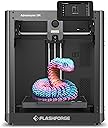
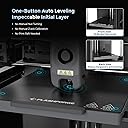
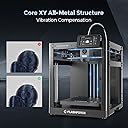
⚡ Unlock next-level 3D printing speed and precision — because your creativity deserves no limits!
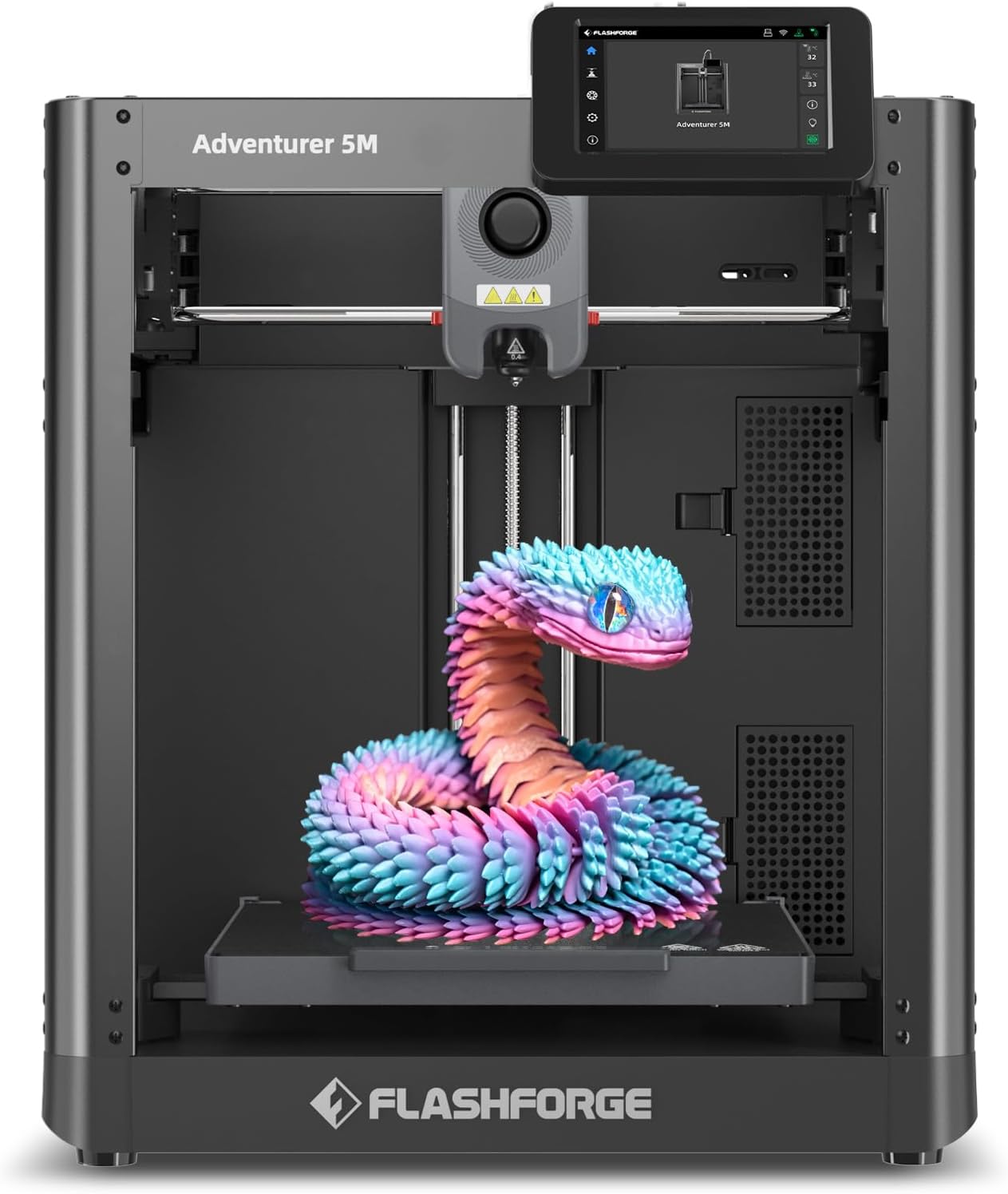
The FLASHFORGE Adventurer 5M is a professional-grade 3D printer featuring a robust Core XY all-metal frame, ultra-fast 600mm/s travel speeds, and a high-temp 280°C direct extruder with a quick-detach nozzle system. Designed for seamless one-click auto bed leveling and smart remote print management via a dedicated app, it supports a wide range of filaments including advanced composites. With a 220x220x220mm build volume, rapid 35-second warm-up, and dual-sided PEI platform, it delivers reliable, high-quality prints ideal for creative professionals and managers seeking efficiency and precision in rapid prototyping and production.


| ASIN | B0CH4NYL6J |
| Best Sellers Rank | 293,079 in Business, Industry & Science ( See Top 100 in Business, Industry & Science ) 342 in 3D Printers |
| Guaranteed software updates until | unknown |
| Item model number | Adventurer 5M |
| Manufacturer | FLASHFORGE |
| Product Dimensions | 40.21 x 36.3 x 44.81 cm; 10.8 kg |
M**E
I run a small business and had been using two printers: an Elegoo resin printer (fantastic printer) for prototypes, and an Creality Ender 3 S1 (below average experience) for tools and fittings. The Adventurer 5M was added to the stable in a fit of rage and desperation incrimentally fueled daily by the Ender 3 S1. This is a review for the Adventurer, but I need to share the behavior I'd been accustomed to from my eldest workhorse, context is important. I acquired the Ender 3 new in box at the end of November 2024. The first, second, third, and fourth things it produced were various sized nests of knotted filament. The plate had no adhesion to speak of, the self leveling feature...didn't, the physical distance the nozzle was from the print bed seemed to have little concern for the numbers indicating the Z-offset. I just figured it was my own inexperience and ineptitude preventing the machine from doing it's best work. Over a time span of roughly 3 months, countless instructional videos step by step articles helped me to triangulate an almost acceptable, almost reliable combination of settings, adjustments, and physical add-ons that would allow the printer to do it's job, most of the time. The best thing about the Creality product, is that it forced me into a level of competence I never would have attained with a reliable printer. It's a lot like owning a cheap Ford: It's just barely good enough to be called a car. Since the Ender 3 was my first foray into 3d printing, I just assumed that's just how printers are: Frustratingly sensitive to EVERYTHING. A few days ago I realized the errors I was dealing with were repeating frequently enough that I knew how to counter most of the behaviors before the wheels came off (The adjustment knobs literally came off 18 hours into a rather large print last month). After steadily escalating jaw clenching frustration was no longer tenable, I tried resetting it to factory spec...which it wouldn't do, it just beeped at me like a petulent child. Fine, I thought, I'll update the firmware. A word to the anyone considering purchasing a Creality product: I would recommend against it. The firmware update process ignores the fact that most people don't wish disassemble their machine to access a port that Creality decided shouldn't be on the OUTSIDE of the machine. Also, the old addage "Keep is Simple, Stupid" isn't terribly popular in that part of China. So, after doing my best to decode the cryptic instructions that later became clear, I loaded the update onto the SD card that came with the printer (which required the card to be reformatted for some reason) and followed the instructions in the helpful readme file. The read me file was one of FIVE files included in the download. I soon discovered that you need to load only ONE of those files to upgrade the control board's firmware. The instructions were originally in Chinese and obviously passed through Google translate a few times to ensure adequate user confusion. The result? My Ender 3 S1 is now a brick. I could feel the veins in my forehead pulsing as I pulled up Amazon. I ordered the Adventurer in an act that I can only describe as "rage quitting" Creality products, never to look back. Boy am I glad I did. The new printer arrived this morning. Well played to the distributor, that was a turn around of less than 12 hours. After some minor assembly and a few downloads, the Adventurer roared to life with a happy little tune. With zero adjustments, no tuning required, no bed leveling, and no drama, the thing just works perfectly. I printed the included benchmark models one after the other with none of the abrasive behaviors Creality built into their "good enough" S1. I then switched the filament to PETG and began running calibration models. Again, perfect performance and holy cow it's fast. It's not a quiet printer, I wouldn't recemmend locating it near a sleeping child, but that's really no concern to me. I'm very pleased with my purchase.
C**T
Shipping was fast. Install easy. If not there is plenty of support and videos to help someone if lost. WARNING: Do not put filament sample that is shipped with this printer on its holder. Doing so may cause damage to the machine. Ask me how I know. My filament sample was wounded up and I thought I Had it completely untangled and set the filament on its designed location but since this filament doesn’t come on a roll the filament just has a mind of its own. My filament was no longer sliding and ended up becoming too tight for the printer to pull the filament to the nozzle. I may have a damaged product now because of this. We will see. And I will update weather support is helpful or not. I’m a complete amateur on 3D design and the printing process. I did run TinkerCad and was able to print a few things with a little bit of a learning curve. Without YouTube I would have been lost. Best of luck. UPDATED: It has taken time for me to learn how to design things and after a few weeks I put this printer to use. Long story short, this printer has failed me after 7 different prints. I mean actual printers where something takes 30 mins to 3 hours to complete. My failure started when I was printing things back to back trying to fine tone my design and I ended up with a lot of Filament in a large blob pile instead of any sort of design. I tried to clean the nozzle right quick and try my luck again but I only ended up with a smaller blob of plastic. I decided to give the printer a rest and to try my design again but only doing one part on the layout instead of 2 or 3. This didn't go so well. The printer didn't go home or calibrate correctly on its on and when it started to print the nozzle dug into the base plate causing deem scoring marks. I tried to buff them out and the plate is probably going to be ok for what i need out of the printer but that's not the issue now. My issue continues to be filament not coming out when changing filament. More so I cant get the printer to even print a practice cube. I've tried completely cleaning the nozzle, removed the extruder and filament completely and made sure the extruder gears are messed with no missing or broken wheel cogs or teeth and watched the gears spin and feed the filament into the nozzle. My nozzle temp gets up to 280 degrees but still things are not feeding or spray out even the smallest practice designs. I cant even get a line up mark on the base plate. This printer is supposedly suppose to be simple and great for beginners. With my background in fixing robots and machinery this thing is giving me hell. I can only hope flash forge does away with this model. I would love nothing more than my money back or a newer model this thing needs to go in the trash. I had a feeling things would go south after the issue at setup and they did.
B**K
Had this for a full year and is my 10th 3D printer and my 3rd from Flashforge. It by far is the best one I used by this brand. The speed of printing is a lot faster than any other filament printer I own. The print alignment is so easy simple push of a button it does it for you. The days of manual bed leveling is over. This thing works over wifi super easy. one of the best printers I used but there is still a few weird things. This thing designed for noobs so there not much moding available on this machine over other I have. The only thing I don't like about flashforge is their community is filled with people that no nothing about 3D printing and give advice that is way wrong and will newer users to have bad user experiences. If your not a noob user this is a great 2nd or 3rd printer or like in my case 10th printer. If you are new to 3D printing get experience by learning how over asking their commuinty.
S**S
This review is for the 5M model, not the Pro model, but they are very similar and a big plus is the ease with which this can be upgraded by the user to the Pro version. It is fully on par with similar offerings from Bambu Labs and Creality. TL;DR - There is no printer less than $600 that I would recommend. This printer is fast, extremely accurate, and trouble-free. Pros: * Blazing fast - about 4 times faster than my Ender5 * Extremely accurate. This is my 4th 3D Printer and the first one that passes various tolerance tests without a lot of tweaking (not that I was ever able to fully get there with other printers). This one passed the nickel test as well as the Tolerance Coin without any tweaks at all. * Plug and play. Only unpacking and plugging in the display, followed by automatic calibration. * Absolutely perfect bed leveling and adhesion. Supposedly application of a glue stick is required for PLA, but I have zero problems across the bed. Parts do pop off at the slightest touch when done, but so far have not come loose during printing. Perhaps taller parts may have problems that required either a gluestick or another bed plate material. * Perfect configuration for OrcaSlicer which is a good choice. * LCD display is easy to read, easy to use, and intuitive. Cons: * It is very loud. Part of it has to do with the high print speed. However, some optimization of fan noise should be investigated. Every online review I have seen speaks of the noise from the motherboard cooling fan when not printing. I do not find that noise to be that bad. What is bad is the two fans for the hotend. One is to cool the hotend and the other is to cool the part when printing PLA. I suspect both the choice of fans as well as excessive shrouding by the plastic enclosure are major contributors. UPDATE: the worst of the noise is actually from the motors and/or motion. This may be part of the high-speed nature. * No wifi support except for their own slicer (which is junk). At this writing, a fork of Orca supposedly supports wifi uploading. Also missing are various Klipper Web UIs. A fix for this may also be in the mix. UPDATE: Wifi is now supported. I can send prints directly from OrcaSlicer now. General UPDATE: After owning the printer for a few months now, and 300 hours of usage, I have upgraded my rating to 5 stars. This printer at $300 to $350 is the absolute best value and extremely reliable. No fussing is necessary to get good results. Recommendations to users: 1. I started having adhesion problems, and the supplied glue stick was worse than no glue stick. I heard that buffing the surface with ScotchBrite pad would fix it, and it did. No glue stick or anything is needed now. Adhesion is great with both PLA & PETG. I also bumped up the heated bed temps to 60 & 70 deg respectively. 2. I found I needed to print PETG at a much higher temperature - 265 degrees in order to maintain a glossy finish (which indicates the correct temp). 3. Print out the spool holder for the upgrade - it makes filament changing much easier. 4. You can add a camera from Flashforge (I did, but haven't installed it yet). 5. A nice upgrade would be a 2nd spool holder (or make the upgraded one into a dual holder) to make color swapping easier. If you don't need the run-out sensor for the 2nd color, just bypass the entire Bowden tube assembly and feed straight into the extruder. 6. For color changes, add M25 to the Change Filament G-Code in OrcaSlicer, then check the Manual Filament Change box under the MultiMaterial Tab (it took me a while to figure that out) in order to prevent the printer from pausing at the start of the print when a color change is inserted. Suggestions to Flashforge: 1. Fix the fan noise for the hotend and motor/motion noise. I am not sure if an upgrade can be made available to existing customers, but that would be nice if you can fix this problem. 2. Incorporate Klipper WebUI into the regular firmware (that can be upgraded OTA). 3. Provide replacement nozzle tips in addition to the current all-in-one nozzle. It would be nice to be able to replace this inexpensive part when needed without buying an entire new nozzle. 4. To the printer screen, add the time remaining and the current layer. 5. Add a filament swapping system. Even a simple two-filament system would be great.
C**T
Perfect as a first 3D printer! Bought for my IT spouse as a gift. He was underwhelmed and didn't see how useful it could be. Once he was set up and I showed him sites for models, he was hooked! This printer has not stopped for long since then, with no real issues. Very easy setup and clear instructions. It does very well with PLA and PETG filaments, prints are crisp and well made. No blobs or misprints. Bed required the included adhesive at first, but once it's seasoned, no issues with attachment. Bed cleans easily with a scraper it printed. No warping. Included tools are helpful, since you have to occasionally tighten the frame. Size is decent for most prints and the included test filament was gorgeous and dry. We will probably upgrade to a better printer in a few months, but this one is perfect to learn on.
Trustpilot
3 weeks ago
1 month ago