Desertcart purchases this item on your behalf and handles shipping, customs, and support to Mexico.
⌨️ Elevate your workspace, embrace comfort, and never miss a keystroke!
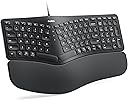
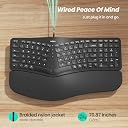
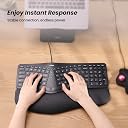
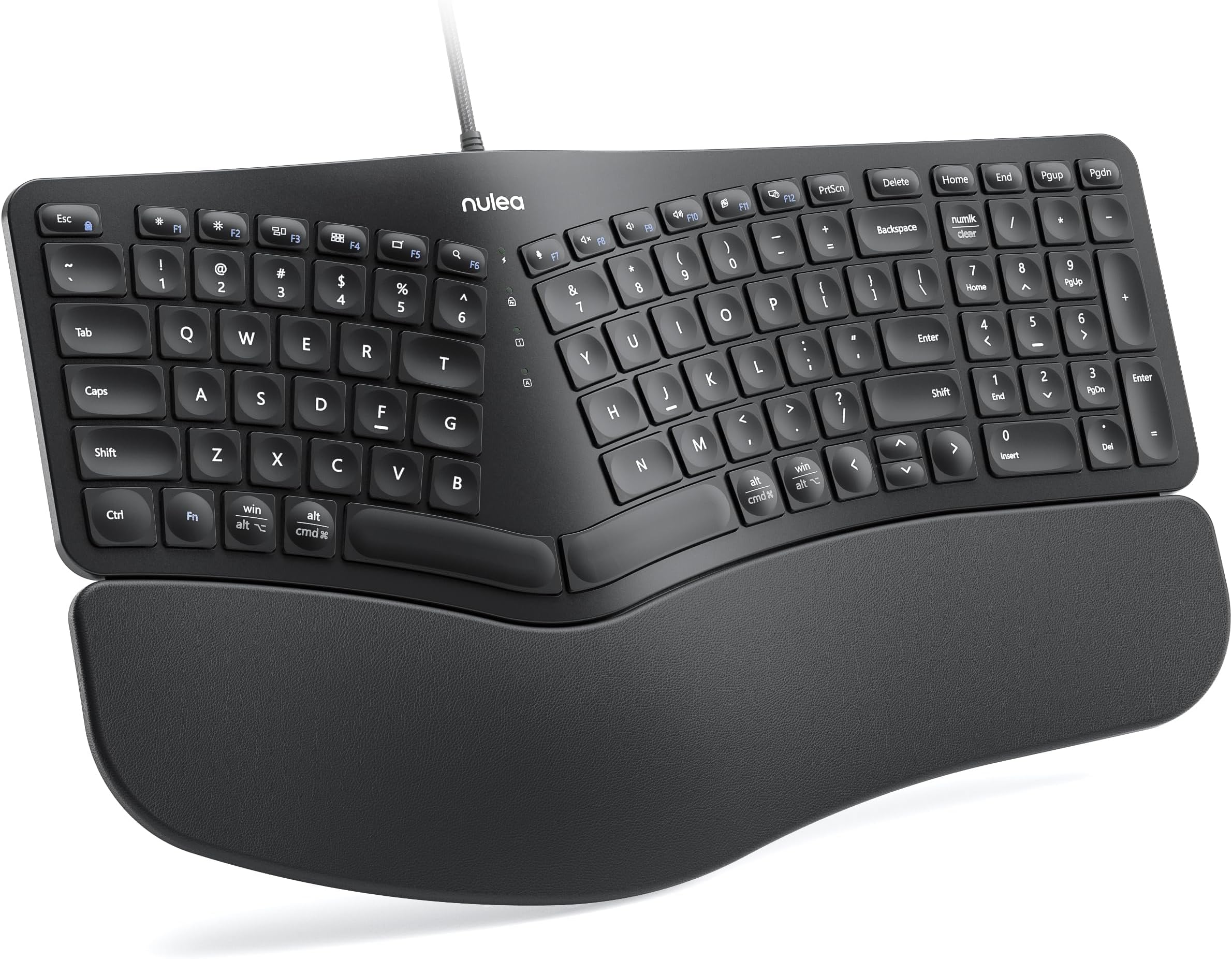
The Nulea Ergonomic Split Keyboard RT05C features a thoughtfully designed split layout that promotes natural hand positioning, paired with a plush leatherette wrist rest to minimize fatigue. Its stable USB-C wired connection via a durable braided cable guarantees reliable performance without wireless interruptions. Adjustable tilt legs provide customizable ergonomics, while broad OS compatibility and a compact full-key layout make it an ideal choice for professionals seeking comfort and efficiency in one sleek package.


| ASIN | B0CXPCMGP1 |
| Additional Features | Ergonomic, Split Keyset Design, Wrist Rest |
| Antenna Location | Business, Office |
| Best Sellers Rank | #223 in Computer Keyboards |
| Brand | Nulea |
| Built-In Media | Durable Braided Nylon Cable |
| Button Quantity | 101 |
| Color | Black |
| Compatible Devices | Laptop, PC |
| Compatible Operating System Family | MacOS, Windows, iOS, iPadOS |
| Compatible Tablet Computer Models | AAUB P30 |
| Connectivity Technology | USB Wired |
| Customer Reviews | 4.3 out of 5 stars 415 Reviews |
| Enclosure Material | Plastic with Leatherette Wrist Rest |
| Hand Orientation | Ambidextrous |
| Item Highlight | Plug and Play Keyboard with Adjustable Tilt Legs, Natural Typing Design, Comfortable Support for Windows, Mac and PC |
| Keyboard Description | Ergonomic split design with cushioned wrist rest, adjustable tilt legs, and stable wired connection |
| Keyboard Layout | QWERTZ |
| Manufacturer | Nulea |
| Minimum Required Operating System Version | Windows 10 |
| Model Name | Ergonomic Keyboard |
| Model Number | RT05C |
| Number of Items | 1 |
| Number of Keys | 101 |
| Number of Packs | 1 |
| Number of Sections | 2 |
| Power Source | Wired |
| Recommended Uses For Product | Business, Office |
| Series Number | 5 |
| Special Feature | Ergonomic, Split Keyset Design, Wrist Rest |
| Style Name | Contemporary |
| Switch Type | Mechanical |
| Unit Count | 1 Count |
| Warranty Description | 12 months |
| Water Resistance Level | Not Water Resistant |
T**N
Replacing Logitech with Nulea
During Prime Day, I decided to try a new keyboard for several reasons: 1. My home Logitech K350 has the keyboard labels wearing off 2. I've had occasional issues with wireless connectivity. (Taking my laptop back and forth to the office, nice to just leave the keyboard plugged into a dock.) 3. Hand and wrist issues to try a "more ergonomic" keyboard. 4. Looking for a somewhat "quieter" keyboard for use during the constant zoom meetings. The Nulea RT05C checked all the boxes and with a good deal on Prime Day, I decided to give it a try. After a day of use, things I like: 1. Keys and typing have a good feel. Typing speed is not impacted by key stroke. Keystroke feels more like Thinkpad laptop's keyboard. 2. The sound is better than my old logitech, both in volume and less clanky. Hard to get a feel for in a review but I think it is nice. 3. I like that it takes up a lot less desk space. 4. Hand positioning does feel more natural. Will be interesting to see if it helps with the problems over time. 5. No batteries, low battery problems. Also like not needing to change out batteries as a first course of action when a problem comes up with the keyboard. Things I don't like: 1. No special "media" keys like on the Logitech - not a big deal though as most of the functionality are in the function keys but I liked the volume buttons. 2. The special ridges for the "F" and "J" keys are hard to feel. Definitely taking time to get used to hand placement. May get used to it but it feels like it would have been better if the keys were better distinguished. Currently, this does impact typing speed some for me but likely to go away with increased usage. 3. Would like bigger arrows and easier placement of page up/down keys. (Of course this would conflict with keeping the keyboard size smaller!) Other issues/undecided: 1. Hoping that the lettering on the keys holds up over time better than the logitech's did which lasted about 3 years. (Lettering wear was probably accelerated by typing while also eating and thereby getting some food oils involved.) 2. My use case does not involve needing lighting. More important for me to have lit keys on my laptop keyboard. Neither the Logitech or the Nulea has lighting but that was fine by me. 3. The rounded "scalloping" of the keys feel fine. Interesting to see which ones are "concave" vs. "convex". Perhaps a little more scalloping would be nice for keeping fingers on keys but hard to tell if that might not be more of a con. 4. The big gap between left and right splits (between G and H) just seems to be calling out for a mouse substitute such as the red nub on my Thinkpad or a mini trackball. Might look for that in a future keyboard. I picked the Nulea against similarly priced keyboards with similar features in part due to better reviews in general. Some competitors seemed to have more issues with occasional problems. All in all, I like it and am tempted to get one for the office too. It seems to be well built and good quality material so I think it will be pretty durable. I'll give it a couple of months to see though before making the jump. I'm pretty picky but at the price and with a full day of actual usage, it exceeded my expectations and feels like 5 stars is warranted.
T**R
Very comfortable keyboard
Update 11/4/2025: I have used this keyboard for 10-1/2 months now and everything I said originally (below) I still agree with. It is my favorite keyboard ever. The keys are still springy (as long as you don't have a very heavy touch) and all the keys work as if they were new. I still wish there was a Ctrl key instead of a Windows key on the right side (but not enough to motivate me to downloaded 3rd-party keyboard mapping software to switch it). I definitely would buy it again. Pros: - Comfortable hand and wrist position - The space bars are not too high vertically. I had to abandon an early "ergonomic" keyboard because the slope was such that I was getting tenosynovitis (aka "mommy's thumb") in both wrists. This keyboard is not doing that to me. - Nice tactile and auditory feedback. (Some may complain the keyboard makes too much noise but I like it. If you like to hit the keys hard, you may find the keyboard not springy enough, but for a light touch it is quite good.) - Coming from an old Microsoft ergonomic keyboard, the main keys (letters and numbers above them) are where my fingers expect them, including the "Y" which is accessed by the right hand. (Some split keyboards have the "Y" positioned for the left hand, which is not what I'm used to.) - Not as wide as many keyboards that also including a number pad and arrow keys. - You can toggle the keys at the very top between normal function keys and keys that control brightness, volume, etc. (The default is the latter, but when you press Fn+Esc you toggle them to function keys.) Cons: - In order to make all the keys fit, some keys are not where I'm used to. What bugs me the most is that I have trouble finding the arrow keys, "home" and "end" without looking. "Pgup" and "Pgdn" are in a weird place too but as they are at the very top right, they are much easier to find. ("Delete" is above "Backspace", so not so hard by touch.) - There is no "Ctrl" key to the right of the space bar, only to the left. (I may try remapping the "Win" key on the right to "Ctrl", since I never use the right "Win" key and there is also a "Win" key on the left. This is not a programmable keyboard, but there are software tools that allow remapping any keyboard.) - There is no dedicated "Insert" (or "Ins") key, but the number pad has "Insert" on the "0" key so it's not a big deal to me. - The LEDs are very bright (but easily made dim by a sheet of paper over them). - No backlighting (which only bothered me when I couldn't find the arrow keys by touch in the dark and when I hit the 0/Insert key by mistake and couldn't find that in the dark either). By the way, I was puzzled by why the number pad wouldn't work until I realized that I had Mouse Keys on. If your number pad isn't working, try pressing the Alt + Left Shift + Num Lock keys to toggle Mouse Keys off. (If Mouse Keys was already off, you will get a dialogue box asking you to confirm that you want to turn Mouse Keys on.)
G**L
Nice Work Keyboard
Used this keyboard for a few days for work. So far I like it. Not too clacky and easy on the wrist. Would recommend this keyboard for someone worried about carpal tunnel.
C**A
Great Keyboard
I've used keyboards since high school when we had IBM typewriters. Good keyboards have a certain feel to them. This one has that great feel. The feedback when typing is perfect. The size is a bit smaller than normal keyboards, which is good in this case. How did they do that and keep a 10-key pad to the right? They basically rearranged a few keys. Every keyboard is a little different than all the others. In this case, the Delete, Home, End, Pgup and Pgdn keys are in a different place. It took me very little time to get used to that. And the rest of the keyboard is so good, it was worth it.
M**E
Worth the Purchase
Love this. I brought this for my sister for her birthday, which was January 31, 2025. She still has it its still in good shape. Works well, all keys still work and sound good. It's easy to set up and has reduced wrist strain. She has Ehlers-Danlos syndrome, so comfort was very important for me. 10/10 quality. Also, love the pink!
L**B
Replacement for Microsoft Ergonomics Keyboard
My old vintage MS Ergonomic Split Keyboard gave out - they no longer make them and the 3rd party who took it over evidently is still playing design catchup. Those replacements are quite expensive by today's standards. So, I found this one online for a really good price. A couple of differences: this doesn't have all the bells and whistles of the MSErgo Keyboard. It doesn't have the same study key feel. The back feet could be a bit taller. The keycaps are cupped and smaller. The navigation panel is smaller. Win, Alt, Cmd share keys. I'm slowly getting used to the changes. If you need a reliable replacement at t great price, you might try this one.
M**K
Nulea RT05C Wired Ergonomic Keyboard - White
I've been using the Nulea RT05C Wired Ergonomic Keyboard for about a month now, and it's been a solid upgrade. Some of the key sizes are different from my previous Logitech ergonomic keyboard, so there was a bit of an adjustment period. However, unlike my old Bluetooth keyboard that would occasionally lag, this corded one is consistently responsive, making for a smoother typing experience. The split design encourages a more natural hand position, which feels more comfortable compared to traditional layouts. The cushioned wrist rest stands out, providing excellent support and making long typing sessions much more manageable. The adjustable tilt legs are a great addition, letting me fine-tune the angle for better posture and comfort. Setup was effortless, I plugged it in, and it worked immediately with my MacBook Pro. Do wish it was a USB-C connection, but not a big issue. The keys have a nice tactile feel and respond well, which helps with typing speed. Overall, noise level from typing isn't bad. If wrist strain from prolonged typing is an issue, this keyboard could be a worthwhile solution. Overall, it’s been a great experience so far, delivering both comfort and functionality for extended use.
A**R
Ruined a good thing.
I want to start off saying I was very excited when I came across my first Nulea ergonomic keyboard years ago. I had been looking for a replacement for my Microsoft ergonomic keyboard that they had discontinued and Microsoft's new one was not good from the many reviews I saw everywhere I looked. When I came across the Nulea years ago it had so many great reviews and some even mentioned it replaced their Microsoft ergonomic keyboard and they were very happy with it. I ordered it and was beyond thrilled and loved it. Came back and ordered a second one to use at work. So when looking for a new one, I came right back to Nulea. I was excited to get it until it arrived and I opened it. From the pictures in the description for this item, I could tell they improved the wrist rest by making it deeper (top to bottom) to support more of your hands and wrist. Unfortunately, they took away a lot of the cushioning in the wrist rest and it's not good. The curvature of the keyboard is less so you hands and fingers don't rest the same. Not comfortable or natural. The keyboard is more sunken. All the keys are much much lower in height and have openings under every one of them where dust, dirt, etc can easily get into. Why do this?? The main typing keys are sunken in the middle while the secondary keys like the keys across the very top and very bottom rows are raised up in the middle. They took away keys I found useful and moved others and made them smaller. It's thinner, not of the same quality and overall its just not good. All of this is compared the Nulea keyboard I have now, the one that I bought this one to replace. I was looking forward to this being my next new Nulea long-time keyboard but unfortunately it is not. Back to searching again.
S**E
Amazing keyboard
Absolutely adore this keyboard. Fantastic ergo keyboard. Nice layout. Keys are quiet and made for typing. I loved it way better than my last one after only two min of using this one. Buy it, you won't regret it. I love pink so of course grabbed that one on sale.
C**S
ainda tenho algumas dificuldades pois achei que fosse padrão BNT Brasil
procure mais informações antes de comprar.
榎**彦
初期不良?
設定があるかわかりませんが、)を表示させようとすると隣のボタンから現れたり@マークが出なかったり形状は良いですが、仕事で使えなかったのでこの評価にしました。
A**R
Great
Works great, very comfortable to use, slightly more noisy than I was expecting but nothing crazy. Overall, I have been really enjoying it so far.
A**A
Good but doesn't last
Nice, but the spacebar became defective after about 6 months. Edit: they refunded me after this review so I guess there is no risk in trying it.
Trustpilot
2 weeks ago
4 days ago