Buy anything from 5,000+ international stores. One checkout price. No surprise fees. Join 2M+ shoppers on Desertcart.
Desertcart purchases this item on your behalf and handles shipping, customs, and support to Mexico.
⌨️ Elevate your mobile workspace—type smarter, travel lighter!
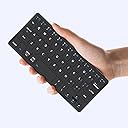
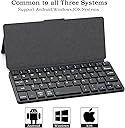
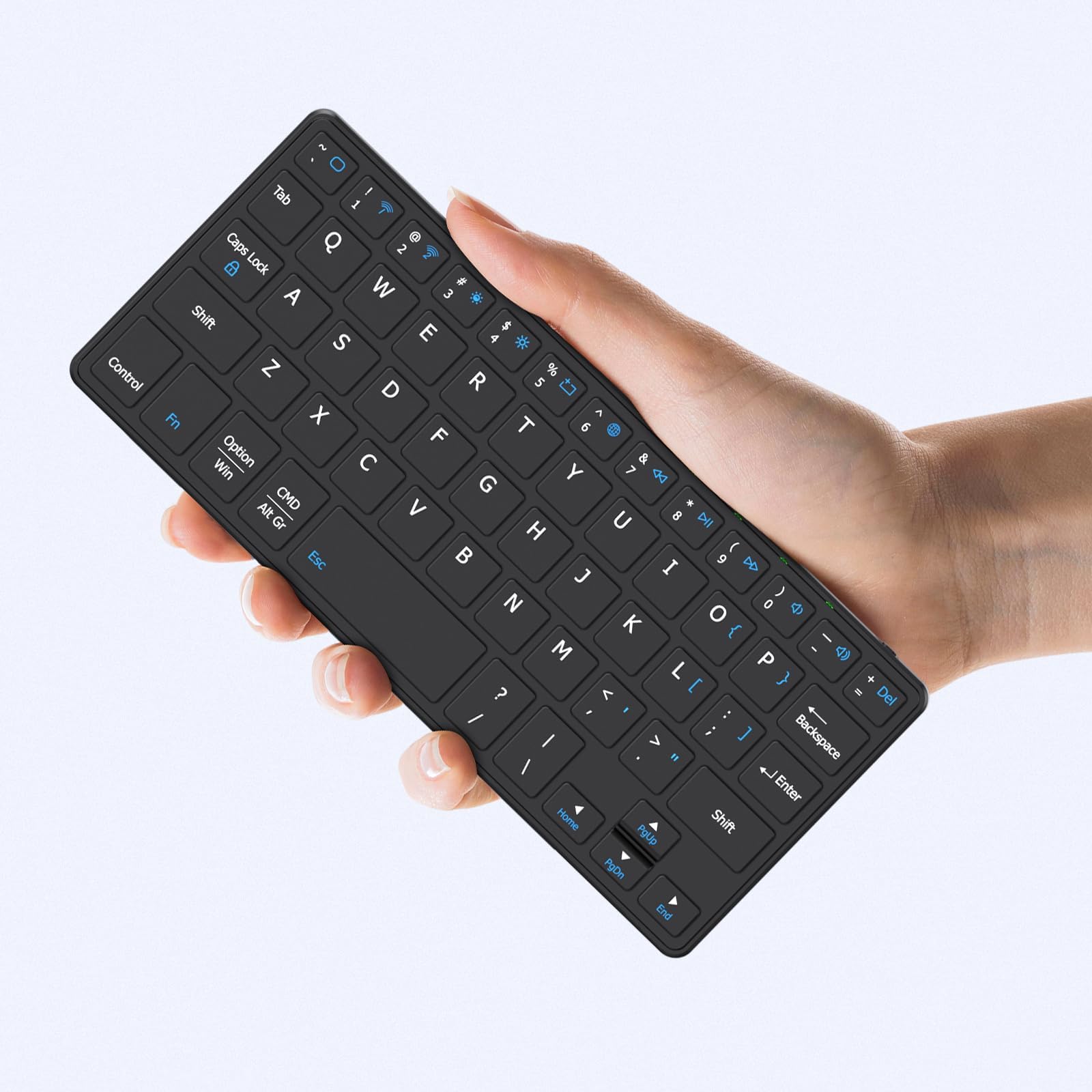
The Kenkor K08 Universal Wireless Keyboard is a rechargeable, ultra-portable Bluetooth keyboard compatible with iOS, Android, and Windows devices. Featuring a compact 7.68" x 3.34" design, it offers over 80 hours of battery life on a single charge, quick device switching, and an adjustable PU leather stand for ergonomic typing anywhere. Ideal for professionals on the move, it combines style, durability, and seamless connectivity in one minimalist package.
| ASIN | B0D2XYLZ7X |
| Additional Features | Foldable, Integrated Stand, Lightweight, Portable, Rechargeable |
| Antenna Location | Connect Bluetooth: Press "Fn" + "1" or "2" for 3 seconds to enter pairing mode, Esc function: Press "Fn" + space bar, Lock/Unlock the keyboard: Press "Fn" + Caps Lock, Shortcut Keys: Press "Fn" + shortcut keys,Apostrophe:FN" + ' |
| Best Sellers Rank | #267 in Computer Keyboards |
| Brand | Kenkor |
| Built-In Media | USB Cable, User Manual |
| Button Quantity | 78 |
| Color | Black |
| Compatible Amazon Tablet Models | Amazon Fire 7 5th Generation, Amazon Fire HD 10 5th Generation, Amazon Fire HD 8 5th Generation |
| Compatible Devices | Android,Windows and iOS,iPad,Phone,Tablet or Laptop |
| Compatible Operating System Family | Android, Windows |
| Compatible Tablet Computer Models | Apple iPad (10th generation) |
| Connectivity Technology | Bluetooth |
| Customer Reviews | 4.3 out of 5 stars 194 Reviews |
| Enclosure Material | Acrylonitrile Butadiene Styrene |
| Hand Orientation | Ambidextrous |
| Is Electric | Yes |
| Item Dimensions L x W x H | 7.68"L x 3.34"W x 0.6"H |
| Keyboard Description | Three steps to connect the mini keyboard ①Turn on the power of the keyboard from [OFF-ON] ,Press “FN”+“1”or “2” for three seconds,until the indicator light between flashes frequently ②Then turn on the buletooth of the device you want to connect ③Find the “wireless keyboard” on the device and connect Note: It will automatically connect after connecting once.If it has not been connected for too long, you need to remove the wireless keyboard first and then repeat the above steps Keyboard Description Three steps to connect the mini keyboard ①Turn on the power of the keyboard from [OFF-ON] ,Press “FN”+“1”or “2” for three seconds,until the indicator light between flashes frequently ②Then turn on the buletooth of the device you want to connect ③Find the “wireless keyboard” on the device and connect Note: It will automatically connect after connecting once.If it has not been connected for too long, you need to remove the wireless keyboard first and then repeat the above steps See more |
| Keyboard Layout | QWERTY |
| Manufacturer | Kenkor |
| Minimum Required Operating System Version | Android 3.0 Honeycomb, Windows 10, iOS 10 |
| Model Name | K08 |
| Model Number | K08 |
| Number of Batteries Required | 1 |
| Number of Keys | 58 |
| Number of Sections | 1 |
| Power Source | Battery Powered |
| Recommended Uses For Product | Connect Bluetooth: Press "Fn" + "1" or "2" for 3 seconds to enter pairing mode, Esc function: Press "Fn" + space bar, Lock/Unlock the keyboard: Press "Fn" + Caps Lock, Shortcut Keys: Press "Fn" + shortcut keys,Apostrophe:FN" + ' Recommended Uses For Product Connect Bluetooth: Press "Fn" + "1" or "2" for 3 seconds to enter pairing mode, Esc function: Press "Fn" + space bar, Lock/Unlock the keyboard: Press "Fn" + Caps Lock, Shortcut Keys: Press "Fn" + shortcut keys,Apostrophe:FN" + ' See more |
| Special Feature | Foldable, Integrated Stand, Lightweight, Portable, Rechargeable |
| Style Name | Classic |
| Switch Type | Linear |
| Theme | Minimalist |
| Unit Count | 1.0 Count |
| Warranty Description | 1 Year Warranty |
S**L
Compact and powerful, on the go!
I’ve always been into tech and willing to try all new products, so when I came across this keyboard, claiming to be of high quality and able to be compatible with all major products (iOS and Android) I knew I had to try it. I instantly discovered when I opened the package that it’s very compact and easy to carry. I noticed that to set up and to use proved to be simple and easy to do. The connectivity was strong and battery life was very practical. I really enjoy the ability connect a wireless keyboard for when I’m on the go and being able to function on the go. Highly recommend this product for its practicality and reliability.
S**N
Great mini keyboard!
I love this mini keyboard! I use it all the time with my iPad. It does take a little bit of getting used to it due to its smaller size but once you’re acclimated, it’s just like any other keyboard. The function keys are slightly different than a standard Windows keyboard but it’s easy enough to figure out. A feature I love and was not expecting is the built-in tablet holder that has adjustable angles.
F**L
Highly portable, works well.
Yep, it’s small, and a few keys are in non-standard places (the apostrophe, for example, requires function key and the comma key, beside “M”). But typing, even with my fat fingers, works well enough. The cover, to protect the keys, along with the option to lock out the keyboard for travel, is a major plus. The ability to quickly shift between two devices is also high on my list… I can go from my iPad to my iPhone with a quick button press. It will go with me to the South Pacific for 3 weeks next month.
M**K
Good purchase
Very nice keyboard. Works really well for me. It IS really small, so if you have large hands it may be a problem. I like using it alot. The apostophe key requires you to push the function button to use it & that takes some getting used to. I use apostrophes alot so it slows me down a little, but, other than that, I like this keyboard alot.
C**R
Handy gadget
This is a very handy add-on in a modular world. The laptop for this is kept 6 feet away, and with this compact keyboard, a wireless mouse, and connected large monitor I can wake up the laptop without touching it and do what I need to do on it. The only shortcoming with the keyboard is it’s missing the “function” keys. I especially miss the F2 key for my application. Everything else is perfect. I leave the keyboard on all the time and the laptop stays in sleep mode when not in use. So the bluetooth connection stays on all the time and never has to re-pair.
Z**E
Look at the layout before you buy
I've had other mini keyboards in the past, but they were all folding and after a few months they had dead keys. I thought this was due to the folding so I decided to give this one a try. The build seems solid and I like the cover. It pairs easily with my phone and have had no mechanical issues after about 3 months of use. So why 3 stars? Some of the keys are located in odd spots and I just could not adapt. I thought that after using it for some time that I would adjust to it but it's been slow going with lots of backspacing and pausing looking for keys. Because of this, I've decided to try another folding keyboard which has been working well for me so far. It's nice to be able to type fast again! Take a close look at the layout of the keys before you buy, and if you think you can adjust to it, then this is a solid keyboard that I can recommend.
T**Y
Transforms iPad Mini into an Equally Adorable and Epic Netbook
(same keyboard enjoyably used to write this review) UPDATE: Now consistently typing at over 85WPM on this little sucker. It really is a killer keyboard once you adjust to the size! Even my dreams could not have conceived a netbook this epic. This is the only keyboard I could find on amazon that matches the exact proportions of the ipad mini, making it a little touchscreen laptop wonder. That said—this thing is CRAMPED because ipad minis are only slightly over 7 inches long (most smaller keyboards tend to be around 10-11 inches long). Another downside to the size is apostrophes and question mark keys are in an abnormal spot, and require holding down the function key to insert. It definitely takes some getting used to, but I can manage to consistently type over 65WPM on this little guy now. The keys, while tiny, have a remarkable amount of travel and feel very nice to type on. I wouldn’t want to write a novel on this thing, but for lighter typing tasks and to keep the virtual keyboard from taking over the ipad screen, it’s great! The built-in case with a kickstand is better than using the folio case, too—it supports a wide range of viewing angles similar to a Surface pro. TLDR: this little keyboard kicks butt, but really only makes sense for an ipad mini and even then only if you really want a keyboard to match the diminutive size. Any larger keyboard will be surely be easier to type on, but this one can be used quite well after a bit of practice and is a joy to tote around.
H**N
Perfect mini size
The location of some special keys took getting used to, but its size is PERFECT with the iPad mini & the stand holds its weight well. Fits nicely in a purse, too. Now I can type on the go; planes, trains, coffee shops, etc. No excuses to not finish that book... though I'm sure I'll come up with a different procrastination trick soon.
F**S
Difficult to connect
Difficult to connect, and the Bluetooth pairing is very slow.
E**.
No tiene ñ
Está en inglés
Trustpilot
4 days ago
2 weeks ago