We remain fully operational. Our teams are working around the clock to ensure your deliveries continue safely.

DOWNLOAD THE APP


Customer Services
Copyright © 2025 Desertcart Holdings Limited
DOWNLOAD THE APP

🔥 Elevate your game with ultra-light speed and precision!
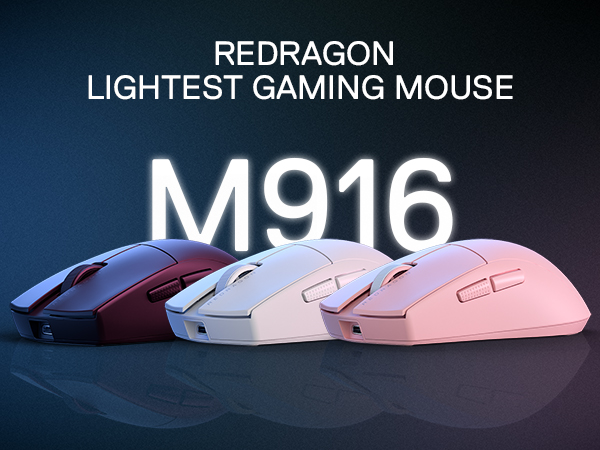
The Redragon M916 PRO is a cutting-edge wireless gaming mouse weighing only 49 grams, featuring an ultra-high 26,000 DPI sensor with 5 adjustable levels, and versatile 3-mode connectivity (Bluetooth, 2.4GHz, wired). Its ergonomic design ensures comfort for extended use, while fully programmable buttons and dedicated software empower gamers and professionals to customize controls for peak performance.




| ASIN | B0CQLDNJPV |
| Additional Features | Advanced Chip, Ergonomic Design, PAW 3395 Sensor |
| Antenna Location | Indoor/Outdoor |
| Are Batteries Included | Yes |
| Are Batteries Required | No |
| Battery Average Life | 150 Hours |
| Best Sellers Rank | #1,461 in Video Games ( See Top 100 in Video Games ) #83 in PC Gaming Mice |
| Brand | Redragon |
| Button Quantity | 5 |
| Color | Pink |
| Compatible Devices | PC, Laptop, Tablet |
| Connectivity Technology | BT, 2.4Ghz Wireless , USB-C |
| Customer Reviews | 4.6 out of 5 stars 1,694 Reviews |
| Enclosure Material | Plastic |
| Finish | Matte |
| Hand Orientation | Right |
| Hardware Platform | PC |
| Item Height | 5 centimeters |
| Item Weight | 49 Grams |
| Manufacturer | Redragon |
| Model Number | M916 |
| Mouse Maximum Sensitivity | 26000 Dots per Inch |
| Movement Detection | Optical |
| Movement Detection Technology | Optical |
| Number of Batteries | 1 Lithium Polymer batteries required. (included) |
| Number of Buttons | 5 |
| Operating System | Windows |
| Power Source | Battery Powered |
| Range | 10.0 meters |
| Special Feature | Advanced Chip, Ergonomic Design, PAW 3395 Sensor |
| Style Name | 1K Hz |
| Unit Count | 1.0 Count |
| Warranty Description | 1 year |
Trustpilot
1 month ago
1 month ago