Buy anything from 5,000+ international stores. One checkout price. No surprise fees. Join 2M+ shoppers on Desertcart.
Desertcart purchases this item on your behalf and handles shipping, customs, and support to Mexico.
🚀 Capture Every Moment, No Limits Attached!
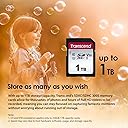
The Transcend SDC300S 32GB SDHC card delivers up to 95MB/s read speeds and Class 10 UHS-I U1 performance, optimized for DSLR cameras and 4K video capture with V30 certification. Lightweight and durable, it includes exclusive RecoveRx software for data recovery and comes with a 5-year limited warranty, making it a reliable choice for professionals and enthusiasts alike.


| ASIN | B07BSCXBTQ |
| Additional Features | Lightweight |
| Best Sellers Rank | #38 in SecureDigital Memory Cards |
| Brand | Transcend |
| Built-In Media | Flash Card |
| Color | black |
| Compatible Devices | Audio Recorders, Camcorders, DSLR Camera, Mirrorless Camera, Trail Cameras |
| Customer Reviews | 4.7 out of 5 stars 13,887 Reviews |
| Flash Memory Type | eMLC |
| Global Trade Identification Number | 00760557841098 |
| Hardware Connectivity | SDHC |
| Item Dimensions D x W x H | 3.94"D x 18.9"W x 19.69"H |
| Item Type Name | Transcend TS32GSDC300S 32GB UHS-I U1 SD Memory Card |
| Item Weight | 0.1 Ounces |
| Manufacturer | TRANSCEND |
| Media Speed | 45 |
| Memory Storage Capacity | 32 GB |
| Mfr Part Number | TS32GSDC300S |
| Model Name | TS32GSDC300S 300S SDHC Class 10 UHS-I U1 |
| Model Number | TS32GSDC300S |
| Read Speed | 95 Megabytes Per Second |
| Secure Digital Association Speed Class | Class 10 |
| UPC | 760557841098 |
| Unit Count | 1.0 Count |
| Warranty Description | 5 Year Warranty |
| Warranty Type | Limited |
S**3
Perfect for TASCAM Model 12-24 multitrack recorder.
I have a Tascam Model 24 multitrack mixer. It uses SD cards for recording. However not just any SD card will work. The Transcend 300S (TS256GSDC300S) is the one I use. In fact, I've bought it twice now. It works with the mixer flawlessly. No latency. The Tascam Model 24 immediately recognizes the card, formats it and then it's ready to record. I'm doing this review to help myself remember the steps in arming the mixer for record. I only use it once or twice a year so I always forget how to do the steps. So this is for my future self. Self, in order to record to the SD card you: 1. Create new song by pressing MENU then NEW SONG on the jog wheel (name it if you wish). 2. Press MENU again to get back to 00h00m00s screen. 3. Arm the track or tracks you want recorded. 4. Finally press RECORD button. Voila! Now back to everyone else. The Transcend 300S can record all 24 tracks from this mixer with ZERO issues. I've recorded several 2-3 hour shows and it works just as you'd expect. Each track shows as an individual WAV file when you transfer from the SD card. I record in 16it 44.1khz. Again, it will record all 24 tracks for hours without a hiccup. I'm not too concerned about the read speed to my PC. The card states up to 100MB/s. It works with my Tascam mixer, and that's enough for me. 100% recommended.
Z**H
Works for my old Panasonic camera
Lifesaver. My camera required a regular SD card (doesn’t take sdxc or sdhc). I haven’t had any trouble with it. Been using it for around 7 months now
A**R
Works perfect on GameCube for booting swiss (with partition adjustments, read below)
So I'm using this on my GameCube console to boot swiss. I noticed some reviews stating it will work, while others said doesn't work at all for this purpose. I will say this did not work as formatted out of the packaging. Here is the trick I used to make it work (note simply formatting to fat 16 or 32 will not fix the problem, it's a partition ID setting you have to change using a special program, not windows format utility!!! -Search for this program and install free standard edition: AOMEI Partition Assistant Standard Edition -Insert your new Transcend 2GB sd card and launch AOMEI. -Identify the correct "disk" and right click the drive letter where it says (example: G: "name of sd") then hover to Advanced, and click "Change Partition ID Type". Make sure you are right clicking the SD and not another one of your hard drives by mistake! -Click the drop down menu and select "0x0B FAT 32" then select ok. -You will be returned to the main AOMEI screen. Click the APPLY button on the very top left corner, and and confirm you wish to make the changes. -Once this is complete and you get a success message, right click the sd card again and select "Format" -Enter whatever you like in Partition Label, I called mine SWISS -Select FAT32 under File System -I chose 16KB under Cluster Size (only one that worked for me) then click ok. Once again you'll be returned to AOMEI main screen. -Click APPLY in the very top left corner again and confirm. Once you get success message you're done! The partition ID was corrected to one the GameCube and SWISS or Action Replay disk will understand. -Finally, copy swiss folder contents onto the SD card and refer to emukidid's instructions on GitHub website with help on loading proper files on SD for successful booting. I was close to returning the memory card until I stumbled upon these settings in AOMEI, so glad I was patient and did some deep troubleshooting! I use action replay disk to boot swiss off this Transcent 2GB memory card with no issues now. It sounds tough but really isnt! WARNING- I do not guarantee this will work for everyone, it worked for me so this is just a tip on how I got mine to work and prevent frustration of returns and buying another card when this one was just partitioned differently than the others!! If done wrong, this could corrupt your new SD card so please understand this advice does not come with warranty, promise, or guarantee, I'm just tying to help others any way I can that are confident in giving this a try understanding the potential consequences of having to make a return anyways or losing the cost. Thanks and good luck out there!
H**Y
This SD card can store digital information really well.
These SD cards do a great job of storing digital information securely. You can store photos or songs or .pdf's on it. I've been told that you can also store other kinds of digital information on it, but I've never tried to store anything else on it so I can't comment on that. You can even erase digital information that you put on there, but didn't mean to and you can use it to move digital information from one place to another. Don't try to look at the information by looking at the pins on the card though. You won't be able to see it. It's too small. You'll have to plug the SD card into some sort of SD card reader. The best thing I would like to say about these SD cards is that they are for the most part very friendly and they don't complain about much. You can put them right in your pocket and they don't mind at all. I even took one swimming once, by mistake of course, and it didn't complain one bit.
A**R
Fine card, but old class
Be aware that some of the write speed info on this page is for the newer card class. Using the exact same card reader, another card which made similar write speed claims was doing about 35MB/s, and this one does about 20. It's not bad, and Transcend makes reliable cards, but they currently want almost as much for this as for the newer version. If I had known that, I would have bought the new one for not much more.
N**A
good
works well
J**N
Works great for older devices, perfect for C-PAP machines
As others have noted, these are great for devices which cannot format or handle the memory size of more modern SD (SDHC + SDXC) cards. Most importantly for me, these work with the Remstar PR System One C-Pap machines. From what I've read they use the same technology as most other C-PAP devices, so if you have another model you can purchase these with a high level of confidence. If you have an older device of any kind there's a couple things to keep in mind: In this kind of a scenario transfer speeds are rather irrelevant, as the speed of the SD card is limited by the older SD controller. If your device came with standard SD cards there's a high likelihood you'll be capped at 2GB and have to buy these "Standard SD" devices. However, in some instances you may be able to perform a firmware update to allow SDHC cards to be accepted, which you might want to consider if it's for use in a camera or something which would benefit from the higher capability. Don't use a price per GB comparison: Some have complained about the price- noting that for example a newer Sandisk SDHC 32gb model is currently ~ $13. So, why pay $10 for a 2gb? Seems imbalanced, right? Wrong. These reviewers aren't getting it. The older SD technology isn't really in production and there's a small market for it (really just older device compatibility) so we aren't comparing apples to apples here. Take a look at what new blank VHS tapes are going for. I shouldn't compare that to the price of blank DVD's. Sony 6T120VR 120-Minute VHS 6-Pack (Discontinued by Manufacturer) Comparing apples to apples, this Transcend 2GB currently at $9.99 with prime shipping is the best deal on amazon by about $5 currently for the Standard SD cards. If you need these for a device you think you will be using for some time to come, it might be wise to stock up. Anyhow, the bottom line is that for an older device this item is about as good as it's going to get. You can check your product manufacturer's website for updated firmware, but if you are not technically inclined and want a zero-headache solution just pull the trigger already.
M**K
Works as intended.
My mother has an older point and shoot camera that is far out classed by her iPhone but she enjoys the shooting experience of it. It is hard to find SD cards that are compatible with it so it's great to still see these available for a good price. I figured they would be inflated like everything else but for $10, grab a handful. Worked perfectly and haven't had any issues.
R**N
Perfect zoals omschreven
Gelukkig een normale SD kaart had deze nodig voor de auto deze kan geen SDhc aan
M**O
Buon rapporto qualità prezzo
Prodotto conforme.Venditore consigliato
S**X
TS64GSDC300S Lettura in media 80 mb/s e scrittura 60 mb/s direi ottima!!!
Questa scheda per rapporto prezzo prestazioni direi che è un affare, ho eseguito vari test con crystaldiskmark 6.0.2 e ATTO disk benchmark 4.00.0f2 la media in lettura e 80mb/s e in scrittura e 60 mb/s , direi un ottimo risultato, test effettuati con lettore usb 3.0. Consiglio l'acquisto se si vuole girare video con fotocamere per riprese 4k 30 fps o 60 fps, dato il rapporto di scrittura minimo garantito di 30mb/s ,direi che dai grafici mostrati li supera abbondantemente anche in casi particolari, dove il taglio del file è più piccolo e non c'è necessità di più velocità sia in lettura che in scrittura.
C**J
good item value for money
I am using item and item is value for money
K**I
It worked
I have an old canon camera and i didnt find any sd card might work for it except this sd card thanks for selling it !
Trustpilot
1 day ago
1 month ago