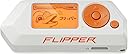
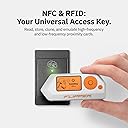
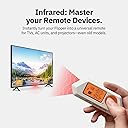
🦈 Dive into digital hacking with your ultimate cyber sidekick!
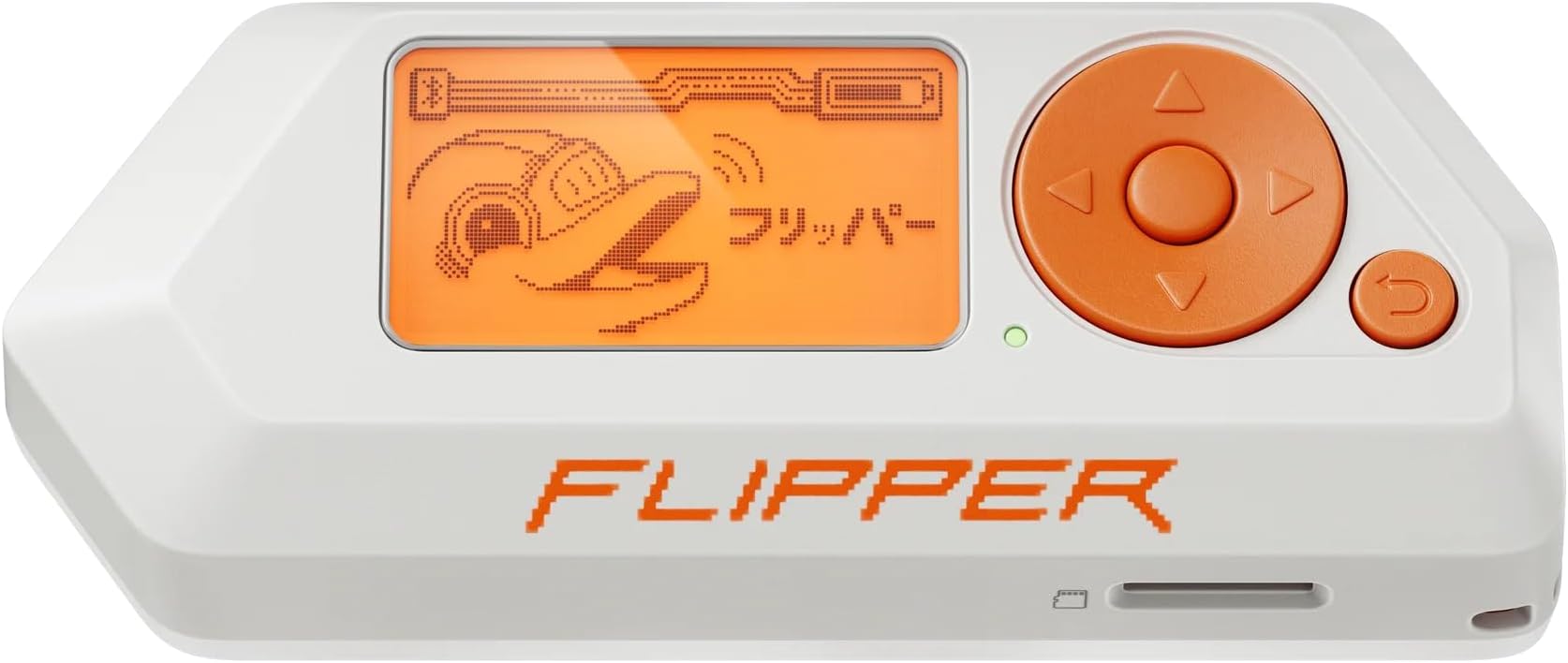
Flipper Zero is a compact, battery-powered multi-tool designed for tech-savvy professionals and curious minds. It supports RFID/NFC reading and emulation, infrared signal analysis, and sub-GHz radio protocol exploration. Fully open-source and customizable, it empowers users to debug hardware, test security systems, and develop new applications—all from a pocket-sized device with an intuitive interface and strong community backing.


| ASIN | B0BFXKSFNT |
| Batteries | 1 Lithium Metal batteries required. (included) |
| Batteries Required? | Yes |
| Batteries included? | Yes |
| Battery Cell Type | Lithium Ion |
| Best Sellers Rank | 1,464 in Business, Industry & Science ( See Top 100 in Business, Industry & Science ) 8 in Semiconductor Products |
| Colour | Orange, White |
| Customer Reviews | 4.5 4.5 out of 5 stars (1,835) |
| Date First Available | 20 Sept. 2022 |
| Delivery information | We cannot deliver certain products outside mainland UK ( Details ). We will only be able to confirm if this product can be delivered to your chosen address when you enter your delivery address at checkout. |
| Included Components | No components included |
| Installation method | wireless DIY |
| Item Package Quantity | 1 |
| Item Weight | 150 g |
| Item model number | FLP-Z-W-R04 |
| Manufacturer | Flipper Devices |
| Part Number | FLP-Z-W-R02 |
| Power Source | Battery Powered |
| Product Dimensions | 10 x 4 x 2.5 cm; 150 g |
| Voltage | 12 Volts |
G**R
⭐️⭐️⭐️⭐️⭐️ A Hacker’s Swiss Army Knife. Compact, Clever, and Addictive
Flipper Zero is one of those rare gadgets that feels like it was made for geeks by geeks. It’s wireless, pocket-sized, and packed with tools - RFID, sub-GHz, infrared, GPIO, and more. All wrapped in a playful dolphin-themed interface. Whether you’re testing remotes, cloning access cards, or exploring signal protocols, it’s endlessly useful and surprisingly intuitive. The community support and open-source ecosystem make it even better. Highly recommended if you love tinkering, learning, and pushing boundaries - just be ready to lose hours exploring what it can do. And remember, keep it legal!
N**O
Flippin' good
This is a great little tool. Put off grabbing one for a while. Sounded cool but I thought it was just something for low effort peoples to speed run some sense of accomplishment. In the end grabbed one to have one, before they got banned or something silly. Seeing the gpio pins clinched it as figured at worst it was an overpriced usb to uart bridge, that I could flash a couple led's with. Searched for some vids before it arrived, and read a bunch of complaints about how it couldn't open cars or wouldn't pick up a dogs tag. I saw some positive comments but nothing that really communicated the full potential. Finally got the thing and pretty instantly grew to love it. Would have been amazing to have this as a young teen, aside from being a cool educational tool that encourages you to explore outside your interests just to see the lil dolphin get a bit more experience. Way beyond that, it is a legitimate swiss army knife for some hardware hacking, in the classical sense. The number of uncased AVRdudes or old serial cables lying about, flipper can do it all. AVR flasher, ESP32 programmer, SWD debugger, I2C bus scanner. If there's not "an app for that", you can write your own, give it some nice graphics that are integrated with the overall aesthetic and build against whichever firmware you are using. The support for that is fleshed out, full of examples, with a healthy dev community. It's not brain dead it is C (headers are defined for easy compilation with C++), but there is a lot of support for people learning. - Look for Derek Jamison, on youtube (has a bunch of dev tutorials for fz) Dev experience is smooth, with a python tool for target building only your app, generating a `.fap` that you are then able to simply drag and drop onto the sd card to instantly see on your flipper. In this way it acts as a microcontroller that can save your gpio experiments to be easily replayed later without reflashing. There are some pretty high effort apps made by the community. With official devs and friends putting out things like the AVR flasher, which you can download from the flipper "app store" or from github and build. Didn't get any expansion boards when I purchased, and stuck with the official firmware (or modifying the official firmware) just to really explore what it could do in stock form. But it is worth mentioning that like with the dev community there are builders making physical expansion cartridges. There's a bunch of unofficial firmware's, some are just compilations of community apps and data dumps, but others lift limitations to free the hardware. It's one of those one's that you can really go down a rabbit hole with. This is a tool like Vim is a tool.
K**Y
Flipper Zero: Your Pocket-Sized Partner in Crime (With a Dolphin!)
I wasn’t sure what to expect from the Flipper Zero, but one thing’s for sure: it’s not your average gadget. This tiny powerhouse combines the fun of a digital pet with the thrill of a high-tech Swiss Army knife. And yes, there’s a dolphin that levels up the more you use it. It’s like having a tiny tech buddy egging you on with every new discovery. This isn’t just a tool, it’s a ticket to a world of exploration. Whether it’s talking to RFID, NFC, or even infrared, the Flipper opens up so many possibilities that it’s hard to resist trying it on everything around the house. One minute, you’re pressing buttons, and the next, you’re feeling like a secret agent who just unlocked a hidden skillset. It’s compact, portable, and perfect for satisfying your tech curiosity. Plus, there’s something addictive about leveling up that little dolphin every time you find something new to scan or test. Now, if you’re new to tech, you might need to watch a YouTube tutorial or two, but let’s be real: if you’re reading this review, you probably already know what it’s capable of and just want to join in on the fun. And if you’re already in the know, the Flipper’s learning curve won’t be a problem—it’ll be part of the fun. The only real downside? It can go through battery life pretty fast if you’re playing around a lot. But honestly, that’s a small price to pay for what it offers: hours of entertainment, endless curiosity, and a dolphin buddy who’s always there to “high-five” your latest tech feat. The Flipper Zero is equal parts gadget, game, and guilty pleasure, worth every penny and then some. Just be prepared to spend a little more time poking around than you planned!
D**N
EDC must have
You really have to learn this product but great gadget
J**K
Flipper Zero
The Flipper Zero has a number of features that make it a powerful tool for interacting with access control systems. These features include: * A built-in antenna that can read and write RFID and NFC tags * A built-in infrared transceiver that can be used to emulate radio remotes * A built-in iButton reader that can be used to read and write iButton keys * A built-in GPIO interface that can be used to connect to other devices The Flipper Zero can be used to: * Read and emulate RFID and NFC tags: This can be used to open doors, access computers, and pay for items. * Emulate radio remotes: This can be used to control garage doors, TVs, and other devices. * Read and write iButton keys: This can be used to access buildings and other secure areas. * Connect to other devices: This can be used to control lights, appliances, and other devices. My favourite being my work passes and 2FA. I have all my 2FA information saved on my Flipper Zero and also my Work Pass to get through security. Brilliant piece of equipment, not a waste of money in my eyes.
C**H
Needed a bunch of updates but quite cool once you get it working
This was way smaller than I expected - fits into your palm. Really well made - feels solid and the buttons have a satisfying click to them. It's got a cute sort of dolphin based interface ( when you turn it off the dolphin weeps ). That said this is a very technical tool - it can do endless things and has been well supported but I needed to update the firmware from the get go to have it work. It scans some cards and not others - there are forums to help here but you need to be familiar with smart card standards to debug stuff.
B**E
This can turn off TVs, control projectors, and copy key cards! It can hack car locks, and garages. With an extra device called an ESP32, you can control factors to the wifi you are connected to. You can also code a badusb, which could hack, or copy all of a computer's information. This can also download games, and send signals out to devices. It can also copy credit cards. Please note, don't use this for illegal activities, as it is meant for educational, and testing of security. I advise learning about coding, and actual science to the esp32 to understand how it works. AMAZING DEVICE! LOVE IT!!! Cutest dolphin ever!
S**L
Le Flipper Zero est arrivé en moins d'une semaine, bien emballé et en parfait état. Aucun problème avec le colis ni avec l'appareil, tout fonctionne comme prévu. Très satisfait de mon achat !
M**L
Muy bueno y muy peligroso. Úsenlo con cabeza. No tengo quejas de el.
A**Y
Le Flipper Zero est un petit appareil compact et abordable qui offre une grande variété de fonctionnalités. Cependant, il est important de noter que le Flipper Zero est un outil puissant qui peut être utilisé à des fins malveillantes. Il est donc important de le mettre entre les mains de personnes expérimentées qui comprennent les risques potentiels. Points forts Polyvalence : le Flipper Zero peut être utilisé pour une variété de tâches, notamment : Exploration de la radiofréquence : le Flipper Zero peut être utilisé pour analyser les signaux radio, identifier les appareils et les protocoles utilisés. Émulation de périphériques : le Flipper Zero peut être utilisé pour émuler des périphériques USB, tels que des claviers, des souris et des clés USB. Débogage de matériel : le Flipper Zero peut être utilisé pour déboguer le matériel, en utilisant ses pins GPIO pour contrôler les périphériques. Portabilité : le Flipper Zero est un appareil compact et léger qui se glisse facilement dans une poche ou un sac. Prix abordable : le Flipper Zero est un appareil abordable, ce qui le rend accessible à un large public. Points faibles Apprentissage : le Flipper Zero offre une grande variété de fonctionnalités, ce qui peut nécessiter un certain temps d'apprentissage. Support : le support du Flipper Zero est encore en développement, ce qui peut poser des problèmes aux utilisateurs qui rencontrent des difficultés. Risques potentiels : le Flipper Zero peut être utilisé à des fins malveillantes, telles que la surveillance, le piratage ou le sabotage. Conclusion Le Flipper Zero est un outil puissant qui peut être utilisé pour une variété de tâches. Cependant, il est important de noter que le Flipper Zero est un outil qui peut être utilisé à des fins malveillantes. Il est donc important de le mettre entre les mains de personnes expérimentées qui comprennent les risques potentiels. Recommandations Le Flipper Zero est un excellent choix pour les passionnés d'électronique qui souhaitent apprendre sur la radiofréquence, l'informatique et la sécurité. Il est également un bon choix pour les utilisateurs qui recherchent un outil polyvalent et abordable. Cependant, le Flipper Zero peut être difficile à utiliser pour les débutants. Il est recommandé de consulter la documentation et les tutoriels disponibles en ligne avant de commencer à utiliser l'appareil. Le support du Flipper Zero est encore en développement. Il est important de garder à l'esprit que des problèmes peuvent survenir et que les solutions peuvent ne pas être disponibles immédiatement. Précautions à prendre Si vous envisagez d'acheter un Flipper Zero, il est important de prendre les précautions suivantes : Renseignez-vous sur les risques potentiels. Avant de commencer à utiliser le Flipper Zero, il est important de comprendre les risques potentiels qu'il comporte. Par exemple, le Flipper Zero peut être utilisé pour surveiller les communications sans fil, pirater des appareils ou saboter des systèmes. Utilisez-le de manière responsable. Si vous décidez d'utiliser le Flipper Zero, il est important de le faire de manière responsable. N'utilisez pas le Flipper Zero pour des activités illégales ou nuisibles. Protégez votre vie privée. Le Flipper Zero peut être utilisé pour collecter des informations personnelles. Il est important de protéger votre vie privée lorsque vous utilisez le Flipper Zero. Par exemple, vous pouvez utiliser un VPN pour masquer votre adresse IP. En suivant ces précautions, vous pouvez utiliser le Flipper Zero de manière sûre et responsable.
E**F
Dont use it often but now with the new software maybe i will
Trustpilot
1 month ago
2 months ago